
1. Inleiding
Thank you for choosing the UrbanX Q63 Wireless Earbuds. These earbuds are designed to provide an immersive audio experience with true Bluetooth 5.0 connectivity, touch controls, and IPX7 waterproofing, making them ideal for sports and active lifestyles. This manual will guide you through the setup, operation, and maintenance of your new earbuds.
2. Produk verbyview
Pakketinhoud
- UrbanX Q63 Wireless Earbuds (Left and Right)
- Laaikas
- USB-laaikabel
- Verskeie groottes van oorpunte
- Gebruikershandleiding
Sleutel kenmerke
- Bluetooth 5.0: Ensures stable and quick connection.
- IPX7 waterdig: Protects against sweat and rain, suitable for various activities.
- Raakbeheer: Manage music, calls, and volume with simple taps.
- Over-Ear Design with Flexible Earhooks: Provides a secure and comfortable fit, especially during sports.
- Charging Case with LED Display: Shows battery capacity for both earbuds and the case.

Figuur 2.1: UrbanX Q63 Earbuds with flexible earhooks and button control, designed for a secure fit during sports. Includes various ear tip sizes for customization.
3. Opstelling
3.1 Laai die oordopjes en houer
Before first use, fully charge the earbuds and the charging case. Connect the provided USB charging cable to the charging port on the case and a power source. The LED digital display on the charging case will indicate the charging status and battery levels.
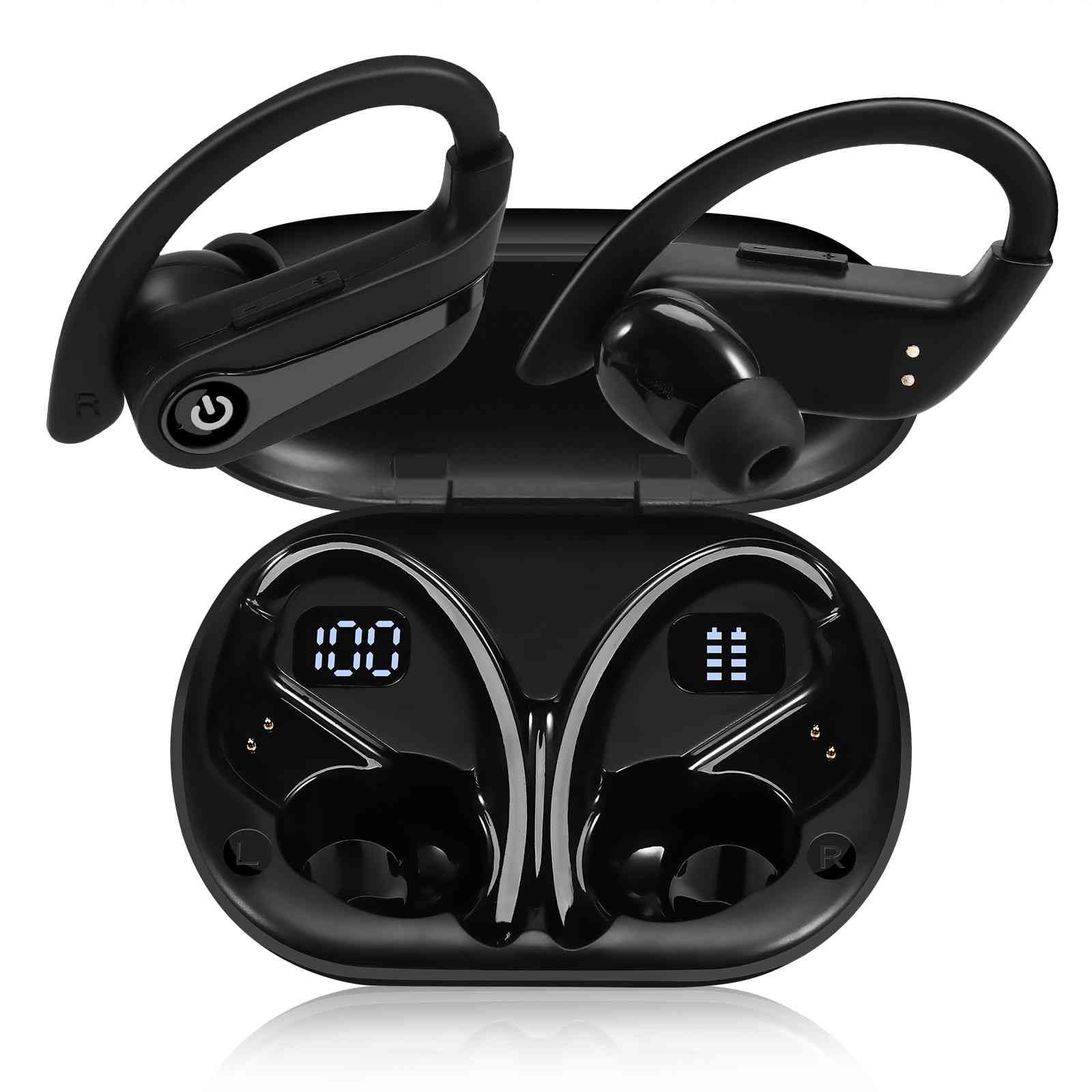
Figuur 3.1: The charging case features a dual LED digital display, showing the charging case capacity and individual earbud power levels.

Figuur 3.2: The earbuds offer approximately 20 hours of playback on a single charge, with the charging case providing an additional 200 hours of battery life.
3.2 Bluetooth -koppeling
The UrbanX Q63 earbuds feature one-step pairing for convenience.
- Krag aan: Haal albei oorfone uit die laaikas. Hulle sal outomaties aanskakel en in paringsmodus gaan.
- Aktiveer Bluetooth: On your device (smartphone, tablet, etc.), go to the Bluetooth settings and enable Bluetooth.
- Kies Toestel: Soek vir "YYK-Q63" in the list of available devices and select it to connect.
- Bevestiging: Once connected, you will hear an audio prompt, and the earbuds will be ready for use. The earbuds will automatically reconnect to the last paired device when taken out of the case.
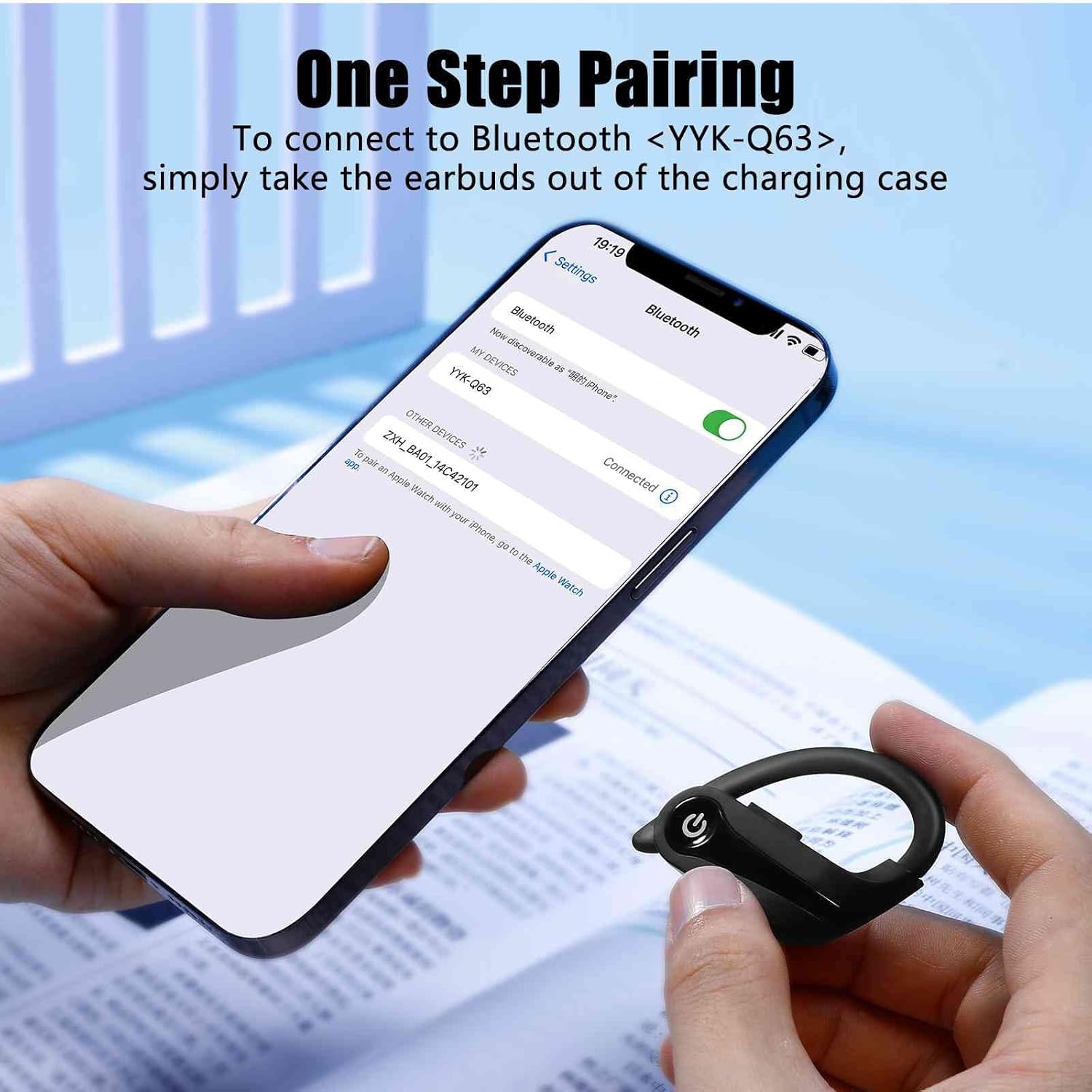
Figuur 3.3: To connect, simply remove the earbuds from the charging case and select "YYK-Q63" from your device's Bluetooth settings.
4. Bedryfsinstruksies
4.1 Raak kontroles
The UrbanX Q63 earbuds feature intuitive touch controls on each earbud. Refer to the table below for specific functions:

Figuur 4.1: Diagram illustrating the touch control functions on the UrbanX Q63 earbuds.
| Aksie | Funksie |
|---|---|
| One click (either earbud) | Speel/Pauseer Musiek, Beantwoord/Hang Oproep Op |
| Twice click (either earbud) | Verwerp oproep |
| Long press (2 seconds) on Right Earbud | Next Song, Volume Up (+) |
| Long press (2 seconds) on Left Earbud | Previous Song, Volume Down (-) |
| Lang druk (3 sekondes) | Krag aan |
| Lang druk (5 sekondes) | Krag af |
4.2 Dra van die oordopjes
For optimal sound quality and a secure fit, choose the ear tips that best suit your ears. The flexible earhooks are designed to provide stability during physical activity. Adjust the earhook over your ear until the earbud sits comfortably and securely in your ear canal.
5. Onderhoud
To ensure the longevity and performance of your UrbanX Q63 Wireless Earbuds, follow these maintenance guidelines:
- Skoonmaak: Maak die oorfone en laaikas gereeld skoon met 'n sagte, droë, pluisvrye lap. Moenie harde chemikalieë of skuurmiddels gebruik nie.
- Oorwenke: Remove and clean the ear tips periodically with water and mild soap. Ensure they are completely dry before reattaching them to the earbuds.
- Waterweerstand: The earbuds are IPX7 waterproof, meaning they can withstand submersion in up to 1 meter of water for 30 minutes. However, it is recommended to dry them thoroughly after exposure to water or sweat to prevent damage to the charging contacts. The charging case is not waterproof.
- Berging: Wanneer dit nie gebruik word nie, bêre die oorfone in hul laaikassie om hulle teen stof en skade te beskerm. Bêre op 'n koel, droë plek weg van uiterste temperature.
- Laai kontakte: Maak seker dat die laaikontakte op beide die oordopjes en binne-in die houer skoon en vry van puin is om behoorlike laai te handhaaf.
6. Probleemoplossing
If you encounter issues with your UrbanX Q63 earbuds, refer to the following common solutions:
| Probleem | Moontlike Oplossing |
|---|---|
| Oorfoonknoppies word nie aangeskakel nie | Ensure earbuds are charged. Place them in the charging case for a few minutes, then remove. |
| Oorfone koppel nie met toestel nie | Make sure Bluetooth is enabled on your device. Forget "YYK-Q63" from your device's Bluetooth list and try pairing again. Ensure earbuds are out of the case and in pairing mode. |
| Slegs een koptelefoon werk | Place both earbuds back into the charging case, close the lid, then open and remove them simultaneously. This often re-syncs them. Check battery level of both earbuds. |
| Swak klankgehalte of ontkoppelings | Ensure earbuds are fully charged. Move closer to your device to avoid interference. Check for obstructions between earbuds and device. Try resetting the earbuds (refer to manual for specific reset instructions if available, otherwise try re-pairing). |
| Laaikas laai nie | Kontroleer die USB-kabel en kragadapter. Maak seker dat die laaipoort skoon en vry van puin is. |
| Raakkontroles reageer nie | Maak seker dat jou vingers skoon en droog is. Probeer om die oorfone weer te begin deur hulle in die houer te plaas en weer uit te haal. |
7. Spesifikasies
| Kenmerk | Detail |
|---|---|
| Modelnommer | YYK-Q63 |
| Handelsmerk | UrbanX |
| Verbindingstegnologie | Draadloos (Bluetooth) |
| Bluetooth weergawe | 5.0 |
| Oorplasing | In Ear / Over Ear (with hooks) |
| Vormfaktor | Oor Oor |
| Beheer metode | Raak |
| Waterweerstandvlak | IPX7 (slegs oordopjes) |
| Impedansie | 32 ohm |
| Ingeboude media | Laaikas |
| Bykomende kenmerke | Lightweight, Sweatproof |
| Versoenbare toestelle | Slimfone, tablette, rekenaars, slimluidsprekers |
8. Waarborg en Ondersteuning
UrbanX products are designed for reliability and performance. For warranty information, technical support, or customer service inquiries, please refer to the contact details provided with your purchase documentation or visit the official UrbanX webwebwerf. Bewaar asseblief u bewys van aankoop vir waarborgeise.