
Inleiding
This manual provides essential information for the installation, operation, and maintenance of your Crucial 16GB DDR5 RAM Kit. Designed for high-speed performance, this memory kit enhances multitasking, gaming, and demanding application performance on compatible desktop systems. Please read this manual thoroughly before installation and retain it for future reference.
Veiligheidsinligting
Observe the following safety precautions to prevent damage to your system or injury:
- Always disconnect your computer from the power source before installing or removing components.
- Ground yourself by touching an unpainted metal surface on your computer chassis to discharge static electricity before handling memory modules.
- Handle memory modules by their edges to avoid touching the gold connectors or integrated circuits.
- Do not apply excessive force when inserting memory modules into slots.
Verenigbaarheid
The Crucial 16GB DDR5 RAM Kit (CT2K8G48C40U5) is compatible with desktop systems featuring 13th Gen Intel Core processors and AMD Ryzen 7000 Series CPUs. It supports Intel XMP 3.0 and AMD EXPO for optimized performance profiles. Verify your motherboard's compatibility with DDR5 UDIMM memory before installation.
Opstelling (Installasie)
Follow these steps to install your Crucial DDR5 RAM modules:
- Berei jou stelsel voor:
- Power down your computer completely and unplug the power cable from the wall outlet.
- Maak jou rekenaarkas oop om toegang tot die moederbord te kry.
- Ground yourself to prevent electrostatic discharge.
- Vind geheuegleuwe:
Identify the DDR5 memory slots on your motherboard. Consult your motherboard manual for the correct slot configuration for dual-channel operation.
Beeld: A view of a desktop computer motherboard with RAM slots visible, indicating where the memory modules will be installed.
- Oop Retensieknipsels:
Gently push open the retention clips at both ends of the memory slot(s).
- Voeg geheuemodule in:
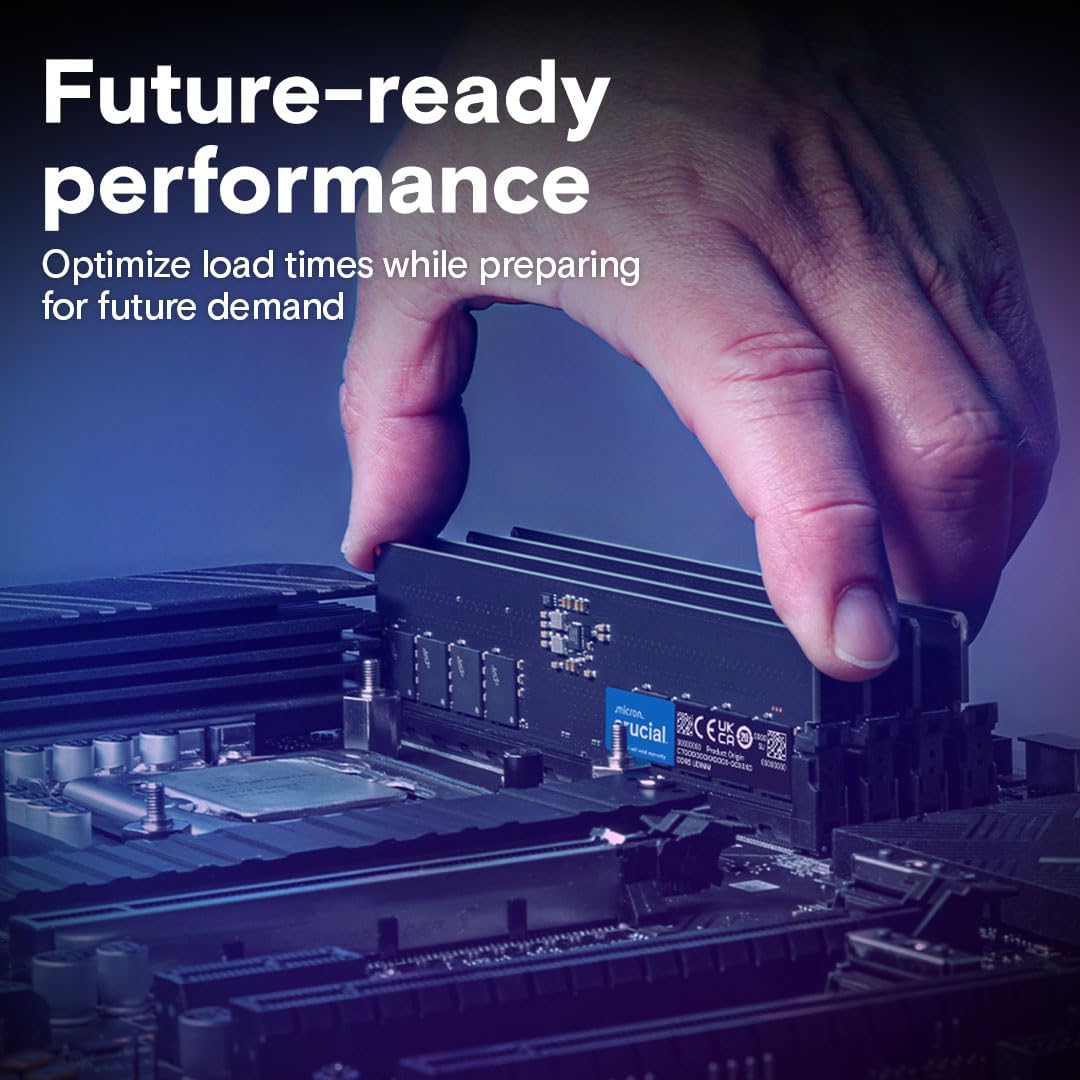
Align the notch on the bottom of the DDR5 memory module with the key in the memory slot. Ensure the module is oriented correctly. Place the module into the slot and press down firmly on both ends simultaneously until the retention clips snap into place.

Image: A hand carefully inserting a Crucial DDR5 RAM module into an open memory slot on a motherboard.
- Verifieer installasie:
Confirm that both retention clips are securely closed and the module is seated evenly in the slot. Repeat for the second module if installing a kit.

Image: Two Crucial DDR5 RAM modules held in a hand, showcasing their design before installation.
- Maak die kas toe en skakel aan:
Close your computer case, reconnect the power cable, and power on your system. The system should automatically detect the new memory.
Amptelike Produk Verbyview Video
Video: An official Crucial video providing an overview of the DDR5 4800MHz Desktop UDIMM DRAM, highlighting its features and benefits.
Bedryf (Gebruik)
Once installed, your Crucial DDR5 RAM will operate automatically. Key benefits include:
- Enhanced System Performance: The 4800MHz speed and DDR5 architecture provide faster data rates and increased bandwidth compared to DDR4, leading to improved overall system responsiveness.
- Smoother Multitasking: With 16GB of high-speed memory, you can run multiple applications simultaneously without experiencing slowdowns.
- Accelerated Gaming: Experience quicker load times and higher frame rates in games due to the increased memory bandwidth.
- Optimized for Demanding Tasks: Ideal for content creation, 4K video editing, and data processing, ensuring efficient handling of memory-intensive workloads.
- Energiedoeltreffendheid: DDR5 technology offers improved power efficiency, contributing to a cooler and more stable system.
Onderhoud
DDR5 RAM modules generally require minimal maintenance. Consider the following for optimal performance and longevity:
- Keep System Clean: Regularly clean the interior of your computer case to prevent dust buildup, which can impede airflow and cause overheating.
- Firmware -opdaterings: Ensure your motherboard's BIOS/UEFI firmware is up to date, as updates often include memory compatibility and performance improvements.
- Vermy fisiese skade: Handle modules carefully during installation or removal. Avoid bending or dropping them.
Probleemoplossing
If you encounter issues after installing your RAM, consider these common troubleshooting steps:
- Stelsel begin nie/geen skerm nie:
- Ensure modules are fully seated in their slots and retention clips are closed.
- Try installing only one module at a time to identify a potentially faulty stick or slot.
- Clear your motherboard's CMOS (refer to your motherboard manual).
- Verkeerde RAM-kapasiteit opgespoor:
- Verify all modules are correctly seated.
- Check your motherboard's BIOS/UEFI settings to ensure the correct memory amount is recognized.
- Dateer jou moederbord se BIOS/UEFI-firmware op.
- Stelselonstabiliteit/Ineenstortings:
- Run a memory diagnostic tool (e.g., Windows Memory Diagnostic) to check for errors.
- Ensure your system's cooling is adequate to prevent overheating.
Spesifikasies
| Kenmerk | Detail |
|---|---|
| Handelsmerk | Deurslaggewend |
| Modelnommer | CT2K8G48C40U5 |
| Tipe geheue | DDR5 UDIMM |
| Kapasiteit | 16 GB-stel (2 x 8 GB) |
| Spoed | 4800MHz (PC5-38400) |
| CAS-latensie | CL40 |
| Speldetelling | 288-pen |
| Voltage | 1.1 V |
| ECC-tipe | Nie-ECC |
| Vormfaktor | UDIMM |
| Afmetings (LxBxH) | 5.25 x 0.16 x 1.23 duim |
| Item gewig | 0.635 onse |
Waarborg en Ondersteuning
Crucial memory products are backed by a limited lifetime warranty. For detailed warranty information, technical support, or to register your product, please visit the official Crucial webwebwerf of kontak hul kliëntediens. Bewaar u bewys van aankoop vir waarborgeise.
Aanlyn hulpbronne:
- Crucial Support Page: www.crucial.com/support
- Produkregistrasie: www.crucial.com/register