
1. Inleiding
Thank you for choosing the Cecotec Surface Precision 9350 Digital Bathroom Scale. This manual provides essential information for the safe and efficient use of your new scale. Please read these instructions carefully before use and retain them for future reference.
The Surface Precision 9350 is a digital bathroom scale featuring a large 300 x 300 mm surface, an ultra-flat design, and a 6 mm tempered glass platform. It includes an invisible LED display for clear readings and a rechargeable lithium battery via USB, eliminating the need for disposable batteries. The scale offers a wide measurement range from 5 kg to 180 kg with 100 g increments and allows easy unit conversion between kilograms and pounds. Equipped with four high-precision sensors, it ensures stable and accurate measurements. Additional features include automatic disconnection, auto-on functionality, and indicators for overload and low battery.
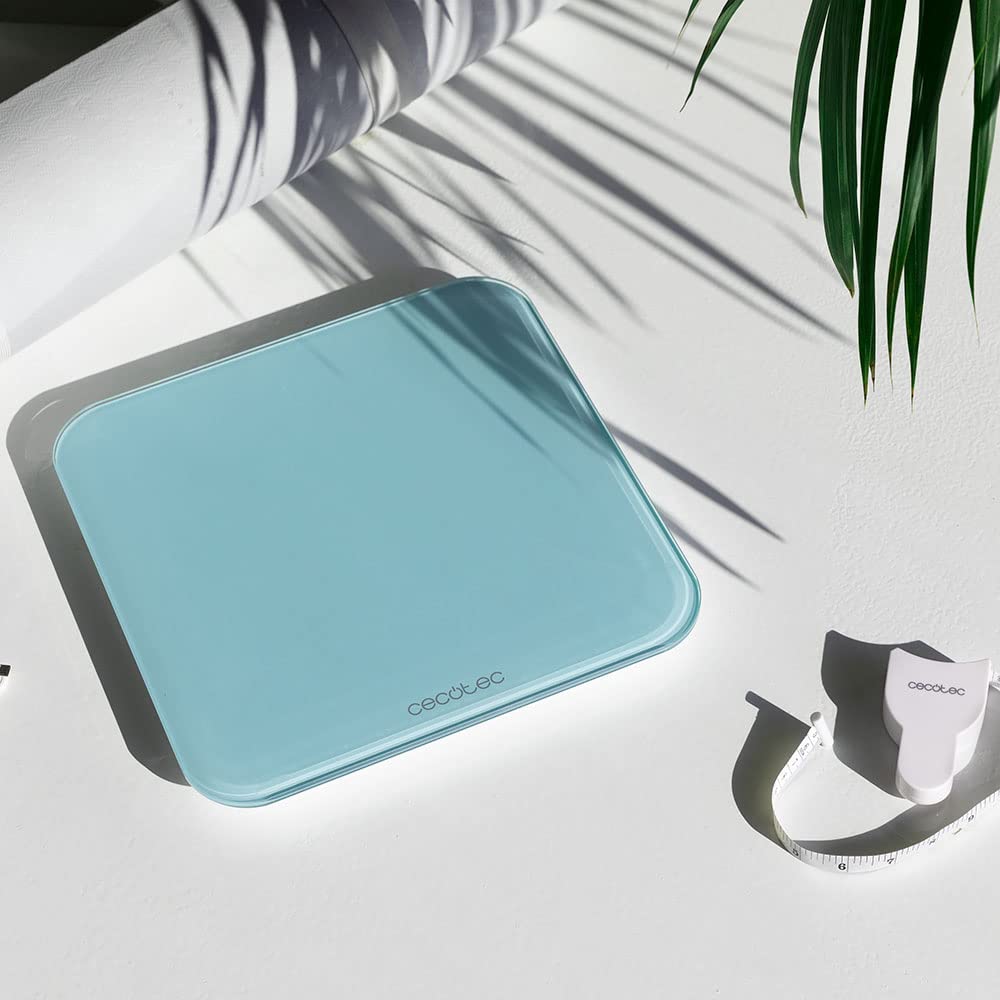
Image: The Cecotec Surface Precision 9350 digital bathroom scale, showcasing its sleek design and included measuring tape.
2. Veiligheidsinstruksies
- Always place the scale on a hard, flat, and stable surface. Uneven or soft surfaces (like carpet) can affect accuracy.
- The glass surface can be slippery when wet. Ensure the scale surface is dry before stepping on it to prevent accidents.
- Moenie die maksimum gewigkapasiteit van 180 kg (400 lb) oorskry nie.
- Avoid jumping on the scale or dropping heavy objects on it, as this may damage the glass platform or internal components.
- This scale is intended for personal use only and should not be used for commercial purposes or medical diagnosis.
- Hou die skaal weg van uiterste temperature, direkte sonlig en hoë humiditeit.
- Moenie probeer om die skaal self uitmekaar te haal of te herstel nie. Kontak gekwalifiseerde dienspersoneel vir hulp.
- Hou buite bereik van kinders.
3. Produk verbyview
The Cecotec Surface Precision 9350 features a minimalist design with advanced functionality. Key components include:
- Gehard glas platform: Large, durable, and easy to clean weighing surface.
- Invisible LED Display: Provides clear weight readings when in use, discreetly hidden when off.
- USB-laaipoort: Located on the side or back for convenient recharging of the internal lithium battery.
- Unit Conversion Button: Allows switching between kilograms (kg) and pounds (lb).
- Hoë-presisie sensors: Four sensors ensure accurate and consistent measurements.

Beeld: Bo view of the Cecotec Surface Precision 9350 digital scale, displaying "0.0 kg" on its integrated LED screen.
4. Opstelling
4.1 Aanvanklike laai
Before first use, ensure the scale is fully charged. Connect the provided USB cable to the scale's charging port and to a standard USB power adapter (not included) or a computer USB port. The LED display may indicate charging status. A full charge typically takes a few hours.

Beeld: 'n Nabyskoot view of the USB charging port on the side of the Cecotec digital scale, with a white USB cable plugged in.
4.2 Plasing
Place the scale on a hard, flat, and stable surface. Avoid carpets, rugs, or uneven flooring, as these can lead to inaccurate readings.
4.3 Unit Selection (kg/lb)
On the underside of the scale, locate the unit conversion button. Press this button to toggle between kilograms (kg) and pounds (lb) according to your preference. The selected unit will be displayed on the LED screen.
5. Bedryfsinstruksies
5.1 Neem 'n meting
- Maak seker dat die skaal op 'n ferm, plat oppervlak geplaas word.
- Gently step onto the center of the scale with bare feet. The scale will automatically turn on.
- Stand still and wait for your weight to be displayed on the LED screen. The reading will flash a few times before stabilizing.
- Once the reading is stable, you can step off the scale. The scale will automatically turn off after a few seconds to conserve battery.

Image: A person's bare feet positioned on the Cecotec digital scale, with a weight measurement visible on the LED display.

Image: A person carefully stepping onto the Cecotec digital scale to initiate a weight measurement.

Image: A person standing on the Cecotec digital scale, demonstrating its use in an outdoor setting near a pool.
6. Onderhoud en versorging
- Skoonmaak: Vee die skaaloppervlak af met 'n sagte, damp lap. Moenie skuurmiddels gebruik of die skaal in water dompel nie.
- Berging: Store the scale in a cool, dry place. Avoid storing it vertically for extended periods, as this may affect sensor calibration.
- Battery: Recharge the scale when the low battery indicator appears on the display. Regular charging helps maintain battery health.
7. Probleemoplossing
| Probleem | Moontlike oorsaak | Oplossing |
|---|---|---|
| "Lo" word vertoon | Lae battery. | Recharge the scale using the USB cable. |
| "Err" word vertoon | Overload or unstable measurement. | Ensure weight does not exceed 180 kg. Step off and re-weigh, ensuring you stand still on a flat surface. |
| Onakkurate lesings | Scale on uneven/soft surface, not calibrated, or moved. | Place scale on a hard, flat surface. Step on briefly to turn on, then step off and wait for "0.0" to appear before re-weighing. This re-calibrates the scale. |
| Skaal skakel nie aan nie | Battery is heeltemal leeg. | Charge the scale for at least 30 minutes before attempting to use it. |
8. Spesifikasies
| Kenmerk | Detail |
|---|---|
| Modelnommer | 04602 |
| Handelsmerk | Cecotec |
| Afmetings (L x B x H) | 34.3 x 33.5 x 5.4 cm |
| Gewig | 1.8 kilogram |
| Gewigsbeperking | 180 Kilograms (400 lb) |
| Meting Inkremente | 100 g (0.2 lb) |
| Materiaal | Gehard glas |
| Tipe vertoon | LED (Invisible) |
| Kragbron | Rechargeable Lithium Battery (USB) |
| Spesiale kenmerke | Automatic Disconnection, Auto-on, Overweight Indicator, Low Battery Indicator |
9. Waarborg en Ondersteuning
Cecotec offers a commitment to product longevity, with spare parts availability for 10 years within the EU. For any issues not covered in the troubleshooting section, or for warranty claims, please contact Cecotec customer support. Refer to your purchase documentation for specific warranty terms and contact information.
Always ensure you have your model number (04602) and proof of purchase ready when contacting support.