
1. Inleiding
This manual provides instructions for the safe and efficient installation, operation, and maintenance of the VENTS-US OV1 250-10 Inch Through-the-wall Exhaust Fan. Please read these instructions thoroughly before installation and use, and retain for future reference.
2. Veiligheidsinligting
Always observe basic safety precautions when installing, operating, or maintaining electrical appliances to reduce the risk of fire, electric shock, and injury to persons.
- Ontkoppel krag voor versiening of skoonmaak.
- Verseker behoorlike aarding om elektriese skok te voorkom.
- Moenie enige waaier met 'n beskadigde koord of prop gebruik nie.
- Moenie hierdie waaier met enige vastetoestand-spoedbeheertoestel gebruik nie, tensy dit spesifiek daarvoor ontwerp is.
- Installasie moet deur 'n gekwalifiseerde elektrisiën uitgevoer word in ooreenstemming met alle plaaslike en nasionale elektriese kodes.
- Keep fingers and foreign objects away from the fan blades and grille during operation.
3. Produkkenmerke
- Designed for direct air exhaust through walls.
- Axial through-the-wall fan with a 10 5/16-inch diameter.
- Suitable for ventilation in parking garages, agricultural facilities, stores, greenhouses, warehouses, and manufacturing plants.
- Features an asynchronous motor on ball bearings for smooth operation.
- Equipped with thermal protection for enhanced safety.
- The fan body is constructed from steel with a polymeric coating.
- Impeller is made of aluminum for quiet and balanced performance.
4. Spesifikasies
| Spesifikasie | Detail |
|---|---|
| Handelsmerk | VENTILATIES |
| Model Naam | VENTS OV1 250 (120V/60Hz) |
| Grootte | OV1 250 (10 Inch Wall Exhaust Fan) |
| Kleur | Swart |
| Elektriese waaierontwerp | Uitlaatwaaier |
| Kragbron | AC |
| Voltage | 120 Volt (AC) |
| Wattage | 60 watt |
| Spoed | 1200 RPM |
| Geraasvlak | 4 Sone |
| Produk afmetings | 5.5" D x 14.56" B x 14.56" H |
| Item gewig | 11.38 pond |
| Voltooi Tipe | Polymeric Coated |
| Motor tipe | Brushless (Asynchronous motor on ball bearings) |
| Installasie tipe | Muur gemonteer |
| Montage tipe | Muurmontering |
| Binne/buiteluggebruik | Binneshuise |
| Beheer metode | App (Note: Functionality may require additional accessories or specific setup.) |
| Spesifikasie Met | HVI, UL, cUL |
5. Opstelling en installering
The VENTS-US OV1 250 fan is designed for through-the-wall installation. Proper installation is crucial for optimal performance and safety. It is recommended that installation be performed by a qualified professional.
5.1 Voor-installasie tjeks
- Verify that the power supply matches the fan's specifications (120V/60Hz).
- Ensure the mounting surface is structurally sound and can support the fan's weight.
- Confirm adequate clearance around the installation area for airflow and maintenance.
5.2 Installasiestappe (Algemeen)
- Berei die opening voor: Create a circular opening in the wall with the appropriate diameter (approximately 10 5/16 inches) to accommodate the fan's duct.
- Monteer die waaier: Secure the fan's mounting plate to the wall using appropriate fasteners. Ensure the fan is level and securely attached.
- Elektriese verbinding: Connect the fan to the electrical supply. This must be done by a qualified electrician following all local and national electrical codes. Ensure proper grounding.
- Toetswerking: After installation, briefly power on the fan to ensure it operates correctly and quietly.
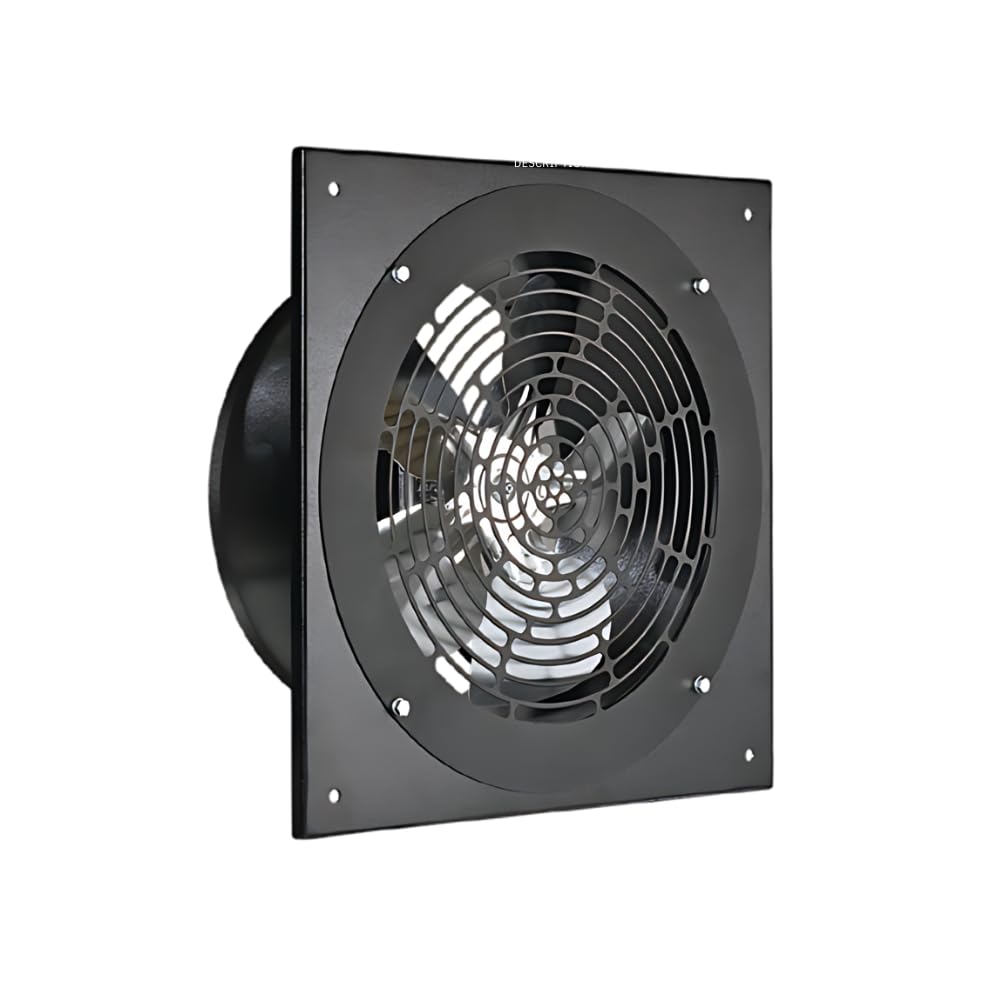
Figuur 1: Voorkant view of the VENTS-US OV1 250 exhaust fan. This image shows the protective grille and the overall square frame design of the fan.
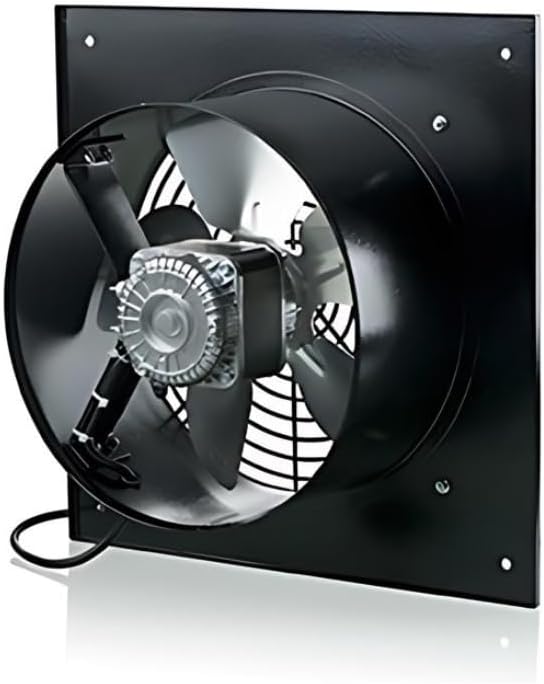
Figuur 2: Agter view of the VENTS-US OV1 250 exhaust fan. This image highlights the motor assembly, fan blades, and the electrical connection box at the bottom.

Figure 3: Dimensional drawing of the VENTS-US OV1 250 exhaust fan. This diagram provides key measurements for installation, including the overall width (B), duct diameter (D), and depth (L).
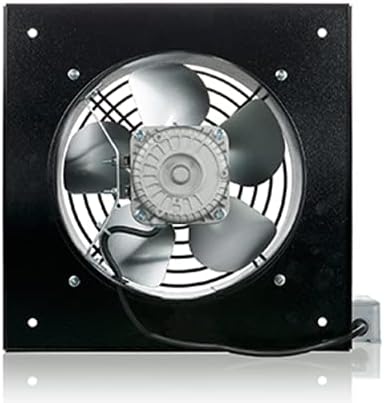
Figure 4: Table of dimensions for VENTS OV1 series models. This table lists various measurements (D, D1, D2, d, L) for OV1 200, OV1 250, and OV1 315 models, aiding in selecting the correct size and planning installation.
6. Bedryfsinstruksies
The VENTS-US OV1 250 fan is designed for straightforward operation. Once properly installed and connected to power, the fan can be activated via its designated switch (e.g., push button, wall switch, or app control if applicable).
- Krag aan/af: Use the connected switch to turn the fan on or off.
- Lugvloeirigting: Ensure the fan is installed to exhaust air in the desired direction. The OV1 series is specifically for direct air exhaust.
- Deurlopende werking: This fan is built for environments requiring constant performance.
Video 1: A view of the OV1-250 Through-the-Wall Exhaust Fan. This video provides a visual overview of the fan's design and components, demonstrating its physical characteristics and how it appears from different angles.
Video 2: VENTS-US OV1 Axial Fan Series Overview. This video offers a broader look at the OV1 series, showcasing its features and applications across different models, including the OV1 250.
7. Onderhoud
Regular maintenance ensures the longevity and efficient operation of your VENTS-US OV1 250 exhaust fan.
7.1 Skoonmaak
- Frekwensie: Inspect and clean the fan blades and grille periodically, depending on the operating environment and dust accumulation.
- Prosedure:
- Ontkoppel krag: Always turn off and disconnect power to the fan before cleaning.
- Verwyder rooster: Carefully remove any protective grilles or covers.
- Clean Blades and Housing: Use a soft cloth or brush to remove dust and debris from the fan blades and interior housing. For stubborn dirt, a mild detergent solution can be used, ensuring no liquid enters the motor or electrical components.
- Hermonteer: Once clean and dry, reattach the grilles and covers securely.
7.2 Inspeksie
- Periodically check for any signs of wear, damage, or loose connections.
- Listen for unusual noises during operation, which may indicate a problem.
8. Probleemoplossing
If you encounter issues with your VENTS-US OV1 250 fan, refer to the following common troubleshooting steps:
| Probleem | Moontlike oorsaak | Oplossing |
|---|---|---|
| Waaier skakel nie aan nie | No power supply, loose wiring, faulty switch, motor issue. | Check power connection, circuit breaker. Verify wiring connections. Test the switch. If motor issue suspected, contact support. |
| Verminderde lugvloei | Blocked grille or fan blades, motor running slow. | Clean fan blades and grille. Ensure no obstructions. If motor is slow, contact support. |
| Oormatige geraas of vibrasie | Loose mounting, unbalanced impeller, foreign object in fan. | Check mounting screws for tightness. Inspect for foreign objects. If impeller is unbalanced, contact support. |
| Oorverhitting | Blocked airflow, motor overload. | Ensure clear airflow paths. If fan continues to overheat, disconnect power and contact support. |
For issues not resolved by these steps, please contact VENTS-US customer support.
9. Waarborg en Ondersteuning
For warranty information and customer support, please refer to the documentation included with your purchase or visit the official VENTS-US webwerf. Hou jou aankoopkwitansie vir waarborgeise.