
Milestone MPT-II
Milestone MPT-II 58mm Thermal Printer User Manual
Model: MPT-II | Brand: Milestone
1. Inleiding
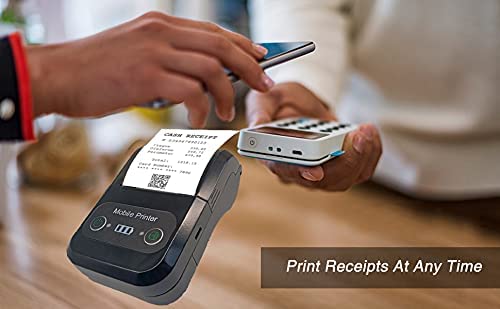
The Milestone MPT-II is a compact and portable 58mm thermal printer designed for various business applications, including retail, restaurants, and mobile logistics. It offers high-speed, clear printing and features Bluetooth connectivity for seamless integration with Android and iOS devices. Its lightweight design and long-lasting battery make it ideal for on-the-go printing needs.

2. Sleutel kenmerke
- Bluetooth-drukwerk: Supports Android and iOS devices for wireless printing.
- Draagbaarheid: Light and compact design allows for printing anywhere, anytime.
- Low Operating Cost: Direct thermal printing eliminates the need for ink ribbons or cartridges, requiring only thermal paper.
- Lang batterylewe: Built-in 7.4V/2500mAh rechargeable lithium battery provides up to 4 hours of continuous printing.
- Versatile Interface: Equipped with both USB and Bluetooth connectivity.
- ESC/POS Compatible: Supports standard ESC/POS print commands for broad software compatibility.

3. Aanvanklike Opstelling
3.1 Uitpak en Inhoud
Carefully unpack the printer and verify all components are present:
- 1 x Milestone MPT-II Thermal Printer
- 1 x USB-kabel
- 1 x USB Adaptor
- 1 x Papierrol
- 1 x Gebruikershandleiding (hierdie dokument)
3.2 Laai die drukker
- Connect the USB cable to the printer's charging port.
- Plug the USB adaptor into a standard power outlet.
- The charging indicator light will illuminate. Charge the printer fully before first use (approximately 2.5-3 hours for continuous printing).
3.3 Laai van termiese papier
- Open the paper compartment cover by gently pushing the latch.
- Insert the thermal paper roll with the printing side facing outwards (as shown in Figure 2). Ensure the roll is seated correctly.
- Trek 'n klein stukkie papier uit die snykant.
- Maak die papierkompartementdeksel stewig toe totdat dit in plek klik.
4. Bedryfsinstruksies
4.1 Aan-/afskakel
- Om aan te skakel: Druk en hou die aan/af-knoppie in totdat die aanwyserliggie brand.
- To power off: Press and hold the power button until the indicator light turns off.
4.2 Bluetooth-verbinding
The MPT-II printer supports Bluetooth connectivity for mobile devices.
- Ensure the printer is powered on and within range of your mobile device.
- On your mobile device (Android/iOS), go to Bluetooth settings and turn Bluetooth on.
- Soek vir available devices. The printer will appear as "MPT-II".
- Select "MPT-II" to pair. If prompted for a password, enter 1234 or 0000.
- Once paired, the printer is ready for use with compatible applications.
4.3 Gebruik met toepassings
For mobile printing, you will need a compatible application. Milestone recommends downloading RAWBT Printer App or MYXPrint App from the Google Play Store. For iOS, search for compatible thermal printer apps in the App Store.
- Open your chosen printing application.
- Navigate to the printer settings within the app.
- Select the "MPT-II" printer from the list of available Bluetooth devices.
- You can now send print commands from the application.

4.4 USB Connection (for PC)
The printer can also be connected to a PC via USB. You may need to install a printer driver, which is typically available from the manufacturer's website or included on a CD with the product (if applicable).
5. Onderhoud
5.1 Maak die drukker skoon
To ensure optimal performance and print quality, regularly clean the printer:
- Drukkop: Gebruik 'n wattestokkie liggiesampened with isopropyl alcohol to gently wipe the thermal print head. Allow it to dry completely before use.
- Papierpad: Use a soft, dry cloth or a small brush to remove any paper dust or debris from the paper path.
- Buitekant: Vee die buitekant van die drukker af met 'n sagte, damp lap. Vermy die gebruik van harde chemikalieë of skuur skoonmakers.
5.2 Batterysorg
- Laai die battery voor die eerste gebruik volledig.
- Vermy om die battery gereeld heeltemal te dreineer.
- If storing the printer for an extended period, charge it to about 50% and recharge every few months to prevent battery degradation.
6. Probleemoplossing
| Probleem | Moontlike oorsaak | Oplossing |
|---|---|---|
| Drukker skakel nie aan nie. | Battery is laag of uitgeput. | Charge the printer using the provided USB cable and adaptor. |
| Kan nie via Bluetooth koppel nie. | Bluetooth is off on device; incorrect pairing password; printer not discoverable. | Ensure Bluetooth is enabled on your device. Re-attempt pairing with password 1234 or 0000. Restart both printer and device. |
| No print output or blank paper. | Paper loaded incorrectly; out of paper; print head dirty. | Check paper orientation (printing side out). Replace paper roll if empty. Clean the thermal print head (refer to Maintenance section). |
| Poor print quality (faded, lines). | Print head dirty; low battery; poor quality thermal paper. | Clean the print head. Charge the printer fully. Use high-quality thermal paper. |
| Printer beeps continuously. | Paper alarm (out of paper or paper jam); low battery reminder. | Check and replace paper roll or clear jam. Charge the printer. |
7. Tegniese spesifikasies
| Kenmerk | Spesifikasie |
|---|---|
| Drukmetode | Termiese lyn druk |
| Druk breedte | Paper width 58mm, effective width 58mm |
| Drukdigtheid | 576 kolletjies/lyn |
| Resolusie | 8 dots/mm, 203 DPI |
| Druk spoed | 70mm/s (Max Print speed Monochrome: 50 ppm) |
| Printer Core Life | 50KM (25% print density or less than 100 million pulses) |
| Printable Content | English, numbers, symbols, characters, pictures, 1D/2D barcode, multi-languages |
| Datakommunikasie-koppelvlak | USB / Bluetooth |
| Kragtoevoer | Machine charging 9V-1.5A |
| Battery | Built-in rechargeable 2600mAh lithium-ion battery (7.4V/2500mAh) |
| Continuous Printing Time | 2.5-3 uur |
| Instruksiesstel | ESC / POS versoenbaar |
| Papier sny | Manually tear |
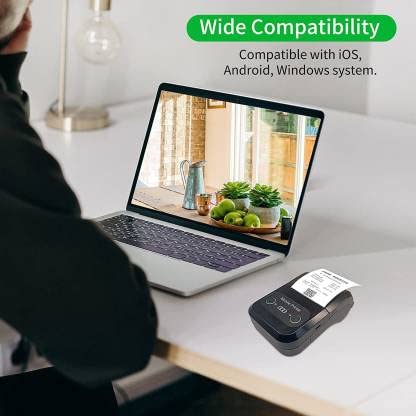
| Bedryfstelselversoenbaarheid | Android, iOS, Windows |
| Produk afmetings | 15D x 12B x 6H Sentimeter |
| Item gewig | 310 gram |
| Ingesluit komponente | 1 x Thermal Printer, 1 x USB Cable, 1 x USB Adaptor, 1 x Paper Roll, 1 x User Manual |
8. Waarborg en Ondersteuning
This product comes with a 10-day warranty as per the purchase terms. For any technical assistance, troubleshooting beyond this manual, or warranty claims, please contact your retailer or the manufacturer's customer support. Refer to your purchase documentation for specific contact details.
Vervaardiger: Mylpaal
Invoerder: SB RETAILS, SECTOR 28, PRADHIKARAN, PUNE-44, +918888881631
Ask a question about this manual
Ask about setup, troubleshooting, compatibility, parts, safety, or missing instructions. Manuals+ will review the question and use this page’s manual context to help answer it.