
FLEXISPOT EN2
FLEXISPOT EN2 Electric Standing Desk User Manual
Model: EN2
Inleiding
Thank you for choosing the FLEXISPOT EN2 Electric Standing Desk. This manual provides essential information for the safe assembly, operation, and maintenance of your new desk. Please read it thoroughly before use to ensure proper functionality and to maximize the lifespan of your product.

Image: The FLEXISPOT EN2 Electric Standing Desk, showcasing its white desktop, black frame, integrated power strip, and cable management system.
Veiligheidsinligting
- Gewig kapasiteit: Do not exceed the maximum weight recommendation of 176 pounds (80 kg) on the desktop. Exceeding this limit can cause damage to the desk and potential injury.
- Vergadering: Maak seker dat alle komponente stewig vasgemaak is volgens die monteerinstruksies.
- Krag: Use only the provided power adapter. Keep power cords away from heat sources and sharp edges.
- Beweging: Keep hands, feet, and objects clear of the moving parts (legs, frame) during height adjustment to prevent pinching or damage.
- Omgewing: Do not expose the desk to excessive moisture or extreme temperatures.
- Kinders en Troeteldiere: Hou kinders en troeteldiere weg van die lessenaar tydens werking.
Pakketinhoud
Your FLEXISPOT EN2 Standing Desk will arrive in two separate packages, which may be shipped and delivered at different times. Please ensure you have received both packages before beginning assembly.

Image: Illustration showing two distinct packages for the desktop and desk frame, highlighting that they may arrive separately.
Verify that all components listed in the packing list (included in one of the packages) are present and undamaged. If any parts are missing or damaged, please contact customer support.
Vergadering
Assembly of the FLEXISPOT EN2 desk is designed to be straightforward. An electric drill may be required for certain steps, which is not included in the package. Follow the detailed instructions provided in the separate assembly guide for step-by-step installation.
Belangrike oorwegings vir die montering:
- Desktop Orientation: Ensure the desktop is oriented correctly before attaching the frame.
- Kabelbestuur: Properly route all cables to prevent interference with the desk's movement.
- Kragstrookinstallasie: The removable power strip can be clipped to the back or side of the desk.
Bedryfsinstruksies
The FLEXISPOT EN2 desk features a user-friendly digital control panel for height adjustment and memory presets.

Image: The multi-function digital control panel, showing the LED display, up/down arrows, and four memory preset buttons.
Hoogte verstelling:
- Gebruik die Op (▲) en Af (▼) arrow buttons to smoothly adjust the desk height. The motorized system operates quietly (less than 50 dB) and adjusts from 28.1 inches (71.4 cm) to 45.7 inches (116.1 cm).
- The current height is displayed on the digital LED screen.
Geheuevoorinstellings:
The 6-button digital controller features 4 programmable memory presets to save your preferred sitting and standing heights.
- Verstel die lessenaar tot die verlangde hoogte met die Op/Af-knoppies.
- Press one of the memory preset buttons (1, 2, 3, or 4) until the display flashes or a beep is heard, indicating the height has been saved.
- To recall a saved height, simply press the corresponding memory preset button. The desk will automatically move to the stored position.
Kragaansluiting en USB-poorte:
Die geïntegreerde kragstrook bied gerieflike toegang tot krag vir jou toestelle.
- The power strip includes 3 AC outlets (125V/12A) and 2 USB charging ports (5V/2A).
- Plug your electronic devices directly into the outlets or USB ports for charging.
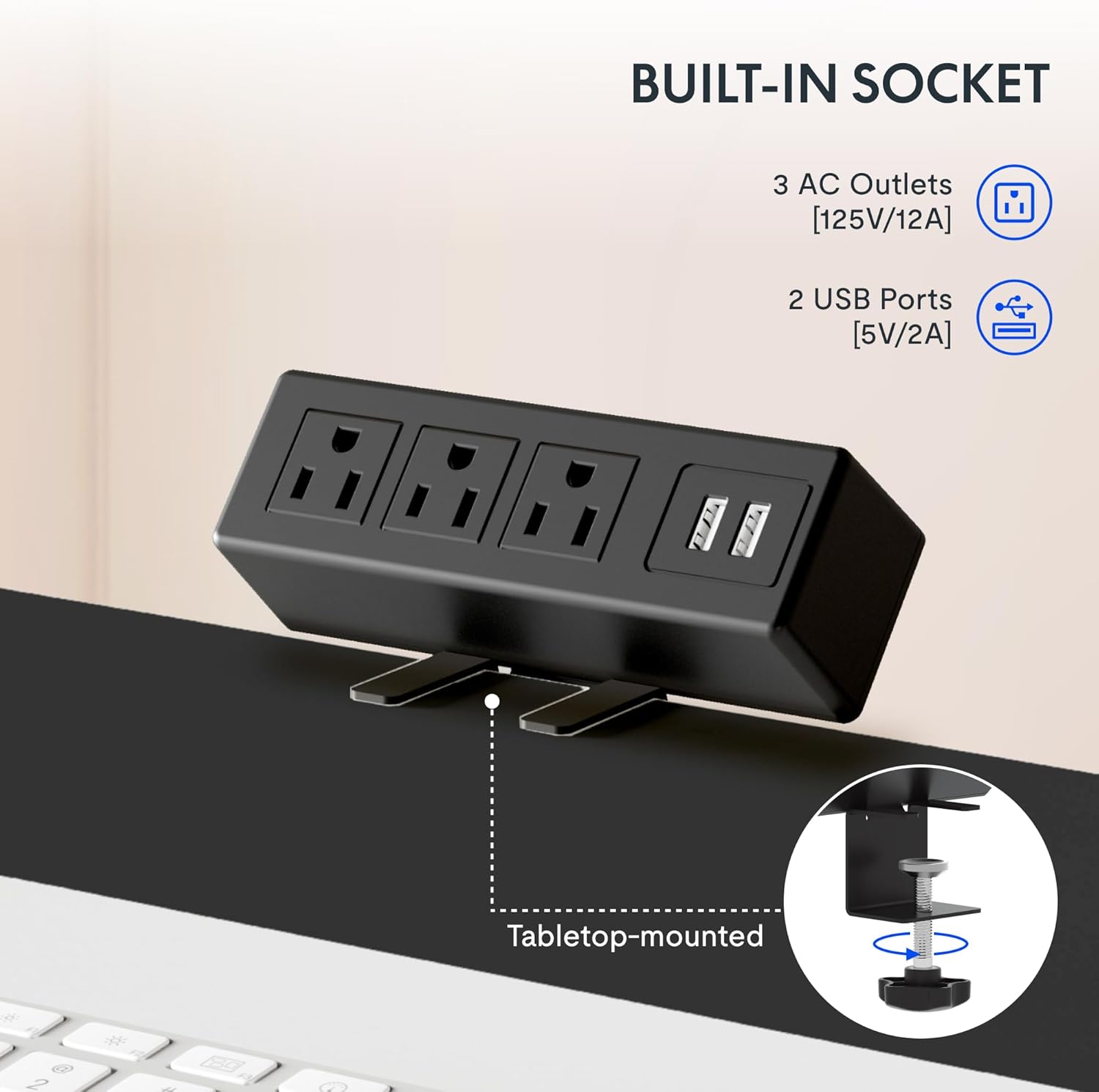
Beeld: 'n Gedetailleerde view of the built-in power strip, showing its three AC outlets and two USB charging ports, designed for tabletop mounting.
Kenmerke
Ample Whole-Piece Desktop:
The desk features a single, whole-piece 1-inch (2.54 cm) thick eco-friendly desktop, providing a seamless and spacious work surface. This design offers enhanced stability compared to multi-piece desktops.
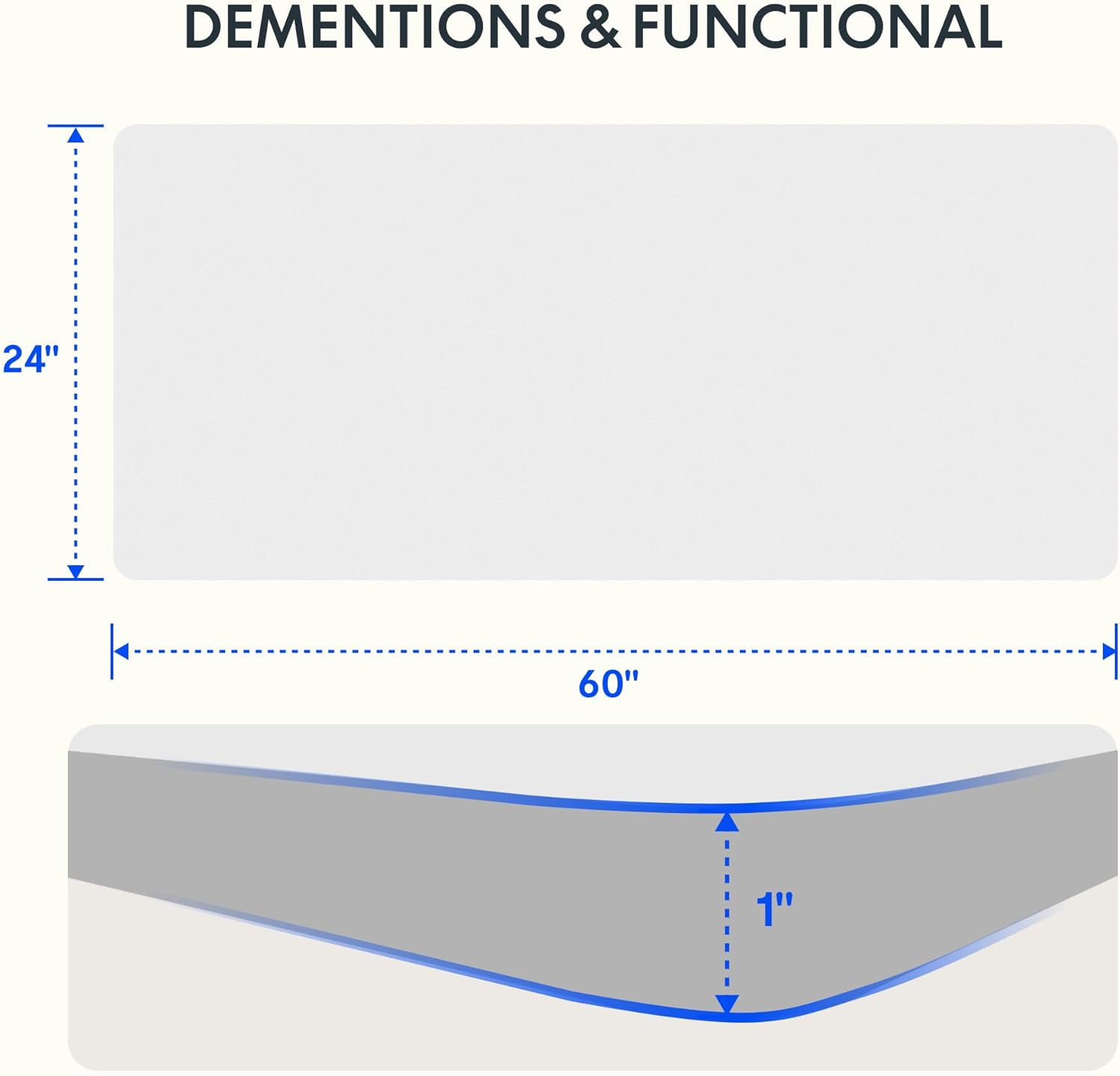
Image: A diagram illustrating the 60-inch width and 24-inch depth of the desktop, along with a cross-section showing its 1-inch thickness.

Image: A visual comparison demonstrating the superior stability of a smooth, single-piece desktop over an uneven two-piece desktop.
Duursame konstruksie:
The desk frame is constructed from industrial-grade steel, ensuring durability and stability. It is rigorously tested to support up to 176 pounds (80 kg) safely.
Kabelbestuur:
The desk includes features to help manage cables, contributing to a tidy and organized workspace.
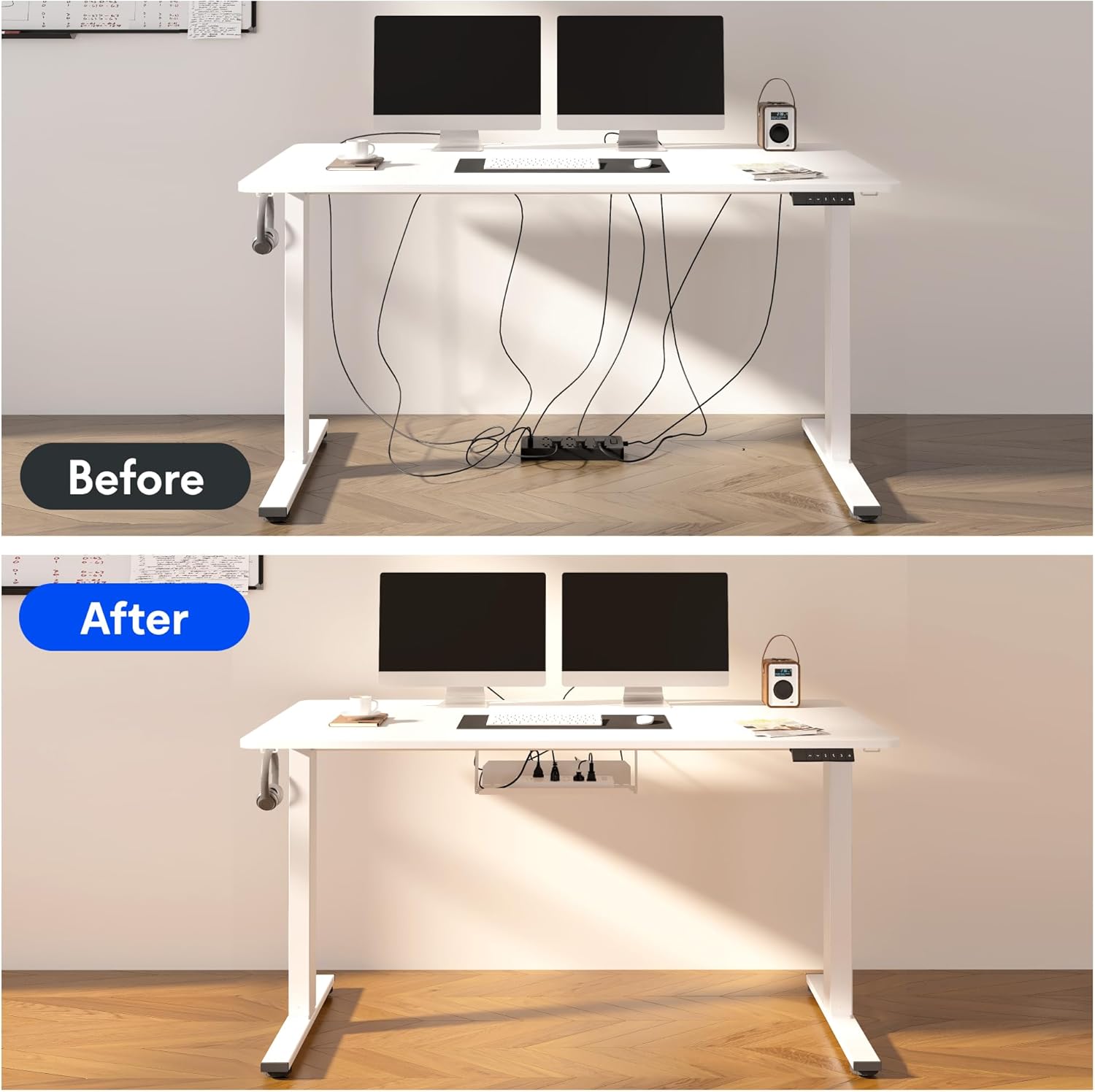
Image: A before-and-after comparison illustrating how the included cable management device transforms a cluttered workspace into an organized one.
Smart Anti-Collision System:
The desk is equipped with a smart anti-collision system that detects obstacles during height adjustment and stops movement to prevent damage or injury.

Image: Visual representations of the smart anti-collision system, adjustable foot pads for stability, cable ties for organization, and convenient storage hooks.
Bykomende kenmerke:
- Verstelbare voetkussings: For stability on uneven floors.
- Bergingshake: Convenient hooks for headphones or bags.
Onderhoud
- Skoonmaak: Vee die lessenaar en raam af met 'n sagte, damp lap. Vermy harde chemikalieë of skuurmiddels.
- Kabel inspeksie: Periodically check all cables for wear or damage. Replace if necessary.
- Bevestigingskontrole: Ensure all screws and bolts remain tight. Retighten if any looseness is detected.
- Motorversorging: The motor is maintenance-free. Avoid disassembling the motor or control box.
Probleemoplossing
If you encounter any issues with your FLEXISPOT EN2 desk, please refer to the following common troubleshooting tips. For more complex problems, contact customer support.
- Lessenaar beweeg nie:
- Kontroleer of die kragkabel stewig in beide die lessenaar en die muursok ingeprop is.
- Ensure there are no obstructions preventing movement.
- Ongelyke beweging:
- Verify that the desk is assembled correctly and all fasteners are tight.
- Ensure the desk is on a level surface. Adjust the foot pads if necessary.
- Geraas tydens werking:
- A slight hum is normal during movement. If the noise is excessive, check for loose components.
- Geheuevoorinstellings werk nie:
- Ensure you followed the saving procedure correctly (adjust to height, then press and hold the memory button).
- Try resetting the desk (refer to the full assembly guide for specific reset procedures if available).
Spesifikasies
| Handelsmerk | FLEXISPOT |
| Model Naam | EN2 |
| Produk afmetings | 60"B x 24"D x 28"H (152.4 cm B x 60.96 cm D x 71.12 cm H) |
| Desktop Dikte | 1 duim (2.54 cm) |
| Minimum Hoogte | 28.1 duim (71.4 cm) |
| Maksimum Hoogte | 45.7 duim (116.1 cm) |
| Maksimum gewig aanbeveling | 176 pond (80 kg) |
| Basis materiaal | Allooi staal |
| Top materiaal tipe | Hout |
| Hefmeganisme | Elektries |
| Kragstrook-uitlaatpunte | 3 WS-uitsette (125V/12A) |
| Kragstrook USB-poorte | 2 USB-poorte (5V/2A) |
| Vergadering benodig | Ja |

Image: A comprehensive diagram detailing the dimensions of the desk's table, the adjustable height range of its legs, the power strip's specifications, and the size of the cable manager.
Waarborg & Ondersteuning
FLEXISPOT provides comprehensive warranty coverage for your peace of mind:
- 5-jaar waarborg: Covers the desk frame, motors, and other mechanical devices.
- 2-jaar waarborg: Covers the electric desk controller, switches, and other electronic components.
For warranty claims, technical support, or any inquiries regarding your FLEXISPOT EN2 desk, please contact FLEXISPOT customer service through their official webwebwerf of die kontakinligting verskaf met jou aankoop.
Ask a question about this manual
Ask about setup, troubleshooting, compatibility, parts, safety, or missing instructions. Manuals+ will review the question and use this page’s manual context to help answer it.