
Crosscall 1001011101114
Crosscall CORE-M5 User Manual
Model: 1001011101114
Inleiding
This manual provides comprehensive instructions for the setup, operation, maintenance, and troubleshooting of your Crosscall CORE-M5 rugged smartphone. Designed for durability and performance in challenging environments, the CORE-M5 is built to withstand various conditions while providing essential communication and smart device functionalities.
Please read this manual thoroughly before using your device to ensure proper operation and to maximize its lifespan.
Pakketinhoud
Nadat u die pakkie oopgemaak het, maak seker dat alle items teenwoordig is:
- Crosscall CORE-M5 Device
- USB-laaikabel
- Vinnige Begingids
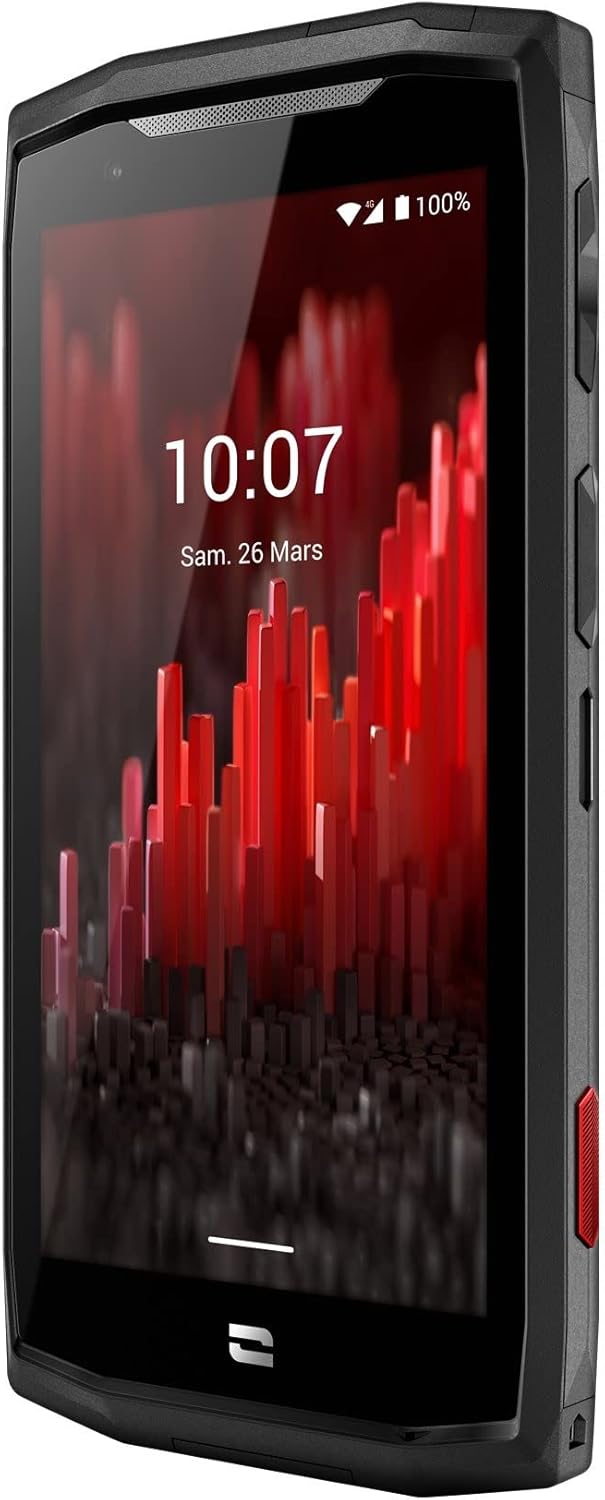
Beeld: Voorkant gehoek view of the Crosscall CORE-M5 device, highlighting its robust design and display.
Opstelling
1. Inserting the SIM Card and Memory Card
The CORE-M5 supports SIM cards for cellular connectivity and an optional memory card for expanded storage. Locate the SIM/memory card tray on the side of the device.
- Skakel die toestel heeltemal af.
- Use the provided SIM ejector tool (or a small paperclip) to open the SIM/memory card tray.
- Carefully place your SIM card(s) and/or memory card into the designated slots on the tray, ensuring correct orientation as indicated on the tray.
- Druk die skinkbord liggies terug in die toestel totdat dit in plek klik.

Image: A user demonstrating the insertion of a SIM card into the device's slot.
2. Aanvanklike laai
Before first use, it is recommended to fully charge your CORE-M5.
- Koppel die USB-laaikabel aan die toestel se laaipoort.
- Koppel die ander kant van die kabel aan 'n versoenbare USB-kragadapter of 'n rekenaar se USB-poort.
- The charging indicator on the screen will show the charging status. Allow the device to charge until the battery icon indicates a full charge.
3. Aanskakel en aanvanklike konfigurasie
- Press and hold the Power button (usually located on the side) until the Crosscall logo appears.
- Volg die aanwysings op die skerm om die aanvanklike opstelling te voltooi, insluitend taalkeuse, Wi-Fi-verbinding, Google-rekeningopstelling en sekuriteitsinstellings.
Operating the CORE-M5
Basiese navigasie
- Raakskerm: Navigate the device using taps, swipes, and pinch gestures on the 4.95-inch touchscreen display.
- Kragknoppie: Press to turn the screen on/off, or press and hold to power off/restart the device.
- Volume knoppies: Pas mediavolume, oproepvolume of luitoonvolume aan.
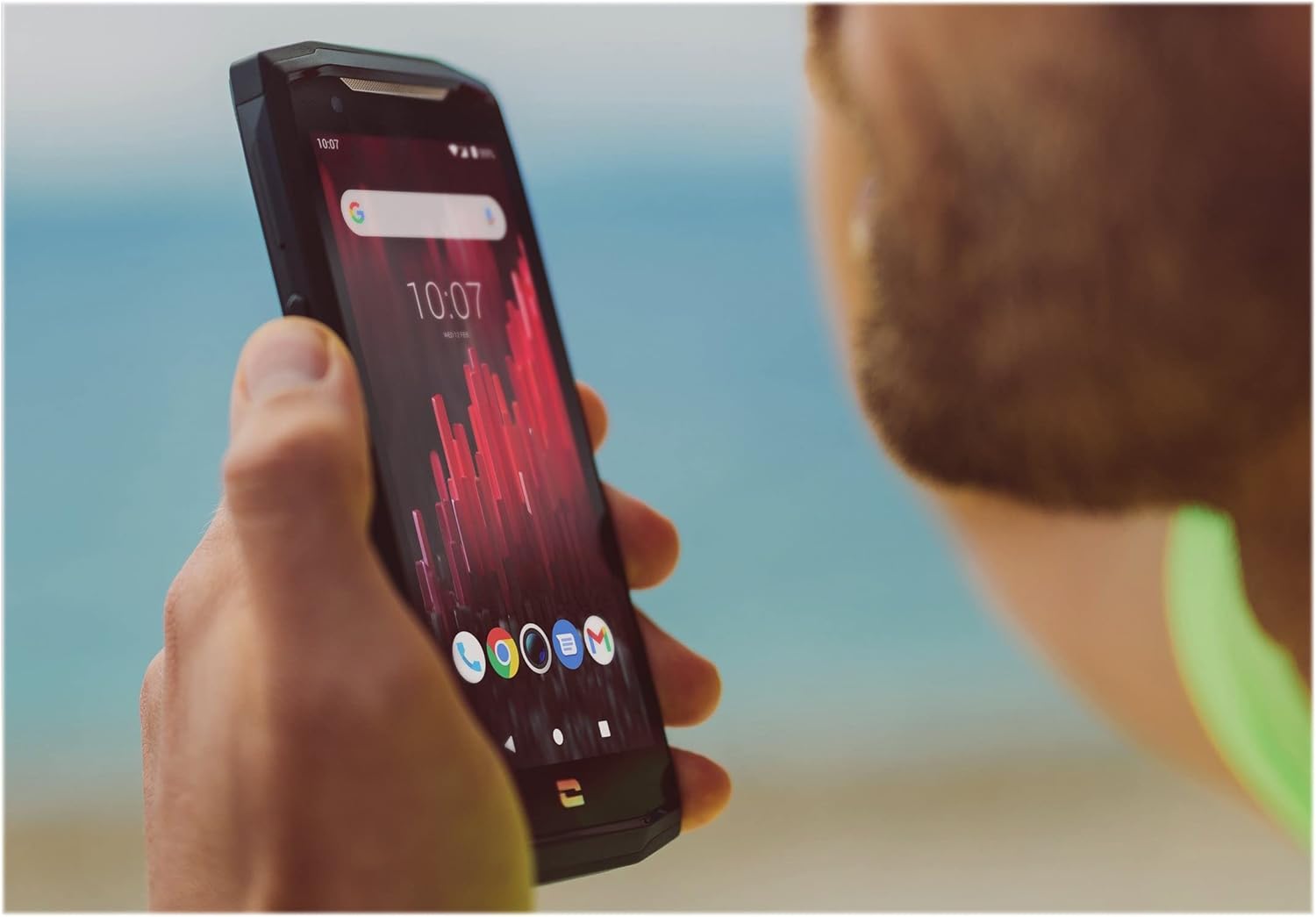
Image: The CORE-M5 in use, demonstrating its compact size and clear display for outdoor visibility.
Konnektiwiteit
- Wi-Fi: Kry toegang tot Wi-Fi-instellings vanaf die Vinnige instellingspaneel of Instellings-app om aan draadlose netwerke te koppel.
- Bluetooth: Pair with Bluetooth devices such as headphones, speakers, or other smartphones via the Bluetooth settings.
- USB: Connect the device to a computer using the USB cable for data transfer or charging.
- Sellulêre data: Enable or disable mobile data from the Quick Settings or Network & Internet settings. Supports 2G and 3G cellular technologies.
Kamerafunksionaliteit
The CORE-M5 features both front and rear cameras for capturing photos and videos.
- Maak die Kamera-toepassing oop vanaf die tuisskerm of toepassinglaai.
- Tap the shutter button to take a photo or switch to video mode to record.
- Gebruik die kontroles op die skerm om tussen voor- en agterkameras te wissel, zoom aan te pas of filters toe te pas.
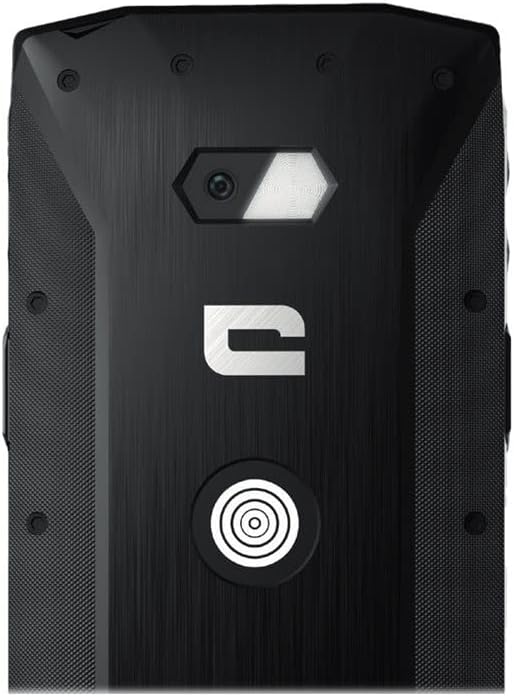
Beeld: Gedetailleerd view of the CORE-M5's rear, highlighting the camera module and the X-Link magnetic connection system.
X-Link System
The CORE-M5 is equipped with Crosscall's X-Link magnetic connection system on the back, allowing for easy attachment of compatible accessories such as chargers, mounts, and external batteries.
- Align the X-Link accessory with the magnetic connector on the back of your CORE-M5.
- The magnets will guide the accessory into place, ensuring a secure connection.

Image: The CORE-M5 securely mounted in a vehicle, demonstrating the utility of the X-Link system for hands-free use.
Onderhoud
- Skoonmaak: Gebruik 'n sagte, damp cloth to clean the device. Avoid harsh chemicals or abrasive materials. Ensure all ports are closed before cleaning if exposed to water.
- Water- en stofweerstand: The CORE-M5 is designed to be rugged. However, ensure all port covers are securely closed to maintain water and dust resistance. Avoid prolonged submersion beyond specified limits.
- Batterysorg: To prolong battery life, avoid extreme temperatures. Do not allow the battery to fully discharge frequently.
- Sagteware-opdaterings: Kontroleer gereeld vir stelselopdaterings en installeer dit om optimale werkverrigting en sekuriteit te verseker.
Probleemoplossing
| Probleem | Moontlike oorsaak | Oplossing |
|---|---|---|
| Toestel sal nie aanskakel nie | Lae battery; sagteware-ineenstorting | Laai die toestel vir ten minste 30 minute. Voer 'n geforseerde herbegin uit deur die aan/af-knoppie vir 10-15 sekondes in te hou. |
| Skerm reageer nie | Tydelike sagtewarefout | Restart the device. If unresponsive, perform a forced restart. |
| Poor call quality / No network | Weak signal; incorrect SIM insertion; network issue | Move to an area with better signal. Reinsert the SIM card. Contact your network provider. |
| Programme wat vasval of vries | Insufficient memory; app conflict; outdated software | Close background apps. Clear app cache/data. Update apps and system software. Free up storage space. |
Spesifikasies
| Kenmerk | Detail |
|---|---|
| Model Naam | 1001011101114 |
| Handelsmerk | Kruisroep |
| Bedryfstelsel | Android |
| SVE Model | Korteks |
| Skerm grootte | 4.95 duim |
| Resolusie | 1026 x 513 |
| RAM | 3 GB |
| Geheue berging kapasiteit | 32 GB |
| Battery kapasiteit | 4000 mAh |
| Foongesprekstyd | 24 ure |
| Konnektiwiteit | Bluetooth, Wi-Fi, USB |
| Sellulêre Tegnologie | 2G, 3G |
| Draadlose draer | Ontsluit |
| Kameras | Agter, Voor |
| Kleur | Swart |
| Produk afmetings | 4.25 x 0.79 x 4.25 duim |
| Item gewig | 8 onse (226.6 gram) |
| Eerste Beskikbaar | 21 September 2021 |
Waarborg en Ondersteuning
Crosscall products are known for their durability and come with a manufacturer's warranty. For specific warranty terms and conditions, please refer to the warranty card included with your product or visit the official Crosscall webwebwerf.
For technical support, troubleshooting assistance, or service requests, please contact Crosscall Customer Service through their official channels. Have your product model number (1001011101114) and purchase information ready when contacting support.
Official Crosscall Webwebwerf: www.crosscall.com
Ask a question about this manual
Ask about setup, troubleshooting, compatibility, parts, safety, or missing instructions. Manuals+ will review the question and use this page’s manual context to help answer it.