
WENKEY E2
WENKEY E2 Bluetooth-oordopjes gebruikershandleiding
Model: E2
1. Aan die gang
1.1 Pakketinhoud
Kontroleer asseblief die pakket vir die volgende items:
- WENKEY E2 Wireless Earbuds (Left and Right)
- Laaikas
- USB-laaikabel
- Multiple Sizes of Ear Tips (XS, S, M, L, XL)
- Gebruikershandleiding
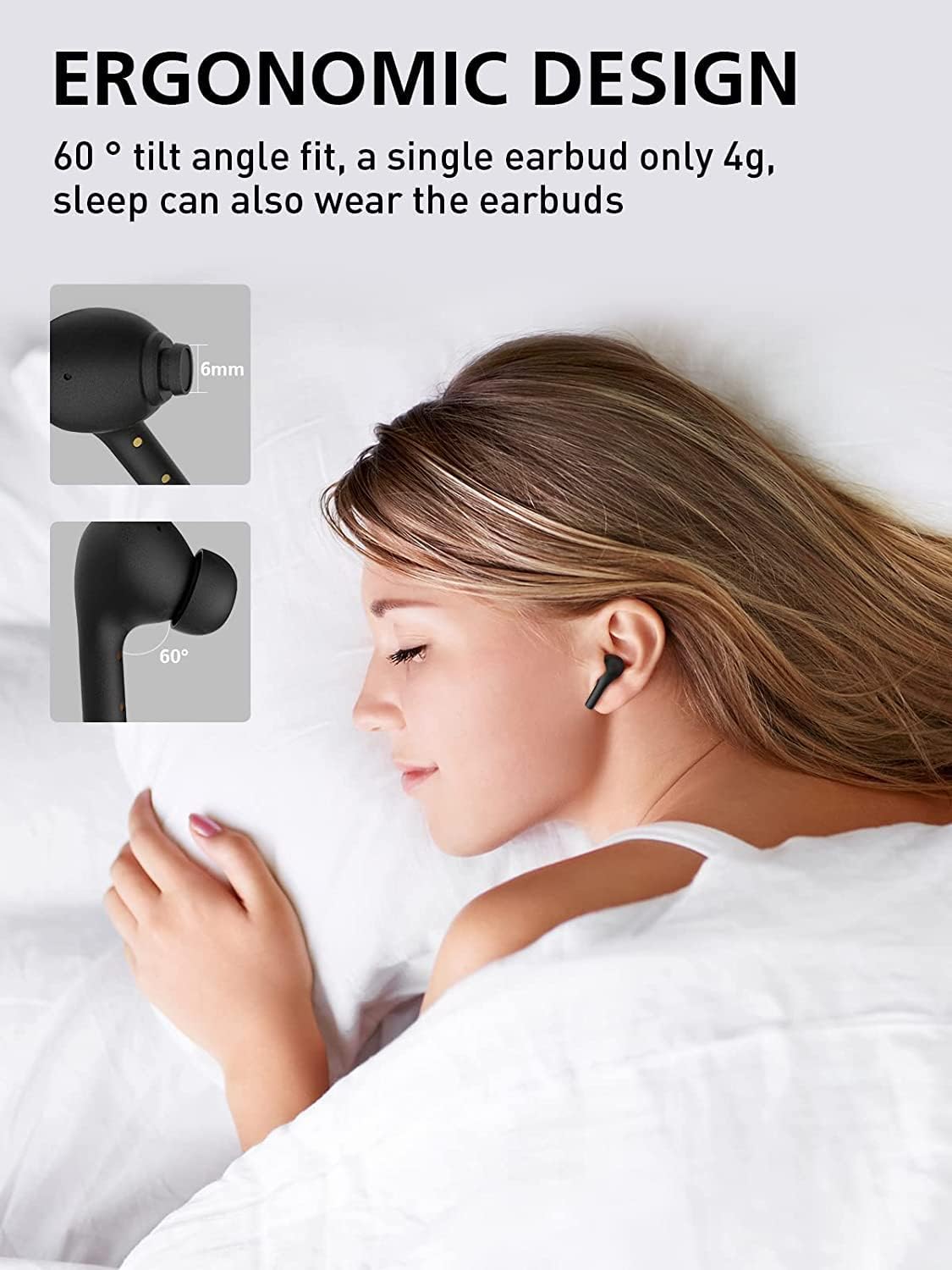
Image: All components included in the WENKEY E2 Earbuds package.
1.2 Laai die oordopjes en houer
Before first use, fully charge the earbuds and the charging case. The charging case provides up to 5 full charges for the earbuds, extending total listening time to 30 hours.
- Plaas die oorfone in die laaikas. Maak seker dat hulle korrek geplaas is; die aanwyserliggies op die oorfone sal brand.
- Koppel die laaikas aan 'n USB-kragbron met behulp van die meegeleverde USB-kabel.
- The LED indicators on the charging case will show the charging status. Four lights indicate a full charge.

Image: WENKEY E2 Earbuds seated in their charging case, ready for charging.

Image: Visual representation of the charging case's LED indicators and their battery level meanings.
1.3 Koppeling met jou toestel
The earbuds feature one-step pairing for convenience.
- Maak die laaikas oop. Die oorfone sal outomaties aanskakel en in paringsmodus gaan.
- Aktiveer Bluetooth op jou toestel (slimfoon, tablet, skootrekenaar).
- Soek vir "WENKEY E2" in the list of available Bluetooth devices and select it to connect.
- Sodra dit gekoppel is, sal jy 'n bevestigingstoon hoor, en die oorfone sal gereed wees vir gebruik.
The advanced Bluetooth 5.1 technology ensures a fast, stable connection with a range of up to 15 meters.
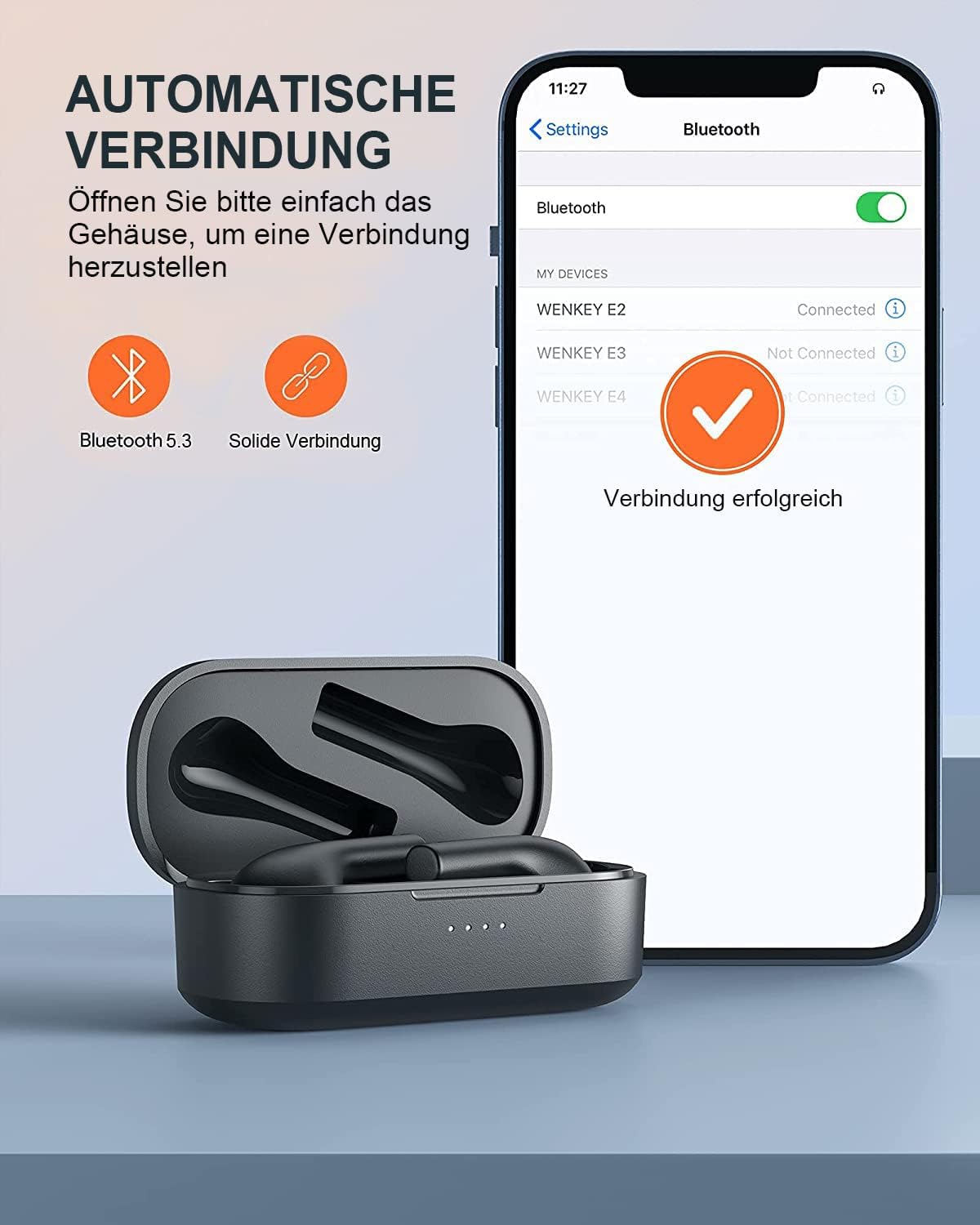
Image: Automatic pairing process shown on a smartphone's Bluetooth settings.
2. Bediening van die oordopjes
2.1 Dra van die oordopjes
The WENKEY E2 earbuds are designed with an ergonomic 60-degree tilt angle for a secure and comfortable fit. Choose the ear tips that best fit your ear canal for optimal sound quality and noise isolation.

Image: Ergonomic design of the earbuds for comfortable and secure wear.

Image: Selection of ear tip sizes for a customized and comfortable fit.
2.2 Raak kontroles
The earbuds feature intuitive touch controls for managing media playback and calls.
| Funksie | Aksie |
|---|---|
| Speel / Pouse | Dubbeltik op enige van die oordopjes |
| Volgende Snit | Touch and hold the right earbud for 2 seconds |
| Vorige Snit | Touch and hold the left earbud for 2 seconds |
| Beantwoord/beëindig oproep | Dubbeltik op enige van die oordopjes |
| Verwerp oproep | Raak en hou enige oordopjes vir 2 sekondes |
| Stemassistent | Triple-tap either earbud |

Image: Visual guide to the touch control functions on the earbuds.
2.3 Call Functions and Audio Quality
The earbuds feature ENC (Environmental Noise Cancellation) microphones, ensuring clear calls even in noisy environments. Experience Hi-Fi stereo sound with enhanced bass for an immersive audio experience.

Image: Explanation of the noise-canceling microphone technology for clear calls.

Image: Internal structure of the earbud driver, emphasizing high-fidelity audio.
2.4 Gebruik van enkel-oordopjes
Either earbud can be used independently as a mono Bluetooth headset, allowing you to stay aware of your surroundings while enjoying audio or making calls.

Image: Demonstrating the flexibility of using a single earbud.
3. Onderhoud
3.1 Skoonmaak
Om optimale werkverrigting en higiëne te handhaaf, maak jou oordopjes en laaikas gereeld skoon.
- Gebruik 'n sagte, droë, pluisvrye lap om die oorfone en laaikas af te vee.
- Verwyder enige oorsmeer of puin versigtig van die oorpunte en luidsprekermaas met 'n klein, skoon borseltjie of wattestokkie.
- Moenie skuurmiddels, alkohol of chemiese oplosmiddels gebruik nie.
3.2 Waterbestandheid (IPX6)
The WENKEY E2 earbuds are IPX6 waterproof, meaning they are resistant to sweat, water splashes, and rain. They are suitable for sports and outdoor activities.
Note: The charging case is not waterproof. Do not expose the charging case to liquids.

Image: Visual representation of the earbuds' IPX6 water resistance.
3.3 Berging
Wanneer dit nie gebruik word nie, bêre die oorfone in hul laaikassie om hulle te beskerm en te verseker dat hulle gelaai bly.
4. Probleemoplossing
If you encounter any issues with your WENKEY E2 earbuds, please refer to the following common solutions:
| Probleem | Moontlike Oplossing |
|---|---|
| Oordopjes koppel/koppel nie |
|
| Geen klank of lae volume nie |
|
| Intermittent connection/sound flickering |
|
| Oorknoppies laai nie |
|
5. Spesifikasies
| Kenmerk | Detail |
|---|---|
| Modelnommer | E2 |
| Handelsmerk | WENKEY |
| Verbindingstegnologie | Draadloos (Bluetooth 5.1) |
| Draadlose kommunikasietegnologie | Bluetooth |
| Waterweerstandvlak | IPX6 (Sweatproof, Water-resistant) |
| Batterylewe (Oorfone) | Tot 5 uur op 'n enkele laai |
| Totale speeltyd met laaikas | Tot 30 uur |
| Spesiale kenmerke | Fast Charging, ENC Noise Cancellation, Hi-Fi Stereo Sound |
| Kleur | Swart |
| Vormfaktor | In-Oor |
| Materiaal | Plastiek |

Image: Illustration of the extended battery life with the charging case.

Image: Compatibility of WENKEY E2 earbuds with various operating systems.
6. Waarborg en Ondersteuning
6.1 Waarborginligting
Specific warranty details for the WENKEY E2 earbuds are not provided in the product data. Please refer to the warranty card included in your product packaging or contact the retailer/manufacturer directly for warranty terms and conditions.
6.2 Kliëntediens
For further assistance, technical support, or inquiries, please contact WENKEY customer service. Contact information is typically found on the product packaging, the official WENKEY webwebwerf, of deur jou aankoopplatform.
7. Amptelike produkvideo's
Geen amptelike produkvideo's van die verkoper is in die verskafde data gevind nie.
Ask a question about this manual
Ask about setup, troubleshooting, compatibility, parts, safety, or missing instructions. Manuals+ will review the question and use this page’s manual context to help answer it.