
Inleiding
The Philips S7505 Wireless Bluetooth Speaker is designed to deliver powerful, portable audio with a range of convenient features. This manual provides essential information for setting up, operating, maintaining, and troubleshooting your speaker to ensure optimal performance and longevity. Key features include a built-in power bank, IPX7 waterproof rating, and up to 20 hours of playtime.

Image: The Philips S7505 Wireless Bluetooth Speaker, showcasing sy slanke ontwerp en stofafwerking.
Wat is in die boks
Verifieer dat alle items in die verpakking teenwoordig is:
- USB-laaikabel
- Vinnige installasiegids
- World Wide Warranty Leaflet
- Waarborgkaart
Produk verbyview
Familiarize yourself with the speaker's controls and indicators.

Image: Close-up of the speaker's top panel, highlighting the embossed control buttons for power, Bluetooth, playback, and volume.
The top panel features embossed buttons for easy control:
- Kragknoppie: Skakel die luidspreker aan of af.
- Bluetooth-knoppie: Begin Bluetooth-paringsmodus.
- Speel/Pause-knoppie: Beheer klankterugspeel.
- Volume op / af knoppies: Verstel die luidspreker se volume.
- Battery-aanwyserligte: Gee die huidige batteryniveau.
Opstelling
1. Laai die luidspreker op
Before first use, fully charge your Philips S7505 speaker. Use the included USB-C cable to connect the speaker to a power source. A full charge takes approximately 4.5 hours.

Image: The USB-C charging port on the side of the speaker with a cable inserted, indicating the charging process.
2. Bluetooth-koppeling
- Skakel die luidspreker aan deur die Power-knoppie te druk.
- The Bluetooth indicator will flash, indicating it is in pairing mode. If not, press and hold the Bluetooth button until it flashes.
- Aktiveer Bluetooth op jou mobiele toestel (slimfoon, tablet, skootrekenaar) en soek vir beskikbare toestelle.
- Select "Philips S7505" from the list of devices.
- Once connected, the Bluetooth indicator will glow solid, and you will hear a confirmation tone.
The speaker will automatically reconnect to the last paired device when turned on, if the device is within range and Bluetooth is enabled.

Image: A person holding a smartphone, displaying a low battery icon, connected via cable to the Philips S7505 speaker, which is placed on a picnic blanket.
Bedryfsinstruksies
1. Basiese terugspeelkontroles
- Speel/pouse: Druk die Speel/Pause-knoppie een keer.
- Volume op: Druk die '+'-knoppie.
- Volume af: Druk die '-' knoppie.
- Volgende snit: Druk en hou die '+'-knoppie in.
- Vorige snit: Druk en hou die '-' knoppie in.
2. Kragbankfunksie
The Philips S7505 features a built-in power bank, allowing you to charge your mobile devices. Connect your device to the USB-A port on the speaker using a compatible charging cable.

Image: A smartphone connected to the Philips S7505 speaker via a USB cable, demonstrating the power bank functionality.
3. Stereo Pairing (Twin Mode)
For an enhanced audio experience, you can pair two identical Philips S7505 speakers together to create a stereo sound system.
- Maak seker dat beide luidsprekers aangeskakel is en nie aan enige Bluetooth-toestel gekoppel is nie.
- On one speaker (this will be the primary speaker), press and hold the Bluetooth button until you hear a prompt or see an indicator for stereo pairing mode.
- Die primêre spreker sal na die sekondêre spreker soek.
- Sodra dit gekoppel is, sal beide luidsprekers klank in stereo speel.

Image: Two Philips S7505 speakers positioned side-by-side, illustrating the stereo pairing capability.
4. Handvrye oproepe
The built-in microphone allows you to handle hands-free calls when your speaker is connected to a smartphone. When a call comes in, press the Play/Pause button to answer or end the call.
Onderhoud
1. Waterdigting (IPX7)
The Philips S7505 speaker is IPX7 waterproof, meaning it can be immersed in water up to 1 meter for up to 30 minutes. This makes it suitable for use in wet environments like showers or by the pool. Ensure all port covers are securely closed before exposing the speaker to water.
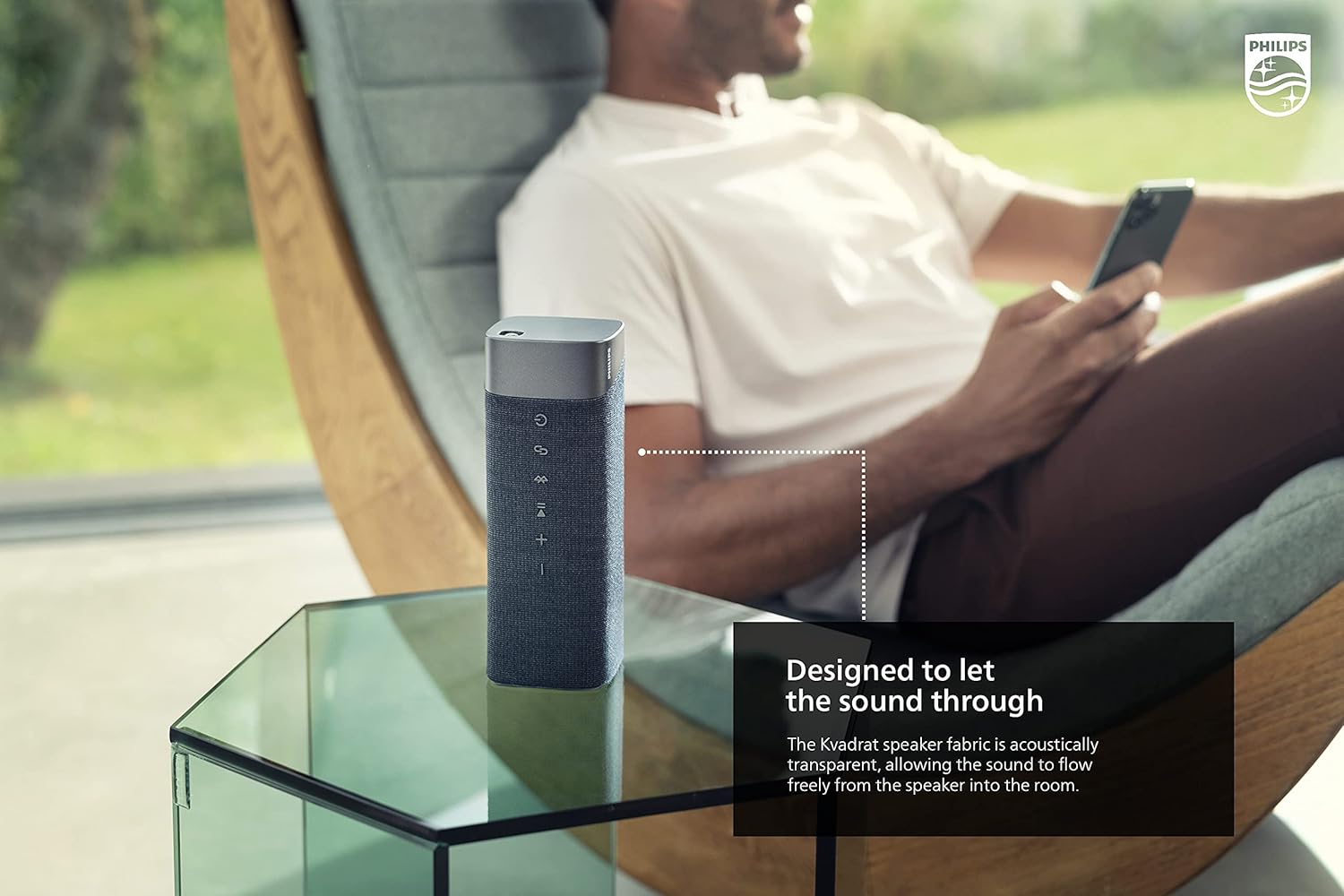
Image: The Philips S7505 speaker placed on a picnic blanket outdoors, highlighting its suitability for various environments due to its waterproof design.
2. Stofversorging
The speaker features a premium Kvadrat fabric. To clean, gently wipe with a soft, damp cloth. Avoid using harsh chemicals or abrasive materials, as these may damage the fabric or speaker components.
Probleemoplossing
If you encounter issues with your Philips S7505 speaker, refer to the following common problems and solutions:
- Luidspreker skakel nie aan nie: Ensure the battery is charged. Connect the speaker to a power source using the USB-C cable and allow it to charge for a few minutes before attempting to power on again.
- Geen klank of verwronge klank nie:
- Kontroleer die volumevlak op beide die luidspreker en jou gekoppelde toestel.
- Ensure the speaker is properly paired via Bluetooth. Disconnect and re-pair if necessary.
- Beweeg die luidspreker nader aan jou toestel om steuring te vermy.
- Bluetooth pairing fails:
- Maak seker dat die luidspreker in paringsmodus is (Bluetooth-aanwyser flikker).
- Skakel Bluetooth af op ander toestelle in die omgewing wat dalk probeer koppel.
- Herbegin beide die luidspreker en jou toestel.
- Speaker automatically turns off: The speaker is designed to power off after a period of inactivity to conserve battery. This feature cannot be disabled. To prevent this, ensure audio playback is active.
Spesifikasies
Detailed technical specifications for the Philips S7505 Wireless Bluetooth Speaker:

Image: The Philips S7505 speaker with overlaid measurements, indicating its dimensions of 9.1 inches (width), 3.3 inches (depth), and 3.4 inches (height).
| Modelnommer | S7505 |
| Handelsmerk | Philips oudio |
| Verbindingstegnologie | Bluetooth, USB |
| Draadlose kommunikasietegnologie | Bluetooth |
| Luidspreker Maksimum uitsetkrag | 30 Watt |
| Luidsprekergrootte | 4 duim |
| Impedansie | 3 ohm |
| Klankuitvoermodus | Mono (can be paired for Stereo) |
| Kragbron | Batteryaangedrewe (1 litiumioonbattery ingesluit) |
| Speeltyd | Tot 20 ure |
| Laai tyd | 4.5 ure |
| Waterweerstandvlak | IPX7 waterdig |
| Produk Afmetings (D x B x H) | 3.3" D x 9.1" B x 3.4" H |
| Item gewig | 2.2 pond (1 kilogram) |
| Beheer metode | Raak |
Waarborg en Ondersteuning
Your Philips S7505 Wireless Bluetooth Speaker comes with a full warranty. Please refer to the included Warranty Card and World Wide Warranty Leaflet for detailed terms and conditions.
For further assistance, technical support, or warranty claims, please visit the official Philips Audio support website or contact their customer service. Contact information can typically be found on the Philips Audio webwebwerf of in die waarborgdokumentasie.