
1. Inleiding
Thank you for choosing the Loluka Invisible Earbuds. This manual provides essential information for setting up, operating, and maintaining your new earbuds. Please read it carefully before use to ensure optimal performance and longevity of your device.
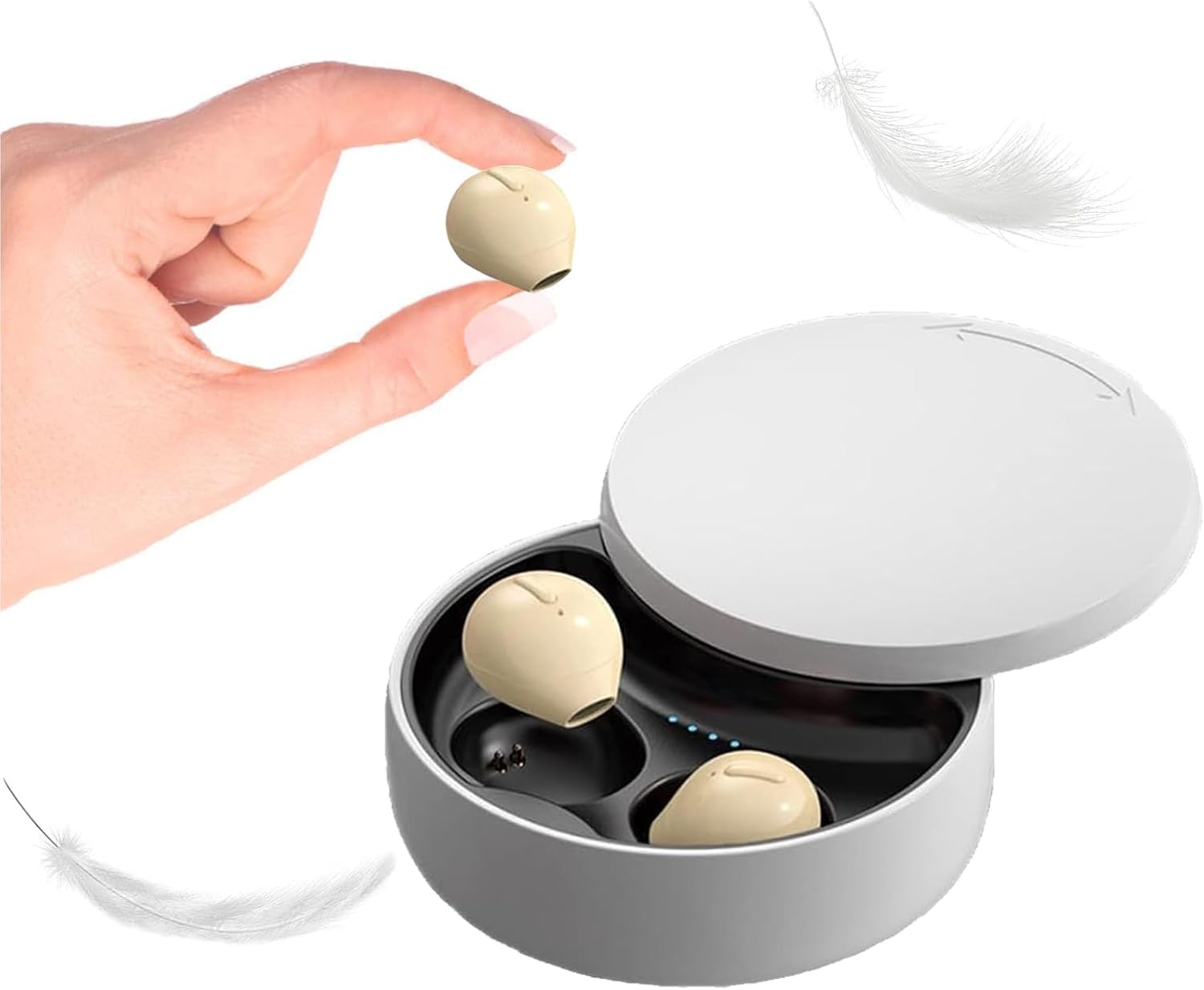
Image 1.1: Loluka Invisible Earbuds with their compact charging case. One earbud is shown held between fingers, highlighting its small size.
These earbuds are designed for discreet and comfortable listening, featuring a mini design, stable Bluetooth 5.1 connectivity, and a long battery life.
2. Pakketinhoud
Kontroleer asseblief die pakket vir die volgende items:
- Loluka Invisible Earbuds (Left and Right)
- Laaikas
- USB-laaikabel
- Gebruikershandleiding (Hierdie dokument)
3. Produkkenmerke
- Mini Design: Extremely small and lightweight for comfortable, long-term wear.
- Uitgebreide afspeel: Up to 5 hours of single playtime, with the charging case providing an additional 30 hours for a total of 35 hours.
- Gebruik van enkel-oordopjes: Enige oordopjes kan onafhanklik gebruik word.
- One-Key Control: Simple button for power, music playback, and call management.
- Stabiele verbinding: Bluetooth 5.1 chip ensures a stable connection and low latency.
- Waterweerstand: IPX5 waterdigte gradering.

Image 3.1: Visual comparison of an earbud's size to a US quarter, demonstrating its compact and lightweight design (approximately 3.7g).

Image 3.2: A woman wearing an earbud, illustrating its discreet and hidden-in-ear design.
4. Opstelling
4.1 Aanvanklike laai
Laai die oordopjes en die laaikassie volledig voor die eerste gebruik.
- Plaas albei oordopjes in die laaikas.
- Koppel die USB-laaikabel aan die laaipoort op die kas en aan 'n kragbron.
- Die aanwyserliggies op die houer sal die laaistatus aandui. 'n Volle lading neem ongeveer 1.5 uur.
4.2 Koppeling met 'n Toestel
The earbuds support automatic pairing for convenience.

Image 4.1: Visual guide for connecting the earbuds via Bluetooth, showing a phone's Bluetooth settings and the charging case.
- Eerste keer verbinding:
- Haal die oordopjes uit die laaikas. Hulle sal outomaties aanskakel en in paringmodus gaan.
- Aktiveer Bluetooth op jou mobiele toestel.
- Soek vir "X21S" (or similar model name) in the list of available devices and select it to pair.
- Daaropvolgende verbindings:
- Once paired, the earbuds will automatically connect to your last-paired device when removed from the charging case and Bluetooth is enabled on your device.
5. Bedryfsinstruksies
5.1 Krag aan/af
- Krag aan: Take the earbuds out of the charging case. They will power on automatically. Alternatively, long-press the touch area on each earbud.
- Skakel af: Place the earbuds back into the charging case. They will power off automatically. Alternatively, long-press the touch area on each earbud until they power off.
5.2 Musiekbeheer
- Speel/pouse: Klik enkel keer op die aanraakarea op enige oordopjes.
- Volgende liedjie: Dubbelklik op die aanraakarea op die regteroorfoon.
- Vorige liedjie: Double-click the touch area on the left earbud.
5.3 Oproepbeheer
- Beantwoord/beëindig oproep: Klik enkel keer op die aanraakarea op enige oordopjes.
- Verwerp oproep: Druk die aanraakarea op enige oordopjes lank.
5.4 Gebruik van enkel-oordopjes
You can use either the left or right earbud independently. Simply take one earbud out of the charging case, and it will automatically connect to your device if previously paired.

Beeld 5.1: Voorbeeldamples of discreet earbud usage in different environments, including work, sleep, and communication.
6. Onderhoud
6.1 Skoonmaak
- Maak die oordopjes en laaikas gereeld skoon met 'n sagte, droë, pluisvrye lap.
- Moenie skuurmiddels, oplosmiddels of aërosolspuitmiddels gebruik nie.
- Maak seker dat die laaikontakte vry van stof en puin is.
6.2 Berging
- Bêre die oordopjes in hul laaikas wanneer dit nie gebruik word nie om hulle te beskerm en gelaai te hou.
- Vermy uiterste temperature en direkte sonlig.
7. Probleemoplossing
- Oordopjes koppel nie: Ensure both earbuds are charged. Turn off and on your device's Bluetooth. Try resetting the earbuds (refer to manufacturer's webwebwerf vir spesifieke herstelinstruksies indien nodig).
- Geen klank nie: Kontroleer die volumevlak op jou toestel en maak seker dat die oorfone behoorlik gekoppel is.
- Onderbroke verbinding: Ensure you are within the 15-meter Bluetooth range and there are no significant obstructions between the earbuds and your device.
- Oorfone laai nie: Verifieer dat die laaikabel stewig gekoppel is en dat die laaikontakte op beide die oordopjes en die houer skoon is.
8. Spesifikasies
| Kenmerk | Spesifikasie |
|---|---|
| Modelnommer | B09B75DZ89 |
| Handelsmerk | Loluka |
| Verbindingstegnologie | Draadloos (Bluetooth 5.1) |
| Bluetooth-reeks | 15 meter |
| Enkele Oordop Batterylewe | Tot 5 ure |
| Totale speeltyd (met omhulsel) | Tot 35 ure |
| Laai tyd | Ongeveer 1.5 ure |
| Waterweerstandvlak | IPX5 (waterdig) |
| Tipe beheer | Touch / One-key Control |
| Oorplasing | In Oor |
| Item gewig | 3.52 onse |
| Produk afmetings | 3.1 x 1.6 x 4.3 duim |
9. Waarborg en Ondersteuning
Loluka products are designed for reliability and performance. For warranty information and customer support, please refer to the contact details provided with your purchase or visit the official Loluka webwebwerf. Bewaar u aankoopbewys as bewys van aankoop vir waarborgeise.
For further assistance, please contact our customer support team.