
Produk verbyview
The Swann NVW-800CAM is a 4K WiFi IP Digital Still Image Video Camera designed for comprehensive security surveillance. It features controllable red & blue flashing lights, spotlights, and a siren to deter intruders. This camera is built for both indoor and outdoor use, offering robust performance year-round.
Sleutel kenmerke:
- 4K Ultra HD-video: Provides high-resolution video for clear identification of faces and license plates.
- Controllable Deterrents: Features red & blue flashing lights and a siren to actively deter unwanted activity.
- Powered Wi-Fi Video: The camera connects to power, and its video signal transmits wirelessly to the NVR, simplifying installation.
- True Detect™ Hitte- en Bewegingswaarneming: Advanced PIR heat and motion detection reduces false alarms by sensing heat from people and cars.
- Night2Day™ Kleur Nagvisie: Provides color video at night up to 32 feet (10 meters) with built-in spotlights.
- Infrarooi Nagvisie: Offers black and white night vision up to 115 feet (35 meters) in total darkness.
- Tweerigting-klank: Laat kommunikasie deur die kamera toe.
- Weerbestande ontwerp: Built to withstand various weather conditions for reliable outdoor use.

Image: The Swann NVW-800CAM camera, showcasing its compact design and integrated red and blue flashing lights.

Beeld: Gedetailleerd view of the Swann NVW-800CAM with key components labeled, including the WiFi antenna, controllable flashing lights, sensor spotlight, lens, color video image sensor, microphone, True Detect™ PIR Heat & Motion Sensor, weatherproof casing, and speaker/siren.
Video: 'n Amptelike oorwinningview of the Swann SecureAlert Wi-Fi NVR Security System, highlighting its crime-fighting features, easy Wi-Fi installation, free local and cloud recording, Night2Day color night vision, True Detect heat and motion detection, and smart home integration.
Opstel instruksies
Follow these steps to set up your Swann NVW-800CAM camera.
Wat is in die boks:
- SWNVW-800CAM 4K Wi-Fi SwannForce Camera
- Kragkabel 12m
- Kragadapter
- Monteringsskroewe en proppe
- Bedryfsinstruksies (hierdie handleiding)
- Diefstal afskrikwekkende plakkers

Image: The Swann NVW-800CAM camera displayed alongside its included accessories: power cable, power adapter, mounting screws, and theft deterrent stickers.
Fisiese installasie:
- Kies 'n ligging: Select a suitable indoor or outdoor location for your camera. Ensure it has a clear line of sight to the area you wish to monitor and is within range of your Wi-Fi network.
- Monteer die kamera: Gebruik die meegeleverde monteerskroewe en -proppe om die kamera stewig aan 'n muur of plafon vas te maak.
- Koppel krag: Connect the power cable to the camera and then to the power adapter. Plug the power adapter into a suitable power outlet.
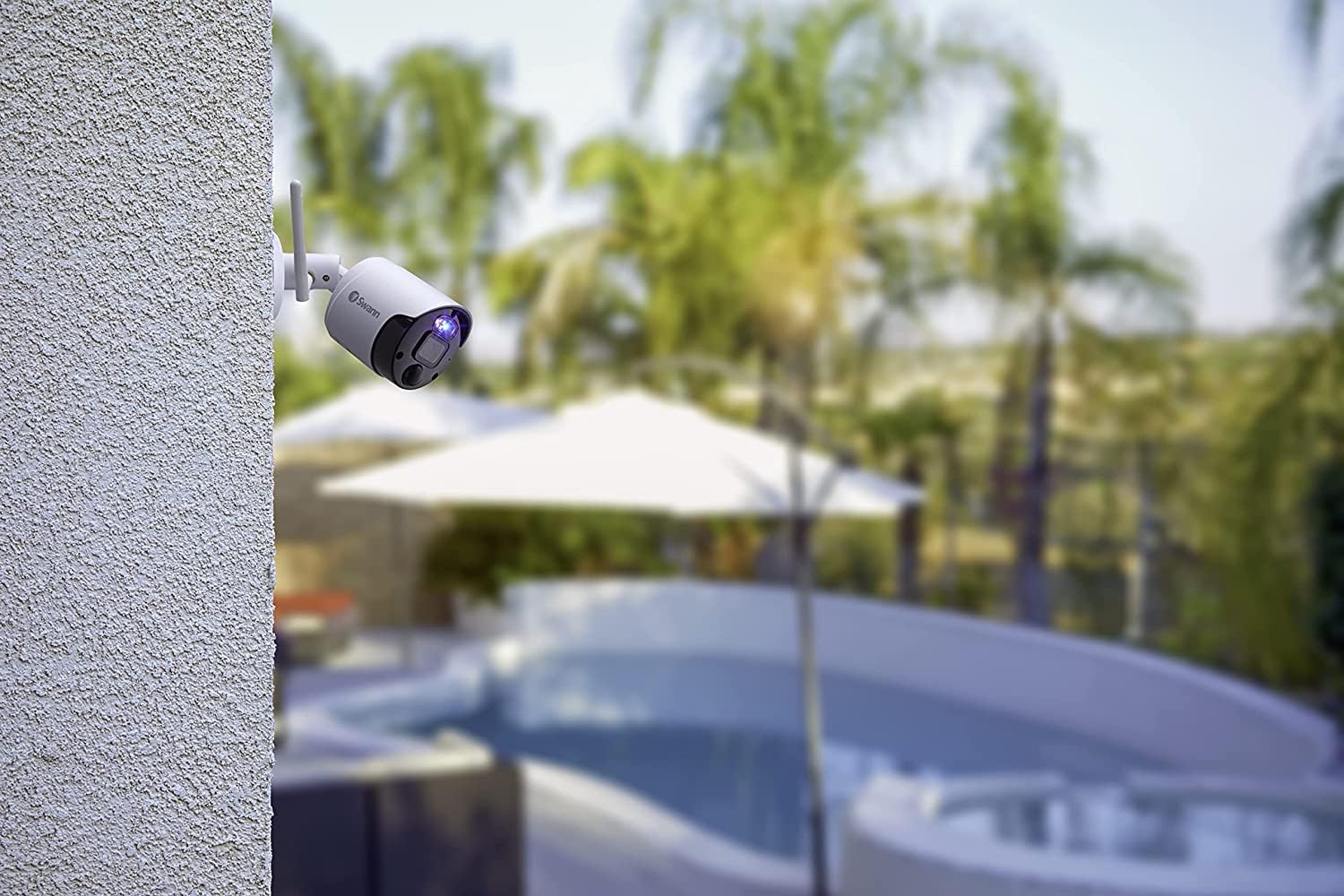
Image: The Swann NVW-800CAM camera mounted on an exterior wall, overlooking an outdoor area with a pool, demonstrating its outdoor placement capability.
App Setup and Connectivity:
The camera utilizes SwannNet™ Technology for a reliable Wi-Fi connection. Download the Swann Security app to your smartphone to complete the setup process.
- Laai die toepassing af: Soek vir "Swann Security" in your device's app store and install it.
- Skep 'n rekening: Maak die toepassing oop en volg die instruksies op die skerm om 'n nuwe rekening te skep of aan te meld as jy reeds een het.
- Voeg jou kamera by: Follow the in-app prompts to add your NVW-800CAM. This typically involves scanning a QR code on the camera or manually entering its details.
- Koppel aan Wi-Fi: The app will guide you through connecting your camera to your home Wi-Fi network.

Image: A diagram illustrating how Swann cameras and NVRs connect to a modem via Wi-Fi, highlighting the SwannNet™ Technology for reliable wireless connectivity.
Bedryfsinstruksies
Maximize the security features of your NVW-800CAM with these operating guidelines.
Using the Swann Security App:
The Swann Security app provides complete control and monitoring capabilities.
- Regstreekse stroming: View real-time video from your camera from anywhere.
- Drukkennisgewings: Receive instant alerts on your smartphone when motion or heat is detected.
- Aanpasbare kontroles: Adjust camera settings, activate deterrents, and manage recordings directly from the app.

Image: A smartphone displaying the Swann Security app interface, showing multiple camera feeds and options for live streaming, push notifications, and customizable controls.
Motion and Heat Detection (True Detect™):
The camera uses True Detect™ PIR heat and motion sensing to accurately identify significant activity.
- Verminderde vals alarms: By detecting heat signatures, the system minimizes alerts from minor movements like swaying branches.
- Event-Triggered Recording: Recording is triggered only when genuine activity is detected, saving storage space and review tyd.

Image: A visual representation of heat detection, showing a person delivering packages highlighted by a red heat signature, indicating how True Detect™ identifies warm objects.
Nagsig vermoëns:
- Night2Day™ Kleur Nagvisie: With built-in spotlights, the camera can capture full-color video at night up to 32 feet (10 meters).
- Infrarooi Nagvisie: For discreet monitoring in complete darkness, the camera provides clear black and white infrared night vision up to 115 feet (35 meters).

Image: A night scene of a driveway captured with Night2Day™ technology, showing objects and surroundings in color despite low light conditions.
Tweerigting-klank:
The integrated microphone and speaker allow you to hear what's happening and speak back through the camera.
- Communicate with Visitors: Speak to delivery personnel or guests.
- Deter Intruders: Use your voice to warn off suspicious individuals.

Image: A graphic illustrating the 2-way audio feature, showing a person receiving a package and a person in a car communicating through the camera, with text bubbles indicating dialogue.
Slim huis-integrasie:
Integrate your camera with compatible smart home devices for hands-free viewing.
- Stembeheer: Use voice commands with Hey Google or Alexa devices to view camera feeds on your smart TV or display.
Onderhoud
Gereelde onderhoud verseker optimale werkverrigting en lang lewensduur van jou kamera.
- Skoonmaak: Maak die kameralens en behuising gereeld skoon met 'n sagte, damp lap om stof, vuiligheid of waterkolle te verwyder. Vermy skuurmiddels.
- Firmware -opdaterings: Check the Swann Security app regularly for available firmware updates. Keeping your camera's firmware up-to-date ensures you have the latest features and security enhancements.
- Kabel inspeksie: For outdoor installations, periodically inspect the power cable for any signs of wear or damage.
- Weerweerstand: The camera is designed to be weatherproof (IP66 rated), but extreme weather conditions may still require occasional checks to ensure proper functioning.
Probleemoplossing
If you encounter issues with your NVW-800CAM, refer to these common solutions.
Geen videostroom nie:
- Kontroleer krag: Ensure the camera is properly connected to a power source and the power adapter is plugged in.
- Wi-Fi-verbinding: Verify that your camera is connected to your Wi-Fi network. Check your router and the Swann Security app for connection status.
- Router Interference: Move the camera closer to your Wi-Fi router or reduce potential interference from other wireless devices.
Vals alarms:
- Pas Sensitiwiteit aan: In the Swann Security app, adjust the motion detection sensitivity settings.
- Bespeuringsones: Configure specific detection zones to exclude areas with frequent, non-threatening movement (e.g., public sidewalks, swaying trees).
- Omgewingsfaktore: Ensure the camera is not pointed directly at sources of heat or light that could trigger false alarms.
Swak Nagvisie:
- Skoon lens: Maak seker die kameralens is skoon en vry van vlekke of vuilheid.
- Obstruksies: Check for any obstructions (e.g., spiderwebs, leaves) blocking the camera's view or infrared illuminators.
- Beligting: For Night2Day™ color vision, ensure the built-in spotlights are enabled and functioning.
Oudio-kwessies:
- Programinstellings: Verify that audio recording and two-way audio features are enabled in the Swann Security app.
- Microphone/Speaker Obstruction: Ensure the microphone and speaker ports on the camera are not blocked.
Spesifikasies
| Modelnommer | SWNVW-800CAM |
| Video-opname-resolusie | 4K (8MP) |
| Verbindingstegnologie | Draadloos (Wi-Fi) |
| Binne/buiteluggebruik | Binne, Buitelug |
| Kragbron | Koord Elektries (9 watt) |
| Nagsigreeks | 115 voet (35 meter) |
| Lae lig tegnologie | Nag kleur |
| Alerttipe | Motion Only (True Detect™) |
| Waterweerstandvlak | Waterdig (IP66) |
| Itemafmetings (L x B x H) | 2.56 x 2.56 x 7.8 duim |
| Item gewig | 1.59 pond |
| Versoenbare toestelle | Slimfoon |
| Beheer metode | Toep |
| Slimhuisversoenbaarheid | Smart Home Compatible (Hey Google, Alexa) |
Waarborg inligting
Swann products are covered by a manufacturer's warranty. For specific details regarding the warranty period and terms for your NVW-800CAM, please refer to the warranty card included with your product or visit the official Swann webwebwerf.
Typically, Swann offers a limited warranty that covers defects in materials and workmanship under normal use. Keep your proof of purchase for warranty claims.
Ondersteuning
For further assistance, technical support, or to access additional resources, please use the following options:
- Swann-ondersteuning Webwebwerf: Besoek www.swann.com/us/support for FAQs, troubleshooting guides, software downloads, and contact information.
- Swann Sekuriteits-app: The app often includes a help section with useful tips and direct access to support.
- Aanlyn Gemeenskap: Engage with other Swann users and find solutions in online forums.
When contacting support, please have your product model number (SWNVW-800CAM) and proof of purchase readily available.