
1. Inleiding
Thank you for choosing the MAXXMEE Cordless Screwdriver Model 2112. This manual provides essential information for the safe and efficient operation, maintenance, and troubleshooting of your new tool. Please read these instructions carefully before first use and keep them for future reference.
2. Veiligheidsinstruksies
Neem altyd basiese veiligheidsmaatreëls in ag wanneer u elektriese gereedskap gebruik om die risiko van brand, elektriese skok en persoonlike besering te verminder.
- Werksarea veiligheid: Hou jou werkarea skoon en goed belig. Oorvol of donker areas nooi ongelukke uit. Moenie elektriese gereedskap in plofbare atmosfere gebruik nie, soos in die teenwoordigheid van vlambare vloeistowwe, gasse of stof.
- Elektriese veiligheid: Vermy liggaamskontak met geaarde oppervlaktes soos pype, verkoelers, stowe en yskaste. Moenie elektriese gereedskap aan reën of nat toestande blootstel nie.
- Persoonlike veiligheid: Dra altyd oogbeskerming. Gebruik gepaste veiligheidstoerusting soos stofmaskers, glyvaste veiligheidskoene, harde helme of gehoorbeskerming wanneer nodig. Trek behoorlik aan; vermy los klere of juweliersware.
- Gereedskap gebruik en versorging: Moenie die kraggereedskap forseer nie. Gebruik die korrekte kraggereedskap vir u toepassing. Ontkoppel die prop van die kragbron en/of die batterypak van die kraggereedskap voordat u enige aanpassings maak, bykomstighede verander of kraggereedskap bêre.
- Batteryveiligheid: This tool contains an integrated rechargeable battery. Do not incinerate the battery even if it is severely damaged or completely worn out. Batteries can explode in a fire. Do not short-circuit the battery.
3. Pakketinhoud
Kontroleer asseblief dat alle items teenwoordig en in goeie toestand is:
- 1 x MAXXMEE Cordless Screwdriver Model 2112
- 1 x 30-piece Bit Set (various screwdriver bits and drill bits)
- 1 x Laaikabel (USB)
- 1 x Gebruikershandleiding

Figuur 3.1: The included 30-piece bit set, featuring various screwdriver and drill bits for diverse applications.
4. Produk verbyview
Familiarize yourself with the components of your MAXXMEE Cordless Screwdriver.
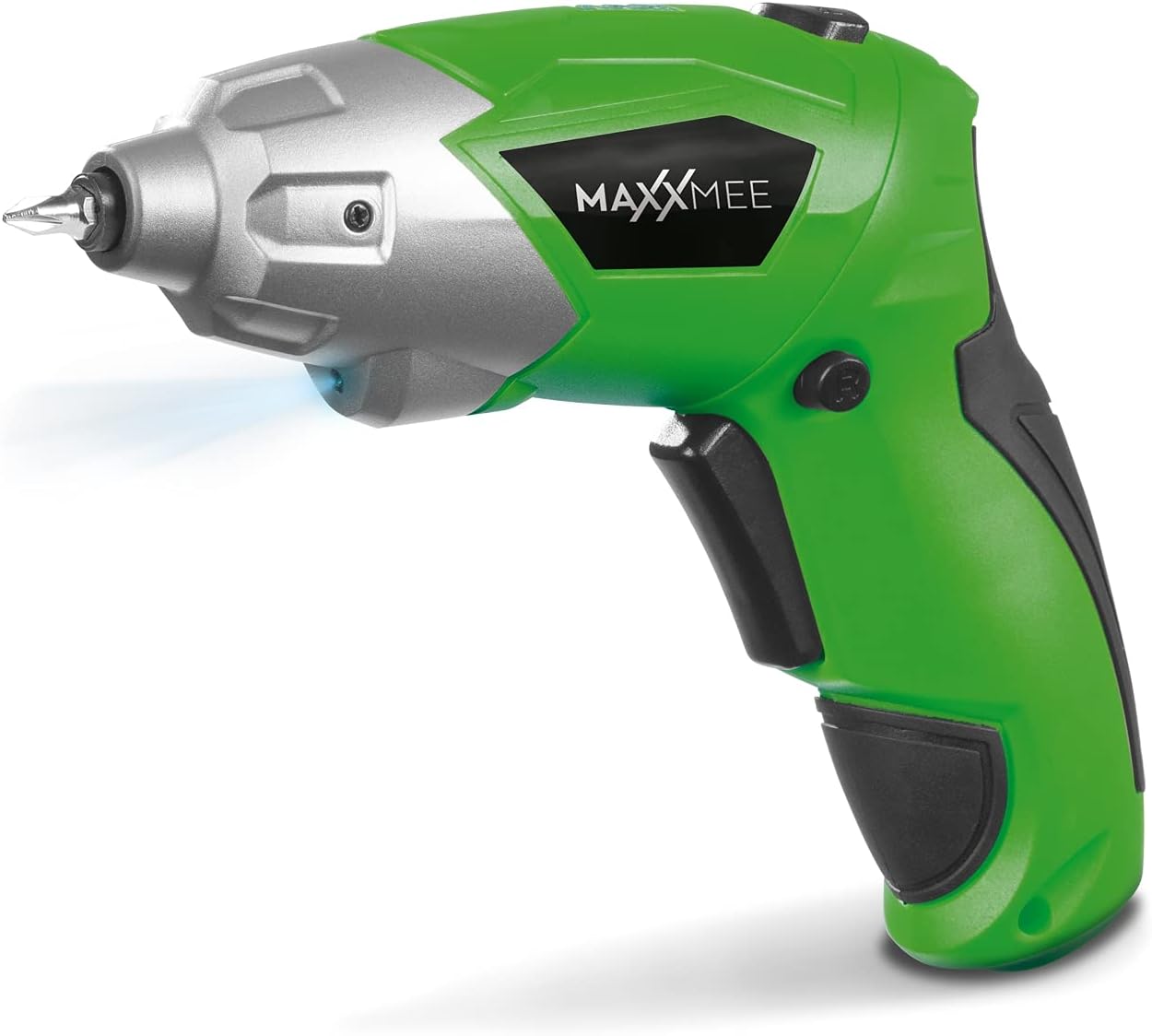
Figuur 4.1: Voorkant view of the MAXXMEE Cordless Screwdriver, highlighting its compact design.

Figuur 4.2: The cordless screwdriver demonstrating its flexible handle position, integrated LED light, and forward/reverse rotation switch.
- Bit Holder (Magnetic)
- LED Werkslig
- Vorentoe/Teruitdraai-skakelaar
- Flexible Handle Release Button
- Sneller skakelaar
- Laaipoort
- Batteryvlak-aanwyser
5. Opstelling
5.1. Charging the Screwdriver
Before first use, fully charge the screwdriver's integrated battery. The battery is not fully charged at the time of purchase.
- Connect the provided charging cable to the charging port on the screwdriver.
- Connect the other end of the USB charging cable to a suitable USB power adapter (not included) or a powered USB port.
- The battery indicator lights will show the charging status. Allow several hours for a full charge.
- Sodra dit ten volle gelaai is, ontkoppel die laaikabel.
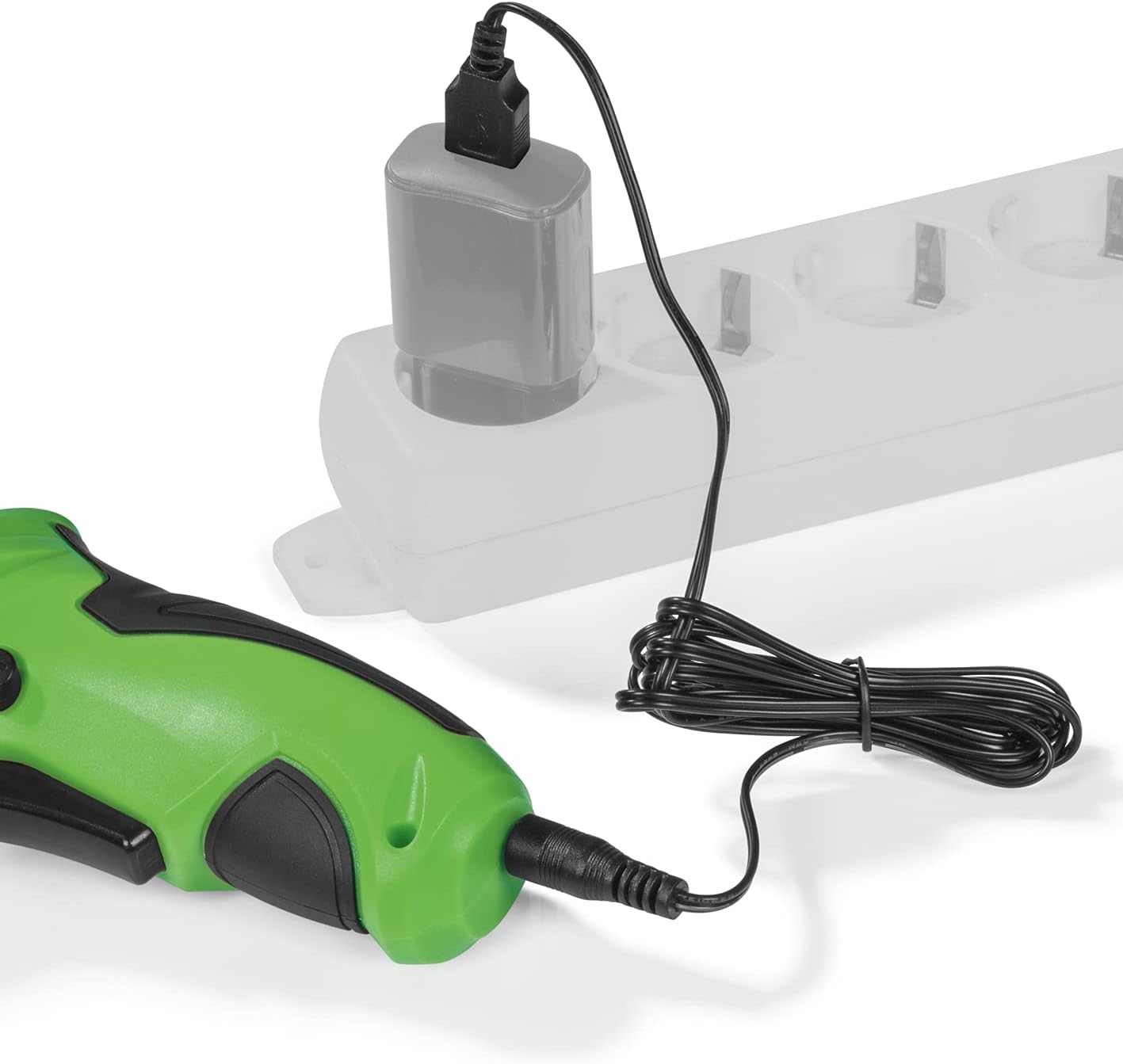
Figuur 5.1: Connecting the charging cable to the screwdriver and a power source.
5.2. Inserting Screwdriver Bits
The screwdriver features a magnetic bit holder for quick and easy bit changes.
- Maak seker dat die skroewedraaier afgeskakel is en die vorentoe/agtertoe-skakelaar in die neutrale (geslote) posisie is.
- Select the appropriate bit from the 30-piece set.
- Insert the bit firmly into the magnetic bit holder until it is securely seated.
- Om te verwyder, trek die stukkie eenvoudig uit.
6. Bedryfsinstruksies
6.1. Aanskakel/Afskakel en Rotasierigting
The trigger switch activates the screwdriver, and the forward/reverse switch controls the rotation direction.
- To drive screws (forward rotation), push the forward/reverse switch to the left.
- To remove screws (reverse rotation), push the forward/reverse switch to the right.
- To lock the trigger and prevent accidental activation, place the switch in the center position.
- Press the trigger switch to operate the screwdriver. Release to stop.
6.2. Adjusting the Flexible Handle
The screwdriver features a variable curved handle for optimal comfort and access in different working conditions.
- Ensure the screwdriver is off.
- Press the flexible handle release button (refer to Figure 4.2 for location).
- Adjust the handle to the desired position (straight or pistol grip).
- Release the button to lock the handle in place. Ensure it is securely locked before use.
6.3. Using the LED Work Light
The integrated LED work light illuminates the work area for improved visibility, especially in dark or confined spaces.
- The LED light automatically activates when the trigger switch is pressed.
- It turns off when the trigger is released.
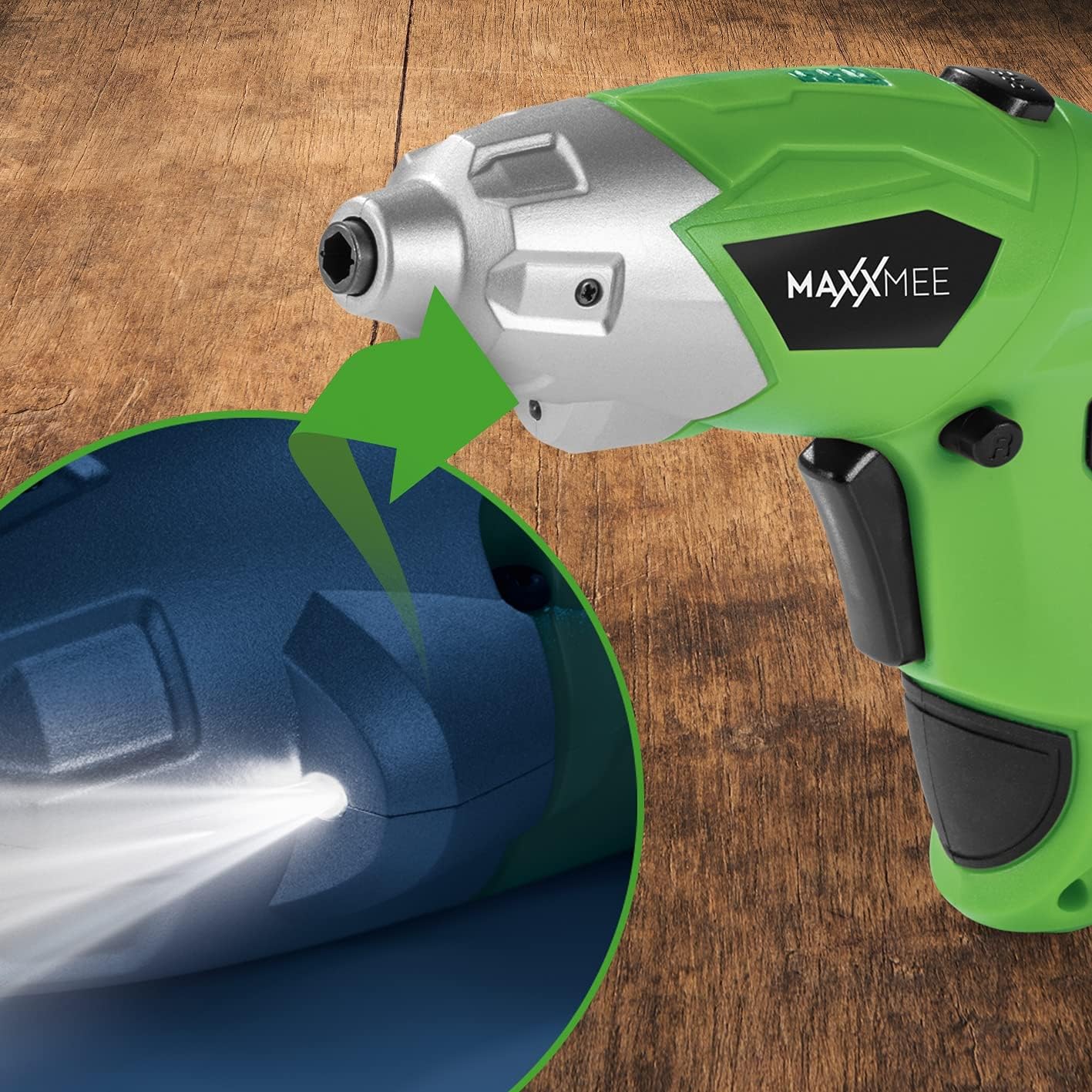
Figuur 6.1: Close-up view of the LED work light illuminating the work surface.
6.4. Batteryvlakaanwyser
The battery level indicator provides a visual representation of the remaining battery charge.
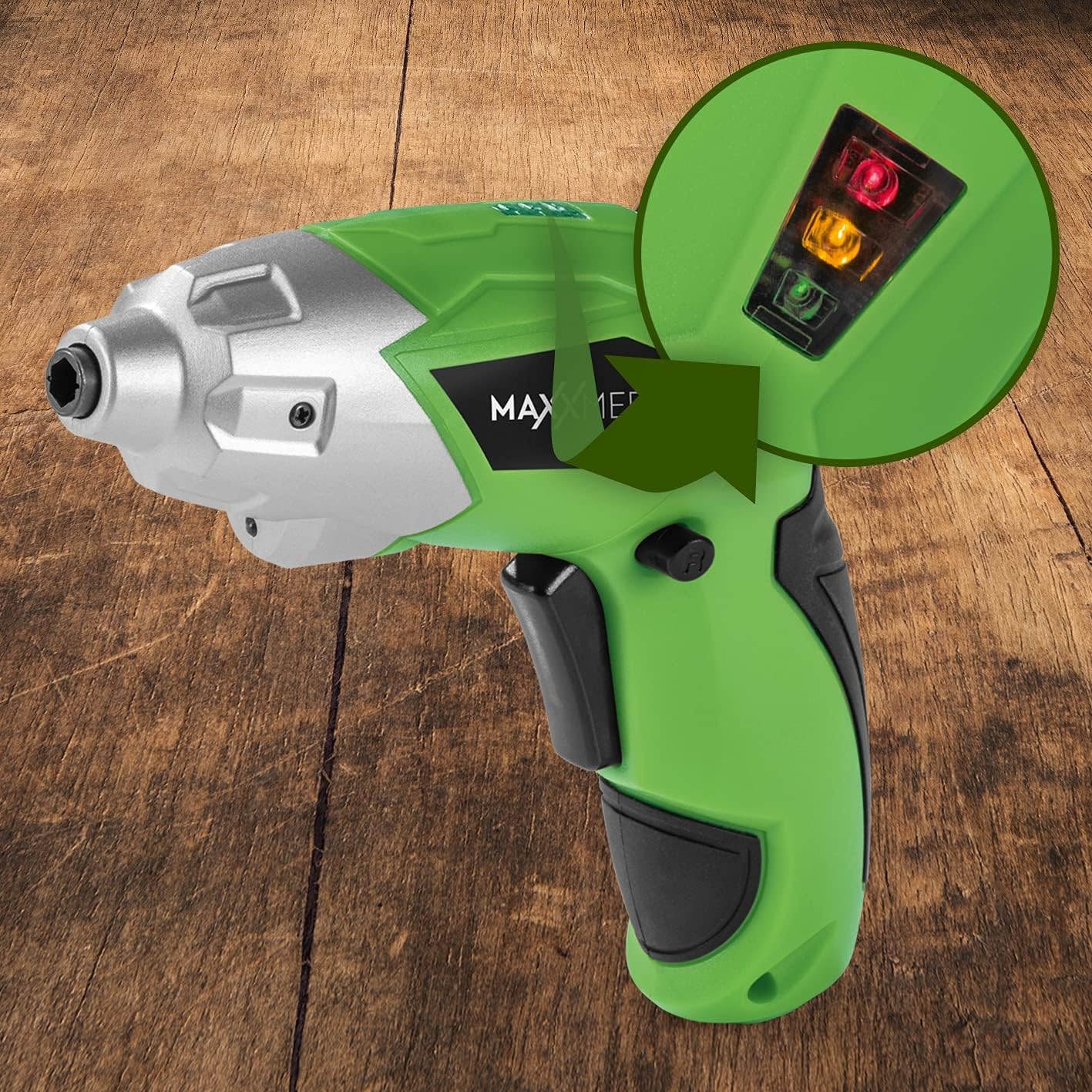
Figuur 6.2: The battery level indicator showing the charge status with colored lights.
- Green light: High charge.
- Yellow light: Medium charge.
- Red light: Low charge, recharge soon.
For optimal performance, recharge the screwdriver when the indicator shows a low charge.
7. Onderhoud
Proper maintenance ensures the longevity and optimal performance of your screwdriver.
- Skoonmaak: Always disconnect the screwdriver from any power source before cleaning. Use a soft, damp cloth to wipe down the exterior. Do not use harsh chemicals or abrasive cleaners. Keep ventilation openings free from dust and debris.
- Berging: Store the screwdriver and its accessories in a dry, cool place, away from direct sunlight and moisture. Keep it out of reach of children.
- Batterysorg: For long-term storage, it is recommended to charge the battery to approximately 50% every few months to maintain battery health.
8. Probleemoplossing
As jy probleme met jou skroewedraaier ondervind, raadpleeg die volgende algemene probleme en oplossings:
| Probleem | Moontlike oorsaak | Oplossing |
|---|---|---|
| Skroewedraaier skakel nie aan nie. | Battery is ontlaai. | Laai die battery vol. |
| Screwdriver lacks power. | Lae battery laai. | Herlaai die battery. |
| Bit is loose or falls out. | Bit not fully inserted or incorrect bit size. | Ensure the bit is fully inserted into the magnetic holder. Use appropriate bit size. |
| Handle does not lock in place. | Release button not fully engaged or debris preventing lock. | Ensure the release button is fully pressed and released. Check for obstructions. |
Indien die probleem voortduur nadat u hierdie oplossings probeer het, kontak asseblief kliëntediens.
9. Spesifikasies
| Kenmerk | Spesifikasie |
|---|---|
| Modelnommer | 2112 |
| Handelsmerk | MAXXMEE |
| Voltage | 3.6 Volt |
| Max Torque | 4 Nm |
| Kragbron | Battery-powered (Rechargeable) |
| Materiaal | Metaal |
| Spesiale kenmerke | Cordless, Flexible Handle, LED Work Light |
| Ingesluit komponente | 1 Cordless Screwdriver, 30-piece Bit Set, Charging Cable |
| Pakket afmetings | 15 x 15 x 7.2 cm |
| Gewig | 800 gram |
10. Waarborg en Ondersteuning
MAXXMEE products are manufactured to high-quality standards. In the unlikely event of a defect or malfunction, please refer to your purchase documentation for warranty details. For technical support, spare parts, or service inquiries, please contact your retailer or the MAXXMEE customer service department. Please have your model number (2112) and purchase date available when contacting support.