
1. Belangrike veiligheidsinstruksies
Lees asseblief alle instruksies sorgvuldig deur voordat u hierdie toestel gebruik en bewaar dit vir toekomstige verwysing. Versuim om hierdie instruksies te volg, kan lei tot elektriese skok, brand of ernstige persoonlike besering.
- Maak altyd seker dat die waaier op 'n stabiele, plat oppervlak geplaas word om te verhoed dat dit kantel.
- Moenie die waaier met 'n beskadigde koord of prop gebruik nie. Kontak kliëntediens indien die koord of prop beskadig is.
- Keep children and pets away from the fan, especially when it is operating. The protective grille is designed to prevent accidental contact with internal components.
- Do not insert fingers or any objects through the grille when the fan is running.
- Unplug the fan from the power outlet before cleaning, moving, or performing any maintenance.
- Moenie die waaier in nat of damp plekke, soos badkamers of waskamers.
- This fan is equipped with a fused plug to prevent voltage overload. If the fuse blows, replace it with a fuse of the same rating.
- Verseker die voltage indicated on the fan's rating label matches your local power supply before connecting.
- Do not block air openings or operate near curtains or other materials that could block airflow.
2. Pakketinhoud
Carefully unpack the box and ensure all components are present and in good condition. If any items are missing or damaged, please contact customer support.
- Toringwaaier-eenheid
- Front Fan Base
- Rear Fan Base
- Afstandbeheerder
- Instructiehandleiding (hierdie dokument)
3. Opstelling en samestelling
Follow these steps to assemble your Uthfy Tower Fan:
- Carefully remove all packaging materials from the fan unit and base components.
- Connect the Front Fan Base to the Rear Fan Base by aligning the tabs and slots, then pressing them together until they click securely.
- Align the assembled base with the bottom of the tower fan unit. Ensure the power cord passes through the designated channel in the base.
- Secure the fan unit to the base using the provided screws (if applicable, check the base for screw holes and the packaging for screws). Twist the fan unit onto the base until it is firmly attached.
- Plaas die gemonteerde waaier op 'n stewige, gelyk oppervlak.
- Insert batteries into the remote controller (if not pre-installed).
- Steek die kragkabel in 'n standaard 120V AC-elektriese uitlaat.

Beeld: Oorview of the Uthfy Tower Fan highlighting its main features such as multiple speeds, modes, oscillation, timer, remote control, and LED screen.
4. Bedryfsinstruksies
The Uthfy Tower Fan can be operated using the control panel on top of the unit or the included remote control.
4.1 Beheerpaneel en afstandbeheer oorview

Image: The remote control for the Uthfy Tower Fan, showing its buttons for power, speed, mode, oscillation, and timer functions.
The remote control allows convenient operation from a distance. Ensure there are no obstructions between the remote and the fan's receiver.
4.2 Krag aan/af
- Druk die Krag knoppie (simbool: sirkel met 'n vertikale lyn) on the control panel or remote to turn the fan ON or OFF.
4.3 Spoedinstellings
The fan offers 3 wind speed modes: Low, Medium, and High.
- Druk die Spoed knoppie (symbol: fan blades or bars) repeatedly to cycle through the speed settings. The current speed will be indicated on the LED display.

Image: The top control panel and LED display of the Uthfy Tower Fan, illustrating indicators for temperature, fan speed (low/medium/high), and airflow modes (sleep/natural/normal).
4.4 Airflow Modes
Choose from 4 airflow modes: Normal, Natural, and Sleep.
- Druk die Modus knoppie (symbol: squares or waves) repeatedly to select the desired mode.
- Normale modus: Verskaf 'n konstante lugvloei teen die gekose spoed.
- Natuurlike modus: Simulates natural breezes by varying the fan speed intermittently.
- Slaap stelling: Operates at a lower, quieter speed and may gradually decrease speed over time to promote comfortable sleep.

Image: The Uthfy Tower Fan in a bedroom setting, illustrating its quiet operation for sleep mode and the 15-hour timer function.
4.5 Ossillasiefunksie
The oscillation feature allows the fan to rotate from side to side, distributing air over a wider area.
- Druk die ossillasie knoppie (symbol: two arrows forming an arc) to start or stop the oscillation.
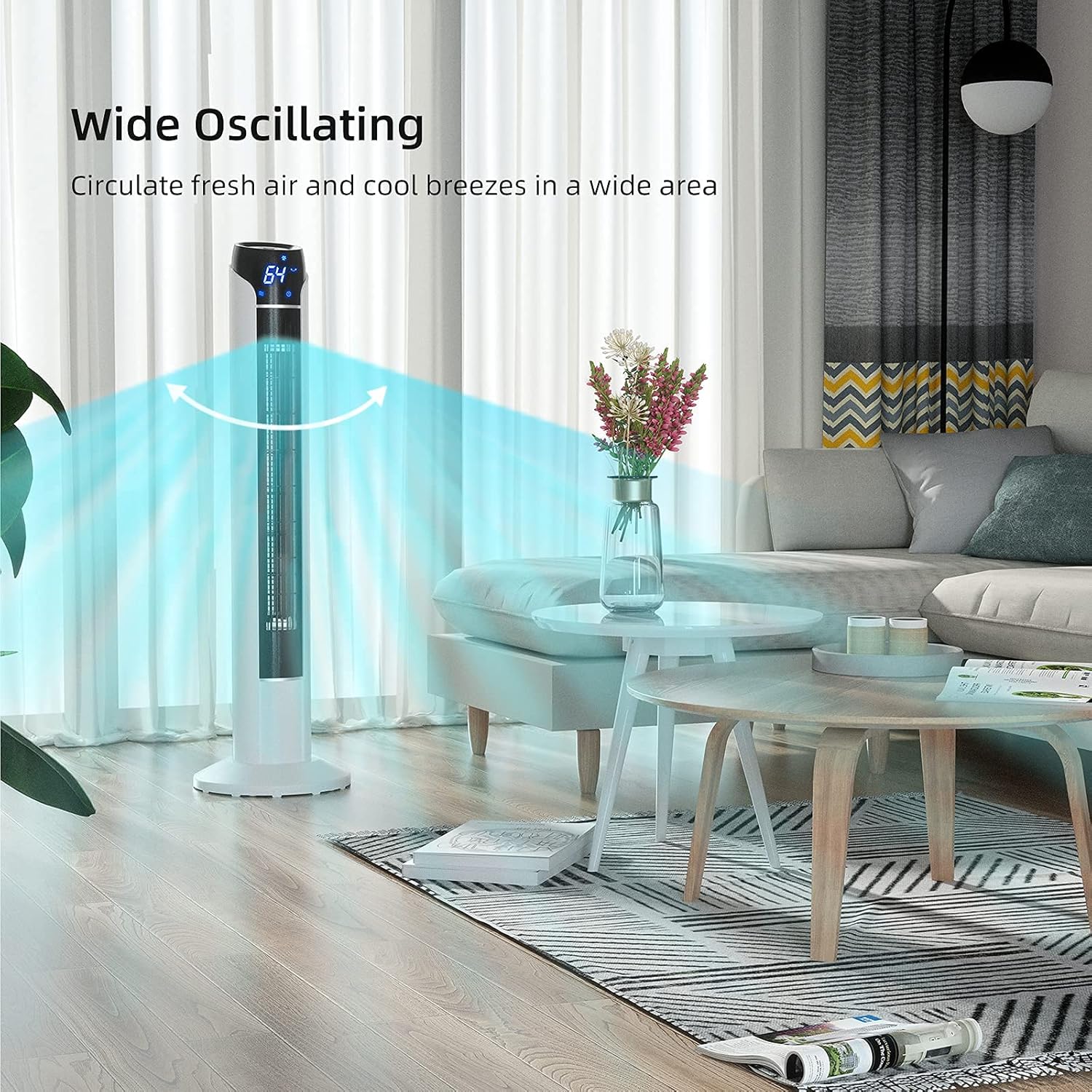
Image: The Uthfy Tower Fan demonstrating its wide oscillating function, circulating air across a broad space in a living room.
4.6 Timer-funksie
Set the fan to automatically turn off after a specified period, up to 15 hours.
- Druk die Afteller knoppie (simbool: klok) repeatedly to set the desired operating duration in 1-hour increments. The set time will be displayed on the LED screen.
- To cancel the timer, press the Timer button until the display shows '00' or turn the fan off.
5. Onderhoud en Skoonmaak
Gereelde skoonmaak help om die waaier se werkverrigting te handhaaf en sy lewensduur te verleng.
- Voor skoonmaak: Always unplug the fan from the power outlet before attempting any cleaning or maintenance.
- Buitenste skoonmaak: Gebruik 'n sagte, damp cloth to wipe the exterior surfaces of the fan. Do not use abrasive cleaners, solvents, or harsh chemicals, as these may damage the plastic.
- Rooster skoonmaak: Use a vacuum cleaner with a brush attachment to remove dust and debris from the air intake and exhaust grilles. Do not attempt to disassemble the fan to clean the blades.
- Berging: If storing the fan for an extended period, clean it thoroughly, then place it back in its original packaging or cover it to protect it from dust. Store in a cool, dry place.
6. Probleemoplossing
As jy probleme met jou waaier ondervind, raadpleeg die volgende algemene probleme en oplossings:
| Probleem | Moontlike oorsaak | Oplossing |
|---|---|---|
| Die waaier skakel nie aan nie. | No power supply; Power button not pressed; Blown fuse in plug. | Ensure the fan is plugged into a working outlet. Press the Power button. Check and replace the fuse in the plug if necessary. |
| Swak lugvloei. | Air grilles are blocked; Fan speed is too low. | Clean the air intake and exhaust grilles. Increase the fan speed setting. |
| Die waaier is raserig. | Fan not on a level surface; Debris inside the fan. | Place the fan on a stable, flat surface. Unplug the fan and gently shake it to dislodge any loose debris. If noise persists, contact support. |
| Afstandbeheer werk nie. | Batteries are dead or incorrectly inserted; Obstruction between remote and fan. | Replace batteries with new ones, ensuring correct polarity. Remove any objects blocking the signal path. |
| Ossillasie werk nie. | Ossillasiefunksie nie geaktiveer nie. | Press the Oscillation button to activate the feature. |
If the problem persists after trying these solutions, please contact Uthfy customer support.
7. Produkspesifikasies
| Kenmerk | Spesifikasie |
|---|---|
| Handelsmerk | Uthfy |
| Modelnommer | JTF-02-R (HY-JTF02R-W-cr) |
| Tik | Toringwaaier |
| Hoogte | 36 duim |
| Kleur | Wit |
| Kragbron | Elektries met koord |
| Voltage | 120 V |
| Wattage | 60 Watt-ure |
| Beheer metode | Remote Control, On-unit Buttons |
| Spesiale kenmerke | Oscillating, 3 Speed Modes, 4 Airflow Modes (Normal, Natural, Sleep), 15-Hour Timer, LED Display, Lightweight, ETL Certified |
| Materiaal | Akrilonitrielbutadieenstireen (plastiek) |
| Item gewig | 7 pond |
| Binne/buiteluggebruik | Slegs binnenshuis |
8. Waarborg en Kliëntediens
This Uthfy Tower Fan comes with a 90-dae beperkte waarborg from the date of purchase. This warranty covers manufacturing defects and workmanship under normal use. It does not cover damage resulting from misuse, accident, alteration, or unauthorized repair.
For warranty claims, technical assistance, or any questions regarding your product, please contact Uthfy customer support. Please have your model number (JTF-02-R) and proof of purchase ready when contacting support.

Image: The Uthfy Tower Fan's design features, including child safety grille, portability, and integrated remote control storage.


