
1. Inleiding
This manual provides comprehensive instructions for the assembly, operation, and maintenance of your FLEXISPOT EN2 Electric Height Adjustable Standing Desk. Please read this manual thoroughly before assembly and use to ensure safe and efficient operation.
The FLEXISPOT EN2 desk features a spacious one-piece desktop, an electric height adjustment system with memory presets, and a removable clamp power strip for convenient device charging and cable management. It is designed to support a dynamic work environment, allowing seamless transitions between sitting and standing positions.
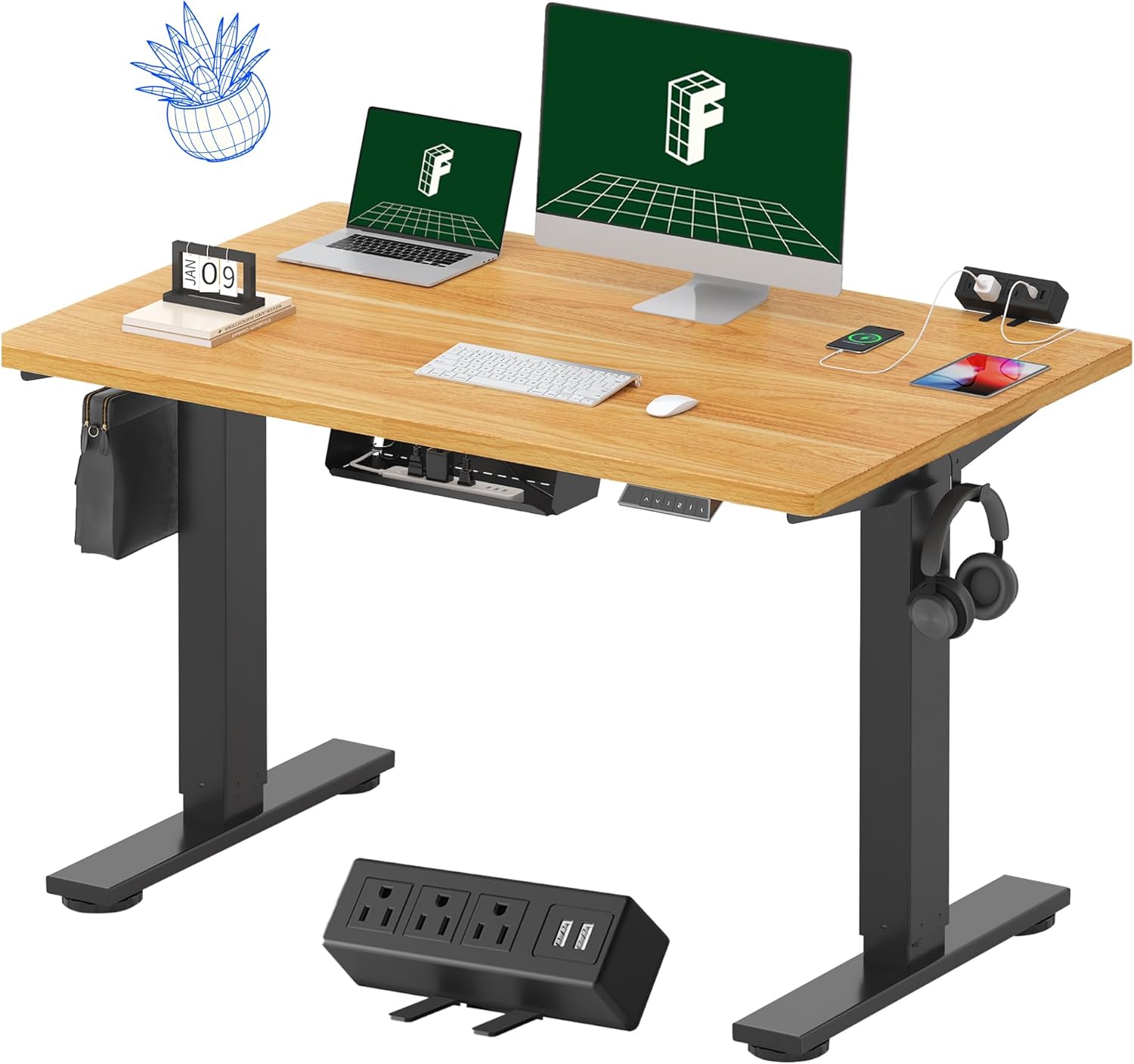
Image 1.1: FLEXISPOT EN2 Standing Desk with Maple Top and Black Frame, showcasing a typical setup with monitors, a laptop, and a clamp kragstrook.
2. Veiligheidsinligting
WAARSKUWING: Versuim om hierdie veiligheidsinstruksies te volg, kan lei tot besering of skade aan die produk.
- Volg altyd die monteerinstruksies noukeurig.
- An electric drill (not included) may be required for assembly.
- Ensure the desk is properly anchored to prevent tipping.
- Moenie die maksimum gewigsaanbeveling van 176 pond (80 kg) oorskry nie.
- Keep the work surface clear of items that could fall and cause injury during height adjustments.
- Always unplug the desk before performing any maintenance or making adjustments to the frame or electrical components.
- Hou kinders en troeteldiere weg van die lessenaar tydens werking.
3. Pakketinhoud
Your FLEXISPOT EN2 Standing Desk will arrive in two separate packages, which may be shipped separately. Please ensure you have received both packages and all components before beginning assembly.

Image 3.1: Illustration showing the desk components arriving in two separate packages: one for the desktop and one for the desk frame.
Ingesluit komponente:
- One-piece desktop (48" x 30" Maple Top)
- Electric height-adjustable frame (Black)
- 6-button digital controller with 4 memory presets
- Removable clamp power strip (3 AC outlets, 2 USB charging ports)
- Cable management device
- Assembly hardware and tools (excluding electric drill)
4. Opstelling en samestelling
Assembly typically requires two people and an electric drill (not included). Follow the detailed instructions provided in the separate assembly guide included with your product. The process involves attaching the legs to the desktop and connecting the control panel and motor.
Montagewenke:
- Plaas al die komponente op 'n sagte, skoon oppervlak om skrape te voorkom.
- Maak seker dat alle skroewe stewig vasgedraai is, maar moenie te styf vasdraai nie.
- Properly route all cables using the provided cable management solutions to avoid interference with desk movement.
Video 4.1: Official FLEXISPOT Standing Desk Frame Installation Guide. This video demonstrates the step-by-step process of assembling the desk frame and attaching it to the desktop.
5. Bedryfsinstruksies
5.1 Digitale beheerpaneel
The desk is operated using a 6-button digital controller, typically mounted on the underside of the desktop. It features up/down arrows, an LED display for height, and four programmable memory presets.

Image 5.1: Digital control panel with LED display showing current height, up/down arrows, and four numbered memory preset buttons.
5.2 Hoogteverstelling
- Druk en hou die Opwaartse Pyltjie (^) knoppie om die lessenaar op te lig.
- Druk en hou die Pyltjie af (v) knoppie om die lessenaar te laat sak.
- The desk adjusts smoothly from 28.1 inches (71.4 cm) to 45.7 inches (116.1 cm).
- The motor operates quietly at less than 50 dB.
5.3 Geheuevoorinstellings instel
The controller allows you to save up to four preferred height settings for quick adjustments.
- Verstel die lessenaar tot die verlangde hoogte met die op/af pyle.
- Druk die Memory (M) knoppie. Die LED-skerm sal flikker.
- Druk binne 3 sekondes een van die genommerde voorafingestelde knoppies (1, 2, 3 of 4) om die huidige hoogte na daardie vooraf ingestelde waarde te stoor.
- To recall a saved height, simply press the corresponding numbered preset button. The desk will automatically move to the saved position.
Video 5.2: FlexiSpot Brand Store video demonstrating the desk's height adjustment and memory preset functions.
6. Kenmerke
6.1 One-Piece Desktop
The desk features a spacious, single-piece desktop made of FSC-Certified wood. This design provides a smooth, seamless work surface, enhancing stability and aesthetics compared to multi-piece desktops.

Image 6.1: Visual comparison highlighting the smooth surface of a single-piece desktop against the visible seams of a two-piece desktop.
6.2 Removable Clamp Kragstrook
A desktop-mounted power strip is included, featuring 3 AC outlets (125V/12A) and 2 USB charging ports (5V/2A). This allows for convenient charging of electronic devices directly from your desk. The power strip can be clipped to the back or side of your desk.

Image 6.2: Close-up of the removable clamp power strip, detailing its 3 AC outlets and 2 USB-A ports, and how it attaches to the desk edge.
6.3 Kabelbestuur
The desk includes a cable management device to help organize and tidy up your workspace, preventing cables from dangling and interfering with desk movement.

Image 6.3: Illustration demonstrating effective cable management with an under-desk tray, showing a tidy setup compared to unmanaged cables.
7. Onderhoud
- Inspekteer gereeld alle skroewe en verbindings om te verseker dat hulle styf vas is.
- Clean the desktop surface with a soft, damp lap. Vermy skuur skoonmaakmiddels wat die afwerking kan beskadig.
- Hou die motor en elektriese komponente vry van stof en vog.
- Do not place hot items directly on the desktop without protective coasters.
8. Probleemoplossing
8.1 Desk Not Moving or Displaying Error Code (e.g., "r5t")
If your desk is not responding or the LED display shows an error code like "r5t", a system reset may be required.
- Ontkoppel die lessenaar van die kragtoevoer.
- Wag vir ten minste 10-15 sekondes.
- Steek die lessenaar terug in die kragtoevoer.
- Press and hold the "Down Arrow (v)" button until the desk reaches its lowest position and then slightly rises. This indicates a successful reset.
- As die probleem voortduur, kontak kliëntediens.
8.2 Desk Wobbling at Higher Heights
While the desk is designed for stability, minor wobbling can occur at maximum heights. Ensure the adjustable feet on the leg bases are properly leveled to compensate for uneven flooring.
9. Spesifikasies
| Kenmerk | Spesifikasie |
|---|---|
| Handelsmerk | FLEXISPOT |
| Model | EN2 |
| Lessenaarmateriaal | FSC-Certified Maple Wood |
| Desktop-afmetings | 48 cm (B) x 30 cm (D) |
| Desktop Dikte | 1 duim |
| Raammateriaal | Industrial-grade Alloy Steel (Black) |
| Hoogteaanpassingsreeks | 28.1" tot 45.7" (71.4 cm tot 116.1 cm) |
| Motorgeraasvlak | < 50 dB |
| Gewig kapasiteit | 176 lbs (80 kg) |
| Beheerpaneel | 6-button digital controller with 4 memory presets |
| Kragpunt | 3 AC outlets (125V/12A), 2 USB charging ports (5V/2A) |
| Vergadering benodig | Yes (electric drill recommended) |
10. Waarborg en Ondersteuning
10.1 Waarborginligting
- 5-jaar waarborg: Covers frames, motors, and other mechanical devices.
- 2-jaar waarborg: Covers controllers, switches, and electronics.
Please retain your proof of purchase for warranty claims. The warranty covers defects in materials and workmanship under normal use.
10.2 Kliëntediens
For any questions, troubleshooting assistance, or warranty claims, please contact FLEXISPOT customer support through their official webwebwerf of die kleinhandelaar waar jy die produk gekoop het.