
Inleiding
Dankie vir die aankoopasing the AZATOM A2 Portable DAB/DAB+ Digital Radio. This compact and versatile device is designed to provide high-quality digital and FM radio reception, offering a superior listening experience on the go. Please read this manual carefully to understand the features and operation of your new radio.

The AZATOM A2 radio, showcasing its stylish and compact design, perfect for portability.
Wat is in die boks
- AZATOM A2 Portable DAB/DAB+ Digital Radio
- USB-C-kabel
- Sportoorfone
- Gebruikershandleiding (hierdie dokument)
- Waarborgkaart
Produk verbyview
Familiarize yourself with the buttons and ports on your AZATOM A2 radio:

Voorkant view of the AZATOM A2 radio, highlighting the display and control buttons.
- Kragknoppie: Skakel die radio aan/af.
- MENU-knoppie: Verkry toegang tot die spyskaartopsies.
- VOL+ / VOL- Knoppies: Pas die volumevlak aan.
- ENTER/SCAN Button: Confirms selections or initiates station scanning.
- PRESET Buttons (1/2, 3/4): Recalls stored preset stations.
- MODUS-knoppie: Switches between DAB/DAB+ and FM modes.
- Oortelefoonaansluiting: Connects the included earphones, which also function as the antenna.
- USB-C-poort: Vir die laai van die toestel.
Opstelling
1. Laai die battery
Before first use, fully charge the radio. Connect the supplied USB-C cable to the radio's USB-C port and the other end to a USB power adapter (not included) or a computer's USB port. The display will indicate charging status. A full charge provides up to 24 hours of playtime.

The AZATOM A2 features a long-lasting rechargeable battery for extended use.
2. Connecting Earphones (Antenna)
The included earphones serve as the radio's antenna for both DAB/DAB+ and FM reception. It is essential to connect the earphones to the 3.5mm jack before operating the radio to ensure proper signal reception.
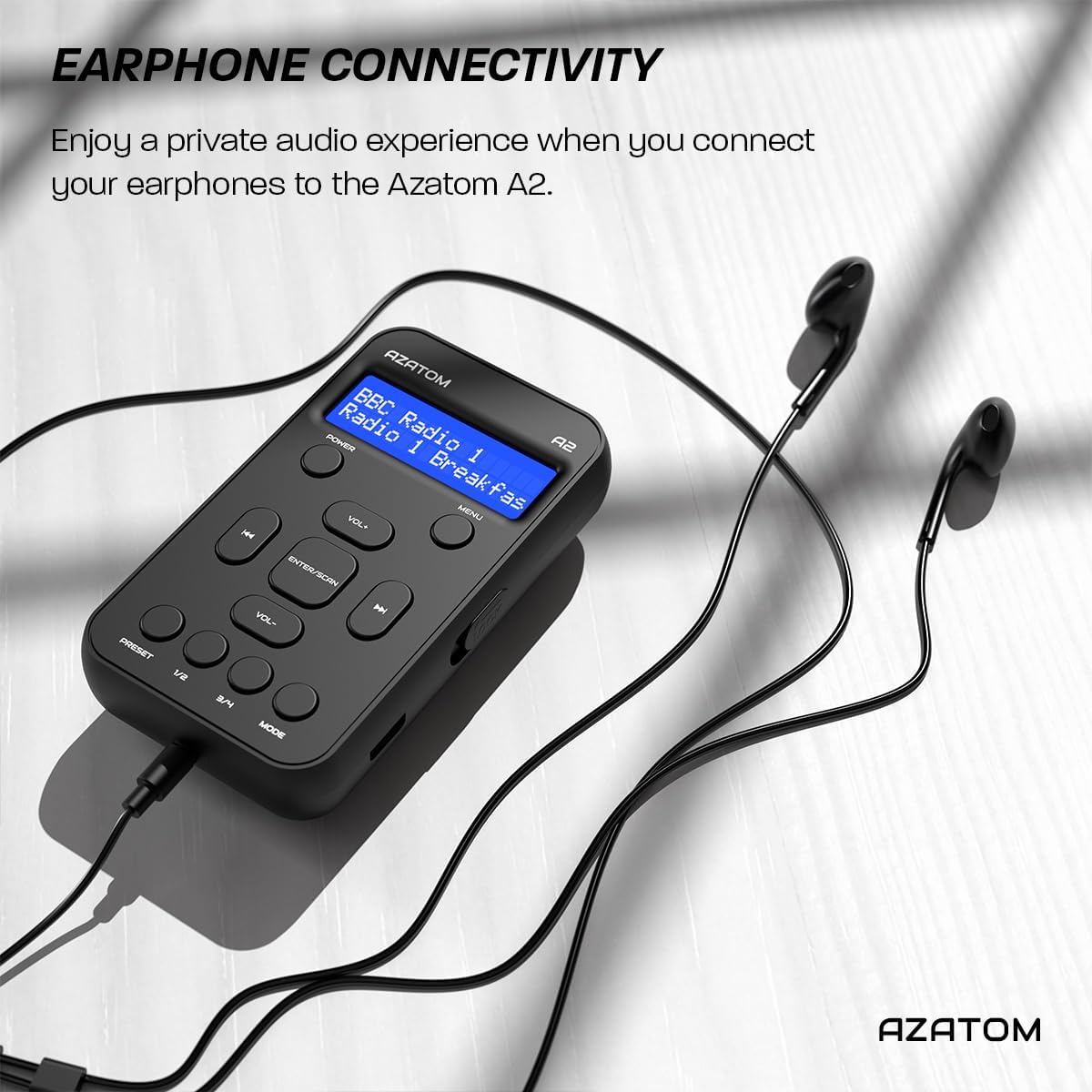
Connect the supplied earphones to the radio for optimal reception and a private listening experience.
Bedryfsinstruksies
Krag aan/af
- Druk en hou die KRAG knoppie om die radio aan of af te skakel.
DAB/DAB+ Radio werking

The AZATOM A2 supports both DAB/DAB+ and FM radio technologies.
- Ensure the earphones are connected.
- Druk die MODUS button until 'DAB' or 'DAB+' is displayed.
- The radio will automatically perform a full scan for available DAB/DAB+ stations upon first use or if no stations are found. To manually scan, press and hold the ENTER/SCAN knoppie.
- Gebruik die VOL+ or VOL- knoppies om deur die lys van gevonde stasies te navigeer.
- Druk ENTER/SCAN om 'n stasie te kies.
FM-radio werking
- Ensure the earphones are connected.
- Druk die MODUS knoppie totdat 'FM' vertoon word.
- Om outomaties vir FM-stasies te skandeer, druk en hou die ENTER/SCAN knoppie. Die radio sal beskikbare stasies skandeer en stoor.
- Om handmatig in te stel, druk kortliks die VOL+ or VOL- buttons to adjust the frequency in small increments.
Voorinstellings instel en herroep
The AZATOM A2 allows you to store up to 40 DAB+ and 40 FM favorite stations.

The AZATOM A2 allows for easy recall of your favorite preset stations.
Om 'n voorafinstelling te stoor:
- Stem na die verlangde stasie.
- Druk en hou een van die VOORINSTEL buttons (1/2 or 3/4) until the display shows 'Preset Store'.
- Gebruik die VOL+ or VOL- knoppies om die verlangde voorafingestelde nommer (1-40) te kies.
- Druk ENTER/SCAN to confirm and save the station.
Om 'n voorafinstelling te herroep:
- Druk kortliks een van die VOORINSTEL buttons (1/2 or 3/4).
- Gebruik die VOL+ or VOL- buttons to navigate through your stored presets.
- Druk ENTER/SCAN to select and play the desired preset station.
Volumebeheer
- Druk VOL+ om die volume te verhoog.
- Druk VOL- om die volume te verlaag.
Vertoon helderheid
The XL digital display's brightness can be adjusted to your preference. Access this setting through the MENU options.

’n Nabyskoot view of the AZATOM A2's clear digital display.
Onderhoud
- Skoonmaak: Gebruik 'n sagte, droë lap om die radio se oppervlak skoon te maak. Moenie skuurmiddels of oplosmiddels gebruik nie.
- Batterysorg: To prolong battery life, avoid fully discharging the battery frequently. Charge the radio regularly, even if not in use for extended periods.
- Berging: Bêre die radio op 'n koel, droë plek weg van direkte sonlig en uiterste temperature.
Probleemoplossing
| Probleem | Moontlike oorsaak | Oplossing |
|---|---|---|
| No power/Radio won't turn on. | Battery is leeg. | Charge the radio using the supplied USB-C cable. |
| Poor radio reception (DAB/FM). | Earphones not connected or not fully inserted. Weak signal area. | Ensure earphones are securely connected. Try moving to an open area or near a window. Perform a new scan. |
| Geen klank nie. | Volume is too low or muted. Earphones not connected. | Increase the volume using VOL+. Ensure earphones are connected. |
| Radio freezes or becomes unresponsive. | Tydelike sagtewarefout. | Press and hold the POWER button to force a restart. If issue persists, allow battery to fully discharge then recharge. |
Spesifikasies

Dimensions of the AZATOM A2 radio.
| Kenmerk | Detail |
|---|---|
| Model | A2 |
| Afmetings (L x B x H) | 9 x 4 x 11 cm (approx. 90mm x 50mm x 24mm) |
| Gewig | 90 g |
| Radiobande ondersteun | DAB, DAB+, FM |
| Voorinstellings | 40 DAB+, 40 FM |
| Battery Tipe | Rechargeable Lithium Ion (1800mAh) |
| Speeltyd | Tot 24 uur |
| Tipe vertoon | LCD |
| Konnektiwiteit | USB-C (for charging), 3.5mm Earphone Jack |
| Materiaal | Plastiek |
Waarborg en Ondersteuning
AZATOM products are designed and engineered in the UK. The AZATOM A2 comes with a premium 3-year warranty (registration required). For any questions or support, please contact our dedicated customer service team. Lifetime customer support is provided to assist you with any queries.
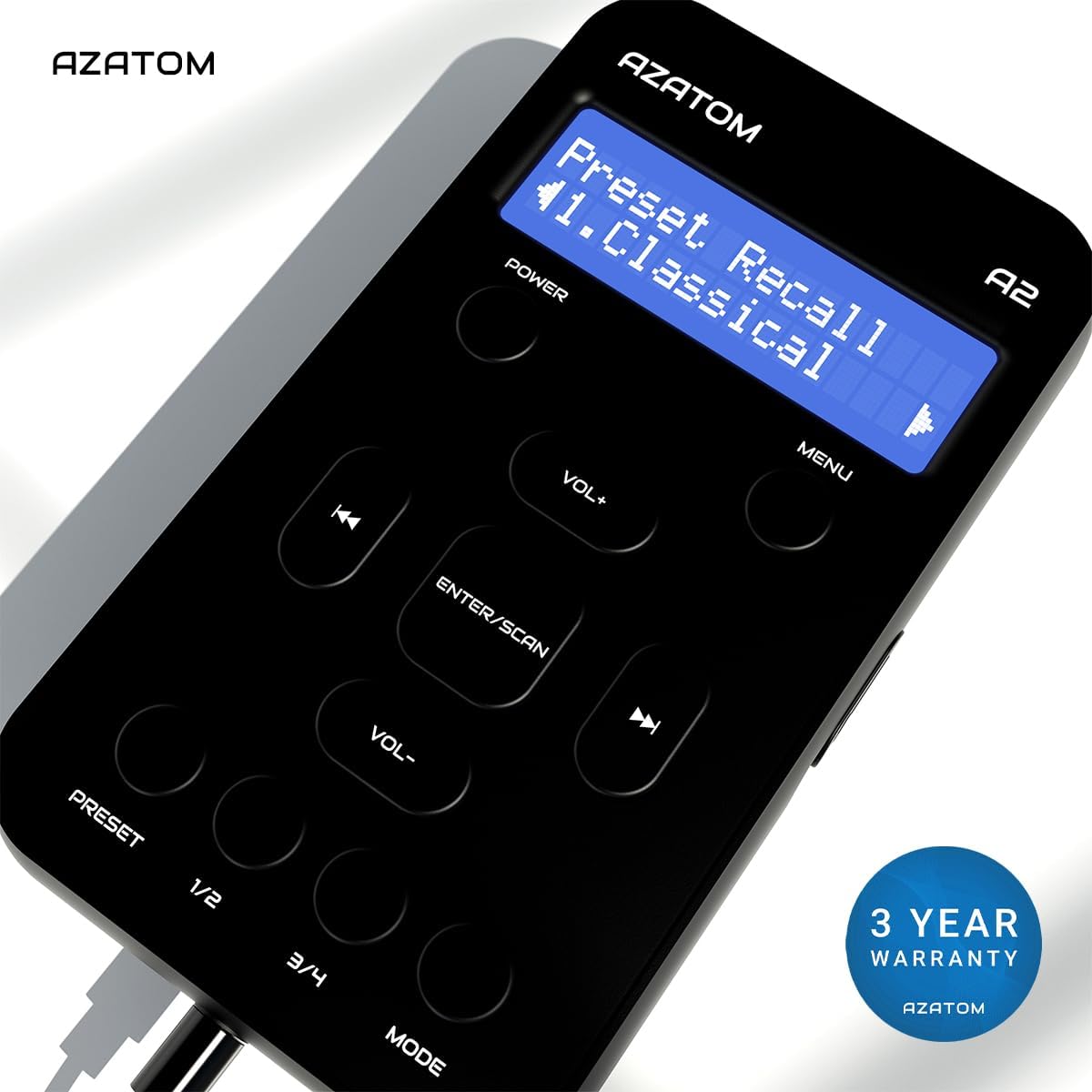
The AZATOM A2 is backed by a 3-year warranty.