
Inleiding
Thank you for choosing the Soul S-GEAR Wireless Bluetooth Earbuds. These earbuds are designed to provide a high-quality audio experience with the convenience of wireless connectivity, active noise cancellation, and a comfortable in-ear fit. Featuring Bluetooth 5.0, IPX4 water resistance, and a long-lasting battery with fast charging, the S-GEAR earbuds are perfect for daily use.
Lees asseblief hierdie handleiding sorgvuldig deur voordat u u oorfone gebruik om behoorlike werking te verseker en hul lewensduur te maksimeer.
Pakketinhoud
- Soul S-GEAR Wireless Earbuds (Left and Right)
- Laaikas
- USB-C-laaikabel
- Verskeie groottes van oorpunte
- Gebruikershandleiding
Produk verbyview
Familiarize yourself with the components of your Soul S-GEAR earbuds and charging case.
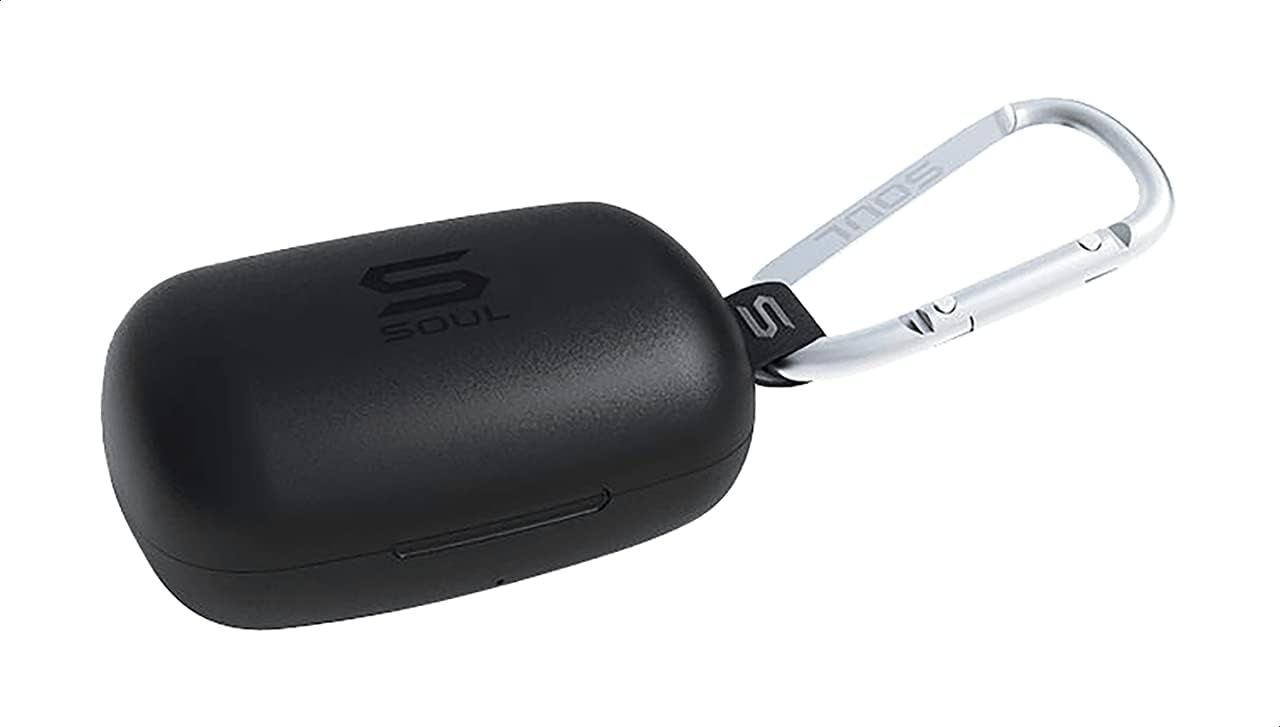
Figuur 1: The Soul S-GEAR charging case in black, with the Soul logo visible. A carabiner clip is attached for portability.
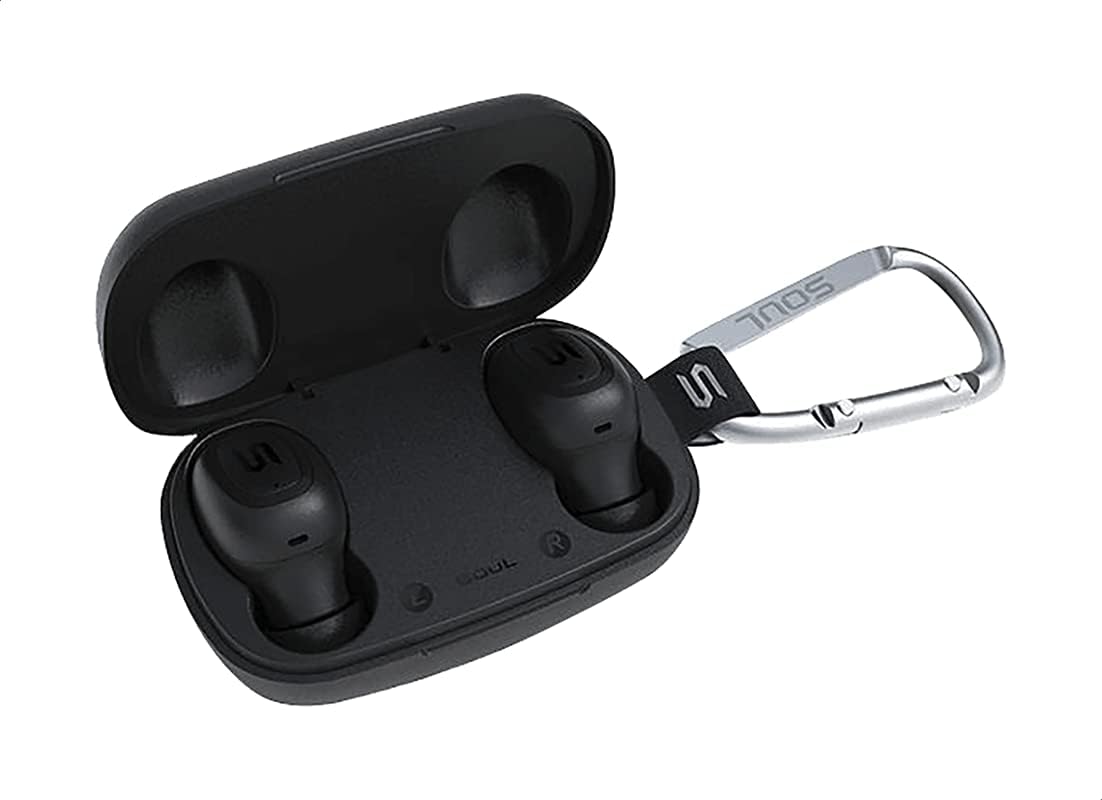
Figuur 2: The Soul S-GEAR charging case opened, revealing the two black earbuds securely placed inside their charging slots. The carabiner clip is also visible.
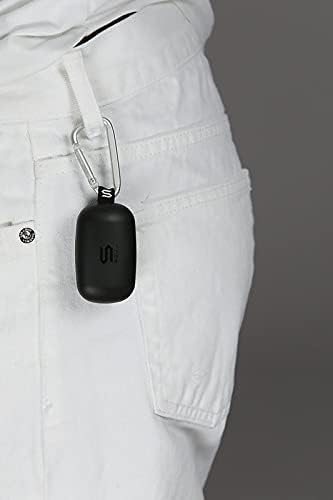
Figuur 3: The Soul S-GEAR charging case, with its carabiner clip, attached to the belt loop of white pants, demonstrating its portability.
Opstelling
1. Laai die oordopjes en houer
- Place the earbuds into the charging case. Ensure they are correctly seated in their respective L/R slots.
- Connect the USB-C charging cable to the charging port on the case and plug the other end into a USB power source (e.g., wall adapter, computer USB port).
- The indicator lights on the case will show the charging status. Allow approximately 1-2 hours for a full charge.
- Sodra dit ten volle gelaai is, ontkoppel die laaikabel.
2. Aanvanklike paring met 'n toestel
- Maak die laaikas oop. Die oordopjes sal outomaties aanskakel en in paringsmodus gaan. Die aanwyserligte op die oordopjes sal flikker, wat aandui dat hulle gereed is om te koppel.
- Aktiveer Bluetooth op jou toestel (slimfoon, tablet, ens.) en soek vir beskikbare toestelle.
- Select "Soul S-GEAR" from the list of found devices.
- Once connected, you will hear an audible confirmation, and the earbud indicator lights will stop flashing.
- The earbuds feature automatic pairing. After the initial setup, they will automatically connect to the last paired device when removed from the case.
Bedryfsinstruksies
The Soul S-GEAR earbuds feature touch controls for easy management of audio and calls.
Krag aan/af
- Krag aan: Maak die laaikas oop, of druk en hou die aanraaksensor op beide oordopjes vir 3 sekondes in.
- Skakel af: Plaas die oordopjes terug in die laaikas en maak die deksel toe, of druk en hou die aanraaksensor op beide oordopjes vir 5 sekondes in.
Musiek afspeel
- Speel/pouse: Tik een keer op die aanraaksensor op enige oordopjes.
- Volgende snit: Dubbeltik op die aanraaksensor op die regteroorfoon.
- Vorige snit: Dubbeltik op die aanraaksensor op die linker oordopje.
Belbestuur
- Beantwoord/beëindig oproep: Tik een keer op die aanraaksensor op enige oordopjes.
- Verwerp oproep: Druk en hou die aanraaksensor op enige oordopjes vir 2 sekondes in.
Aktiewe ruisonderdrukking (ANC)
- Aktiveer/Deaktiveer ANC: Triple-tap the touch sensor on the left earbud to cycle through ANC On, Ambient Mode, and ANC Off.
Stemassistent
- Aktiveer stemassistent: Triple-tap the touch sensor on the right earbud.
Laai
The Soul S-GEAR earbuds and charging case provide up to 24 hours of total playtime. The case supports USB-C fast charging.
- Oorfoonlaai: Place earbuds into the charging case. They will charge automatically.
- Saaklaai: Connect the USB-C cable to the case and a power source. The LED indicator on the case will show charging status.
- A full charge for the case typically takes 1.5-2 hours.
Onderhoud
- Skoonmaak: Maak die oorfone en laaikas gereeld skoon met 'n sagte, droë, pluisvrye lap. Moenie harde chemikalieë of skuurmiddels gebruik nie.
- Oorwenke: Verwyder die oordoppe en maak dit skoon met water en sagte seep indien nodig. Maak seker dat hulle heeltemal droog is voordat jy dit weer vasmaak.
- Waterweerstand: The earbuds are IPX4 rated, meaning they are resistant to splashing water from any direction. They are not designed for submersion in water. Do not expose them to heavy rain or immerse them. Ensure earbuds are dry before placing them back in the charging case.
- Berging: Bêre die oorfone in hul laaikassie wanneer dit nie gebruik word nie om hulle te beskerm en gelaai te hou. Vermy uiterste temperature.
Probleemoplossing
| Kwessie | Oplossing |
|---|---|
| Oorknoppies koppel nie |
|
| Geen geluid van een oordopje nie |
|
| Laaikas laai nie |
|
| Aktiewe geraasonderdrukking werk nie |
|
Spesifikasies
| Kenmerk | Detail |
|---|---|
| Handelsmerk | Siel |
| Model Naam | S-GEAR (Soul S Gemar) |
| Modelnommer | SS56BK |
| Verbindingstegnologie | Draadloos (Bluetooth 5.0) |
| Koptelefoonvormfaktor | In Oor |
| Geraasbeheer | Aktiewe geraaskansellasie |
| Mikrofoon | Geïntegreerde |
| Beheer metode | Raak |
| Water- en stofweerstand | IPX4 |
| Speeltyd | Tot 24 uur (met laadkas) |
| Laaipoort | USB-C (Vinnige Laai) |
| Versoenbare toestelle | Multiple Bluetooth-enabled devices |
| Materiaal | Plastiek |
| Kleur | Swart |
| Pakket afmetings | 11.8 x 9.8 x 4.2 cm |
| Item gewig | 152 gram |
Veiligheidsinligting
- Moenie die produk uitmekaar haal, herstel of verander nie.
- Moenie die produk aan vuur of hoë temperature blootstel nie.
- Avoid using the earbuds at excessively high volumes for prolonged periods to prevent hearing damage.
- Hou die produk weg van kinders en troeteldiere.
- Gebruik slegs die voorsiene of gesertifiseerde laaikabels en -adapters.
- Gooi die produk verantwoordelik volgens plaaslike regulasies weg.
Waarborg en Ondersteuning
The Soul S-GEAR Wireless Bluetooth Earbuds come with a standard manufacturer's warranty. For detailed warranty terms and conditions, please refer to the warranty card included in your package or visit the official Soul webwebwerf.
For technical support, troubleshooting assistance, or any inquiries regarding your product, please contact Soul customer service through their official webwebwerf of die kontakinligting wat in u produkverpakking verskaf word.