
Redzeo BH510A
Redzeo MDots Wireless Earbuds Instruction Manual
Model: BH510A
Inleiding
Thank you for choosing Redzeo MDots Wireless Earbuds. This manual provides detailed instructions on how to set up, operate, maintain, and troubleshoot your new earbuds. Please read this manual carefully before use to ensure optimal performance and longevity of your device.
Pakketinhoud
- Redzeo MDots Wireless Earbuds (Left and Right)
- Draadlose laaikas
- USB-laaikabel
- Multiple Sizes of Eartips (S/M/L)
- Multiple Sizes of Earwings (S/M/L)
- Gebruikershandleiding
Opstelling
1. Aanvanklike laai
Laai die laaikas en oorfone volledig voor die eerste gebruik.
- Plaas die oorfone in die laaikas. Maak seker dat hulle korrek in hul onderskeie gleuwe geplaas is.
- Koppel die USB-laaikabel aan die laaipoort op die kas en die ander kant aan 'n USB-kragbron (bv. rekenaar, muuradapter).
- The indicator light on the charging case will show charging status. A full charge for the case takes approximately 2.0 hours. The earbuds provide 4.0 hours of playback per charge, and the case provides up to 4 full charges, totaling 20 hours of enjoyment.

Image: The Redzeo MDots earbuds and charging case, illustrating the 20 hours total playtime with the case, 4.0 hours playback per earbud charge, and 2.0 hours to fully charge the case.
2. Koppeling met jou toestel
The earbuds automatically enter pairing mode when taken out of the charging case.
- Maak die laaikas oop en verwyder albei oorfone. Hulle sal outomaties aanskakel en probeer om aan mekaar te koppel.
- Gaan na die Bluetooth-instellings op jou Bluetooth-geaktiveerde toestel (slimfoon, tablet, ens.).
- Soek vir new devices and select "Redzeo MDots" from the list.
- Sodra dit gekoppel is, sal jy 'n bevestigingstoon hoor, en die oorfone sal gereed wees vir gebruik.

Image: The Redzeo MDots wireless earbuds resting inside their open charging case, ready for pairing or charging.
3. Pas die oordopjes aan
For optimal sound quality and comfort, choose the correct size of eartips and earwings.
- Experiment with the different sizes of eartips (S/M/L) to find the best seal for your ear canal. A good seal is crucial for bass response and noise isolation.
- Select the appropriate earwings (S/M/L) that fit snugly into your ear's concha, providing stability during movement.
- Gently insert the earbuds into your ears and twist slightly until they feel secure and comfortable.
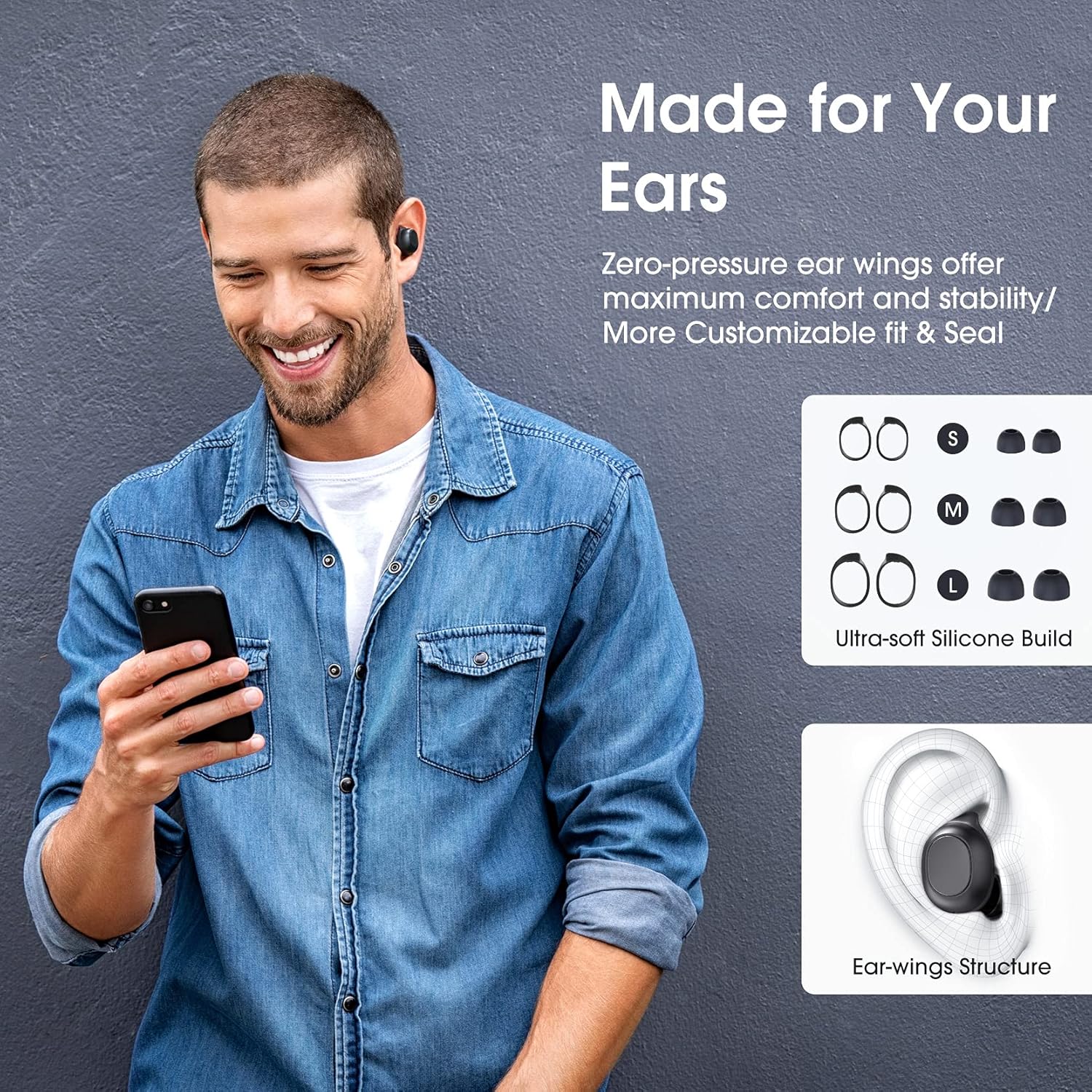
Image: A man wearing the Redzeo MDots earbuds, demonstrating their comfortable fit. The image also shows diagrams of various earwing sizes (S, M, L) and an illustration of how the earwing structure fits into the ear for maximum comfort and stability.
Bedryfsinstruksies
Knoppie kontroles
The Redzeo MDots earbuds feature two easy-to-press buttons on each earbud for comprehensive control.
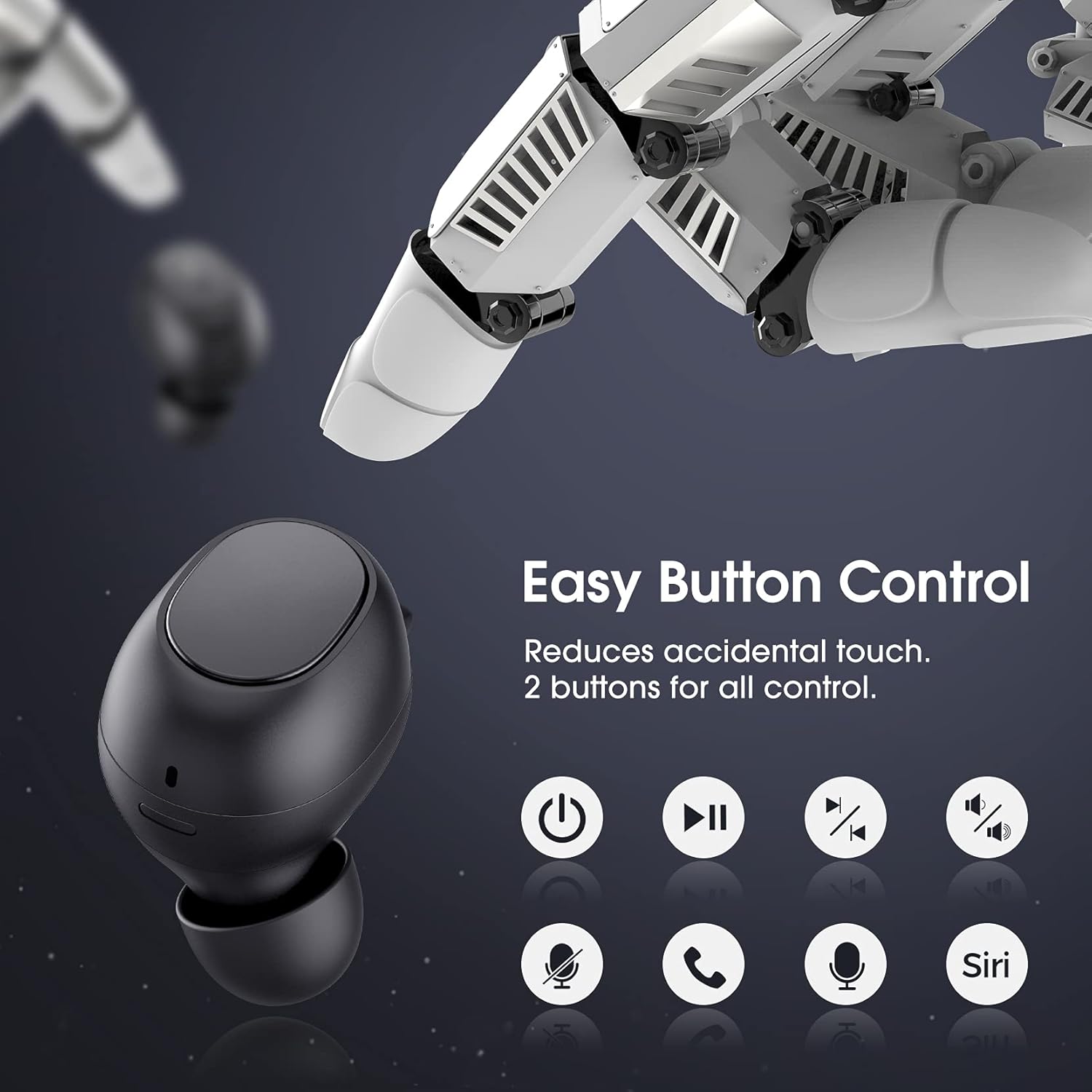
Image: A visual representation of the easy button controls on the Redzeo MDots earbuds, with icons indicating functions such as power on/off, play/pause, skip track, volume control, microphone mute, call answer/end, and voice assistant activation (Siri/Google Assistant).
| Funksie | Aksie |
|---|---|
| Krag aan | Verwyder uit laaikas |
| Krag af | Plaas terug in die laaikas |
| Speel / Pouse | Single press on either earbud |
| Volgende Snit | Double press on the Right earbud |
| Vorige Snit | Double press on the Left earbud |
| Volume op | Press and hold Right earbud |
| Volume af | Press and hold Left earbud |
| Beantwoord/beëindig oproep | Single press on either earbud |
| Verwerp oproep | Druk en hou op enige oordopjes |
| Aktiveer Stemassistent (Siri/Google Assistent) | Triple press on either earbud |
Mono Mode and Twin Stereo Mode
The Redzeo MDots earbuds offer flexible listening options:
- Mono-modus: Each earbud can be used independently. This allows you to leave one ear free to hear your surroundings while still enjoying audio. Simply take one earbud out of the case to use it in mono mode.
- Twin Stereo Mode: Use both earbuds simultaneously for an immersive true wireless stereo sound experience. This mode is ideal for enjoying music or blocking out surrounding noise.

Image: A visual guide demonstrating the different listening modes: Right Mono Mode (using only the right earbud), Left Mono Mode (using only the left earbud to hear ambient sound), and Twin Stereo Mode (using both earbuds for immersive sound).
Klankkwaliteit
The MDots wireless earbuds deliver well-balanced sound with stereo bass. For the best audio experience, ensure you have selected the optimal eartips for a proper seal, which enhances bass and overall sound clarity.

Image: An exploded diagram illustrating the internal components of the Redzeo MDots earbud, highlighting the driver and acoustic structure responsible for delivering magical immersive sound with rich, high-quality audio.
Onderhoud
Skoonmaak
Gereelde skoonmaak help om klankgehalte en higiëne te handhaaf.
- Gebruik 'n sagte, droë, pluisvrye lap om die oorfone en laaikas af te vee.
- For eartips, remove them from the earbuds and clean with a mild soap solution if necessary, then rinse thoroughly and dry completely before reattaching.
- Verwyder enige oorsmeer of puin versigtig van die oordoppiemaas met 'n klein, sagte borseltjie of wattestokkie.
Berging
Bêre die oorfone altyd in hul laaikassie wanneer dit nie gebruik word nie om hulle te beskerm en gelaai te hou.
Waterweerstand (IPX6)
The Redzeo MDots earbuds feature an IPX6 waterproof nano-coating design, making them resistant to sweat, water splashes, and rain. They are suitable for strenuous exercise and all-weather conditions.

Image: The Redzeo MDots earbuds resting on a wet surface, visually representing their IPX6 waterproof capability, which provides water protection for daily use and resistance to sweat, water, and rain, making them ideal for running, yoga, and gym activities.
Belangrike nota: Do not use the earbuds for swimming or immerse them in heavy rain. The IPX6 rating protects against strong jets of water, but not continuous submersion.
Probleemoplossing
Algemene kwessies en oplossings
- Oorfone koppel nie met toestel nie:
- Maak seker dat Bluetooth op jou toestel geaktiveer is.
- Maak seker die oordopjes is gelaai.
- Place earbuds back in the case, close it, wait a few seconds, then open and remove them to re-enter pairing mode.
- Forget/delete "Redzeo MDots" from your device's Bluetooth list and try pairing again.
- Slegs een oordoppie werk:
- Maak seker dat beide oordopjes gelaai is.
- Place both earbuds back into the charging case, close the lid, and then open it again. This should force them to re-sync.
- If the issue persists, try resetting the earbuds (refer to manufacturer's website or contact support for specific reset instructions if not detailed here).
- Geen geluid of lae volume:
- Kontroleer die volumevlak op beide jou toestel en die oordopjes.
- Maak seker dat die oorfone behoorlik aan jou toestel gekoppel is.
- Maak enige puin van die oorfone se gaas skoon wat klank kan belemmer.
- Try different eartip sizes to ensure a proper seal in your ear.
- Laaikas laai nie:
- Maak seker dat die laaikabel stewig aan beide die kas en die kragbron gekoppel is.
- Probeer 'n ander USB-kabel of kragadapter.
- Kontroleer die laaipoort vir enige puin.
Spesifikasies
| Kenmerk | Detail |
|---|---|
| Modelnommer | BH510A |
| Handelsmerk | Redzeo |
| Verbindingstegnologie | Draadloos (Bluetooth 5.0) |
| Oorplasing | In Oor |
| Vormfaktor | In Oor |
| Koptelefoonaansluiting | USB |
| Kleur | Lig Swart |
| Materiaal | Plastiek |
| Produk afmetings | 6.35 x 2.49 x 1.98 cm |
| Item gewig | 91 g |
| Waterweerstandgradering | IPX6 |
| Playback Time (Earbuds) | Tot 4 uur |
| Totale speeltyd (met laaikas) | Tot 20 uur |
| Laaityd (kas) | Ongeveer. 2 uur |
| Ingesluit komponente | Draadlose laaikas |
| Datum Eerste Beskikbaar | 31 Mei 2021 |
Waarborg en Ondersteuning
Redzeo products are designed and manufactured to the highest quality standards. For information regarding warranty coverage, technical support, or customer service, please refer to the warranty card included in your product packaging or visit the official Redzeo webwebwerf. Bewaar asseblief u bewys van aankoop vir enige waarborgeise.
For further assistance, you may contact Redzeo customer support through the contact information provided on their official webwebwerf.
Ask a question about this manual
Ask about setup, troubleshooting, compatibility, parts, safety, or missing instructions. Manuals+ will review the question and use this page’s manual context to help answer it.