
1. Inleiding
Thank you for choosing the Ledwood Capella Wireless Bluetooth 5.2 Stereo Earphones. This manual provides essential information for the proper setup, operation, and maintenance of your new earphones. Please read it carefully before use and retain it for future reference.
Pakketinhoud:
- 1 x CAPELLA In-Ear Headphones
- 1 x laaikas
- 1 x USB-C-kabel
- 2 x Pairs of Silicone Earbuds

Image: Ledwood Capella earphones and charging case. The white earphones are shown next to their matching white charging case, which has a USB-C port visible.
2. Opstelling
2.1 Laai die oorfone en houer
Maak seker dat beide die laaikas en die oorfone volledig gelaai is voor die eerste gebruik.
- Place the earphones into the charging case. Ensure they are correctly seated to make contact with the charging pins.
- Connect the provided USB-C cable to the charging port on the case and the other end to a USB power source (e.g., wall adapter, computer USB port).
- The LED indicator on the case will show the charging status. Once fully charged, the indicator will change or turn off.
- A full charge typically takes approximately 1 hour. The case provides up to 9 hours of total battery life (3 charges of 3 hours each for the earphones).
2.2 Koppeling met 'n Bluetooth-toestel
To connect your Ledwood Capella earphones to your smartphone or other Bluetooth-enabled device:
- Maak seker dat die oorfone gelaai is.
- Open the charging case. The earphones will automatically enter pairing mode, indicated by a flashing LED on the earphones.
- Gaan op jou toestel na die Bluetooth-instellings en aktiveer Bluetooth.
- Soek vir available devices. You should see "Ledwood Capella" or a similar name appear in the list.
- Select "Ledwood Capella" to connect. Once connected, the LED indicator on the earphones will stop flashing.
- Die oorfone sal outomaties weer aan die laaste gekoppelde toestel koppel wanneer dit uit die houer gehaal word, indien Bluetooth op die toestel geaktiveer is.
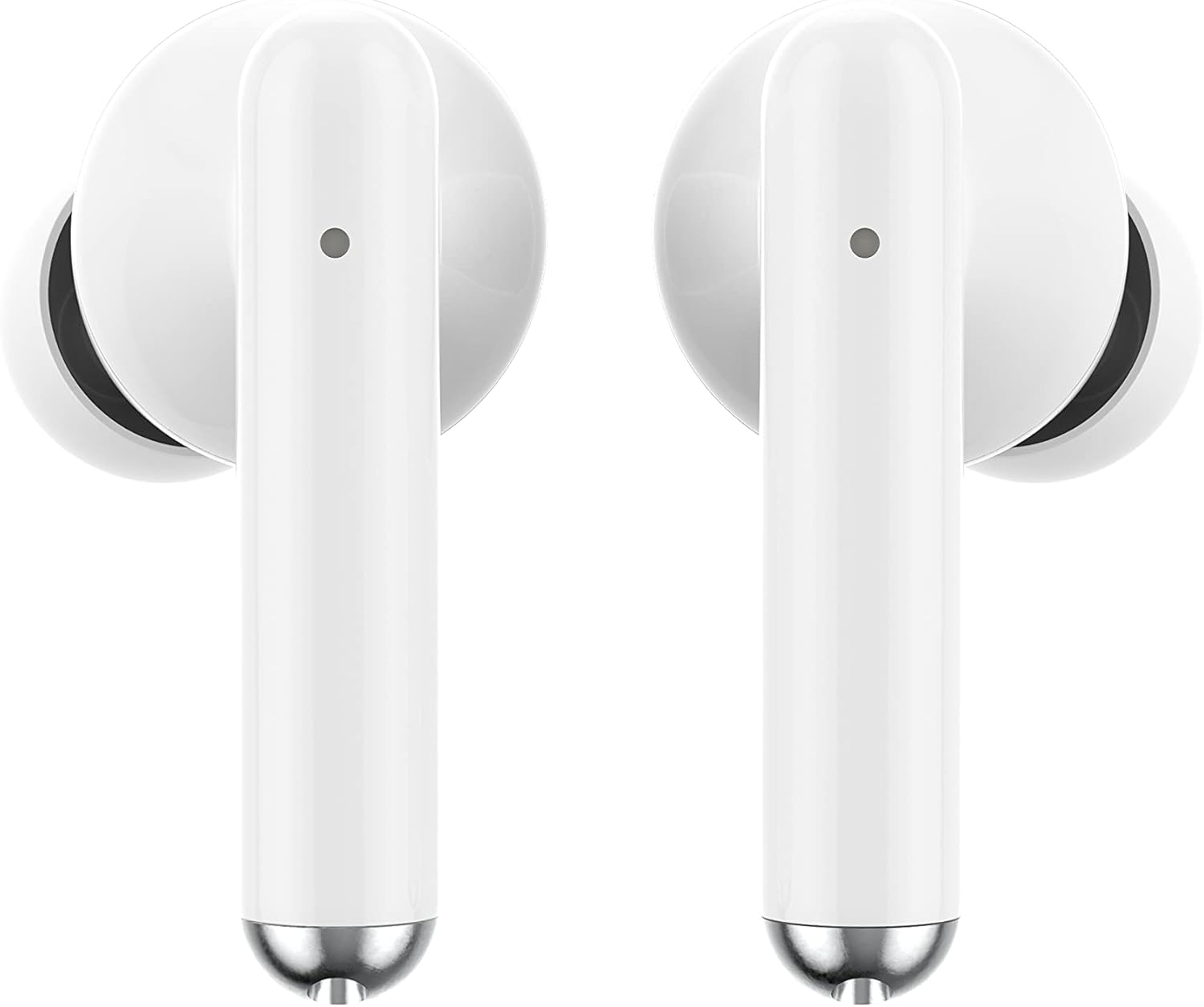
Beeld: Nabyskoot view of the Ledwood Capella earphones. The white earbuds feature a sleek design with a small microphone hole visible on the stem.
3. Operating the Earphones
The Ledwood Capella earphones feature sensitive touch controls for easy management of your audio and calls.
3.1 Raak kontroles
The touch-sensitive area is located on the outer surface of each earphone stem. Refer to the diagram below for typical touch control functions:
- Enkele tik: Speel/onderbreek musiek, beantwoord/beëindig oproep.
- Double Tap (Left Earphone): Vorige snit.
- Double Tap (Right Earphone): Volgende snit.
- Triple Tap (Left Earphone): Verminder volume.
- Triple Tap (Right Earphone): Verhoog volume.
- Lang druk (2 sekondes): Activate Voice Assistant, Reject call.
3.2 Stemassistent
The Capella earphones are compatible with major voice assistants (e.g., Siri, Google Assistant). To activate your device's voice assistant, perform a long press (2 seconds) on either earphone's touch control area. You can then issue commands through the earphone's microphone.
3.3 Super Bass Technology
The earphones are equipped with Super Bass technology, utilizing highly flexible polymer membranes to reproduce deep and rich bass sounds for an enhanced audio experience.
4. Onderhoud
4.1 Skoonmaak
Om optimale prestasie en higiëne te handhaaf:
- Maak die oorfone en laaikas gereeld skoon met 'n sagte, droë, pluisvrye lap.
- Moenie skuurmiddels, alkohol of chemiese oplosmiddels gebruik nie.
- Verwyder enige oorsmeer of puin versigtig van die oorpunte en luidsprekermaas met 'n klein, sagte borseltjie of wattestokkie.
- Ensure the charging contacts on both the earphones and case are clean and dry.
4.2 Berging
Wanneer dit nie gebruik word nie, bêre die oorfone in hul laaikassie om hulle teen stof en skade te beskerm en om hulle gelaai te hou.
5. Probleemoplossing
If you encounter issues with your Ledwood Capella earphones, try the following solutions:
- Oorfone koppel nie:
- Maak seker dat beide oorfone gelaai is.
- Skakel jou toestel se Bluetooth af en aan.
- Forget "Ledwood Capella" from your device's Bluetooth list and attempt to pair again.
- Place earphones back in the case, close it, wait a few seconds, then open it again to re-enter pairing mode.
- Geen geluid of lae volume:
- Kontroleer die volumevlak op beide jou toestel en die oorfone.
- Maak seker dat die oorfone behoorlik in jou ore sit.
- Clean any debris from the earphone speaker mesh.
- Laai kwessies:
- Verifieer dat die USB-C-kabel stewig aan beide die kas en die kragbron gekoppel is.
- Probeer 'n ander USB-C-kabel of kragadapter.
- Ensure charging contacts on earphones and case are clean.
- Earphones disconnecting frequently:
- Maak seker dat jy binne die 10-meter Bluetooth-bereik van jou toestel is.
- Vermy hindernisse tussen die oorfone en jou toestel wat die sein kan beïnvloed.
- Maak seker dat daar geen ander sterk draadlose seine naby is wat steuring veroorsaak nie.
6. Spesifikasies
| Kenmerk | Spesifikasie |
|---|---|
| Model Naam | Capella |
| Modelnommer | LD-T06 |
| Draadlose kommunikasie | Bluetooth 5.2 |
| Reeks | Tot 10 meter |
| Batterylewe (Oorfone) | Ongeveer. 3 uur per lading |
| Batterylewe (met laaikas) | Up to 9 hours (3 x 3 hours) |
| Laai tyd | Ongeveer. 1 uur |
| Laai tipe | USB-C |
| Stembeheer | Ja |
| Sensitiewe aanraking | Ja |
| Materiaal | Silikoon (oorpunte) |
7. Waarborg en Ondersteuning
7.1 Waarborginligting
Your Ledwood Capella earphones are covered by a manufacturer's warranty against defects in materials and workmanship. Please refer to the warranty card included in your package or contact your retailer for specific warranty terms and conditions.
7.2 Kliëntediens
For further assistance, technical support, or inquiries regarding your Ledwood Capella earphones, please contact the retailer where you purchased the product or visit the official Ledwood webwebwerf vir ondersteuning kontak inligting.