
HOCO BS37
HOCO BS37 Dancer Outdoor Wireless Speaker User Manual
Model: BS37
1. Inleiding
Thank you for choosing the HOCO BS37 Dancer Outdoor Wireless Speaker. This manual provides detailed instructions for the safe and efficient operation of your device. Please read this manual thoroughly before use and retain it for future reference.
The HOCO BS37 is a versatile outdoor wireless speaker featuring Bluetooth V5.0 connectivity, TWS (True Wireless Stereo) support, FM radio, USB playback, and AUX input. It includes a wired microphone for karaoke functions and independent colored lights to enhance your audio experience.
2. Pakketinhoud
Kontroleer asseblief die pakket vir die volgende items:
- HOCO BS37 Dancer Outdoor Wireless Speaker
- Bedrade mikrofoon
- Laaikabel (USB)
- Gebruikershandleiding
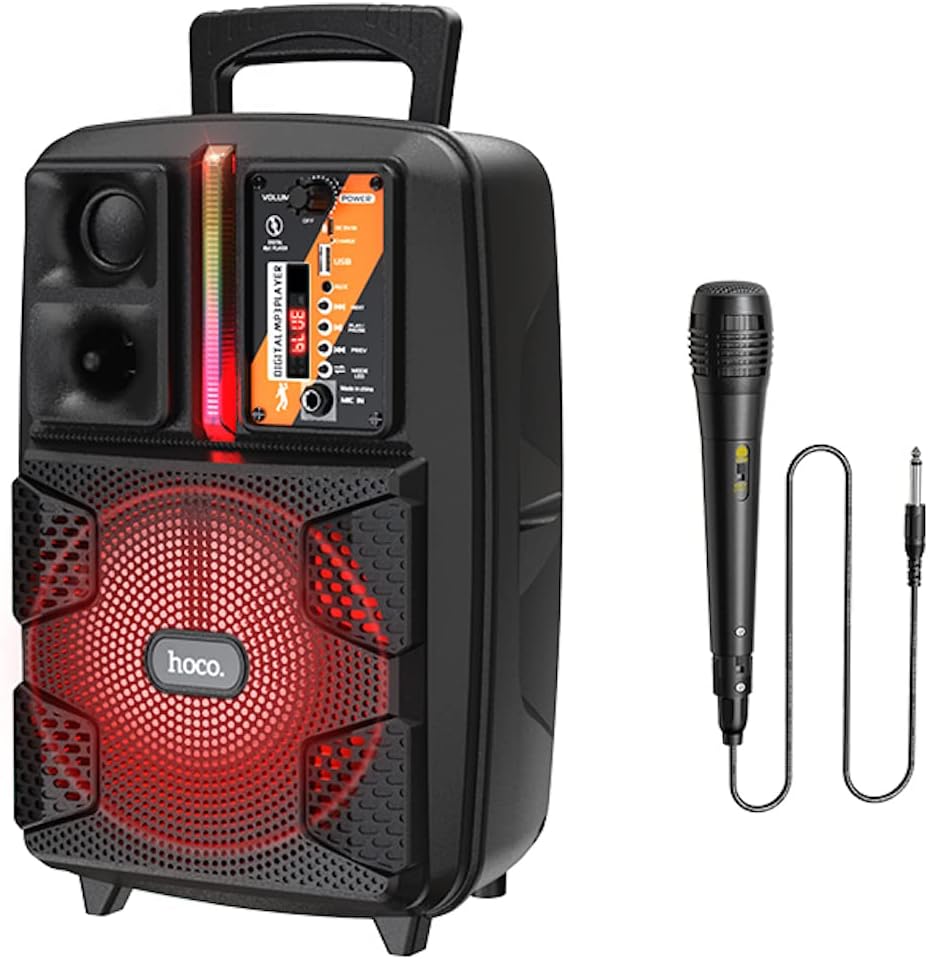
Image: The HOCO BS37 speaker shown with its included wired microphone.
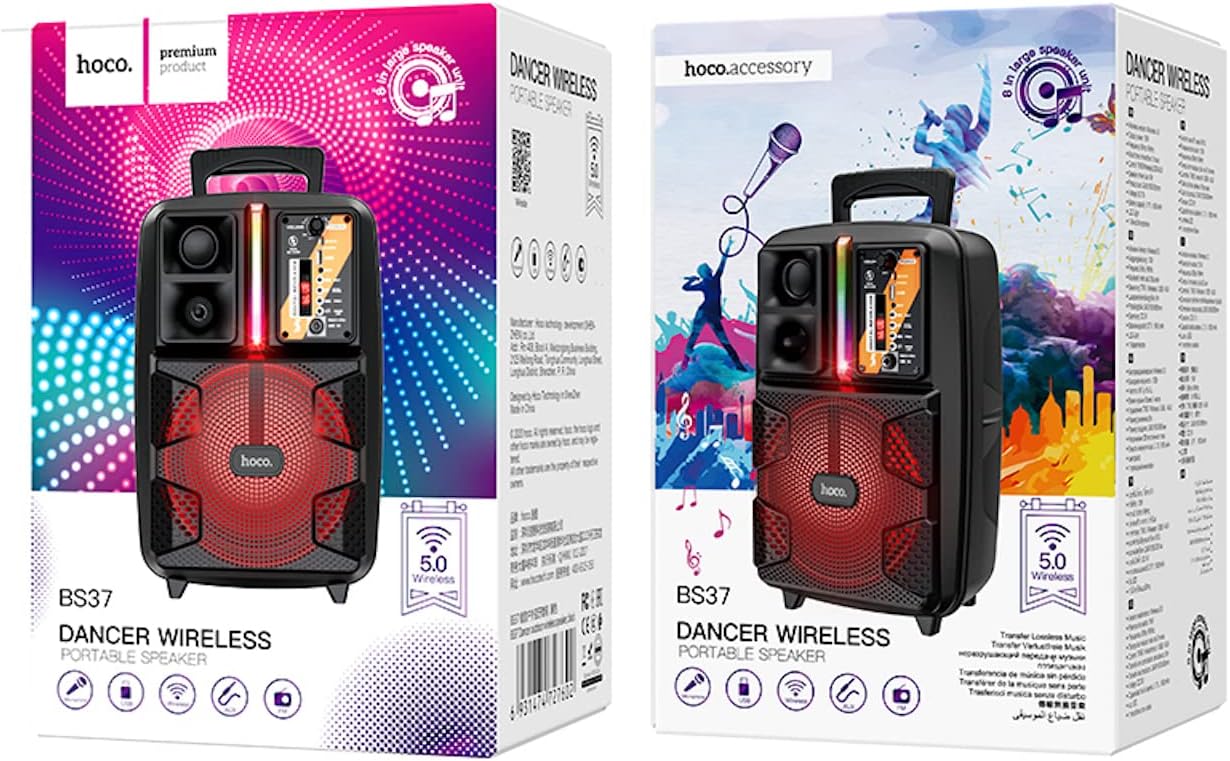
Image: The retail packaging for the HOCO BS37 Dancer Outdoor Wireless Speaker.
3. Produk verbyview
The HOCO BS37 speaker features an 8-inch speaker unit and a control panel for various functions. Familiarize yourself with the layout of the speaker's controls and ports.

Beeld: 'n Gedetailleerde view of the HOCO BS37 speaker's control panel, showing volume knob, power switch, USB port, AUX input, microphone input, and mode selection buttons.
Beheerpaneelkenmerke:
- VOLUME knop: Adjusts the overall speaker volume.
- Krag skakelaar: Skakel die luidspreker AAN of AF.
- DC 5V IN: Laaipoort vir die luidspreker.
- USB-poort: Vir die terugspeel van 'n USB-geheuestokkie.
- AUX IN: 3.5 mm-klankinvoer vir eksterne toestelle.
- MIC IN: 6.35mm-inset vir die bedrade mikrofoon.
- MODUS-knoppie: Switches between Bluetooth, FM, USB, and AUX modes.
- SPEEL/PAUSE -knoppie: Speel of onderbreek oudio-terugspeel.
- VORIGE/VOLGENDE knoppies: Spring na die vorige of volgende snit/stasie.
- Ligskakelaar: Controls the independent colored lights.
4. Opstelling
4.1 Aanvanklike laai
Before first use, fully charge the speaker. Connect the provided charging cable to the DC 5V IN port on the speaker and the other end to a suitable USB power adapter (not included). The charging time is approximately 2.5 hours.
4.2 Aan-/afskakel
Om die luidspreker aan te skakel, skuif die KRAG switch to the "ON" position. To power off, slide it to the "OFF" position.
5. Bedryfsinstruksies
5.1 Bluetooth -koppeling
- Turn on the speaker. It will automatically enter Bluetooth pairing mode, indicated by an audible prompt or flashing indicator light.
- Aktiveer Bluetooth op jou mobiele toestel (slimfoon, tablet, ens.).
- Soek vir "HOCO BS37" in the list of available Bluetooth devices.
- Select "HOCO BS37" to connect. Once connected, you will hear a confirmation sound.
The speaker supports Bluetooth V5.0 for stable and efficient wireless connection.
5.2 TWS (Ware Draadlose Stereo) Interkonneksie
To connect two HOCO BS37 speakers for a stereo sound experience:
- Ensure both HOCO BS37 speakers are powered on and not connected to any Bluetooth device.
- Op een van die luidsprekers (dit sal die primêre luidspreker wees), druk en hou die MODUS button or a dedicated TWS button (if available, refer to specific button labels on your device) until you hear a pairing prompt.
- The two speakers will attempt to connect to each other. Once successfully paired, you will hear a confirmation sound.
- Now, connect your mobile device to the primary speaker via Bluetooth as described in section 5.1. Audio will play in stereo through both speakers.
5.3 FM-radiomodus
- Druk die MODUS button repeatedly until you enter FM radio mode.
- Druk die SPEEL/POUSEER button once to automatically scan and save available FM stations.
- Gebruik die VORIGE en VOLGENDE knoppies om tussen gestoorde stasies te navigeer.
5.4 USB-terugspeel
- Plaas 'n USB-geheuestokkie wat MP3-klank bevat files in die USB-poort.
- The speaker will automatically switch to USB mode and begin playing audio. If not, press the MODUS knoppie om USB-modus te kies.
- Gebruik die SPEEL/POUSEER, VORIGE, en VOLGENDE knoppies om afspeel te beheer.
5.5 AUX-modus
- Koppel 'n eksterne klanktoestel (bv. MP3-speler, skootrekenaar) aan die AUX IN port using a 3.5mm audio cable (not included).
- Druk die MODUS knoppie om AUX-modus te kies.
- Beheer terugspeel vanaf jou gekoppelde eksterne toestel.

Image: The HOCO BS37 speaker highlighting its multiple playback options: Bluetooth, USB, and AUX.
5.6 Microphone Usage (Karaoke)
- Connect the wired microphone to the MIC IN poort op die luidspreker.
- Maak seker dat die mikrofoon se AAN/AF-skakelaar in die "AAN"-posisie is.
- Pas die hoof aan VOLUME knob on the speaker to control the microphone's output level.
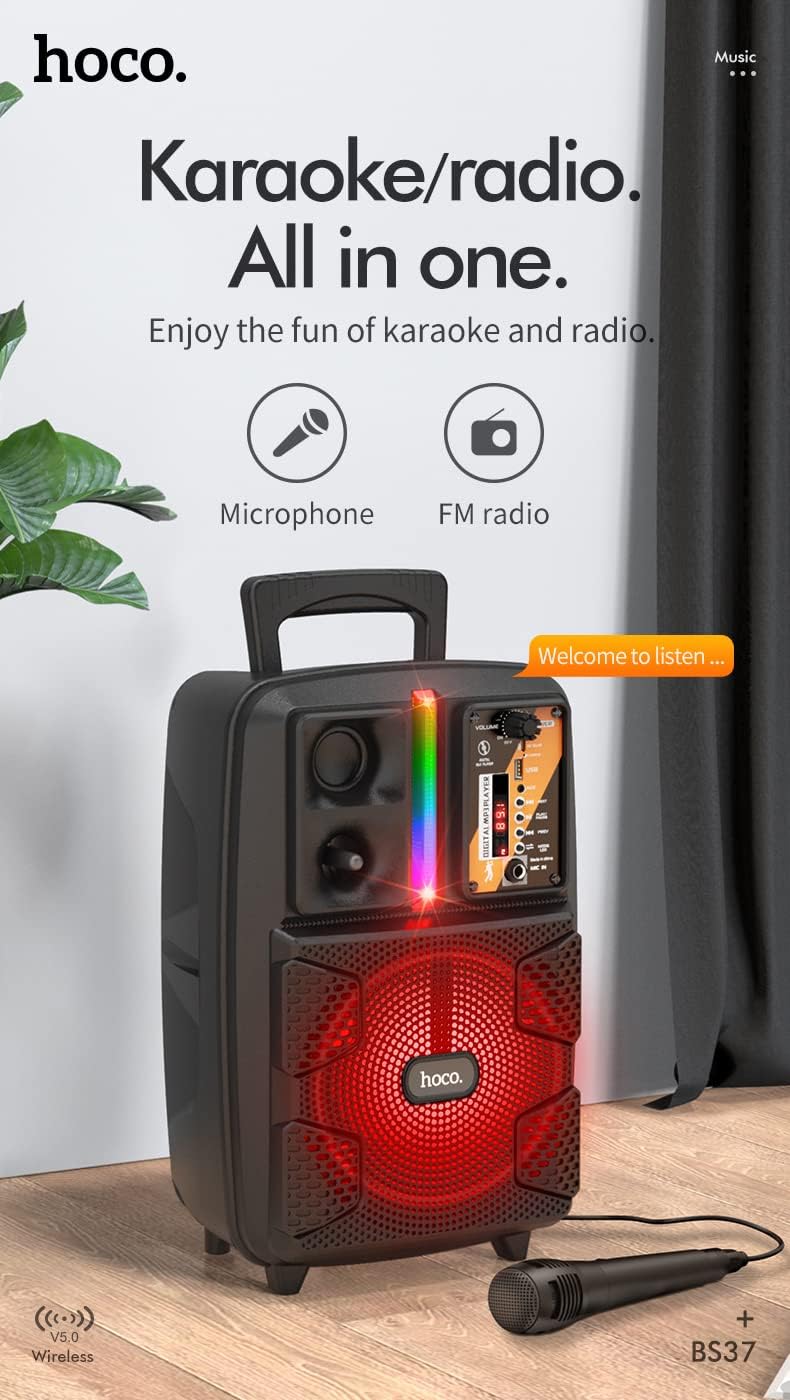
Image: The HOCO BS37 speaker with the wired microphone connected, illustrating its karaoke and radio capabilities.
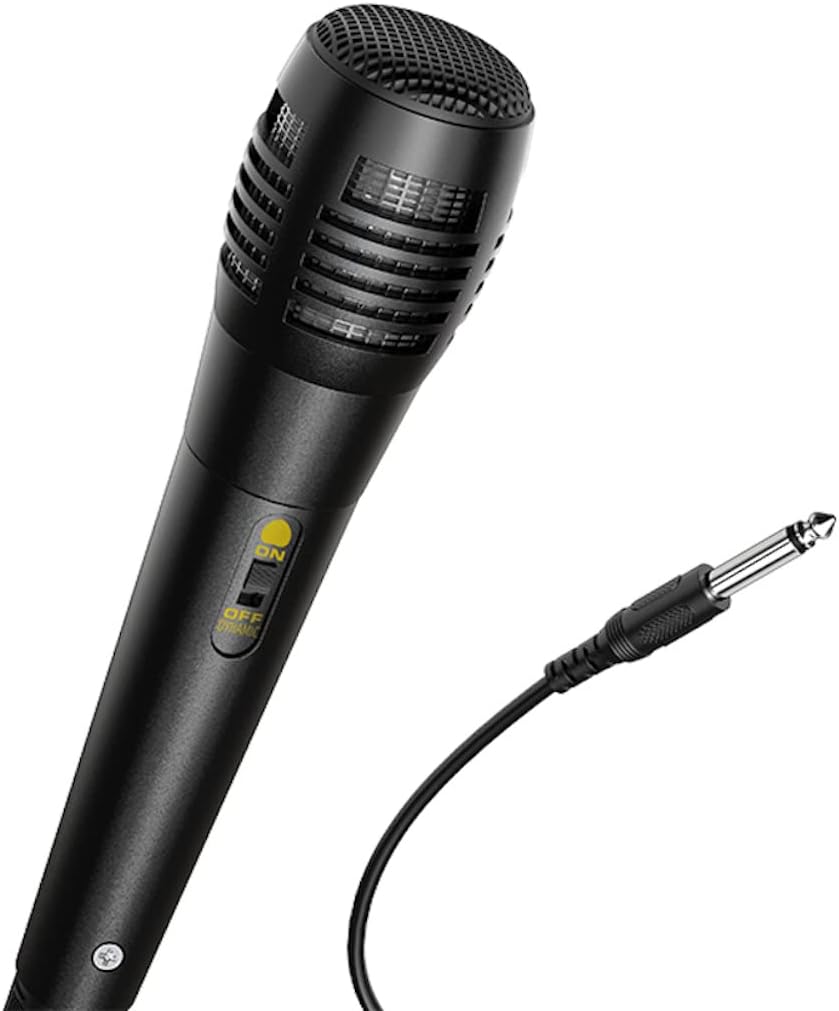
Beeld: 'n Nabyskoot view of the wired microphone included with the HOCO BS37 speaker, showing its ON/OFF switch and connector.
5.7 Ligeffekte
The speaker features independent colored lights. Use the dedicated Ligskakelaar on the control panel to turn the lights ON or OFF, or to cycle through different light modes (if applicable).

Image: The HOCO BS37 speaker displaying its colorful breathing light effects.
6. Laai die luidspreker op
When the battery is low, the speaker may indicate this with an audible prompt or a flashing indicator light. To charge:
- Koppel die laaikabel aan die DC 5V IN poort op die luidspreker.
- Connect the other end of the charging cable to a standard USB power source (e.g., wall adapter, computer USB port).
- The charging indicator light will illuminate. Once fully charged (approximately 2.5 hours), the indicator light may change or turn off.
A full charge provides approximately 3 hours of music playback at 80% volume.
7. Onderhoud
- Maak die luidspreker skoon met 'n sagte, droë lap. Moenie skuurmiddels of oplosmiddels gebruik nie.
- Hou die luidspreker weg van water, vog en uiterste temperature.
- Bêre die luidspreker op 'n koel, droë plek wanneer dit nie vir lang tye gebruik word nie.
- Vermy om die luidspreker te laat val of aan sterk impakte te onderwerp.
8. Probleemoplossing
| Probleem | Moontlike oorsaak | Oplossing |
|---|---|---|
| Luidspreker skakel nie aan nie. | Battery is leeg. | Laai die luidspreker vir ten minste 30 minute. |
| Kan nie via Bluetooth koppel nie. | Luidspreker is nie in paringsmodus nie; Bluetooth is af op toestel; toestel is te ver. | Ensure speaker is in pairing mode. Turn Bluetooth off/on on your device. Move device closer to speaker (within 10 meters). |
| Geen geluid van die luidspreker nie. | Volume is too low; incorrect mode selected; cable not connected properly. | Verhoog luidspreker- en toestelvolume. Druk MODUS button to select correct input. Check all cable connections. |
| Mikrofoon werk nie. | Microphone switch is off; not plugged in correctly. | Ensure microphone switch is ON. Plug microphone firmly into MIC IN hawe. |
9. Spesifikasies
| Model | BS37 Dancer |
| Luidsprekereenheid | 8 inch, 2Ω10W |
| Afmetings (L x B x H) | 367 x 243 x 196 mm (14.45 x 9.57 x 7.72 duim) |
| Gewig | 1.9 KG (4.19 lbs) |
| Bluetooth weergawe | V5.0 (Blue trum 5322) |
| Battery kapasiteit | 1800mAh (A grade 18650) |
| Tyd vir musiekafspeel | Ongeveer 3 uur (teen 80% volume) |
| Laai tyd | Ongeveer 2.5 uur |
| Verbindingsopsies | Bluetooth, TWS, FM Radio, USB, AUX |
| Bykomstighede ingesluit | Bedrade mikrofoon |
| Versoenbare toestelle | Desktop, Laptop, MP3 Player, Smartphone, Tablet |
10. Veiligheidsinligting
- Moenie die luidspreker aan reën of vog blootstel om elektriese skok of brand te voorkom nie.
- Moenie die toestel self uitmekaar haal, herstel of wysig nie. Verwys alle diens aan gekwalifiseerde personeel.
- Avoid placing the speaker near heat sources, such as radiators, heat registers, stoves, or other apparatus that produce heat.
- Gebruik slegs die gespesifiseerde laaivolumetage en huidige.
- Hou buite bereik van kinders.
- Langdurige luister op hoë volume vlakke kan gehoorskade veroorsaak.
11. Waarborg en Ondersteuning
This product is covered by a limited warranty. Please refer to the warranty card included with your purchase or contact your local HOCO distributor for details regarding warranty terms and conditions.
For technical support or service inquiries, please contact the retailer where you purchased the product or visit the official HOCO webwebwerf vir kontakinligting.
Ask a question about this manual
Ask about setup, troubleshooting, compatibility, parts, safety, or missing instructions. Manuals+ will review the question and use this page’s manual context to help answer it.