
PROVISION ISR PROVISION ISR
Voorsiening ISR Alles-in-een Webcam gebruikershandleiding
Model: PROVISION ISR
Inleiding
Thank you for choosing the Provision ISR All-in-one Webcam. This device is designed to simplify your online video activities by integrating a high-quality webcam, microphone, speaker, and adjustable LED light into a single, convenient unit. This manual provides detailed instructions for setup, operation, maintenance, and troubleshooting to ensure you get the most out of your new webkam.

The Provision ISR All-in-one Webcam, shown with its packaging, highlighting its integrated features.
Produk verbyview
The Provision ISR All-in-one Webcam combines essential features for a seamless video communication experience.
- Vol HD Webkamera: Delivers crystal clear 1080p video at 60 frames per second.
- Ingeboude luidspreker: Integrated 2.5W speaker for clear audio output.
- Geraasdempende mikrofoon: Captures clear audio while reducing background noise.
- 3-Level Adjustable LED Light: Provides optimal illumination for various lighting conditions.
- Geïntegreerde privaatheidsdekking: Ensures privacy when the webkamera is nie in gebruik nie.
- USB-prop en speel: No drivers required for quick and easy setup.
- 2-Axis Rotating Clip: Allows for flexible positioning and angle adjustment.

Sleutel kenmerke van die webcam including Full HD video, adjustable LED light, built-in speaker, and noise-cancelling microphone.

Die webcam in use during a video conference, highlighting its all-in-one capabilities.
Opstelling
Setting up your Provision ISR Webcam is a simple plug-and-play process.
- Pak die Webkamera: Verwyder die webkamera uit sy verpakking.
- Monteer die Webkamera:
- Open the flexible clip base.
- Monteer die webcam on top of your monitor, laptop screen, or a flat surface.
- Adjust the clip to ensure the webcam is stable and securely positioned. The 2-axis rotating clip allows for 360° horizontal rotation and 90° vertical tilt.
- Koppel aan jou rekenaar:
- Koppel die USB-kabel van die webcam na 'n beskikbare USB-poort op jou rekenaar.
- Die webcam is plug-and-play, meaning no additional drivers are typically required. Your operating system should automatically detect and install the necessary components.
- Verifieer verbinding:
- Open a video conferencing application (e.g., Zoom, Skype, Google Meet) or your computer's camera application.
- Select the "Provision ISR Webcam" as your video and audio input device in the application settings.

Die webcam features USB Plug & Play connectivity, compatible with various operating systems and video conferencing applications.

Physical dimensions of the webcam and the flexibility of its 2-axis rotating clip for optimal positioning.
Bedryfsinstruksies
Adjusting the LED Fill Light
Die webcam features an integrated LED fill light with three adjustable brightness levels to ensure you are well-lit in any environment.
- To turn on the light or cycle through brightness levels, gently touch the touch-sensitive area on the top of the webkam.
- There are three distinct brightness settings. Continue touching to cycle through the levels and turn the light off.

Demonstration of the LED fill light providing illumination, with an illustration of its three adjustable levels.

The adjustable LED light is controlled via a simple touch interface.
Gebruik die Privaatheidsdekking
For enhanced privacy and security, the webcam includes a built-in privacy cover.
- To cover the lens, simply slide the cover over the camera lens.
- To uncover the lens, slide the cover away from the camera lens.

Die webcam features a built-in privacy cover for security, along with its speaker and microphone.

The privacy cover can be easily opened and closed with a single finger.
Video and Audio Quality
Die webcam is equipped with a 6-layer F1.6 glass lens for superb video quality and a 100° wide field of view, ideal for conferences and family video calls.
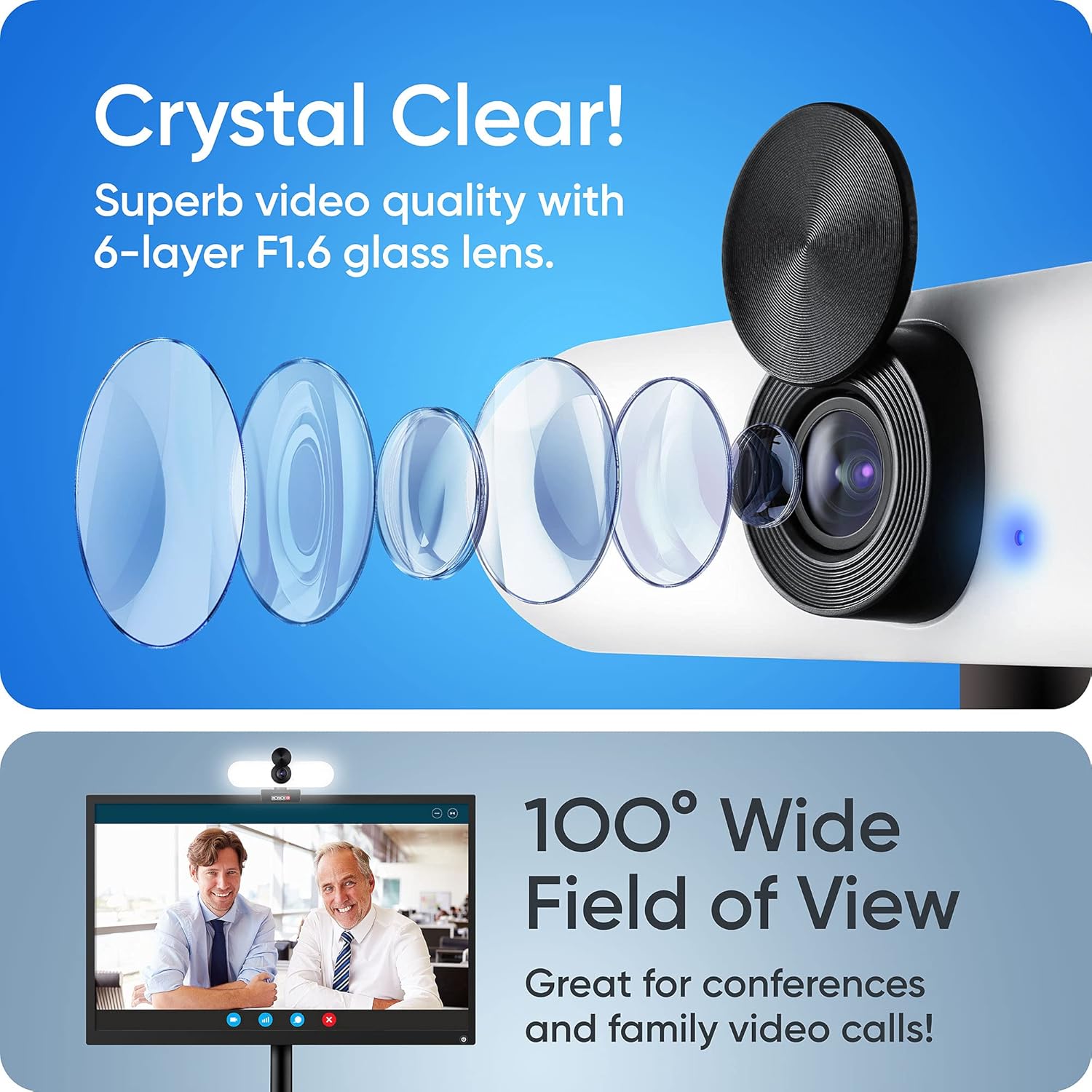
Die webcam's advanced lens system provides crystal clear video and a wide field of view.

Die webcam automatically adjusts for optimal exposure correction.

Die webcam provides sharp focus for clear image capture.
Verenigbaarheid
The Provision ISR Webcam is designed for broad compatibility with various operating systems and popular video conferencing applications.
Ondersteunde bedryfstelsels:
- Windows 7, 8, 10
- Mac OS 10.6+
- Android 5.0+
- Xbox
- Chrome OS
Versoenbare toepassings:
- Zoem
- Skype
- Facebook Messenger
- Cisco Webex
- Microsoft-spanne
- Google Vergader
- GoToMeeting
- En vele meer...
Onderhoud
Proper maintenance will ensure the longevity and optimal performance of your webkam.
- Maak die lens skoon: Use a soft, lint-free cloth specifically designed for optical lenses to gently wipe the camera lens. Avoid using harsh chemicals or abrasive materials.
- Maak die liggaam skoon: Vee die webcam body with a soft, dry cloth. If necessary, a slightly damp ’n Lap kan gebruik word, maar maak seker dat geen vog die toestel binnedring nie.
- Berging: Wanneer dit nie vir lang tye gebruik word nie, bêre die webcam in a cool, dry place, away from direct sunlight and extreme temperatures. Use the privacy cover to protect the lens.
- Vermy val en impakte: Hanteer die webkamera versigtig om skade as gevolg van val of impak te voorkom.
Probleemoplossing
If you encounter issues with your Provision ISR Webkamera, probeer die volgende stappe vir probleemoplossing:
- Webkamera nie opgespoor nie:
- Maak seker dat die USB-kabel stewig in beide die webkamera en jou rekenaar.
- Probeer die webkamera in 'n ander USB-poort op jou rekenaar in.
- Herbegin jou rekenaar.
- Check your operating system's device manager (Windows) or System Information (Mac) to see if the webkamera word gelys.
- Geen video/swart skerm:
- Make sure the privacy cover is open.
- Verseker die korrekte webcam is selected in your video conferencing application's settings.
- Check if another application is currently using the webkamera, wat toegang kan verhoed.
- No Audio Input (Microphone):
- Verify that "Provision ISR Webcam" is selected as the microphone input device in your application's audio settings.
- Check your computer's sound settings to ensure the microphone is not muted and its volume is adequate.
- Ensure no other application is exclusively using the microphone.
- No Audio Output (Speaker):
- Verify that "Provision ISR Webcam" or "USB Audio Device" is selected as the speaker output device in your application's audio settings and your computer's sound settings.
- Check the volume levels on both your computer and within the application.
- Swak videogehalte:
- Ensure the lens is clean (refer to Maintenance section).
- Check your internet connection speed, as a slow connection can affect video quality in online calls.
- Adjust the LED fill light for better illumination.
Spesifikasies
Detailed technical specifications for the Provision ISR All-in-one Webkam.
| Kenmerk | Spesifikasie |
|---|---|
| Handelsmerk | VOORSIENING ISR |
| Modelnommer | VOORSIENING ISR |
| ASIN | B094W6SSRR |
| Video-resolusie | 1080p Full HD |
| Raamtempo | 60 fps (implied from title) |
| Lensopening | F1.6 (implied from image) / 1.6 Millimeters |
| Veld van View | 100° Wyehoek |
| Optiese zoom | 1x Vermenigvuldiger |
| Digitale zoom | 2x Vermenigvuldiger |
| Spesiale kenmerke | Low light performance, Built-in LED light (3 levels), Built-in Speaker (2.5W), Noise-Cancelling Microphone, Privacy Cover |
| Verbindingstegnologie | USB |
| Beeldstabilisasie | Nee |
| sensor Tegnologie | CMOS |
| Pakket afmetings | 14.3 x 6.9 x 6.6 cm; 240 gram |
| Lengte van USB-kabel | 5.25 Feet (implied from image) |
Waarborg en Ondersteuning
Information regarding warranty and customer support for your Provision ISR Webkam.
Specific warranty details are not provided in the product information. Please refer to the product packaging or the official Provision ISR webwebwerf vir die mees onlangse waarborginligting.
For technical support or further assistance, please visit the official Provision ISR support page or contact their customer service department. Contact information can typically be found on the manufacturer's webwebwerf- of produkdokumentasie.

Provision ISR, a company with expertise in video surveillance and web cameras since 2007.