
Alecto DVM-150C
Alecto DVM-150C Additional Baby Camera User Manual
Model: DVM-150C | Brand: Alecto
Inleiding
This manual provides comprehensive instructions for the setup, operation, and maintenance of your Alecto DVM-150C Additional Baby Camera. The DVM-150C is designed to expand your existing Alecto DVM-150 baby monitor system, allowing you to monitor multiple children or different rooms simultaneously with a secure and interference-free connection.

Image: The Alecto DVM-150C camera unit shown alongside the DVM-150 parent unit, demonstrating the complete monitoring system.
Pakketinhoud
Maak seker dat alle items in die pakket teenwoordig is:
- Alecto DVM-150C Camera Unit
- Kragadapter
- Gebruikershandleiding (hierdie dokument)
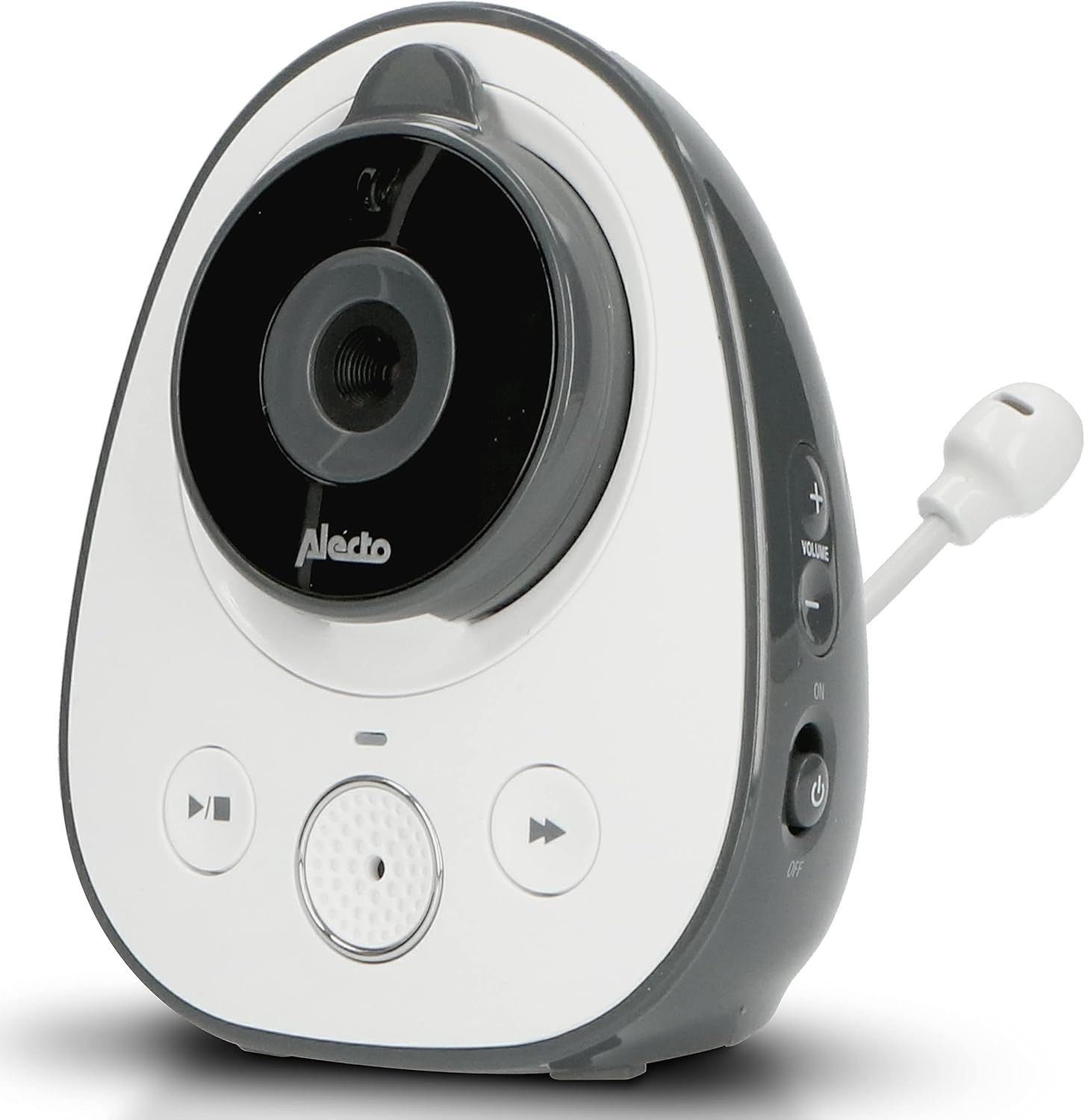
Image: The Alecto DVM-150C camera unit, highlighting its design and flexible antenna.
Opstelling
Follow these steps to set up your additional camera unit:
- Plasing: Place the DVM-150C camera unit in the desired room, ensuring it has a clear view of the area you wish to monitor. For optimal performance, place it within 50 meters indoors or 300 meters outdoors from the parent unit.
- Kragverbinding: Connect the provided power adapter to the camera unit's power input port and then plug it into a standard electrical outlet. The camera will power on automatically.
- Pairing with Parent Unit:
- Turn on your DVM-150 parent unit.
- Navigate to the camera pairing menu on the parent unit (refer to your DVM-150 parent unit manual for specific steps).
- Press and hold the pairing button on the DVM-150C camera unit until the indicator light flashes, signaling it is in pairing mode.
- Confirm pairing on the parent unit. Once successfully paired, the camera's video feed will appear on the parent unit's screen.

Image: The Alecto DVM-150C camera unit securely mounted on a wall, demonstrating a typical installation scenario.
Bedryfsinstruksies
The DVM-150C camera unit operates in conjunction with your DVM-150 parent unit. All primary controls and viewing functions are managed via the parent unit.
- Kamerakeuse: If you have multiple cameras paired, use the parent unit's controls to switch between camera views or activate split-screen mode to view multiple cameras simultaneously.
- Nagvisie: The DVM-150C automatically activates infrared night vision in low-light conditions, providing a clear image even in complete darkness.
- Eko-modus: To conserve energy, enable Eco Mode on your parent unit. This feature reduces power consumption when no sound is detected from the baby unit.
- Tweerigtingkommunikasie: Use the talk-back function on your parent unit to speak through the camera unit to your child.

Image: The Alecto DVM-150C camera unit positioned on a shelf in a nursery, demonstrating its discreet placement.
Onderhoud
Proper maintenance ensures the longevity and optimal performance of your camera unit.
- Skoonmaak: Wipe the camera unit with a soft, dry cloth. Do not use abrasive cleaners or solvents. Ensure the lens is clean for clear image quality.
- Berging: Indien die eenheid vir 'n lang tydperk gestoor word, ontkoppel dit van die kragtoevoer en bêre dit op 'n koel, droë plek.
- Omgewingstoestande: Avoid exposing the camera to extreme temperatures, direct sunlight, or moisture. This unit is designed for indoor use only.
Probleemoplossing
| Probleem | Moontlike oorsaak | Oplossing |
|---|---|---|
| No image on parent unit. | Camera not powered on or not paired. | Ensure the camera is plugged in and powered. Re-pair the camera with the parent unit if necessary. |
| Swak beeldkwaliteit. | Vuil lens of onvoldoende beligting. | Clean the camera lens. Ensure adequate lighting or check night vision activation. |
| Interferensie of swak sein. | Too far from parent unit or obstacles. | Move the camera closer to the parent unit. Remove large obstacles between units. |
Spesifikasies
| Kenmerk | Detail |
|---|---|
| Model | DVM-150C |
| Handelsmerk | Alecto |
| Verbindingstegnologie | Draadloos |
| Spesiale kenmerk | Nagvisie |
| Binne/buiteluggebruik | Binneshuise |
| Montage tipe | Muurmontering |
| Materiaal | Plastiek |
| Afmetings (Pakket) | 18 x 17.9 x 8.3 cm; 354 gram |
| Aanbevole gebruik | Babamonitering |
| Range (Indoor) | Up to 50 meters (as per feature bullets) |
| Range (Outdoor) | Up to 300 meters (as per feature bullets) |
Waarborg en Ondersteuning
For warranty information and technical support, please refer to the official Alecto webwebwerf of kontak hul kliëntediens. Bewaar u aankoopbewys as bewys van aankoop vir waarborgeise.
Verkoper: Commaxx BV
Retourbeleid: 30-day refund/replacement (as per buybox_winner data).
Vir verdere hulp, besoek: Commaxx B.V. Seller Information
Ask a question about this manual
Ask about setup, troubleshooting, compatibility, parts, safety, or missing instructions. Manuals+ will review the question and use this page’s manual context to help answer it.