
1. Inleiding
This manual provides detailed instructions for the setup, operation, maintenance, and troubleshooting of your MEETION MT-KB015 One-Handed Wired RGB Gaming Keyboard. Please read this manual thoroughly to ensure proper use and to maximize your gaming experience.
2. Produk verbyview
The MEETION MT-KB015 is a compact, one-handed gaming keyboard designed for enhanced control and comfort. It features vibrant RGB backlighting, ergonomic keycaps, and dedicated multimedia controls. Its durable membrane switches are rated for 50 million keystrokes, ensuring longevity.

Hierdie beeld wys die voorkant view of the MEETION MT-KB015 one-handed gaming keyboard, highlighting its compact design and vibrant RGB backlighting.

An angled perspective of the MEETION MT-KB015 keyboard, emphasizing its integrated ergonomic palm rest designed for comfortable use during extended gaming sessions.

A user's hand is shown comfortably resting on the integrated palm rest of the MEETION MT-KB015 keyboard, illustrating its ergonomic design for gaming.
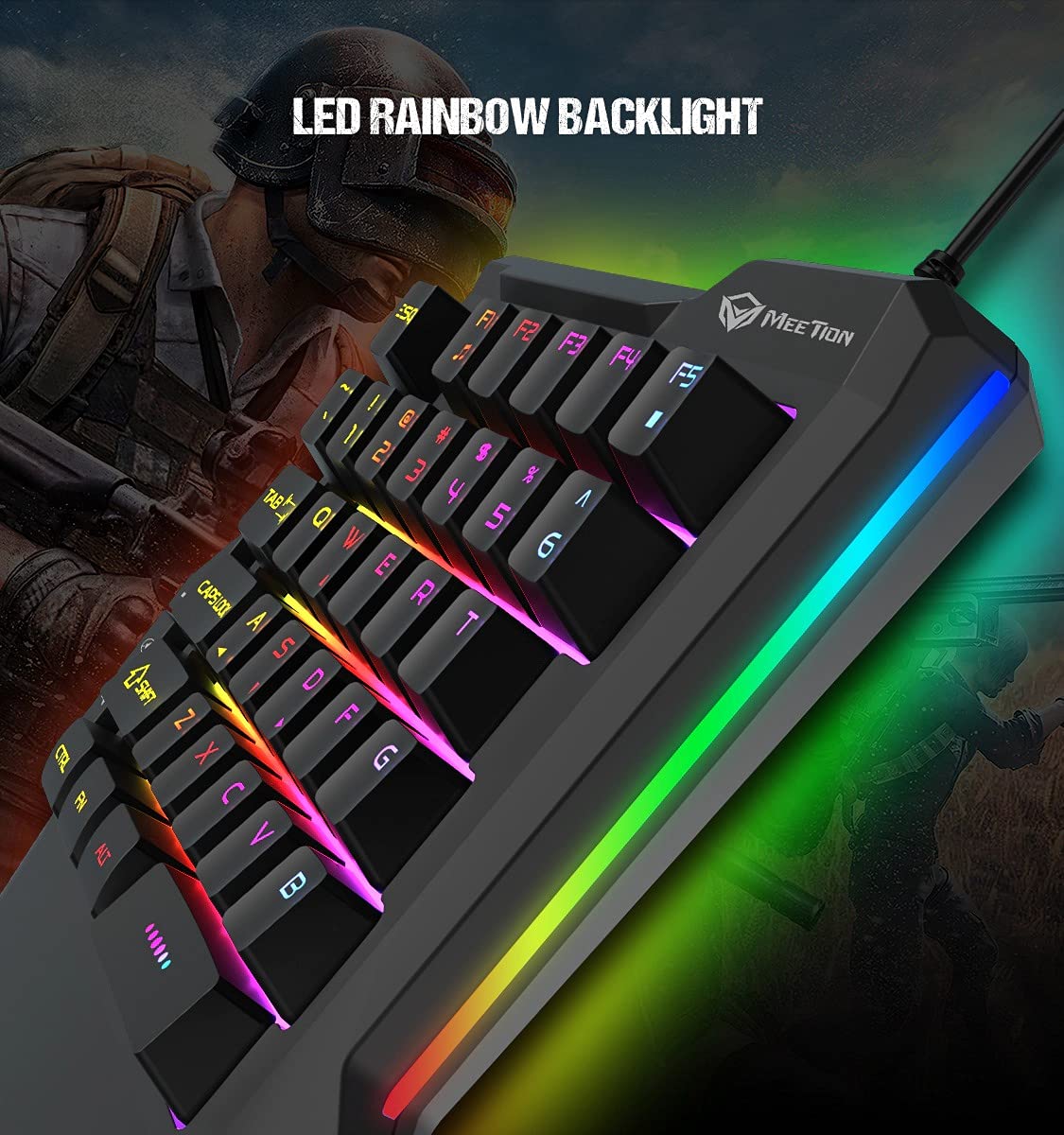
'n Gedetailleerde view of the MEETION MT-KB015 keyboard's keys, showcasing the dynamic LED rainbow backlighting effect.

This image provides a close-up of the membrane switch keys on the MEETION MT-KB015 keyboard, illustrating their design and construction.

The MEETION MT-KB015 keyboard is depicted connected to a computer setup, demonstrating its simple plug-and-play connectivity.

'n Oorhoofse view of a user engaged in gaming, utilizing the MEETION MT-KB015 one-handed keyboard alongside a gaming mouse on a desk.
Sleutel kenmerke:
- 50 Million Keystroke Life: Durable membrane switches designed for extended use.
- Multimedia sleutels: Conveniently placed dedicated keys for volume control.
- Comfortable Palm Rest: Integrated broad palm rest for ergonomic support during long gaming sessions.
- Easy To Use Plug and Play: Simple connectivity with various devices without requiring additional drivers.
3. Opstelling
The MEETION MT-KB015 keyboard is designed for plug-and-play functionality, requiring no complex installation.
Koppel die sleutelbord:
- Locate an available USB port on your computer, laptop, or compatible smartphone.
- Plug the USB cable of the MT-KB015 keyboard into the USB port.
- The operating system (e.g., Windows 10) will automatically detect and install the necessary drivers.
- The keyboard's RGB backlight will illuminate, indicating it is ready for use.
Versoenbare toestelle: Laptop, PC, Smartphone.
4. Bedryfsinstruksies
Basiese werking:
Once connected, the keyboard functions immediately. The keys are laid out for one-handed gaming, providing quick access to essential commands.
RGB-agterligbeheer:
The keyboard features an LED rainbow backlight. Specific key combinations or dedicated buttons for backlight mode changes are not detailed in the product information, but the lighting will be active upon connection.
Multimedia sleutels:
The MT-KB015 includes dedicated multimedia keys for convenient audio control.

A diagram highlighting the location and function of the dedicated Volume Up, Mute, and Volume Down multimedia keys positioned on the left side of the MEETION MT-KB015 keyboard.
- Volume op: Increases audio output.
- Demp: Skakel klankdemp aan/af.
- Volume af: Decreases audio output.
Additional multimedia functions (Music Player, Stop) are indicated with FN key combinations (FN + F1 for Music Player, FN + F5 for Stop).
5. Onderhoud
Om die lang lewensduur en optimale werkverrigting van u sleutelbord te verseker, volg hierdie onderhoudsriglyne:
- Skoonmaak: Gebruik 'n sagte, droë lap om die oppervlak van die sleutelbord af te vee. Vir dieper skoonmaak, vee dit effens af.amp ’n Lap met sagte seep kan gebruik word om te verseker dat geen vloeistof die sleutelskakelaars of interne komponente binnedring nie.
- Stofverwydering: Gebruik saamgeperste lug om stof en puin tussen die sleutelborde te verwyder.
- Vermy vloeistowwe: Do not spill liquids on the keyboard. In case of accidental spills, immediately disconnect the keyboard and allow it to dry completely before reconnecting.
- Berging: Bêre die sleutelbord op 'n koel, droë plek weg van direkte sonlig en uiterste temperature.
6. Probleemoplossing
If you encounter issues with your MEETION MT-KB015 keyboard, refer to the following common solutions:
Sleutelbord reageer nie:
- Gaan USB-verbinding na: Ensure the USB cable is securely plugged into a functional USB port on your device. Try a different USB port.
- Herbegin toestel: Restart your computer or smartphone.
- Toets op 'n ander toestel: Connect the keyboard to another computer or compatible device to determine if the issue is with the keyboard or the original device.
Agterlig werk nie:
- Maak seker dat die sleutelbord behoorlik gekoppel is en krag ontvang.
- If available, check for any dedicated backlight control keys or software settings.
Sleutels registreer nie of dubbeltik nie:
- Clean the affected keys to remove any debris that might be obstructing the switch mechanism.
- Maak seker dat die sleutelbord op 'n stabiele, plat oppervlak is.
Indien probleme voortduur nadat u hierdie oplossings probeer het, kontak asseblief kliëntediens.
7. Spesifikasies
| Kenmerk | Detail |
|---|---|
| Handelsmerk | VERGADERING |
| Modelnommer | MT-KB015 |
| Reeks | MEETION MT-KB015 |
| Kleur | Swart |
| Verbindingstegnologie | Bedraad |
| Sleutelbordbeskrywing | Speletjies |
| Skakel Tipe | Membraanskakelaar |
| Keystroke Life Cycle | 50 miljoen |
| Hardeware Platform | Skootrekenaar, rekenaar, slimfoon |
| Bedryfstelselversoenbaarheid | Windows 10 (and compatible with other OS via Plug and Play) |
| Produkafmetings (LxBxH) | 21 x 3.8 x 18.1 cm |
| Item gewig | 420 g |
| Ingesluit komponente | USB kabel |
| Batterye Ingesluit | Nee |
8. Waarborg en Ondersteuning
Waarborginligting:
The MEETION MT-KB015 One-Handed Wired RGB Gaming Keyboard comes with a 1 jaar waarborg vanaf die aankoopdatum. Hierdie waarborg dek vervaardigingsdefekte onder normale gebruik. Bewaar asseblief u bewys van aankoop vir waarborgeise.
Kliëntediens:
For technical assistance, warranty claims, or any product-related inquiries, please contact MEETION customer support. Contact details for the manufacturer/importer are provided below:
- Vervaardiger: Meetion, Meetion Tech Co. LTD - China
- Invoerder: Cavitak Marketing Pvt Ltd. 9, Vitthalbhai Patel Colony, Lakhudi, Naranpura, Ahmedabad-380014
- E-pos: meetion@cavitak.com
- Telefoon: 0796813-66-11