
Inleiding
Welcome to the Altec Lansing NanoBuds True Wireless Earbuds instruction manual. This guide provides essential information for setting up, operating, maintaining, and troubleshooting your new earbuds. Please read this manual thoroughly to ensure optimal performance and longevity of your device.

Image: The Altec Lansing NanoBuds True Wireless Earbuds shown with their charging case.
Wat is in die boks
Your Altec Lansing NanoBuds package includes the following items:
- Altec Lansing NanoBuds True Wireless Earbuds (Left and Right)
- Draadlose laaikas
- USB-laaikabel
- Multiple sizes of ear tips for a customized fit
- Vinnige Begingids

Image: The NanoBuds earbuds displayed alongside their charging case.
Opstelling
1. Laai die oordopjes en houer
Before first use, fully charge your NanoBuds and their charging case. Place the earbuds into the charging case. Connect the USB charging cable to the charging port on the case and plug the other end into a USB power source. The indicator lights on the case will show the charging status.

Image: NanoBuds seated in the charging case, with blue indicator lights illuminated, signifying charging status.
2. Bluetooth-koppeling
- Maak seker dat die oordopjes gelaai is.
- Open the charging case. The earbuds will automatically enter pairing mode, indicated by flashing lights.
- Gaan na Bluetooth-instellings op jou toestel (slimfoon, tablet, ens.) en skakel Bluetooth aan.
- Select "Altec NanoBuds" from the list of available devices.
- Sodra dit gekoppel is, sal 'n stemboodskap die suksesvolle paring bevestig.
3. Achieving a Secure Fit
For optimal sound quality and comfort, select the ear tips that best fit your ears. The NanoBuds feature Altec Lansing Helix wings for a secure fit, especially during active use. Gently insert each earbud into your ear canal and twist slightly to lock the Helix wing into place.

Beeld: Nabyskoot view of the NanoBuds, highlighting the integrated Helix wings designed for a stable and secure fit in the ear.
Gebruik van die oordopjes
Raak kontroles
The NanoBuds feature intuitive touch controls on each earbud for managing audio playback and calls.
| Aksie | Funksie |
|---|---|
| Enkele tik (links/regs) | Speel/Pauseer Musiek, Beantwoord/Beëindig Oproep |
| Dubbeltik (Regs) | Volgende Snit |
| Dubbeltik (links) | Vorige Snit |
| Drievoudige tik (links/regs) | Aktiveer stemassistent |
| Druk en hou (2 sekondes) | Verwerp oproep |
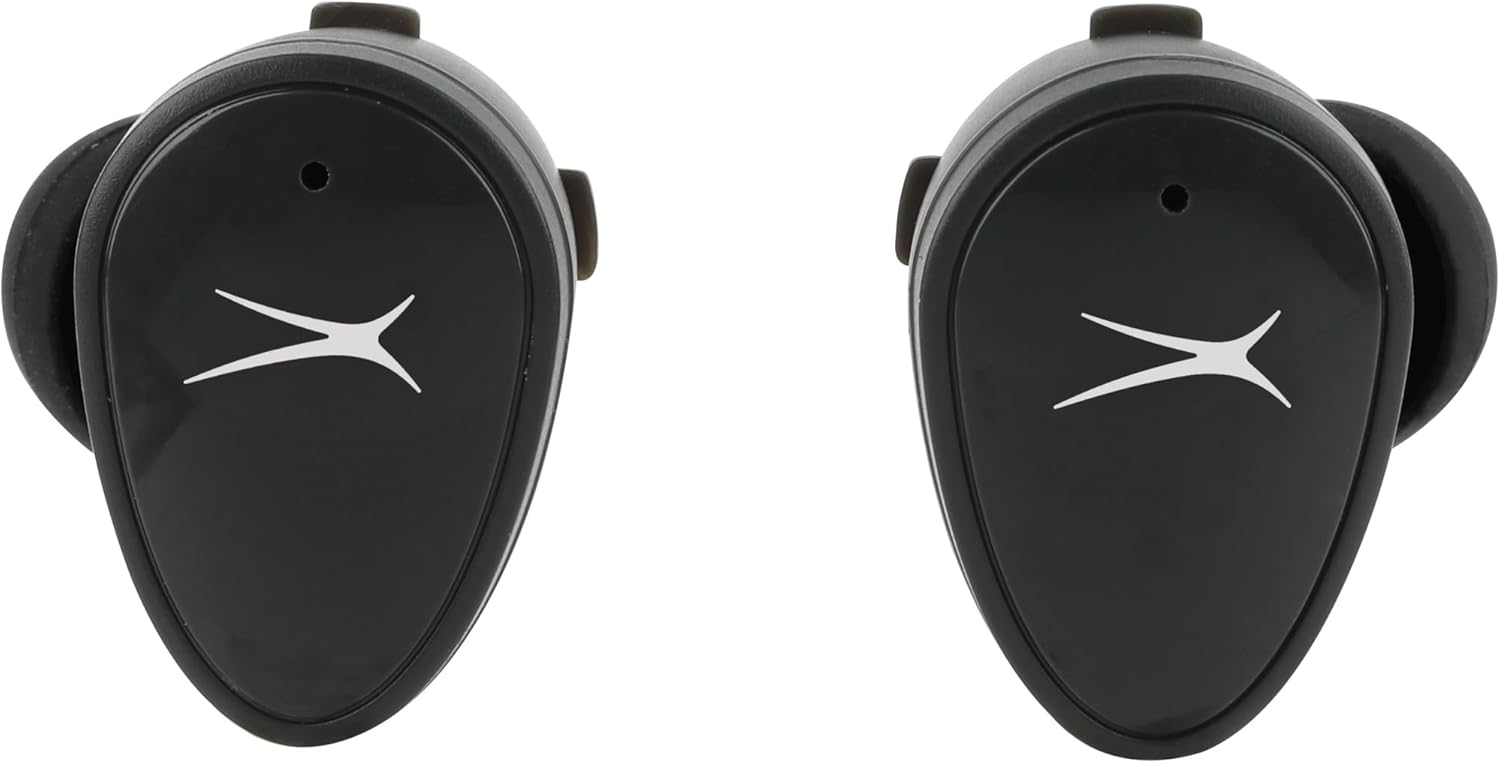
Beeld: Voorkant view of the NanoBuds, indicating the touch-sensitive surface for controls.
Krag aan/af
- Krag aan: Die oorfone skakel outomaties aan wanneer dit uit die laaikas verwyder word.
- Skakel af: Plaas die oordopjes terug in die laaikas om hulle outomaties af te skakel en te begin laai.
Maak en Ontvang Oproepe
The NanoBuds feature dual microphones for clear calling. Use the touch controls as described above to manage your calls.
Onderhoud
Skoonmaak
Regularly clean your earbuds and charging case to maintain performance. Use a soft, dry, lint-free cloth. Do not use harsh chemicals or abrasive materials. Ensure charging contacts are free of debris.
Waterweerstand (IPX4)
The NanoBuds are rated IPX4 water-resistant, meaning they are protected from splashing water from any direction. This makes them suitable for workouts and light rain. They are not designed for submersion in water.
Probleemoplossing
If you encounter issues with your NanoBuds, try the following steps:
- Geen krag: Maak seker dat die oorfone en laaikas volledig gelaai is.
- Koppelprobleme: Make sure Bluetooth is enabled on your device and the earbuds are in pairing mode. Try forgetting the device in your phone's Bluetooth settings and re-pairing.
- Een oordopjes werk nie: Plaas albei oordopjes terug in die laaikas, maak die deksel toe, wag 'n paar sekondes, maak dit dan oop en probeer weer. Maak seker dat albei oordopjes gelaai is.
- Swak klankgehalte: Check the ear tip fit. Ensure there is no obstruction in the earbud's speaker mesh.
- No Audio During Calls: Confirm the NanoBuds are selected as the audio output device on your phone during a call.
- Herstel: For persistent issues, consult the Altec Lansing support webwebwerf vir spesifieke herstelinstruksies vir jou model.
Spesifikasies
| Kenmerk | Spesifikasie |
|---|---|
| Model Naam | NanoBuds Sport |
| Modelnommer | MZX5200 |
| Verbindingstegnologie | Draadloos (Bluetooth 5.0) |
| Bluetooth-reeks | Tot 15.24 meter (50 voet) |
| Waterweerstandvlak | IPX4 (Waterbestand) |
| Batterylewe (Oorfone) | Tot 5 uur per lading |
| Totale speeltyd (met omhulsel) | Up to 30 hours (4 additional charges from case) |
| Laai tyd | Approximately 5 hours (for full system charge) |
| Geraasbeheer | Passiewe ruisonderdrukking |
| Beheer metode | Raak |
| Frekwensiereeks | 20 Hz - 20,000 XNUMX Hz |
| Gewig | 5.3 onse |
Waarborg inligting
Altec Lansing products are designed and manufactured to the highest quality standards. For detailed warranty information, including terms, conditions, and registration, please refer to the warranty card included with your product or visit the official Altec Lansing webwebwerf. Bewaar u bewys van aankoop vir waarborgeise.
Kliënte ondersteuning
If you require further assistance or have questions not covered in this manual, please contact Altec Lansing customer support. You can find contact information, FAQs, and additional resources on the official Altec Lansing webwebwerf: www.alteclansing.com.