
Inleiding
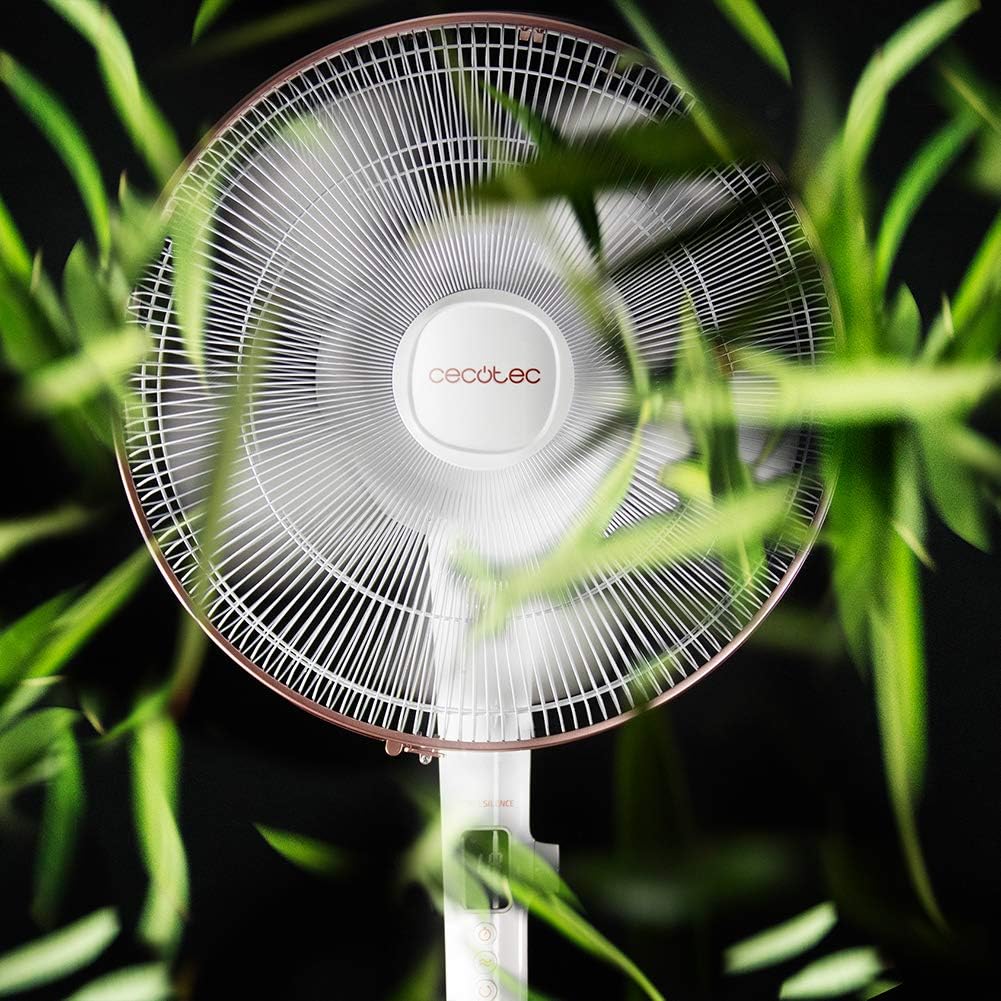
Thank you for choosing the Cecotec EnergySilence 1030 SmartExtreme Pedestal Fan. This fan is designed to provide powerful yet quiet air circulation with advanced features for enhanced comfort. It incorporates a highly efficient DC motor, offering 24 speed settings and 3 operational modes to suit various needs. Please read this manual carefully before use to ensure proper operation, maintenance, and safety.
Wat is in die boks
- Aanhangerliggaam
- Afstandbeheer
- Gebruikershandleiding
Veiligheidsinstruksies
- Ontkoppel altyd die waaier uit die kragtoevoer voordat u skoonmaak of enige onderhoud uitvoer.
- Moenie vingers of enige voorwerpe in die waaierrooster steek terwyl dit werk nie.
- Keep the fan away from water or other liquids. Do not use in damp omgewings.
- Ensure the power cord is not damaged or pinched. Do not operate the fan with a damaged cord or plug.
- Hierdie toestel is nie bedoel vir gebruik deur persone (insluitend kinders) met verminderde fisiese, sensoriese of geestelike vermoëns, of 'n gebrek aan ervaring en kennis nie, tensy hulle toesig of instruksies oor die gebruik van die toestel gegee is deur 'n persoon wat verantwoordelik is vir hul veiligheid.
- Plaas die waaier op 'n stabiele, plat oppervlak om te verhoed dat dit omval.
- Moenie die waaier tydens werking bedek nie.
Montering en Opstelling
The Cecotec EnergySilence 1030 SmartExtreme fan requires minimal assembly. Carefully unpack all components. The main fan body, including the motor and blades, will need to be securely attached to the pedestal and base. Ensure all parts click into place or are tightened as per the visual instructions provided in the included manual. The fan features an adjustable telescopic pole, allowing you to set the height between 115 cm and 135 cm for optimal air distribution.

Bedryfsinstruksies
Beheerpaneel
The fan features an intuitive control panel with an LED screen displaying the current settings.

- Aan/af-knoppie (AAN/AF): Druk om die waaier aan of af te skakel.
- Spoedverstelling: Use the dedicated buttons or dial to cycle through 24 speed settings. The current speed will be shown on the LED display.
- Modusknoppie: Press to switch between the three available modes: Eco, Sleep, and Turbo.
- Timer-knoppie: Press to activate and set the timer for up to 18 hours.
- Ossilasie -knoppie: Press to enable or disable the automatic oscillation function.
Afstandbeheer
The fan can also be conveniently operated using the included remote control.

- Alle funksies wat op die beheerpaneel beskikbaar is, is ook toeganklik via die afstandbeheerder.
- Ensure the remote control is pointed towards the fan's receiver for optimal response.
- Vereis AAA-batterye (nie ingesluit nie).
Modes and Speeds
The fan offers 24 speed settings and 3 distinct modes:
- Eko-modus: Operates at a lower power consumption, ideal for energy saving.
- Slaap stelling: Designed for quiet operation, gradually decreasing fan speed to provide a comfortable sleeping environment.
- Turbo-modus: Provides maximum airflow for rapid cooling.
Timer funksie
The programmable timer allows you to set the fan to operate for a specific duration, up to a maximum of 18 hours. Once the set time expires, the fan will automatically turn off.
ossillasie
Activate the automatic oscillation function to distribute fresh air more widely across the room. This feature ensures a broader coverage area, enhancing overall comfort.
Onderhoud
Gereelde skoonmaak verseker optimale werkverrigting en verleng die lewensduur van jou waaier.
- Before cleaning, always unplug the fan from the power supply.
- Gebruik 'n sagte, damp lap om die buite-oppervlaktes af te vee. Moenie skuurmiddels of oplosmiddels gebruik nie.
- Periodically clean the fan blades and protective grilles to remove dust and debris. This can be done using a soft brush or a vacuum cleaner with a brush attachment.
- Maak seker dat die waaier heeltemal droog is voordat jy dit weer inprop.
Probleemoplossing
| Probleem | Moontlike oorsaak | Oplossing |
|---|---|---|
| Waaier skakel nie aan nie | No power supply; Power cord not properly connected; Fan is off. | Kontroleer die kragaansluiting; Maak seker dat die kragkabel stewig ingeprop is; Druk die aan/uit-knoppie. |
| Swak lugvloei | Low speed setting; Dust accumulation on blades/grille. | Increase speed setting; Clean fan blades and grilles. |
| Ongewone geraas | Loose parts; Obstruction in fan blades. | Check for loose components and tighten if necessary; Remove any obstructions. If noise persists, contact support. |
| Afstandbeheer werk nie | Dead batteries; Obstruction between remote and fan. | Replace batteries; Ensure clear line of sight to fan's receiver. |
Spesifikasies
| Kenmerk | Detail |
|---|---|
| Handelsmerk | Cecotec |
| Modelnommer | 05915 |
| Krag | 28 Watt |
| Voltage | 230V (AC) |
| Produk afmetings | 45D x 45W x 135H cm (adjustable height) |
| Item gewig | 5.4 kilogram |
| Fan ontwerp | Voetstukventilator |
| Spoedinstellings | 24 |
| Modusse | Eco, Sleep, Turbo |
| Afteller | Tot 18 uur |
| ossillasie | Outomatiese |
| Spesiale kenmerk | Draagbaar |
Waarborg en Ondersteuning
Vir waarborginligting en kliëntediens, verwys asseblief na die waarborgkaart wat by u produk ingesluit is of besoek die amptelike Cecotec-webwerf. website. If you encounter any issues not covered in this manual, please contact Cecotec customer service for assistance.