
Inleiding
Thank you for choosing the Casio CSN 316 Calculator. This manual provides essential information to help you get the most out of your device, including setup instructions, operational guidance, maintenance tips, and troubleshooting solutions. Please read this manual thoroughly before using the calculator and keep it for future reference.
Produk verbyview
The Casio CSN 316 is a reliable 12-digit calculator designed for everyday use. It features dual power sources, ensuring consistent performance in various environments. Its clear LCD display makes calculations easy to read.
Sleutel kenmerke:
- 12-digit display capacity
- Dual power (Solar and Battery)
- Duidelike LCD-skerm
- Standard arithmetic functions
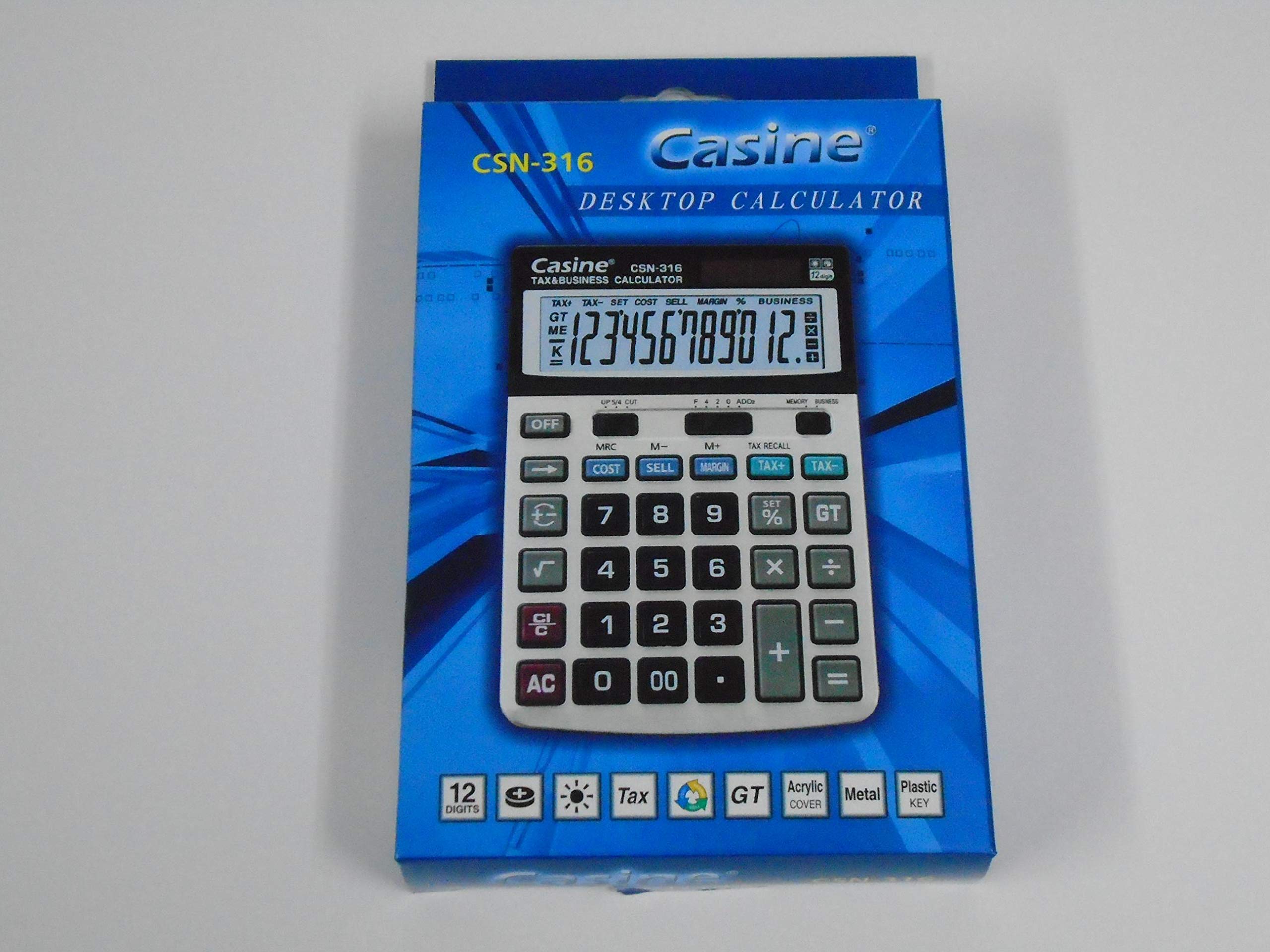
Figuur 1: Voorkant view of the Casio CSN 316 Calculator, showing the 12-digit LCD display and key layout.
Opstelling
1. Kragbron
The Casio CSN 316 calculator operates on dual power: solar power and battery power. Under sufficient lighting, the calculator will primarily use solar power. In low light conditions, it will automatically switch to battery power.
2. Battery Installasie/Vervanging
- Maak seker dat die sakrekenaar afgeskakel is.
- Vind die batteryklepdeksel aan die agterkant van die sakrekenaar.
- Using a small screwdriver, carefully remove the screw(s) securing the battery compartment cover.
- Verwyder die deksel.
- Insert a new battery (type specified in Specifications section) with the correct polarity (+/-) as indicated inside the compartment.
- Plaas die batteryklepdeksel terug en maak dit vas met die skroef(e).
Let wel: Gooi gebruikte batterye weg volgens plaaslike regulasies.
Bedryfsinstruksies
Basiese Berekeninge
- Byvoeging (+): Voer die eerste nommer in, druk +, enter the second number, press =.
- Aftrekking (-): Voer die eerste nommer in, druk -, enter the second number, press =.
- Multiplication (×): Voer die eerste nommer in, druk ×, enter the second number, press =.
- Deling (÷): Voer die eerste nommer in, druk ÷, enter the second number, press =.
Clearing Entries
- Druk AC (All Clear) to clear all entries and reset the calculator.
- Druk CE (Clear Entry) to clear the last entered number without affecting previous calculations.
Geheue funksies
- M+: Adds the displayed value to the memory.
- M-: Subtracts the displayed value from the memory.
- MR: Recalls the value stored in memory to the display.
- MC: Maak die geheue skoon.
Onderhoud
Skoonmaak
To clean your calculator, wipe it gently with a soft, dry cloth. Do not use abrasive cleaners, solvents, or spray directly onto the calculator, as this may damage the display or internal components.
Berging
Store the calculator in a cool, dry place away from direct sunlight and extreme temperatures. Avoid placing heavy objects on top of the calculator.
Probleemoplossing
| Probleem | Moontlike oorsaak | Oplossing |
|---|---|---|
| Die skerm is leeg of dof. | Onvoldoende lig vir sonkrag, of lae battery. | Move to a brighter area or replace the battery. |
| Verkeerde berekeningsresultate. | Incorrect key input or previous calculation not cleared. | Druk AC to clear all and re-enter the calculation carefully. |
| Sleutels reageer nie. | Calculator may be frozen or battery is completely drained. | Replace the battery. If problem persists, contact customer support. |
Spesifikasies
- Handelsmerk: Casio
- Model Naam: KSN 316
- Vertoon tipe: LCD
- Aantal syfers: 12
- Kragbron: Dual Power (Solar and Battery Powered)
- Vervaardiger deelnommer: 2724633395248.0
- ASIN: B091BPDPC4
- Eerste Beskikbare Datum: 30 Maart 2021
Waarborg en Ondersteuning
Vir meer inligting oor waarborg, verwys asseblief na die waarborgkaart wat by u produkverpakking ingesluit is of besoek die amptelike Casio-webwerf. website. If you require further assistance or have questions not covered in this manual, please contact Casio customer support through their official channels.
Jy kan dikwels ondersteuningskontakbesonderhede op die vervaardiger se webwerf vind. webwebwerf: www.casio.com