
Inrico T522A
Gebruikershandleiding vir Inrico T522A 4G/LTE-netwerkradio
Model: T522A
Inleiding
This manual provides comprehensive instructions for the Inrico T522A 4G/LTE Network Radio. Designed for reliable communication, this device integrates 4G/LTE connectivity with Zello and ZelloWork platforms, offering long-range, clear audio transmission. Please read this manual thoroughly before operating the device to ensure proper usage and optimal performance.
Produk verbyview
The Inrico T522A is a robust network radio built for demanding environments. It features a durable design, including waterproof and dustproof capabilities (IP66 rating), and supports various network functionalities for seamless communication.
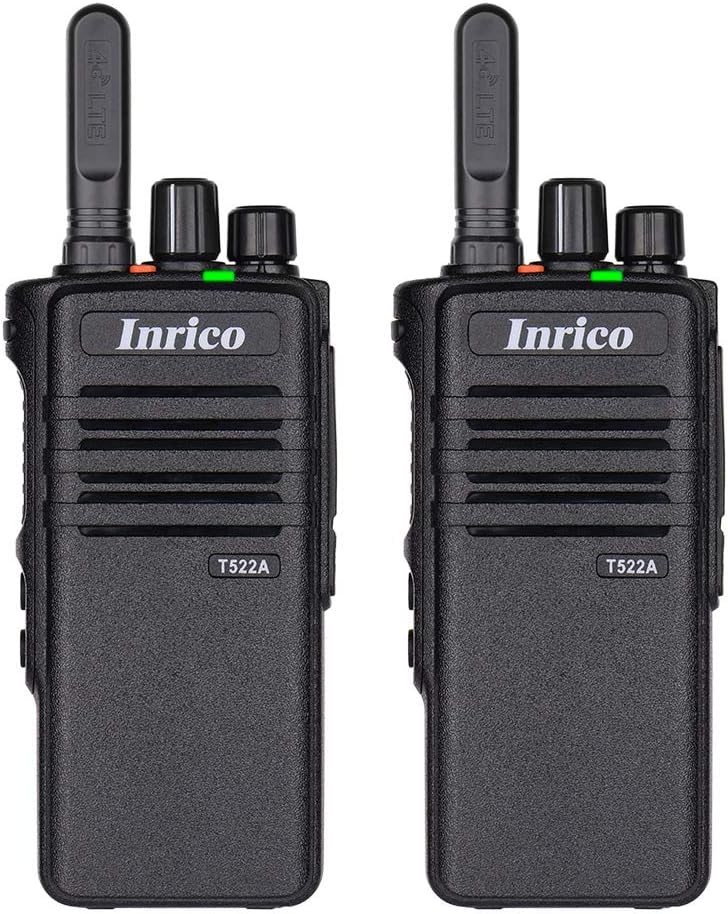
Figuur 1: Voorkant view of two Inrico T522A network radios, showing the Inrico branding and T522A model number.

Figure 2: Various angles of the Inrico T522A radio, including front, side, and back views, highlighting its compact design and belt clip.
Sleutelkomponente:
- Antenna: For 4G/LTE signal reception.
- Krag/volumeknop: To turn the device on/off and adjust volume.
- Channel/Function Knob: For selecting channels or functions.
- PTT (druk-om-te-praat)-knoppie: For initiating voice transmissions.
- Luidspreker/mikrofoon: Geïntegreerd vir klankinvoer en -uitvoer.
- Battery kompartement: Huisves die verwyderbare battery.
- Gordelklem: Vir gerieflike dra.
- Laai kontakte: Located at the bottom for cradle charging.
Opstelling
1. Battery installasie:
- Maak seker dat die radio afgeskakel is.
- Vind die battery kompartement op die agterkant van die radio.
- Align the battery with the contacts and gently push it into place until it clicks.
- Secure the battery cover if applicable.
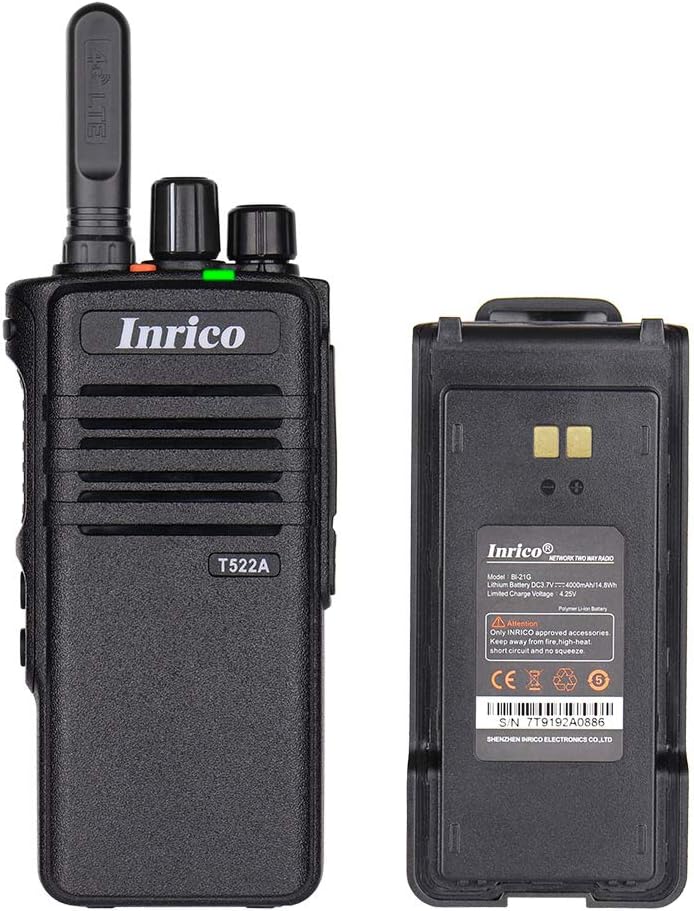
Figure 3: The Inrico T522A radio shown alongside its removable battery pack, illustrating the battery's connection points.
2. Laai die battery:
Laai die battery volledig voor die eerste gebruik.
- Place the radio into the charging cradle, ensuring the charging contacts align.
- Connect the charging cradle to a power source using the provided adapter.
- The charging indicator light will illuminate (typically red) during charging and change color (typically green) when fully charged.

Figure 4: The Inrico T522A radio securely placed in its dedicated charging cradle, ready for power replenishment.
3. Netwerkverbinding:
The T522A supports 4G/LTE and WLAN connectivity. Ensure a valid SIM card is inserted for 4G/LTE operation, or configure Wi-Fi settings for WLAN use.

Figure 5: The Inrico T522A radio depicted with "4G LTE" and Android logos, indicating its cellular and operating system capabilities.

Figure 6: The Inrico T522A radio shown with a WLAN (Wi-Fi) symbol, indicating its wireless local area network connectivity.
Bedryfsinstruksies
Krag aan/af:
- Om aan te skakel, draai die Aan/Volume-knoppie kloksgewys totdat jy 'n klik hoor.
- Om af te skakel, draai die Aan/Volume-knoppie antikloksgewys totdat jy 'n klik hoor.
Verstel volume:
- Draai die Aan/Aan/Volume-knoppie kloksgewys om die volume te verhoog en antikloksgewys om die volume te verlaag.
Using Zello/ZelloWork:
The Inrico T522A is optimized for Zello and ZelloWork applications.
- Ensure the Zello or ZelloWork application is installed and configured on the device.
- Log in to your Zello/ZelloWork account.
- Select the desired channel or contact.
- Press and hold the PTT button to transmit your voice. Release the PTT button to listen.
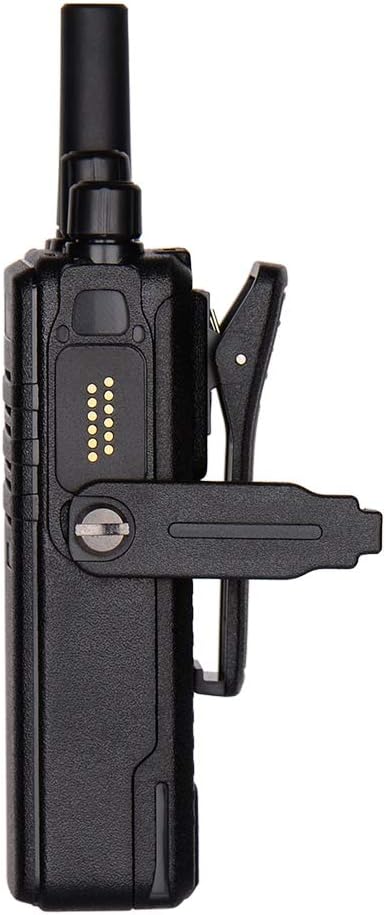
Figure 7: Two Inrico T522A radios displayed in front of a computer monitor showing a dispatch system interface, illustrating their integration with communication platforms.
Onderhoud
- Skoonmaak: Gebruik 'n sagte, damp lap om die buitekant van die radio skoon te maak. Moenie harde chemikalieë of skuurmiddels gebruik nie.
- Batterysorg: Om die batterylewe te verleng, vermy om die battery gereeld volledig te ontlaai. Bêre die radio en battery op 'n koel, droë plek wanneer dit nie vir lang tye gebruik word nie.
- Omgewingsbeskerming: While the radio is waterproof and dustproof (IP66), avoid prolonged exposure to extreme temperatures or direct sunlight.
Probleemoplossing
| Probleem | Moontlike oorsaak | Oplossing |
|---|---|---|
| Radio skakel nie aan nie. | Battery is laag of nie korrek geïnstalleer nie. | Laai die battery of installeer dit stewig weer. |
| Geen oudio vanaf luidspreker nie. | Volume is too low; speaker is blocked; network issue. | Increase volume; check for obstructions; verify network connection. |
| Cannot transmit/receive. | No network signal; Zello/ZelloWork not logged in; incorrect channel. | Check network signal strength; log into Zello/ZelloWork; select correct channel. |
| Swak klank kwaliteit. | Weak network signal; interference. | Move to an area with better signal; avoid sources of interference. |
Spesifikasies
| Kenmerk | Detail |
|---|---|
| Handelsmerk | Inrico |
| Model | T522A |
| Konnektiwiteit | 4G/LTE, WLAN |
| Versoenbare toestelle | Zello, ZelloWork, 4G/LTE devices on the same frequency band, internet-capable devices |
| Waterweerstandvlak | Waterdig (IP66) |
| Spesiale kenmerke | Long Range, Waterproof, Dust Proof |
| Ingesluit komponente | 2 x Radio (as per product listing) |
| Kleur | Swart |
Waarborg en Ondersteuning
For warranty information and technical support, please refer to the official Inrico webwebwerf of kontak u gemagtigde handelaar. Bewaar u aankoopbewys as bewys van aankoop.
Vervaardiger: Inrico
Ask a question about this manual
Ask about setup, troubleshooting, compatibility, parts, safety, or missing instructions. Manuals+ will review the question and use this page’s manual context to help answer it.