
1. Inleiding
Dankie vir die aankoopasing the IKEA BJORKASEN Laptop Stand. This manual provides essential information for the safe assembly, operation, and maintenance of your new laptop stand. Please read these instructions carefully before use and keep them for future reference.
2. Veiligheidsinligting
- Ensure all parts are securely fastened before use. Periodically check and re-tighten screws as needed.
- Moenie die maksimum vragvermoë van 12 kg (26 lbs) oorskry nie.
- Hou klein onderdele weg van kinders om verstikkingsgevare tydens montering te voorkom.
- Avoid placing hot items directly on the surface without protective coasters.
- Gebruik op 'n plat, stabiele oppervlak om te verhoed dat dit kantel.
3. Pakketinhoud
Verifieer dat alle komponente teenwoordig is voordat u met die montering begin:
- Tafelblad
- Ondersteun spoor
- Binneband
- Buitebuis
- Basis
- Skarniere
- Dekpette
- Bene
- Bekerhouer
- Bushing/Tube caps
- Assembly hardware (screws, Allen key)
4. Monteer-instruksies
This product requires assembly. Follow the steps below carefully.
- Heg die bekerhouer aan: Secure the cup holder to the designated slot on one of the leg frames using the provided hardware. Ensure it is firmly attached.
- Assemble the Leg Frames: Connect the inner and outer tubes to form the adjustable leg frames. Ensure the sliding mechanism for height adjustment is functional.
- Attach Leg Frames to Tabletop: Position the tabletop upside down on a soft, clean surface. Attach the assembled leg frames to the underside of the tabletop using the hinges and screws. Ensure the hinges are correctly aligned and secured.
- Beveilig die basis: Attach the base to the bottom of the leg frames. Ensure all screws are tightened to provide stability.
- Finale kontrole: Once assembled, gently test the stability of the stand and ensure all connections are tight.
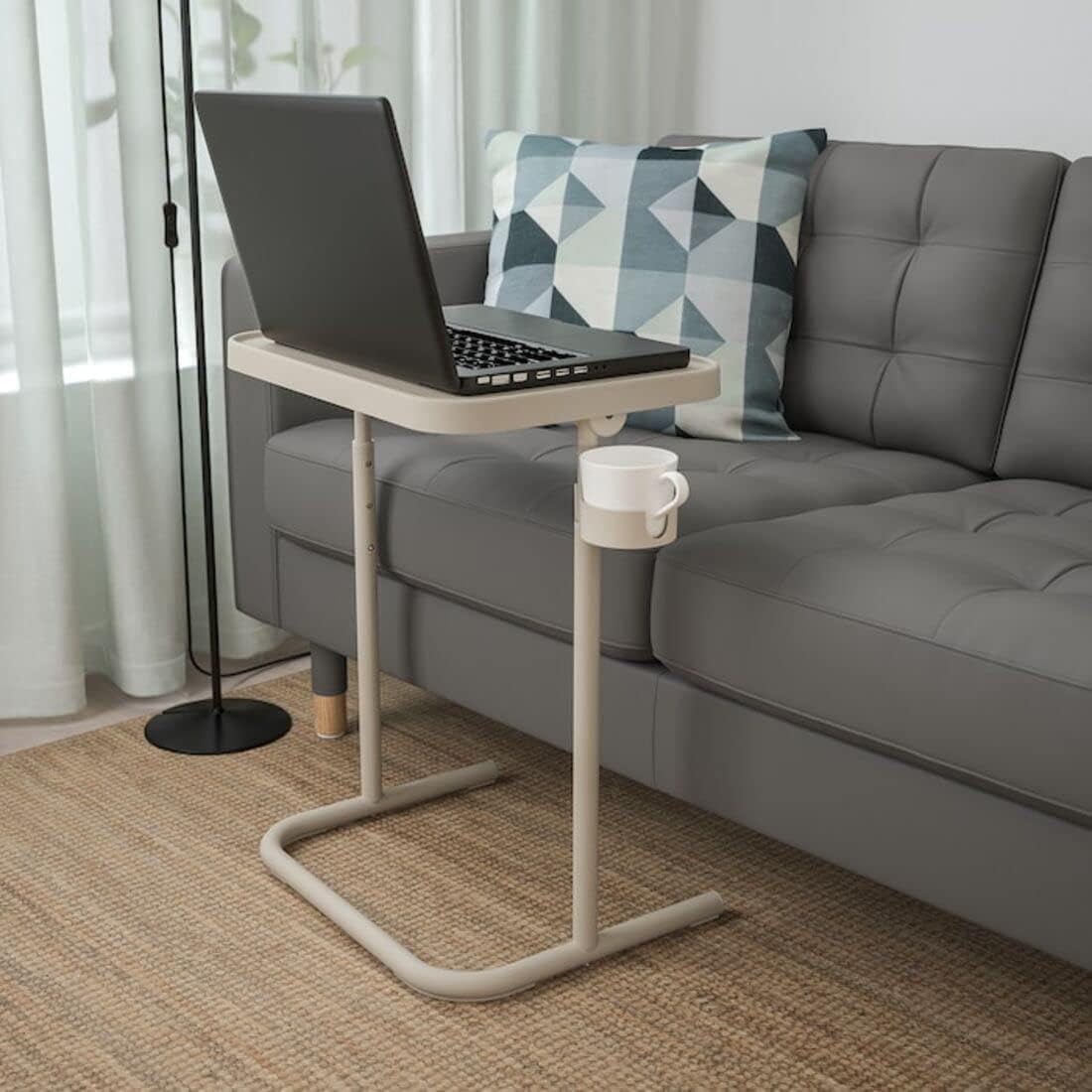
Image: The assembled laptop stand with a laptop and cup holder, demonstrating its functionality.

Beeld: 'n Nabyskoot view of the integrated cup holder, designed to keep beverages secure and within reach.
5. Bedryfsinstruksies
5.1 Hoogteverstelling
The laptop stand features an adjustable height mechanism. To adjust the height, locate the adjustment points on the leg frames. Press the release buttons or loosen the knobs (depending on the specific design) and slide the inner tube to your desired height. Ensure the mechanism locks securely into place before placing items on the stand.
5.2 Tabletop Tilt Adjustment
The tabletop can be tilted to provide an ergonomic working angle. Locate the tilt adjustment mechanism beneath the tabletop. Release the lock, adjust the tabletop to your preferred angle, and then secure the lock to prevent movement.

Image: The tabletop is shown in a tilted position, ideal for reading or using a tablet.

Image: The stand in use, showcasing the tilted surface for a laptop and a book, with a cup in the holder.
5.3 Vou vir berging
The stand is designed for easy folding to save space. Simply tilt the tabletop to its vertical position and fold the legs inward. This compact design allows for convenient storage when not in use.

Image: The laptop stand folded and stored upright, highlighting its minimal footprint.
6. Onderhoud
6.1 Skoonmaak
Wipe the stand clean with a cloth dampened in a mild detergent solution. Follow with a dry, clean cloth to remove any moisture. Avoid abrasive cleaners or harsh chemicals that may damage the surface.
6.2 Screw Tightening
Periodically check all screws and fittings to ensure they are tight. Re-tighten as necessary to maintain the stability and safety of the stand.
7. Probleemoplossing
- Die staanplek is wankelrig: Check that all assembly screws are tightened. Ensure the stand is on a flat, even surface.
- Hoogteverstelling is moeilik: Ensure no debris is obstructing the sliding mechanism. If necessary, clean the tubes and apply a small amount of silicone-based lubricant.
- Tabletop does not tilt smoothly: Check the tilt mechanism for obstructions. Ensure the locking mechanism is fully disengaged before attempting to tilt.
8. Spesifikasies
| Kenmerk | Detail |
|---|---|
| Handelsmerk | IKEA |
| Modelnommer | 104.764.79 |
| Kleur | Beige |
| Breedte | 46 cm (18.1 duim) |
| Hoogte (min) | 60 cm (23.6 duim) |
| Hoogte (maksimum) | 70 cm (27.6 duim) |
| Maksimum vrag | 12 kg (26 lbs) |
| Materiaal | Steel (Epoxy/polyester powder coating), Reinforced polyamide resin, Acetal resin, Polypropylene plastic |
| Vergadering benodig | Ja |
9. Waarborg en Ondersteuning
For warranty information or customer support, please refer to the documentation provided at the time of purchase or visit the official IKEA webwebwerf. Bewaar u bewys van aankoop vir enige waarborgeise.