
1. Inleiding
Thank you for choosing the WOBANE CL15 Hand Wave Activated Under Cabinet Light Bar. This LED light bar is designed to provide bright, dimmable illumination for various indoor spaces such as kitchens, shelves, cupboards, closets, workbenches, and cabinets. Its hand wave activation feature offers convenient, touch-free operation, and the aluminum construction ensures durability and efficient heat dissipation.
Sleutel kenmerke sluit in:
- Hands-free and Dimming Function: Control the light with a simple hand wave. Wave once to turn ON/OFF, and hold your hand above the sensor to dim the brightness from 8% to 100%.
- Super helder beligting: Delivers 280 lumens with a 6000K white pure glow, ensuring a bright and comfortable lighting area.
- Maklike installasie: Offers two installation methods: screws for rough wood surfaces or strong adhesive tapes for smooth surfaces.
- Energiebesparing: Low 5-wattage consumption for efficient lighting.
- Betroubare konstruksie: Features an aluminum housing and a quality adapter for good heat dissipation and extended lifespan.
2. Wat is in die boks
Maak asseblief seker dat alle komponente teenwoordig is voordat u met die installasie voortgaan.
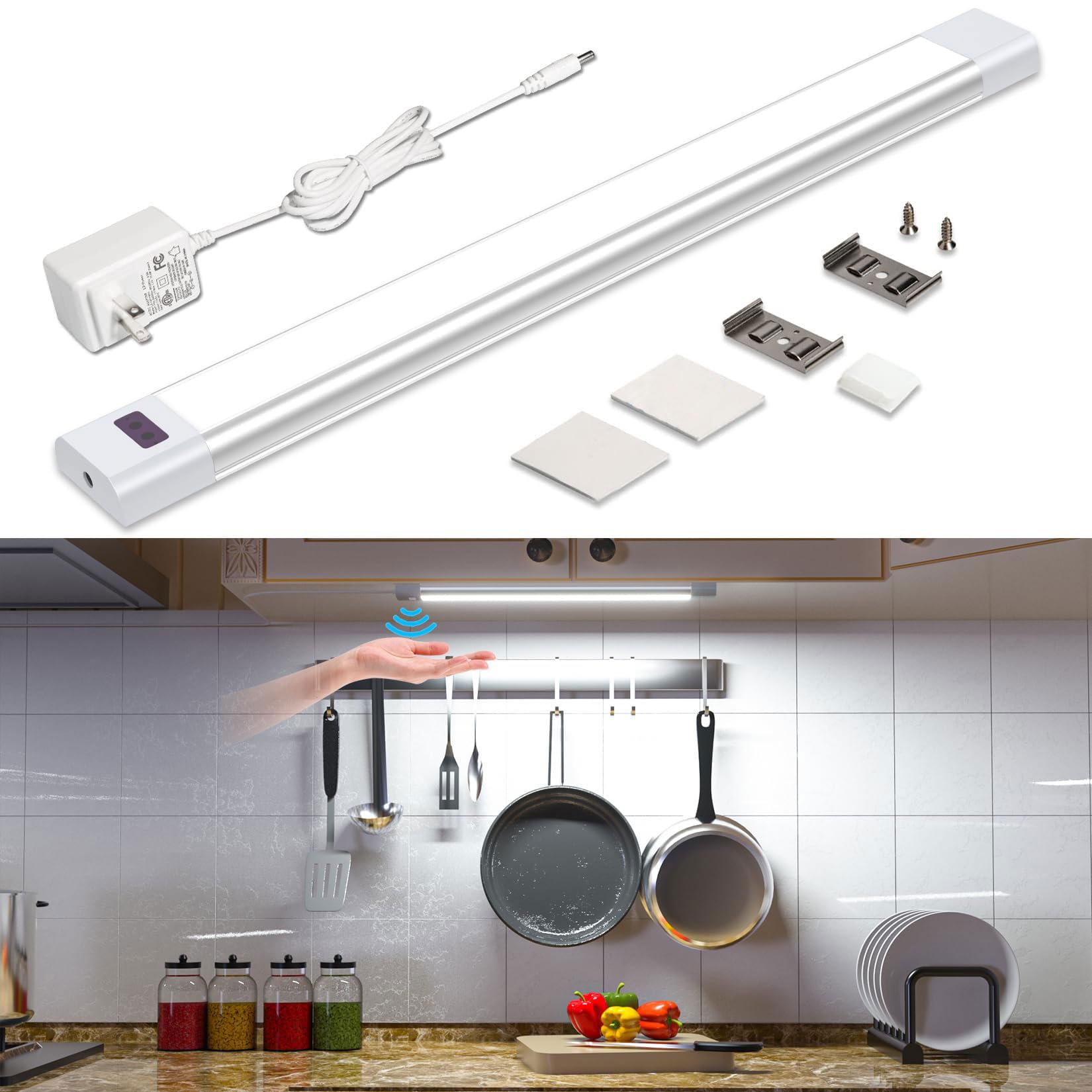
- WOBANE CL15 LED Light Bar
- AC Adapter (1.5m power cable)
- Monteer skroewe
- Adhesive Tapes (3M)
- Mounting Brackets (Clips)
3. Opstelling en installering
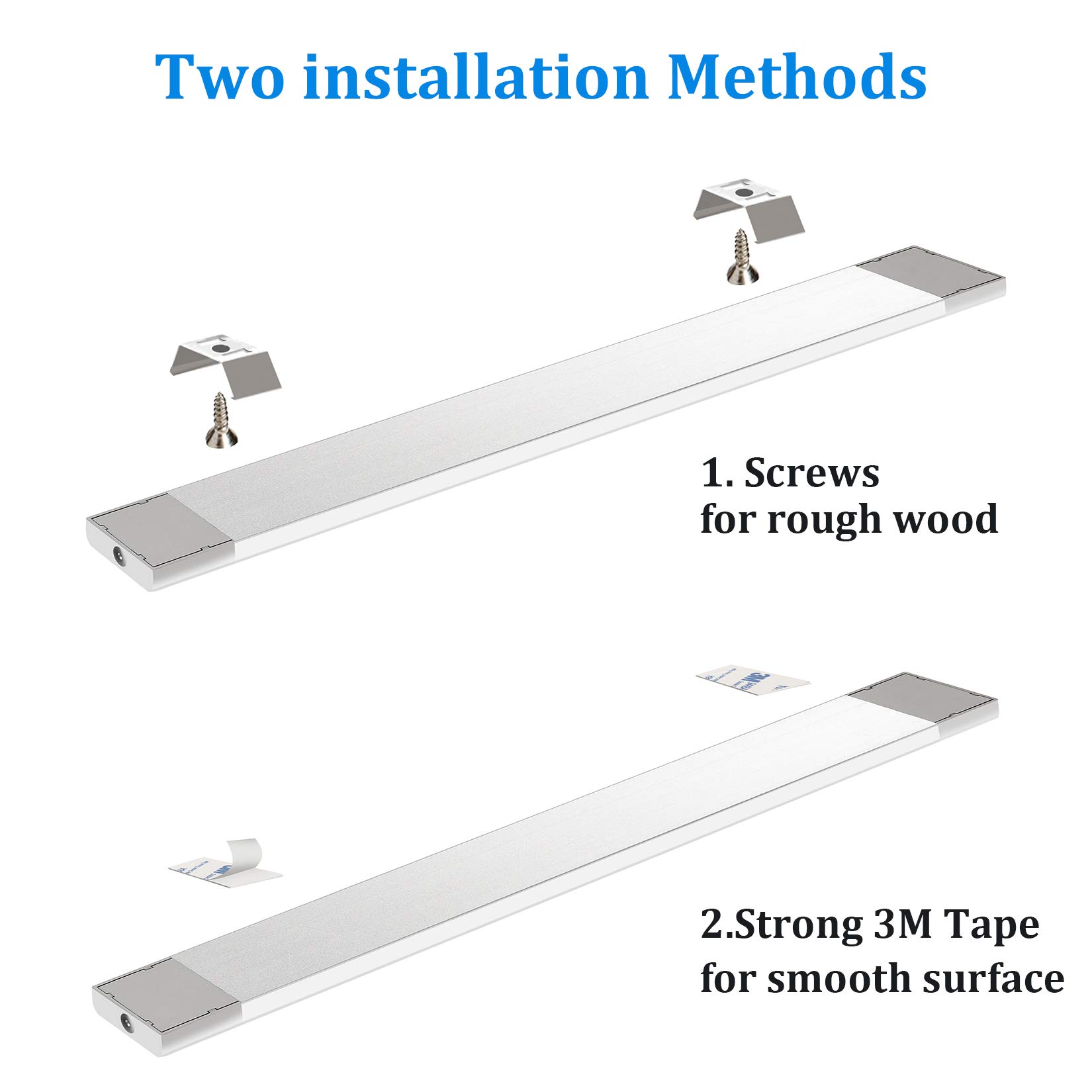
The WOBANE CL15 offers two primary installation methods: adhesive tape for smooth surfaces and screws for more permanent mounting on rough wood.
3.1. Adhesive Tape Installation (for smooth surfaces)
- Maak die oppervlak skoon: Ensure the mounting surface is clean, dry, and free of dust or grease for optimal adhesion.
- Attach Adhesive Tapes: Peel off the protective backing from the 3M adhesive tapes and firmly press them onto the back of the light bar, typically near the ends.
- Monteer die ligbalk: Peel off the remaining backing from the adhesive tapes on the light bar. Carefully align the light bar with your desired mounting location and press firmly for at least 30 seconds to secure it.
3.2. Screw Installation (for rough wood surfaces or permanent mounting)
- Merk Montagepunte: Hold the light bar in the desired position and mark the locations for the mounting brackets.
- Installeer hakies: Use the provided screws to attach the mounting brackets to the marked points. Ensure the brackets are securely fastened.
- Attach Light Bar: Snap the light bar into the installed mounting brackets. Ensure it is securely seated.
3.3. Kragverbinding
- Koppel kragkabel: Plug the power cable from the AC adapter into either end of the light bar. The light bar is designed to be powered from both ends for flexibility.
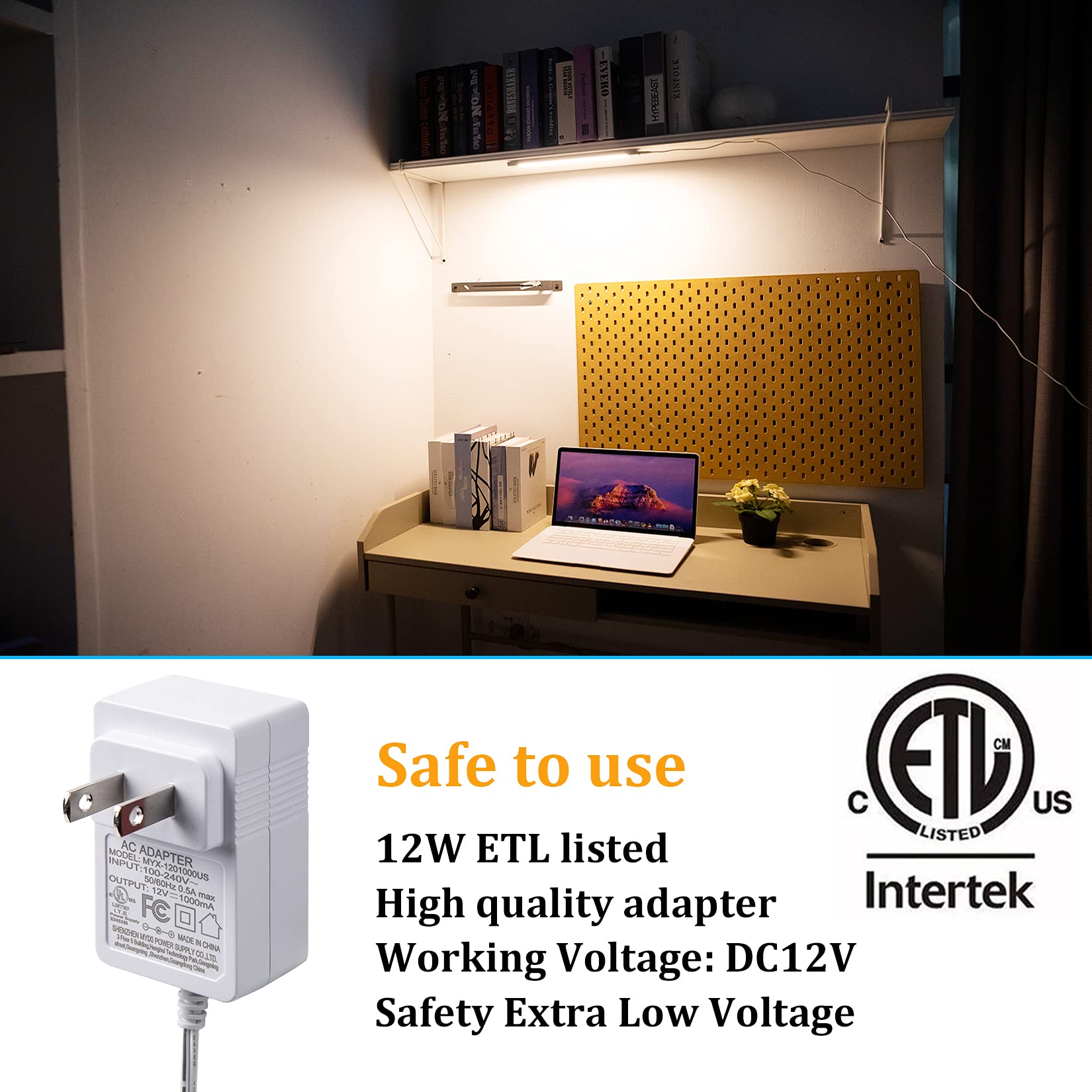
- Prop in uitlaat: Prop die AC-adapter in 'n standaard muuraansluiting.
4. Bedryfsinstruksies
The WOBANE CL15 features an intelligent IR sensor for hands-free operation.
4.1. Skakel aan/af
- Om aan te sit: Wave your hand once under the sensor (located on the light bar).
- Om af te sit: Wave your hand once again under the sensor.
4.2. Dimming the Light
- Om te dim: With the light ON, hold your hand steadily under the sensor. The brightness will gradually adjust between 8% and 100%. Release your hand when the desired brightness level is reached.


5. Onderhoud
To ensure the longevity and optimal performance of your WOBANE CL15 light bar, follow these simple maintenance guidelines:
- Skoonmaak: Gently wipe the light bar with a soft, dry cloth. Avoid using abrasive cleaners, solvents, or harsh chemicals, as these can damage the finish or electronic components.
- Sensor sorg: Keep the hand wave sensor area clean and unobstructed to ensure proper functionality. Dust or debris on the sensor may affect its responsiveness.
- Kragontkoppeling: Always unplug the light bar from the power outlet before cleaning or performing any maintenance.
- Vermy waterblootstelling: This product is designed for indoor use and is not water-resistant. Avoid exposing it to water or high humidity.
6. Probleemoplossing
If you encounter any issues with your WOBANE CL15 light bar, please refer to the following troubleshooting tips:
- Lig skakel nie aan nie:
- Ensure the AC adapter is securely plugged into both the light bar and a working wall outlet.
- Kontroleer of die kragaansluiting funksioneel is deur 'n ander toestel in te prop.
- Hand Wave Sensor Not Responding:
- Ensure there are no obstructions directly in front of or above the sensor.
- Try waving your hand slowly and steadily within 1-2 inches of the sensor.
- Clean the sensor area to remove any dust or smudges.
- Lig flikker of dof onverwags:
- This could be due to interference with the sensor. Ensure no objects are constantly moving near the sensor.
- Kontroleer vir stabiele kragtoevoer.
- Light is Not Bright Enough:
- Use the dimming function (hold hand under sensor) to increase brightness to 100%.
If these steps do not resolve the issue, please contact WOBANE customer support for further assistance.
7. Spesifikasies
| Kenmerk | Spesifikasie |
|---|---|
| Handelsmerk | WOBANE |
| Model Naam | CL15 |
| Kleur | Sliver&White (6000K) |
| Materiaal | Aluminium |
| Produk afmetings | 1.2 cm L x 12 cm B x 0.39 cm H |
| Item gewig | 5.3 onse (150 gram) |
| Kragbron | AC Adapter |
| Wattage | 5 watt |
| Voltage | 240 Volts (Input to adapter) |
| Ligbrontipe | LED |
| Ligte Kleur | 6000K Wit |
| Helderheid | 280 Lumen |
| Kleurweergawe-indeks (CRI) | 83.00 |
| Beheer metode | Handgolfsensor |
| Spesiale kenmerke | Dimmable, Energy Efficient, Lightweight, Low Voltage |
| Installasie tipe | Hardware Mount, Adhesive Mount |
| Binne/buiteluggebruik | Binneshuise |
8. Waarborg en Ondersteuning
WOBANE is committed to providing high-quality products and customer satisfaction. For any warranty claims, technical support, or inquiries regarding your CL15 Hand Wave Activated Under Cabinet Light Bar, please contact WOBANE customer service through the retailer's platform or the official WOBANE webwebwerf.
Bewaar asseblief u aankoopbewys vir waarborgdoeleindes.