
Inleiding
Dankie vir die aankoopasing the Hoco HC4 5.0 Wireless Bluetooth Sport Speaker. This manual provides detailed instructions for the proper setup, operation, and maintenance of your device. Please read this manual thoroughly before use to ensure optimal performance and to prevent damage.
Produk verbyview
The Hoco HC4 is a portable wireless speaker designed for outdoor and sport use, featuring Bluetooth 5.0 connectivity, multiple playback options, and a robust design.
Pakketinhoud:
- Hoco HC4 Wireless Bluetooth Speaker
- USB-laaikabel
- Gebruikershandleiding
Kontroles en poorte:
Familiarize yourself with the speaker's buttons and connection ports:

Prent: Close-up of the Hoco HC4 speaker showing the AUX port, DC-5V charging port, USB port, TF card slot, and control buttons.
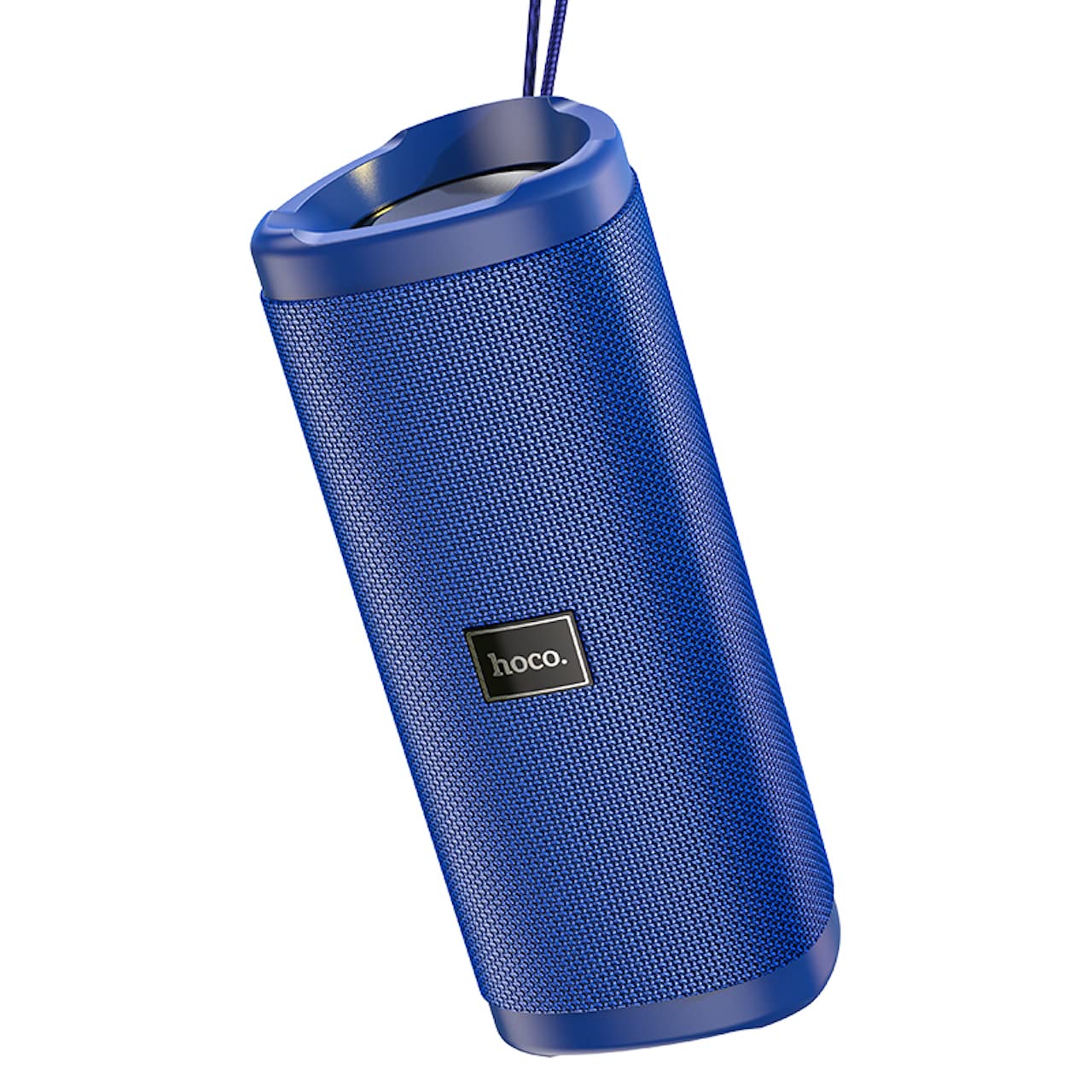
Prent: 'n Hoekige view of the Hoco HC4 blue wireless speaker, highlighting its cylindrical design and fabric mesh.
- Kragknoppie: Press and hold to power on/off. Short press to play/pause.
- Modusknoppie (M): Short press to switch between Bluetooth, FM Radio, TF Card, USB, and AUX modes.
- Volume Verlaag / Vorige Liedjie Knoppie (-): Druk kort vir vorige snit, druk lank om die volume te verlaag.
- Volume op / Volgende snit-knoppie (+): Druk kort vir die volgende snit, druk lank om die volume te verhoog.
- AUX-poort: Vir bedrade klankverbinding met behulp van 'n 3.5 mm-klankkabel.
- GS-5V-poort: Vir die laai van die luidspreker met behulp van die meegeleverde USB-kabel.
- USB-poort: Vir die speel van klank vanaf 'n USB-geheuestokkie.
- TF-kaartgleuf: Vir die speel van klank vanaf 'n TF (MicroSD) kaart.
Opstelling
Aanvanklike laai:
- Laai die luidspreker volledig voor die eerste gebruik.
- Connect the small end of the USB charging cable to the DC-5V port on the speaker.
- Connect the larger end of the USB cable to a USB power adapter (5V/1A recommended) or a computer's USB port.
- Die laai-aanwyserliggie sal tydens laai brand en afskakel wanneer dit volledig gelaai is.
Bedryfsinstruksies
Krag aan/af:
- Om aan te skakel: Press and hold the Power button for approximately 3 seconds. You will hear an audible prompt.
- Om af te skakel: Press and hold the Power button for approximately 3 seconds. You will hear an audible prompt.
Bluetooth-paring:
- Ensure the speaker is powered on and in Bluetooth mode (indicated by a flashing blue LED and an audible prompt). If not, short press the 'M' (Mode) button to switch to Bluetooth mode.
- Aktiveer Bluetooth op jou mobiele toestel (slimfoon, tablet, ens.).
- Soek vir available Bluetooth devices. Select "HC4" from the list.
- Once paired, the blue LED will stop flashing and remain solid, and you will hear a confirmation sound.
- Jy kan nou klank vanaf jou toestel deur die luidspreker speel.
FM -radiomodus:
- Short press the 'M' (Mode) button until you hear the FM radio prompt.
- To auto-scan and save available stations, short press the Power button. The speaker will scan and store stations automatically.
- Use the '-' and '+' buttons to navigate between saved stations.
TF-kaart / USB-terugspeel:
- Insert a TF (MicroSD) card or USB flash drive into the respective slot.
- The speaker will automatically switch to TF card or USB mode and begin playing audio files. If not, short press the 'M' (Mode) button to select the correct mode.
- Use the Power button to play/pause, and the '-' and '+' buttons for track navigation and volume control.
AUX-modus:
- Koppel die een kant van 'n 3.5 mm-klankkabel (nie ingesluit nie) aan die AUX-poort op die luidspreker.
- Connect the other end to the audio output of your device (e.g., laptop, MP3 player).
- Short press the 'M' (Mode) button to switch to AUX mode.
- Audio will now play through the speaker. Volume can be controlled via the speaker or your connected device.
True Wireless Stereo (TWS) Funksie:
The TWS function allows you to pair two Hoco HC4 speakers together for a stereo sound experience.
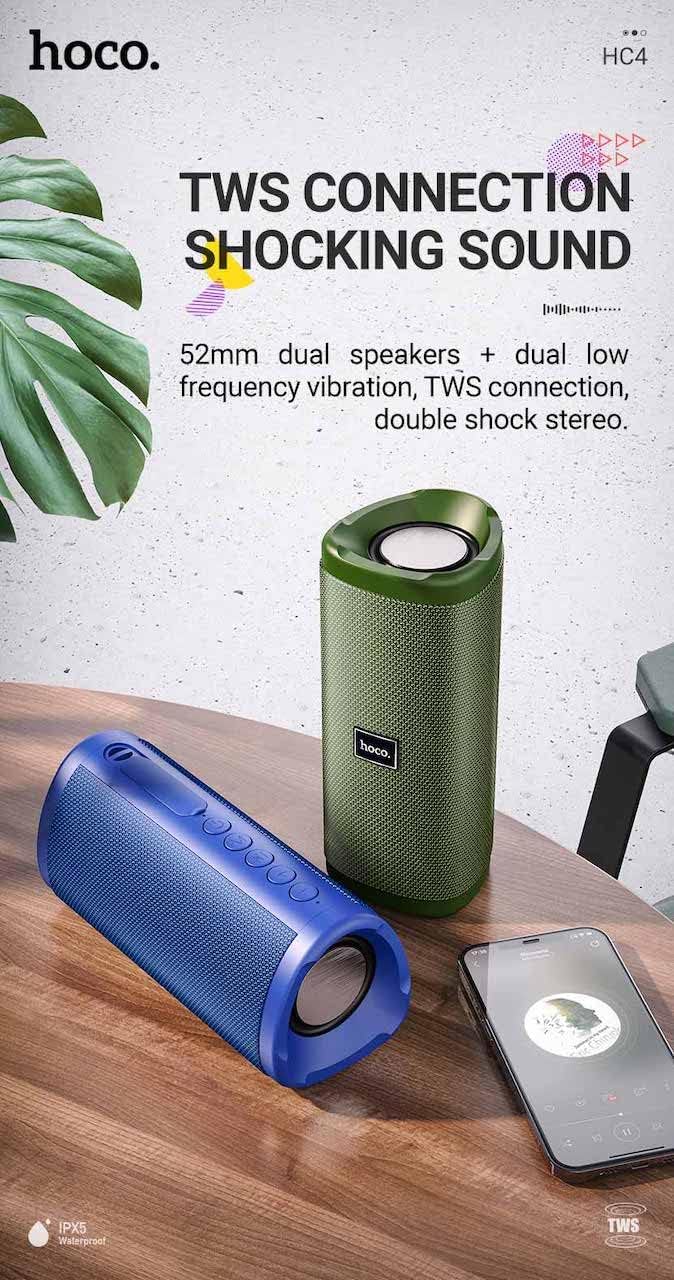
Prent: A promotional image showing two Hoco HC4 speakers (blue and green) connected via TWS, with a smartphone playing music. The image also highlights 'IPX5 Waterproof'.
- Ensure both HC4 speakers are powered on and in Bluetooth pairing mode (flashing blue LED).
- On one of the speakers (this will be the primary speaker), double-press the Power button. You will hear a tone indicating it is searching for another speaker.
- The two speakers will automatically connect to each other. Once connected, you will hear a confirmation sound, and the LED on the primary speaker will flash, while the secondary speaker's LED will be solid.
- Koppel nou jou mobiele toestel aan die primêre luidspreker via Bluetooth soos beskryf in die "Bluetooth-paring"-afdeling.
- Oudio sal nou in stereo deur beide luidsprekers speel.
Laai
When the battery is low, the speaker will emit an audible warning. Connect the speaker to a power source using the provided USB cable to recharge. A full charge takes approximately 2-3 hours. The speaker provides up to 3 hours of playtime on a full charge, depending on volume level and usage.
Onderhoud
Skoonmaak:
Vee die luidspreker af met 'n sagte, droë lap. Moenie skuurmiddels, alkohol of ander chemiese oplosmiddels gebruik nie, aangesien dit die oppervlak kan beskadig.
Berging:
Store the speaker in a cool, dry place away from direct sunlight and extreme temperatures. If storing for an extended period, charge the battery at least once every three months to prolong its lifespan.
Waterweerstand (IPX5):
The Hoco HC4 speaker features an IPX5 water resistance rating, meaning it is protected against low-pressure water jets from any direction. This makes it suitable for outdoor use and resistant to splashes and light rain. Moenie die luidspreker in water dompel nie. Ensure the port cover is securely closed to maintain water resistance.
Probleemoplossing
| Probleem | Moontlike oorsaak | Oplossing |
|---|---|---|
| Luidspreker skakel nie aan nie | Lae battery; Aan/af-knoppie nie lank genoeg gedruk nie | Charge the speaker; Press and hold the Power button for 3 seconds |
| Geen klank nie | Volume te laag; Verkeerde modus; Toestel nie gekoppel nie | Increase volume; Switch to correct mode (Bluetooth, AUX, etc.); Ensure device is paired/connected |
| Bluetooth-samestelling misluk | Luidspreker nie in paringsmodus nie; Toestel se Bluetooth af; Te ver van luidspreker af | Ensure speaker is in Bluetooth mode (flashing LED); Turn on device Bluetooth; Move device closer (within 10m) |
| TWS -paring misluk | Speakers not in TWS pairing mode; Too far apart | Ensure both speakers are in Bluetooth mode, then double-press Power button on one; Keep speakers close during TWS pairing |
Spesifikasies

Prent: The Hoco HC4 speaker with its dimensions clearly marked: 20 cm in length, 8.8 cm in height, and 8.1 cm in width.
- Handelsmerk: Hoco
- Model: HC4
- Bluetooth weergawe: 5.0
- Uitset krag: 10 W
- Luidsprekergrootte: 52 mm
- Battery kapasiteit: 1500mAh
- Speeltyd: Ongeveer 3 uur (teen 80% volume)
- Laai tyd: Ongeveer 2-3 uur
- Afmetings: 200 x 88 x 81 mm (Length x Height x Width)
- Gewig: 540 gram
- Verbindingsopsies: Bluetooth, FM Radio, TF Card, USB, AUX
- Waterweerstand: IPX5 (Spatbestand)
- Beheer tipe: Knoppie
Veiligheidsinligting
- Moenie die luidspreker vir lang tye aan uiterste temperature of direkte sonlig blootstel nie.
- Vermy om die luidspreker te laat val of aan sterk impakte te onderwerp.
- Keep the speaker away from water and liquids, especially when ports are open.
- Moenie probeer om die luidspreker self uitmekaar te haal, te herstel of te wysig nie. Dit sal die waarborg ongeldig maak en kan skade veroorsaak.
- Gebruik slegs die gespesifiseerde laaivolumetage (DC 5V) and the provided charging cable.
- Hou buite bereik van kinders.
Waarborg en Ondersteuning
This product is covered by a standard manufacturer's warranty. For specific warranty terms and conditions, please refer to the warranty card included with your purchase or contact your local retailer. For technical support or service inquiries, please contact Hoco customer service or the authorized distributor in your region.