
1. Inleiding
This manual provides detailed instructions for the safe and efficient use of your Hoco HC3 Bounce Sports Wireless Speaker. Please read this manual thoroughly before operating the device and retain it for future reference. The Hoco HC3 is a versatile portable speaker supporting Bluetooth, FM radio, TF card, USB, AUX, and TWS modes.

Figure 1: Hoco HC3 Bounce Sports Wireless Speaker. This image displays the speaker in a vertical orientation, showcasing its black mesh grille, the 'hoco' logo at the bottom right, and a braided carrying strap attached to the top left side. The control buttons are visible on the side panel.
2. Pakketinhoud
Maak seker dat alle items teenwoordig is wanneer u dit uitpak:
- Hoco HC3 Bounce Sports Wireless Speaker
- USB-laaikabel
- Gebruikershandleiding (hierdie dokument)
- AUX Audio Cable (if included with your model)
3. Produk verbyview
3.1 Luidsprekerkomponente

Figure 2: Rear panel of the Hoco HC3 speaker. This image highlights the various input ports and control buttons located on the back of the speaker. Visible elements include the power switch, USB port, TF card slot, AUX input, and LED indicator.
Maak jouself vertroud met die luidspreker se kontroles en poorte:
- Kragknoppie: Long press to power on/off. Short press to switch modes.
- Speel/Pause-knoppie: Speel of onderbreek oudio. Beantwoord/beëindig oproepe.
- Volume op / Volgende snit-knoppie: Druk kort vir die volgende snit, druk lank vir volume hoër.
- Volume Verlaag / Vorige Liedjie Knoppie: Kort druk vir vorige snit, lank druk vir volume af.
- Modusknoppie (M): Short press to cycle through Bluetooth, FM, TF card, USB, and AUX modes.
- USB-poort: Vir USB-skyf-terugspeel.
- TF-kaartgleuf: Vir TF (MicroSD) kaartweergawe.
- AUX-invoer: 3.5 mm-aansluiting vir bedrade klankverbinding.
- Laaipoort: Mikro-USB-poort vir die laai van die luidspreker.
- LED-aanwyser: Displays charging status and operating mode.
3.2 Sleutelkenmerke
- Bluetooth V5.0: Verskaf stabiele en doeltreffende draadlose konnektiwiteit.
- Veelvuldige afspeelmodusse: Supports Bluetooth, FM radio, TF card, USB drive, and AUX input.
- Ware draadlose stereo (TWS): Allows two HC3 speakers to connect wirelessly for a stereo sound experience.
- Lang batterylewe: 2400mAh battery capacity offers up to 5 hours of music playback.
- Dubbele luidsprekers: Equipped with two 45mm speaker units, each with 5W power output.
- Kompak en draagbaar: Dimensions of 202*60*60mm and weight of 561g for easy transport.
4. Opstelling
4.1 Laai die luidspreker
- Koppel die meegeleverde USB-laaikabel aan die luidspreker se laaipoort.
- Connect the other end of the USB cable to a 5V USB power adapter (not included) or a computer's USB port.
- The LED indicator will illuminate to show charging status. It typically takes about 3 hours for a full charge.
- Once fully charged, the LED indicator will change or turn off (refer to specific LED behavior in the troubleshooting section if unsure).
Let wel: Vir optimale batterylewe, laai die luidspreker volledig voor die eerste gebruik.
4.2 Aan-/afskakel
- Om aan te skakel: Long press the Power button until you hear an audible prompt and the LED indicator lights up.
- Om af te skakel: Long press the Power button again until you hear an audible prompt and the LED indicator turns off.
5. Bedryfsinstruksies
5.1 Bluetooth -koppeling
- Ensure the speaker is powered on and in Bluetooth mode (the LED indicator will typically flash blue, indicating it's ready for pairing). If not, short press the Mode (M) button to switch to Bluetooth mode.
- Aktiveer Bluetooth op jou mobiele toestel (slimfoon, tablet, rekenaar).
- Soek vir available Bluetooth devices. You should see "HC3" or "Hoco HC3" in the list.
- Select "HC3" to connect. Once paired, the speaker will emit an audible confirmation, and the LED indicator will stop flashing and remain solid blue.
- Jy kan nou klank vanaf jou toestel deur die luidspreker speel.
Let wel: Die luidspreker sal outomaties probeer om weer met die laaste gekoppelde toestel te verbind wanneer dit aangeskakel word, indien daardie toestel se Bluetooth aktief en binne bereik is.
5.2 FM-radiomodus
- Skakel die luidspreker aan.
- Short press the Mode (M) button repeatedly until you enter FM radio mode.
- To auto-scan and save available FM stations, short press the Play/Pause button. The speaker will scan and store stations.
- Use the Volume Up / Next Track and Volume Down / Previous Track buttons to navigate between saved stations.
5.3 TF-kaart / USB-terugspeel
- Skakel die luidspreker aan.
- Insert a TF (MicroSD) card into the TF card slot or a USB flash drive into the USB port.
- The speaker should automatically switch to TF card or USB mode and begin playing audio files. If not, short press the Mode (M) button to select the correct mode.
- Use the Play/Pause, Volume Up / Next Track, and Volume Down / Previous Track buttons to control playback.
Note: Ensure your TF card or USB drive contains compatible audio files (e.g., MP3 format).
5.4 AUX-modus
- Skakel die luidspreker aan.
- Connect one end of a 3.5mm audio cable (if included) to the speaker's AUX input port.
- Connect the other end of the audio cable to the audio output jack of your external device (e.g., MP3 player, computer).
- The speaker should automatically switch to AUX mode. If not, short press the Mode (M) button to select AUX mode.
- Control playback from your external device. Volume can be adjusted on both the speaker and the external device.
5.5 TWS (Ware Draadlose Stereo) Funksie
The TWS function allows you to pair two Hoco HC3 speakers together for a true stereo sound experience.
- Ensure both HC3 speakers are powered off.
- Power on both speakers simultaneously. They should both enter Bluetooth pairing mode.
- On een of the speakers (this will become the primary speaker), long press the Mode (M) button or a dedicated TWS button (if present, otherwise try the Play/Pause button for 3-5 seconds) until you hear a pairing tone. The speakers will attempt to connect to each other.
- Once successfully paired, you will hear a confirmation tone, and one speaker's LED will indicate it's the primary (e.g., flashing slowly), while the other's LED will be solid.
- Koppel nou jou mobiele toestel aan die primêre speaker via Bluetooth as described in section 5.1.
- Oudio sal nou in stereo deur beide luidsprekers speel.
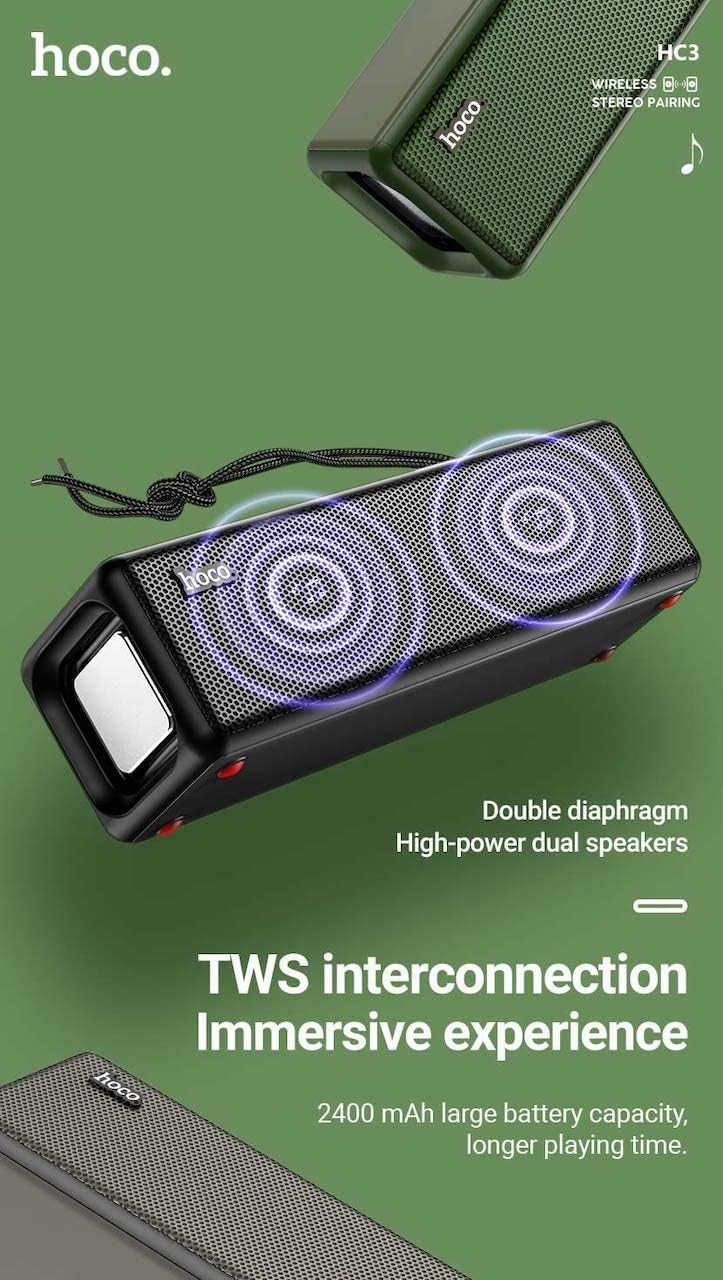
Figure 3: TWS Interconnection. This image illustrates the concept of two Hoco HC3 speakers wirelessly connected to provide a stereo audio experience, highlighting the dual speaker setup and the 2400 mAh battery capacity.
5.6 Oproephantering
Wanneer dit via Bluetooth aan 'n slimfoon gekoppel is:
- Beantwoord oproep: Druk kort op die Speel/Pause-knoppie.
- Beëindig oproep: Druk kort op die Speel/Pause-knoppie tydens 'n oproep.
- Verwerp oproep: Druk die Speel/Pause-knoppie lank wanneer 'n inkomende oproep lui.
- Herbel laaste nommer: Dubbeldruk die Speel/Pause-knoppie.
6. Onderhoud
- Skoonmaak: Use a soft, dry cloth to clean the speaker's surface. Do not use abrasive cleaners, alcohol, or other chemical solvents.
- Berging: Bêre die luidspreker op 'n koel, droë plek weg van direkte sonlig en uiterste temperature.
- Batterysorg: To prolong battery life, charge the speaker regularly, even if not in use for extended periods (e.g., once every 3 months). Avoid fully discharging the battery frequently.
- Waterweerstand: While designed for sports, avoid submerging the speaker in water. Refer to product specifications for any IP rating.
- Vermy impak: Protect the speaker from drops and strong impacts.
7. Probleemoplossing
If you encounter issues with your Hoco HC3 speaker, refer to the following table for common problems and solutions:
| Probleem | Moontlike oorsaak | Oplossing |
|---|---|---|
| Luidspreker skakel nie aan nie. | Lae battery. | Laai die luidspreker vir ten minste 30 minute. |
| Kan nie via Bluetooth koppel nie. | Bluetooth nie geaktiveer op toestel nie; luidspreker nie in paringsmodus nie; te ver van toestel af. | Ensure Bluetooth is on, speaker is in pairing mode (flashing blue LED), and devices are within 10 meters. Forget "HC3" on your device and try pairing again. |
| Geen klank nie. | Volume too low; incorrect mode selected; device not playing audio. | Increase volume on both speaker and connected device. Verify correct mode (Bluetooth, AUX, TF, USB). Ensure audio is playing on the source device. |
| FM-radio-ontvangs is swak. | Swak sein; omgewingsinmenging. | Move the speaker to a location with better reception. Re-scan for stations. |
| TF-kaart/USB-terugspeel werk nie. | Card/drive not inserted correctly; incompatible file formaat; korrup files. | Ensure card/drive is fully inserted. Check file formats (MP3 recommended). Try another card/drive. |
| TWS-paring misluk. | Luidsprekers nie in TWS-paringsmodus nie; te ver uitmekaar. | Ensure both speakers are powered on and in TWS pairing mode. Keep them close during pairing. Refer to section 5.5. |
8. Spesifikasies
| Kenmerk | Detail |
|---|---|
| Model | HC3 |
| Afmetings | 202 x 60 x 60 mm |
| Gewig | 561 g |
| Bluetooth weergawe | V5.0 (Chip: JLAC6928B) |
| Battery kapasiteit | 2400mAh |
| Laai tyd | Ongeveer 3 uur |
| Gesels-/musiektyd | Tot 5 uur |
| Luidsprekereenheid | 45 mm * 2 |
| Luidspreker se kraguitset | 5W * 2 |
| Verbindingsmodusse | Bluetooth, FM, TF card, USB, AUX, TWS |
| Klankuitvoermodus | Omring |
| Vervaardiger | Hoco |
| Land van oorsprong | China |
9. Waarborg en Ondersteuning
Hoco products are manufactured to high quality standards. For information regarding warranty coverage, please refer to the warranty card included with your purchase or contact your local Hoco distributor or retailer. Keep your proof of purchase for any warranty claims.
For technical support or further assistance, please visit the official Hoco website or contact their customer service department. Contact details are typically available on the product packaging or the official webwebwerf.