
Hoco HC4
User Manual for Hoco HC4 Wireless Bluetooth Sports Speaker
Model: HC4 | Brand: Hoco
Inleiding
Thank you for choosing the Hoco HC4 Wireless Bluetooth Sports Speaker. This manual provides comprehensive instructions to help you understand, set up, operate, and maintain your speaker. Please read this manual carefully before use and keep it for future reference.
Veiligheidsinligting
- Moenie die luidspreker blootstel aan uiterste temperature, direkte sonlig of hoë humiditeit nie.
- Vermy om die luidspreker te laat val of aan sterk impakte te onderwerp.
- Moenie die luidspreker self uitmekaar haal, herstel of wysig nie. Kontak gekwalifiseerde dienspersoneel vir hulp.
- Keep the speaker away from water and other liquids, especially during charging.
- Gebruik slegs die gespesifiseerde laaikabel en adapter.
Pakketinhoud
Kontroleer asseblief die inhoud van die pakket na uitpak:
- Hoco HC4 Wireless Bluetooth Sports Speaker
- USB-laaikabel
- Gebruikershandleiding
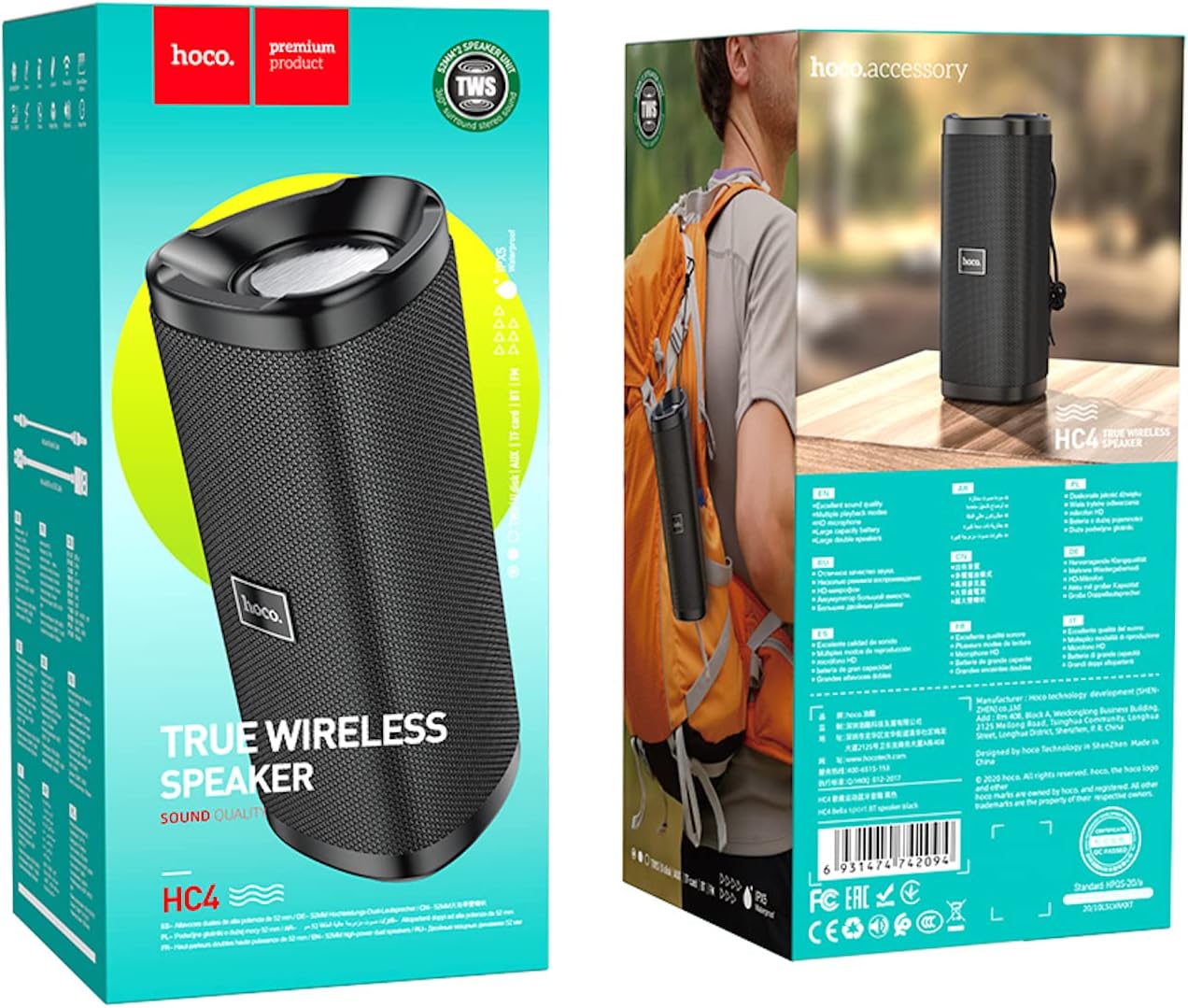
Image: The retail packaging of the Hoco HC4 speaker, showing the speaker and its box.
Produk verbyview
Familiarize yourself with the components and controls of your Hoco HC4 speaker.

Beeld: Voorkant view of the Hoco HC4 wireless Bluetooth speaker, showcasing its cylindrical design and mesh grille with the 'hoco.' logo.

Beeld: Sykant view of the Hoco HC4 speaker, showing the control buttons (power, mode, volume/track skip) and the speaker grille.

Beeld: Nabyskoot view of the Hoco HC4 speaker's input ports, including AUX, DC-5V charging, USB, and TF card slot, protected by a rubber flap.
Opstelling
1. Laai die luidspreker op
Before first use, fully charge the speaker. Connect the provided USB charging cable to the DC-5V port on the speaker and the other end to a USB power adapter (not included) or a computer USB port.
- Die laai-aanwyserliggie sal tydens laai brand.
- The light will turn off or change color when charging is complete.
- Laaityd is ongeveer 2-3 uur.
2. Skakel aan/af
- Om aan te skakel: Druk en hou die Power-knoppie (⏻) for 2-3 seconds until you hear a power-on prompt.
- Om af te skakel: Druk en hou die Power-knoppie (⏻) for 2-3 seconds until you hear a power-off prompt.
3. Bluetooth-koppeling
- Maak seker dat die luidspreker aangeskakel en in Bluetooth-paringsmodus is (aangedui deur 'n flikkerende blou LED).
- Aktiveer Bluetooth op jou mobiele toestel (slimfoon, tablet, ens.).
- Soek vir available Bluetooth devices. You should see "HC4" in the list.
- Select "HC4" to connect. Once paired, the LED indicator will stop flashing and remain solid blue, and you will hear a confirmation sound.
- Die luidspreker sal outomaties weer aan die laaste gekoppelde toestel koppel wanneer dit aangeskakel word, indien die toestel binne bereik is en Bluetooth geaktiveer is.
4. Connecting via AUX/USB/TF Card
- AUX-modus: Insert a 3.5mm audio cable into the AUX port on the speaker and the other end into your audio source. The speaker will automatically switch to AUX mode.
- USB Drive-modus: Steek 'n USB-geheuestokkie in die USB-poort. Die luidspreker sal outomaties klank opspoor en speel. files van die ry.
- TF-kaartmodus: Insert a TF (microSD) card into the TF card slot. The speaker will automatically detect and play audio files van die kaart.
- Use the Mode button (M) to switch between Bluetooth, AUX, USB, TF Card, and FM Radio modes.
5. TWS (True Wireless Stereo) Pairing (Optional)
If you have two Hoco HC4 speakers, you can pair them together for a true wireless stereo experience.
- Ensure both HC4 speakers are powered on and not connected to any Bluetooth device.
- On one speaker (this will be the primary speaker), double-press the Mode button (M). You will hear a prompt indicating TWS pairing mode.
- Die twee luidsprekers sal outomaties na mekaar soek en aan mekaar koppel. Sodra hulle gekoppel is, sal jy 'n bevestigingsgeluid hoor.
- Now, connect your mobile device to the primary speaker via Bluetooth as described in step 3. Audio will play through both speakers in stereo.
Bedryfsinstruksies
1. Musiekweergawe
- Speel/pouse: Druk kort op die Speel/Pause-knoppie (▶‖).
- Volgende snit: Long press the Volume Up button (+).
- Vorige snit: Long press the Volume Down button (-).
2. Volumebeheer
- Volume op: Druk kort op die Volume Op-knoppie (+).
- Volume af: Druk kort op die Volume Af-knoppie (-).
3. Oproepfunksies (Bluetooth-modus)
- Beantwoord oproep: Druk kort op die Speel/Pause-knoppie (▶‖) when an incoming call rings.
- Beëindig oproep: Druk kort op die Speel/Pause-knoppie (▶‖) tydens 'n oproep.
- Verwerp oproep: Druk die Speel/Pause-knoppie lank (▶‖) when an incoming call rings.
- Herbel laaste nommer: Dubbeldruk die Speel/Pause-knoppie (▶‖).
4. FM-radiomodus
- Press the Mode button (M) to switch to FM Radio mode.
- Druk kort op die Speel/Pause-knoppie (▶‖) om beskikbare FM-stasies outomaties te skandeer en te stoor.
- Druk kort op die Volume Op (+) of laer volume (-) buttons to switch between saved stations.
Onderhoud
- Skoonmaak: Gebruik 'n sagte, droë lap om die luidspreker skoon te maak. Moenie skuurmiddels of oplosmiddels gebruik nie.
- Berging: Bêre die luidspreker op 'n koel, droë plek weg van direkte sonlig en uiterste temperature.
- Batterysorg: Om die batterylewe te verleng, laai die luidspreker ten minste een keer elke drie maande indien dit nie gereeld gebruik word nie. Vermy om die battery gereeld volledig te ontlaai.
Probleemoplossing
| Probleem | Moontlike oorsaak | Oplossing |
|---|---|---|
| Luidspreker skakel nie aan nie. | Lae battery. | Laai die luidspreker volledig. |
| Kan nie via Bluetooth koppel nie. | Luidspreker nie in paringsmodus nie; toestel Bluetooth af; te ver van toestel. | Ensure speaker is in pairing mode (flashing blue LED). Turn on Bluetooth on your device. Move speaker closer to device (within 10 meters). |
| Geen klank nie. | Volume te laag; verkeerde modus; toestel nie gekoppel nie. | Increase speaker and device volume. Ensure correct mode (Bluetooth, AUX, etc.). Reconnect device. |
| Swak FM-radio-ontvangs. | Swak sein. | Move to an open area or adjust speaker position. |
Spesifikasies
| Kenmerk | Detail |
|---|---|
| Handelsmerk | Hoco |
| Model Naam | HC4 |
| Verbindingstegnologie | Bluetooth, FM, TF card, U disk, AUX, TWS |
| Bluetooth weergawe | 5.0 |
| Maksimum luidspreker-uitsetkrag | 10 watt |
| Battery kapasiteit | 1500 mAh |
| Bedryfstyd | 3 uur |
| Produk afmetings | 20 x 8.1 x 8.8 cm |
| Item gewig | 540 gram |
| Klankuitvoermodus | Omring |
| Montage tipe | Tafelblad |
| Tipe luidspreker | Buitelug |
| Spesiale kenmerke | Support Bluetooth, FM, TF card, U disk, AUX, TWS |
| Aanbevole gebruike | For Surround Sound Systems, For Smartphones or Tablets, For Music Players |
| Versoenbare toestelle | Veelvuldige |
| Vervaardiger | Hoco |
| Eerste Beskikbare Datum | 22 Maart 2021 |

Image: Diagram showing the dimensions of the Hoco HC4 speaker: 20cm length, 8.1cm width, and 8.8cm height.

Image: Lifestyle image of the Hoco HC4 speaker attached to a bicycle handlebar, illustrating its use for outdoor activities with text highlighting "Outdoor Riding" and "Long-lasting Battery Life (1500mAh)".
Waarborg en Ondersteuning
Hoco products are designed and manufactured to the highest quality standards. For warranty information and technical support, please refer to the warranty card included in your package or visit the official Hoco webwebwerf. Bewaar u aankoopbewys as bewys van aankoop vir waarborgeise.
For further assistance, please contact Hoco customer service.
Ask a question about this manual
Ask about setup, troubleshooting, compatibility, parts, safety, or missing instructions. Manuals+ will review the question and use this page’s manual context to help answer it.