
Inleiding
The Sharkoon Skiller SGK30 is a mechanical gaming keyboard designed for performance and durability. It features customizable RGB lighting, N-Key rollover, and a 1000Hz polling rate for responsive gameplay and typing. This manual provides essential information for setting up, operating, and maintaining your keyboard.

Image: Sharkoon Skiller SGK30 Mechanical Gaming Keyboard banner displaying the product name and type.
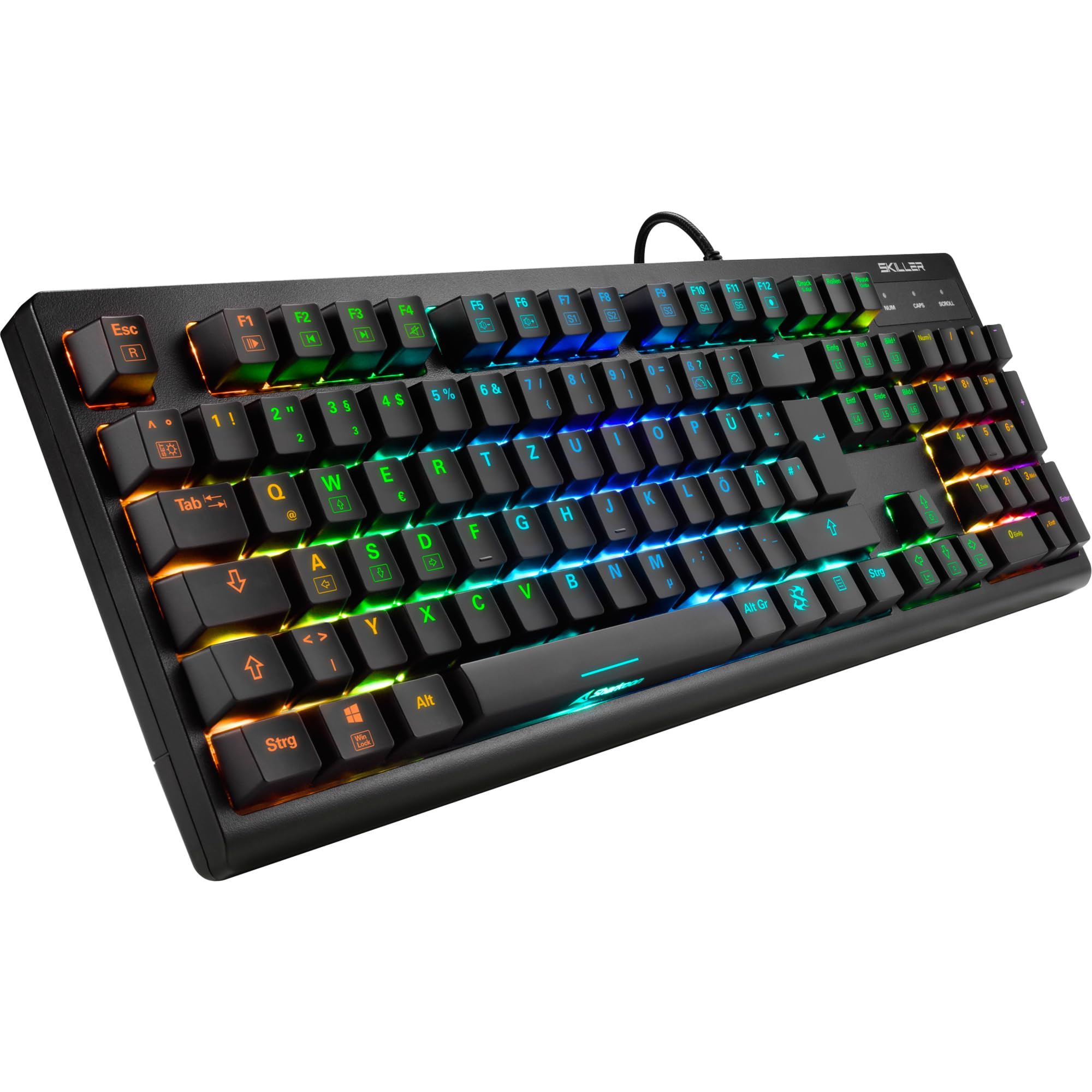
Beeld: 'n Bo-na-onder view of the Sharkoon Skiller SGK30 mechanical gaming keyboard, showcasing sy volle uitleg en lewendige RGB-agterbeligting.
Produk verbyview Video
Video: 'n Amptelike produk verbyview of the Sharkoon Skiller SGK30 Mechanical Gaming Keyboard, demonstrating its features, RGB lighting effects, and mechanical switches.
Opstelling
Follow these steps to set up your Sharkoon Skiller SGK30 keyboard:
- Pak die sleutelbord uit: Carefully remove the keyboard and the included USB cable from its packaging.
- Koppel aan rekenaar: Plug the Micro USB end of the cable into the keyboard's port and the standard USB-A end into an available USB port on your computer.
- Bestuurder installasie: The keyboard is plug-and-play. Your operating system (Windows 10 or later recommended) should automatically detect and install the necessary drivers.
- Sagteware-installasie (opsioneel): For advanced customization of RGB lighting and key assignments, download the official Sharkoon software from the manufacturer's webwebwerf.

Image: The Sharkoon Skiller SGK30 keyboard positioned on a desk, ready for connection.
Bedryfsinstruksies
Basiese sleutelfunksies
The Sharkoon Skiller SGK30 features a standard layout with additional function keys accessible via the FN sleutel.
- FN + F1-F12: Access multimedia controls (e.g., play/pause, volume up/down, mute).
- FN + Windows-sleutel: Lock/unlock the Windows key to prevent accidental presses during gaming.
- N-sleutel oorrol: All keys are registered simultaneously, ensuring every keystroke is detected, even during rapid input.
RGB -beligtingskontrole
The keyboard offers extensive RGB lighting customization. Use the following combinations to adjust lighting effects:
- FN + Insert/Home/Page Up/Delete/End/Page Down: Cycle through various pre-programmed lighting effects.
- FN + Arrow Keys (Up/Down): Adjust brightness levels of the lighting.
- FN + Arrow Keys (Left/Right): Pas die spoed van dinamiese beligtingseffekte aan.
- Custom Illumination: Use the dedicated software for advanced per-key lighting customization.

Beeld: 'n Nabyskoot view of the keyboard keys highlighting the adjustable RGB illumination capabilities.
Sagteware aanpassing
For advanced settings, macro programming, and detailed RGB customization, download and install the Sharkoon Skiller SGK30 software from the official Sharkoon webwebwerf. Die sagteware laat jou toe om:
- Create and save custom lighting profiles.
- Program macros for specific keys.
- Remap key functions.

Image: A screenshot showing the graphical user interface of the Sharkoon Skiller SGK30 customization software, illustrating various options for lighting and key remapping.
Onderhoud
Behoorlike onderhoud verseker die lang lewensduur en werkverrigting van jou sleutelbord:
- Skoonmaak: Use a soft, dry cloth to wipe the surface of the keyboard. For deeper cleaning, use compressed air to remove dust and debris from between the keycaps.
- Verwydering van sleuteldop: If necessary, keycaps can be carefully removed using a keycap puller (not included) for thorough cleaning of the switches. Reinstall keycaps by pressing them firmly onto the switch stems.
- Vermy vloeistowwe: Moenie die sleutelbord aan vloeistowwe blootstel nie. Indien dit gemors word, ontkoppel die sleutelbord onmiddellik en laat dit heeltemal droog word voordat dit weer gekoppel word.
- Berging: Bêre die sleutelbord op 'n koel, droë plek weg van direkte sonlig en uiterste temperature.

Beeld: 'n Nabyskoot view of the mechanical switches on the Sharkoon Skiller SGK30 keyboard, illustrating their design for durability and ease of maintenance. Note: This model is available with Red switches, while the image shows Blue switches.
Probleemoplossing
If you encounter issues with your Sharkoon Skiller SGK30 keyboard, refer to the following common solutions:
| Probleem | Moontlike oorsaak | Oplossing |
|---|---|---|
| Sleutelbord reageer nie | Los USB-verbinding, foutiewe USB-poort, drywerprobleem. |
|
| RGB-beligting werk nie of is verkeerd | Lighting settings incorrect, software conflict. |
|
| Sleutels registreer nie | Stof/rommel onder sleuteldop, foutiewe skakelaar. |
|
Spesifikasies
| Kenmerk | Detail |
|---|---|
| Handelsmerk | Haai |
| Modelnommer | 4044951030026 |
| Tipe sleutelbord | Meganiese spel sleutelbord |
| Skakel Tipe | Red Switch (Blue switches are also available for this model series) |
| Konnektiwiteit | Mikro USB |
| Stemmingskoers | 1000Hz |
| N-sleutel omrol | Ondersteun |
| RGB beligting | Customizable RGB |
| Bedryfstelsel | Windows 10 (and compatible with other Windows versions) |
| Afmetings (LxBxH) | 44 x 14.4 x 3.5 cm |
| Gewig | 867 g |
Wat is in die boks
The Sharkoon Skiller SGK30 package includes:
- Sharkoon Skiller SGK30 Mechanical Gaming Keyboard
- USB kabel
Waarborg en Ondersteuning
For warranty information and technical support, please refer to the official Sharkoon webwebwerf of kontak jou plaaslike kleinhandelaar. Bewaar jou bewys van aankoop vir waarborgeise.
Let wel: Produkspesifikasies en -kenmerke is onderhewig aan verandering sonder vooraf kennisgewing.