
Inleiding
This user manual provides detailed instructions for the setup, operation, maintenance, and troubleshooting of your iFFALCON 43K71 4K Ultra HD Smart Android LED TV. Please read this manual thoroughly before using the television and retain it for future reference.

Beeld: Voorkant view of the iFFALCON 43K71 4K Ultra HD Smart Android LED TV, showcasing sy slanke ontwerp en lewendige skerm.
Veiligheidsinligting
Volg altyd die volgende veiligheidsmaatreëls om brand, elektriese skok of beserings te voorkom:
- Moenie die TV aan reën of vog blootstel nie.
- Verseker behoorlike ventilasie; moenie ventilasie-openinge blokkeer nie.
- Gebruik slegs die kragkabel wat saam met die TV voorsien word.
- Do not open the TV cabinet; refer all servicing to qualified personnel.
- Hou die TV weg van direkte sonlig, hittebronne en sterk magnetiese velde.
- Plaas die TV op 'n stabiele, gelyk oppervlak of monteer dit stewig teen 'n muur.
Wat is in die boks
Verifieer dat alle komponente teenwoordig is tydens uitpak:
- 1 x iFFALCON 43K71 LED TV
- 1 x Remote Controller (with 2 AAA batteries)
- 2 x Table Stand components
- 1 x Gebruikershandleiding
- 1 x Waarborgkaart
- 1 x oudio kabel
Opstelling
1. Fisiese installasie
You can install your TV using the included table stands or by wall-mounting (wall mount bracket sold separately).
Tafelstaanderinstallasie:
- Plaas die TV versigtig met die gesig na onder op 'n sagte, plat oppervlak om skermskade te voorkom.
- Attach the two table stand components to the designated slots on the bottom of the TV using the provided screws. Ensure they are securely fastened.
- Lig die TV versigtig op tot 'n regop posisie op 'n stabiele, gelyk oppervlak.
Muurmontering:
For wall mounting, consult a professional installer. Ensure the wall mount bracket is compatible with the TV's VESA mounting pattern and can support the TV's weight (approximately 6.9 kg).

Beeld: Bo view of the iFFALCON 43K71 TV, showing its slim profile and stand attachment points.
2. Aanvanklike aanskakeling en netwerkverbinding
- Koppel die kragkabel aan die TV en dan aan 'n kragpunt.
- Druk die aan/uit-knoppie op die TV of die afstandbeheerder om die TV aan te skakel.
- Volg die instruksies op die skerm om die aanvanklike opstelling te voltooi, insluitend taalkeuse, land en netwerkverbinding (Wi-Fi of Ethernet).
- Sign in with your Google account to access Android TV features and download apps.
Bedien die TV
Afstandbeheer
The supplied remote control allows you to navigate the TV's interface and access various functions.
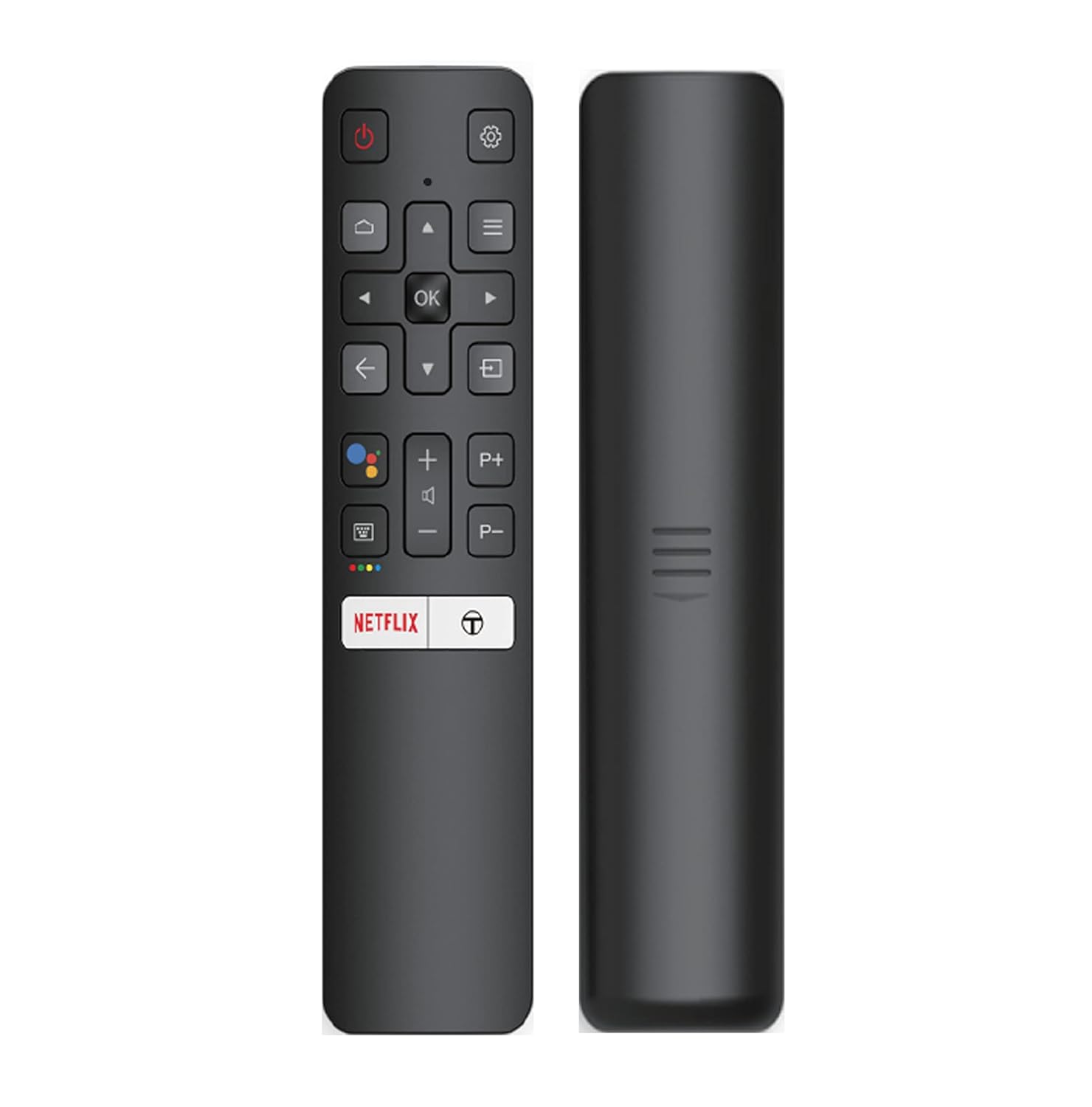
Image: The iFFALCON 43K71 remote control, featuring dedicated buttons for Netflix, Amazon Prime Video, Zee5, and Google Assistant.
Key buttons include:
- Krag: Skakel die TV aan/af.
- Navigation (Up/Down/Left/Right/OK): Navigeer deur spyskaarte en bevestig keuses.
- Agter: Keer terug na die vorige skerm.
- Tuis: Kry toegang tot die Android TV-tuisskerm.
- Volume +/-: Pas volume aan.
- Channel P+/P-: Verander kanale.
- Google Assistent: Aktiveer stembeheer.
- Netflix, Prime Video, Zee5: Direct access buttons for streaming services.
Slim-TV-funksies (Android TV)
Your iFFALCON 43K71 TV runs on Android 9.0, providing access to a wide range of applications and smart functionalities.

Image: The Android TV home screen on the iFFALCON 43K71, displaying various streaming apps like Netflix, YouTube, and Prime Video.
- Toepassings: Download and install apps from the Google Play Store, including Netflix, YouTube, Prime Video, Disney+Hotstar, and more.
- Handvrye stembeheer: Use the built-in Google Assistant to control your TV, search for content, and manage smart home devices by speaking commands directly to the TV.
- Chromecast Ingeboude: Cast content from your smartphone, tablet, or computer directly to the TV screen.
- AI-IN: iFFALCON's AI-IN technology integrates with Google Assistant for enhanced smart home connectivity and personalized recommendations.
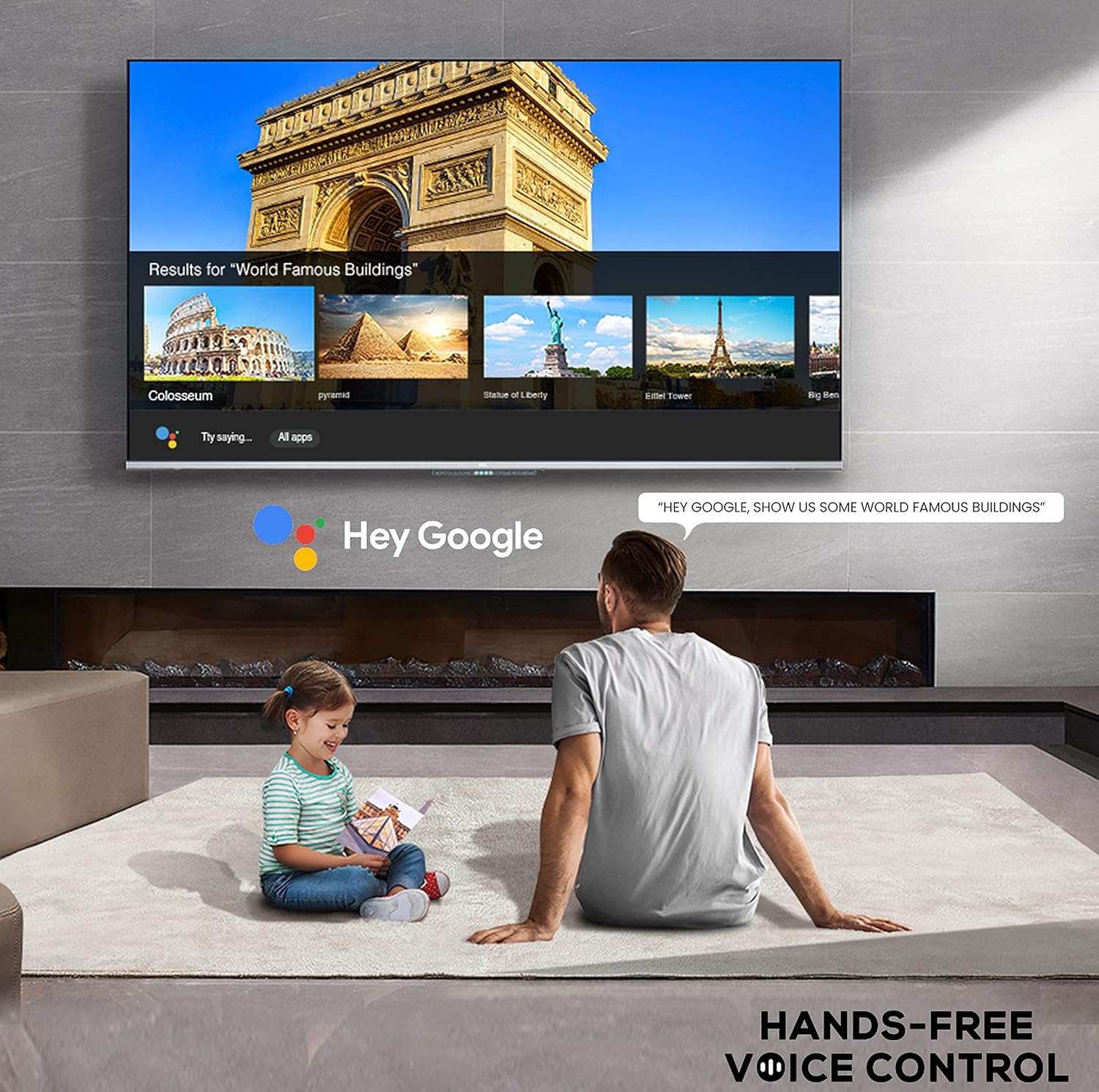
Image: A user interacting with the iFFALCON 43K71 using hands-free voice control, demonstrating the Google Assistant feature.
Konnektiwiteit
Die TV bied verskeie poorte vir die koppeling van eksterne toestelle:
- HDMI-poorte (2): Connect set-top boxes, Blu-ray players, gaming consoles, etc.
- USB-poort (1): Koppel hardeskywe, USB-flash drives vir mediaweergawe.
- Bluetooth: Connect wireless headphones, soundbars, or other Bluetooth-enabled accessories.
- Wi-Fi: Koppel aan jou tuisdraadlose netwerk vir internettoegang.
- Oudiokabel: For external audio connections.
Beeld- en klankinstellings
Pas beeld- en klankinstellings aan om jou viewondervinding.
- Prentmodusse: Kies uit verskeie voorafbepaalde beeldmodusse (bv. Standaard, Dinamies, Fliek, Sport) of pas instellings soos helderheid, kontras, kleur en skerpte aan.
- 4K Ultra HD & HDR 10: Experience stunning detail and vibrant colors with 4K resolution and High Dynamic Range (HDR 10) support.
- Mikroverduistering: Enhances contrast by analyzing video content in hundreds of separate zones and adjusting brightness and darkness independently.
- Klankmodusse: Choose from preset sound modes (e.g., Standard, Music, Movie, Clear Voice) or adjust equalizer settings.
- Dolby Audio: Enjoy immersive audio with Dolby Audio processing, delivering rich, clear, and powerful sound from the 30 Watts speakers.
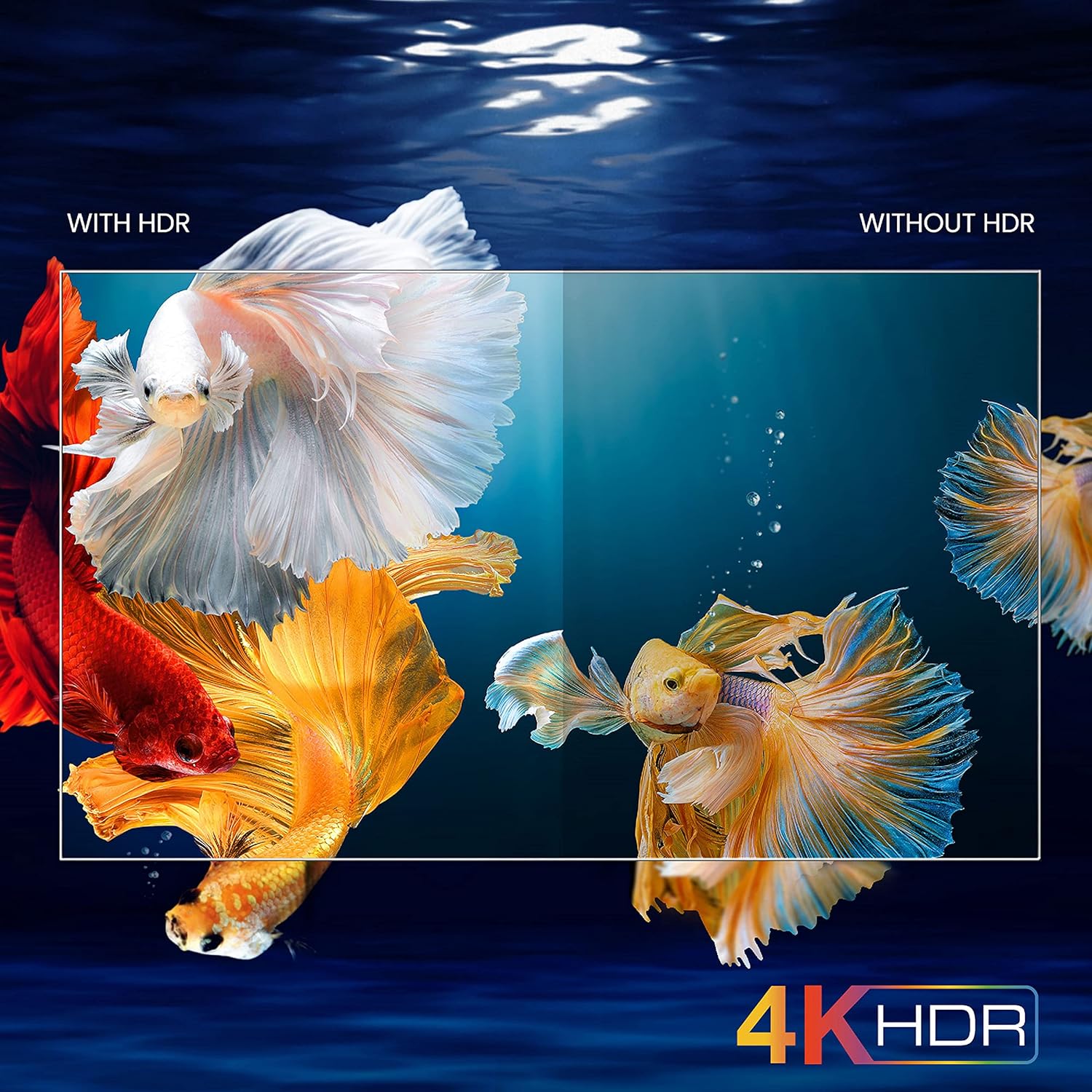
Image: A visual comparison demonstrating the enhanced color and contrast with 4K HDR enabled versus disabled on the iFFALCON 43K71 TV.
Onderhoud
Skoonmaak
- Ontkoppel altyd die TV voordat u skoonmaak.
- Gebruik 'n sagte, droë lap om die skerm en kas af te vee. Vir hardnekkige merke, vee liggies afampMaak die lap skoon met water of 'n sagte, nie-skurende skermreiniger.
- Moenie alkohol, benseen, verdunner of ander vlugtige stowwe gebruik nie.
Sagteware-opdaterings
The TV may receive software updates periodically to improve performance and add new features. Ensure your TV is connected to the internet to receive these updates automatically or check for them manually in the settings menu.
Probleemoplossing
Indien u probleme ondervind, raadpleeg die volgende algemene oplossings voordat u ondersteuning kontak:
| Probleem | Moontlike Oplossing |
|---|---|
| TV skakel nie aan nie. | Check if the power cord is securely plugged into the TV and the power outlet. Ensure the power outlet is working. Try pressing the power button on the TV itself. |
| Geen beeld nie, maar klank is teenwoordig. | Kontroleer die invoerbron. Maak seker dat eksterne toestelle behoorlik gekoppel en aangeskakel is. Probeer om die TV weer te begin. |
| Geen klank nie, maar beeld is teenwoordig. | Check the volume level and ensure the TV is not muted. Verify audio output settings. If using external speakers, check their connections and power. |
| Afstandbeheer werk nie. | Vervang die batterye (2 AAA). Maak seker daar is geen obstruksies tussen die afstandbeheerder en die TV se IR-sensor nie. |
| Kan nie aan Wi-Fi koppel nie. | Check your router and modem. Restart them if necessary. Ensure you are entering the correct Wi-Fi password. Try moving the TV closer to the router or using an Ethernet cable. |
| Slow performance or app crashes. | Close unused applications. Clear cache for problematic apps. Restart the TV. Consider a factory reset as a last resort (this will erase all data and settings). |
Spesifikasies
Key technical specifications for the iFFALCON 43K71 TV:
| Kenmerk | Detail |
|---|---|
| Model | 43K71 |
| Skerm grootte | 43 duim (108 cm) |
| Resolusie | 4K Ultra HD (3840 x 2160 piksels) |
| Herlaaitempo | 60 Hz |
| Bedryfstelsel | Android 9.0 |
| RAM | 2 GB |
| Berging | 16 GB |
| Klank Uitset | 30 Watts (Dolby Audio Power Speakers) |
| HDMI-poorte | 2 |
| USB-poorte | 1 |
| Konnektiwiteit | Wi-Fi, Bluetooth |
| Afmetings (LxBxH) | 96 x 4.1 x 55.8 cm (sonder staander) |
| Item gewig | 6.9 kg |

Image: Diagram showing the physical dimensions of the iFFALCON 43K71 TV in centimeters and inches.
Waarborg
The iFFALCON 43K71 TV comes with a 1 jaar waarborg provided by the manufacturer from the date of purchase. Please retain your purchase receipt for warranty claims. For detailed terms and conditions, refer to the included Warranty Card.
Ondersteuning
For further assistance, technical support, or service requests, please contact iFFALCON customer service. Contact details can typically be found on the manufacturer's official webwebwerf of op die waarborgkaart.
Produk verbyview Video
Video: 'n Kort voorprogramview videovertoningasing key features and visual enhancements of the iFFALCON 43K71 4K Ultra HD Smart Android LED TV, including 4K HDR, dynamic tone mapping, color enhancement, Android TV interface, and hands-free voice control.