
Inleiding
Thank you for choosing the PALOVUE iSound True Wireless Earbuds. These earbuds are designed to provide a superior audio experience with advanced features such as Qualcomm CSR Bluetooth 5.0, aptX HD sound quality, CVC 8.0 noise cancellation, and intuitive touch controls. This manual will guide you through the setup, operation, and maintenance of your new earbuds to ensure optimal performance.
Wat is in die boks
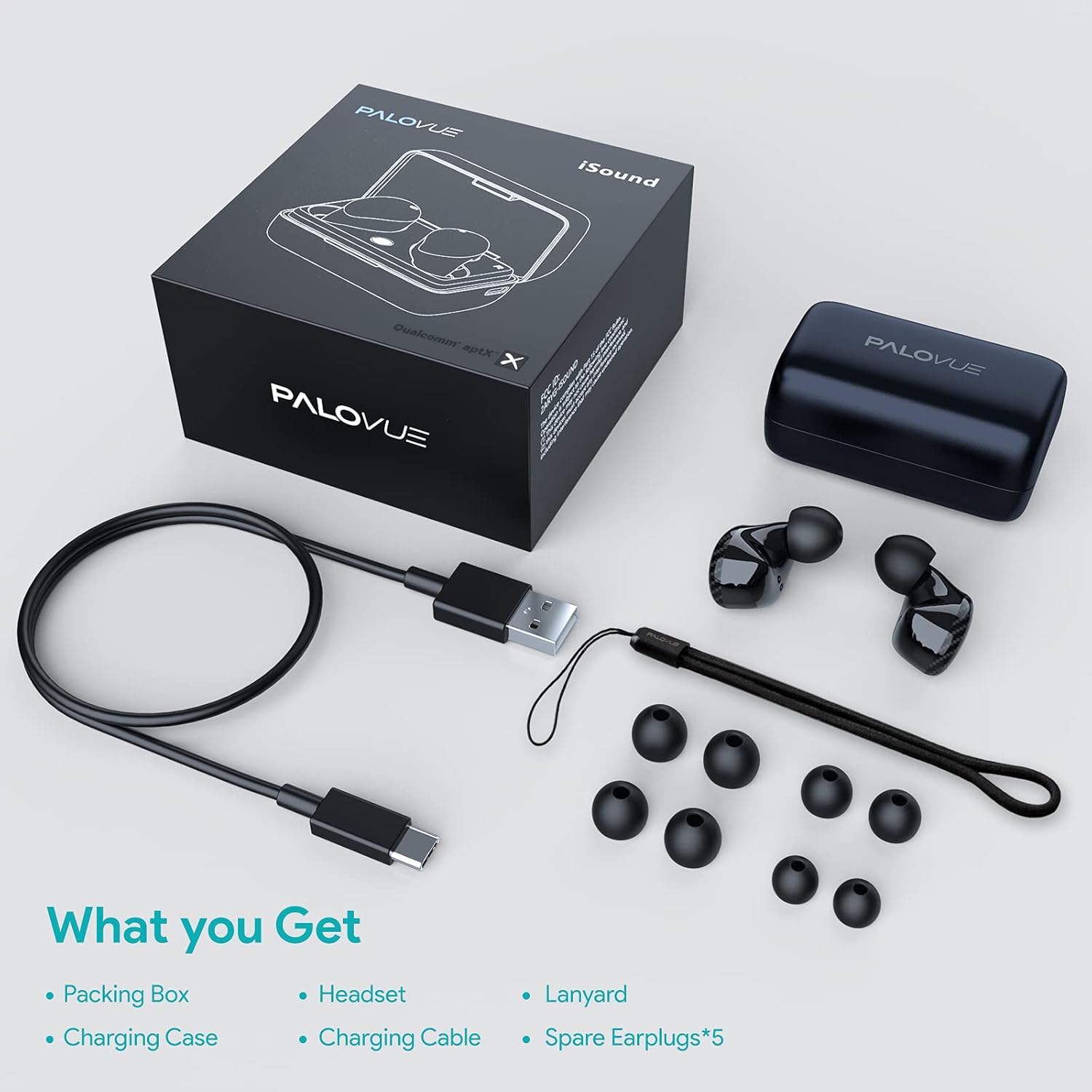
Upon unboxing your PALOVUE iSound True Wireless Earbuds, please verify that all components are present:
- PALOVUE iSound Earbuds (Left and Right)
- Laaikas
- USB-C-laaikabel
- Lanyard
- 5 Pairs of Silicone Ear Tips (XS, S, M, L, XL)
- Gebruikershandleiding (hierdie dokument)
Produk verbyview
Familiarize yourself with the key components of your PALOVUE iSound Earbuds.


Opstelling
1. Laai die oordopjes en houer
Before first use, fully charge the earbuds and the charging case. Place the earbuds into the charging case. Connect the USB-C charging cable to the case and a power source. The indicator lights on the case will show the charging status.
- A full charge provides up to 24 hours of playback with the charging case.
2. Koppeling met jou toestel
- Maak seker dat jou toestel se Bluetooth aangeskakel is.
- Open the charging case. The earbuds will automatically enter pairing mode (if it's the first time or if they are not connected to a previously paired device).
- On your device, search for Bluetooth devices and select "PALOVUE iSound" from the list.
- Sodra jy verbind is, sal jy 'n bevestigingstoon hoor.
Outomatiese herverbinding: After the initial pairing, simply open the charging case, and the earbuds will automatically connect to your last paired device.
3. Dra van die oordopjes
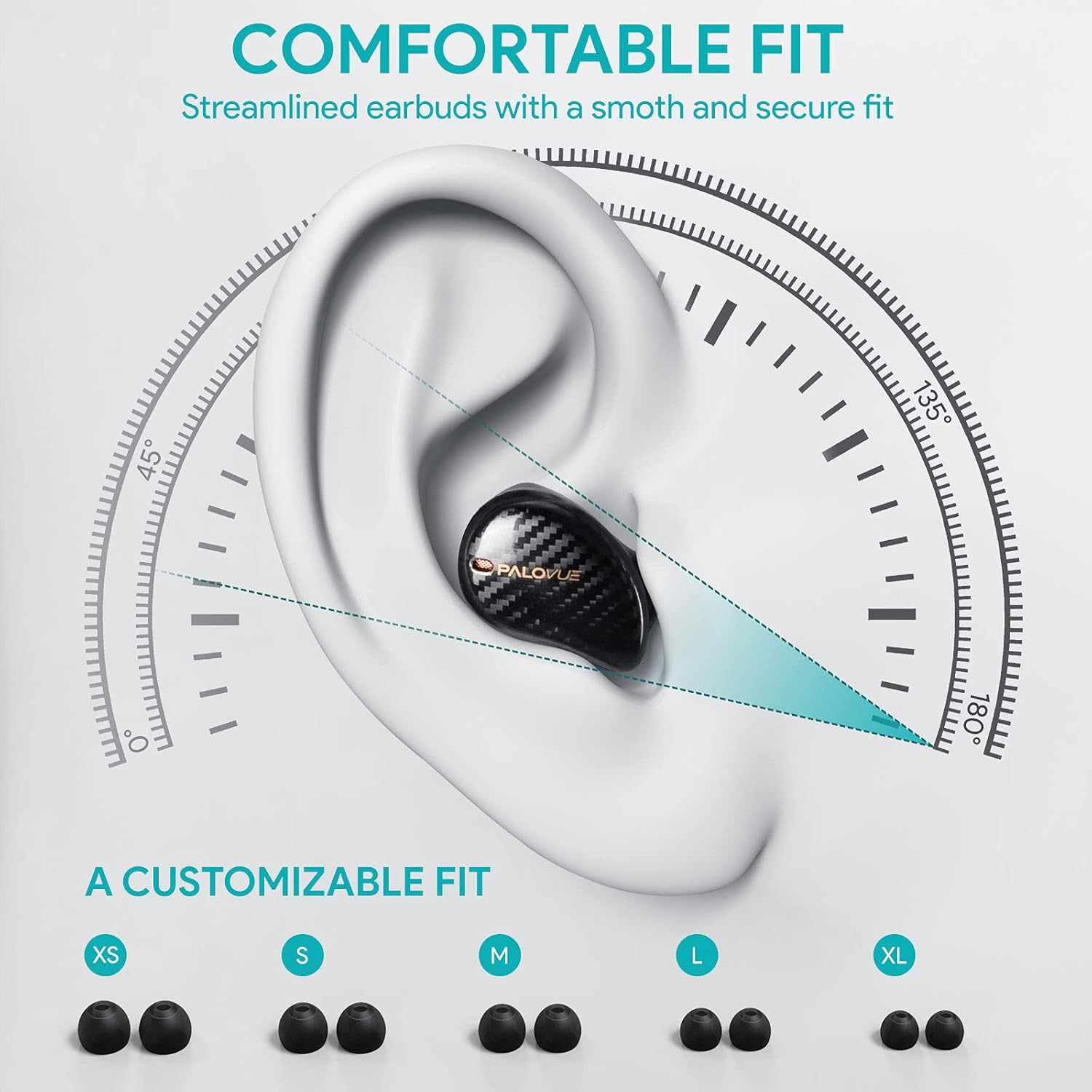
For optimal sound quality and comfort, select the correct ear tip size and ensure a secure fit.
- Choose from the 5 provided ear tip sizes (XS, S, M, L, XL) to find the best fit for your ears.
- Gently insert the earbuds into your ear canal and rotate them slightly until they feel secure and comfortable.
Bedryfsinstruksies
Raak kontroles
The PALOVUE iSound earbuds feature multi-function touch panels on each earbud for easy control of audio playback and calls. Specific touch functions can be customized via the PALOVUE iSound app.
- Speel/pouse: Enkele tik op enige van die oordopjes.
- Volgende snit: Dubbeltik op die regteroorfone.
- Vorige snit: Dubbeltik op die linker oordopje.
- Beantwoord/beëindig oproep: Enkele tik op enige van die oordopjes.
- Verwerp oproep: Druk en hou enige oordopjes vir 2 sekondes.
- Aktiveer stemassistent: Tik drie keer op enige oordopjes.
- Volumebeheer: Customizable via the PALOVUE iSound app (e.g., tap and hold left for volume down, right for volume up).

Call Management and Noise Cancellation
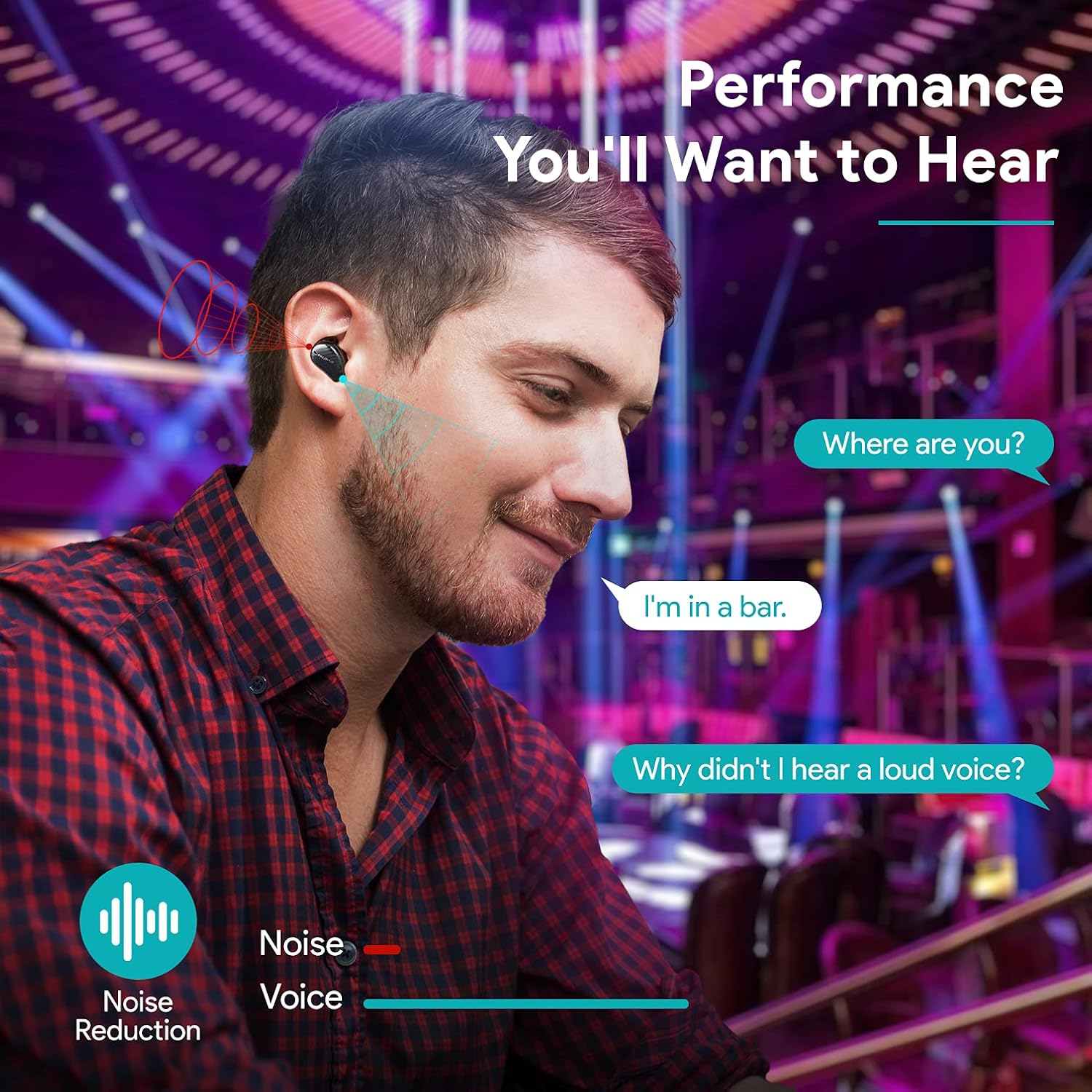
The earbuds are equipped with 4 microphones and CVC 8.0 noise cancellation technology to ensure clear calls even in noisy environments.
PALOVUE iSound App
Download the PALOVUE iSound app to customize touch controls, check battery status, and access additional features for your earbuds.
Onderhoud
Behoorlike onderhoud verseker die lang lewensduur en optimale werkverrigting van jou oorfone.
- Skoonmaak: Maak die oorfone en laaikas gereeld skoon met 'n sagte, droë, pluisvrye lap. Moenie harde chemikalieë of skuurmiddels gebruik nie.
- Oorwenke: Remove and clean the silicone ear tips with mild soap and water. Ensure they are completely dry before reattaching.
- Berging: Wanneer dit nie gebruik word nie, bêre die oordopjes in hul laaikassie om hulle teen stof en skade te beskerm.
- Vermy water: While the earbuds may have some water resistance, avoid submerging them in water or exposing them to excessive moisture.
Probleemoplossing
If you encounter issues with your PALOVUE iSound earbuds, refer to the following common solutions:
- Oordopjes koppel nie:
- Maak seker dat beide oordopjes gelaai is.
- Place earbuds back in the case, close it, then open it again to re-enter pairing mode.
- Forget "PALOVUE iSound" from your device's Bluetooth settings and try pairing again.
- Slegs een oordoppie werk:
- Maak seker dat beide oordopjes gelaai is.
- Probeer om die oorfone terug te stel (verwys na die toepassing of vervaardiger se webwebwerf vir spesifieke herstelinstruksies).
- Place both earbuds in the charging case, close the lid, wait a few seconds, then open it again.
- Swak klank kwaliteit:
- Ensure the ear tips provide a secure seal in your ear canal. Try different sizes.
- Maak enige puin van die oordopjes se spuitstukke skoon.
- Ensure your device is within the Bluetooth range (up to 10 meters).
- Oorfone laai nie:
- Maak seker dat die laaikabel stewig aan beide die kas en die kragbron gekoppel is.
- Kontroleer of die laaikontakte op die oordopjes en binne-in die houer skoon en vry van puin is.
- Probeer 'n ander USB-C-kabel en kragadapter.
For further assistance, please contact PALOVUE customer support.
Spesifikasies
| Handelsmerk | PALOVUE |
| Modelnommer | 012000125 |
| Soort koptelefoon | In-Oor |
| Verbindingstegnologie | Draadloos (Bluetooth 5.0) |
| Draadlose kommunikasietegnologie | Bluetooth |
| Spesiale kenmerke | Noise Reduction (CVC 8.0), Wireless |
| Chipset | Qualcomm CSR QCC3020 |
| Oudio-kodek | aptX HD |
| Battery samestelling | Litium polimeer |
| Herlaaibare battery | Ja |
| Speeltyd | Tot 24 uur met laaikas |
| Materiaal | Plastiek |
Waarborg en Ondersteuning
PALOVUE products are designed for reliability and performance. For warranty information, please refer to the warranty card included in your product packaging or visit the official PALOVUE webwebwerf.
If you require technical support or have questions regarding your PALOVUE iSound True Wireless Earbuds, please contact PALOVUE customer service through their official webwebwerf of die kontakinligting wat in u produkdokumentasie verskaf word.
Hou asseblief u modelnommer (012000125) en aankoopbesonderhede gereed wanneer u ondersteuning kontak.