
Produk verbyview
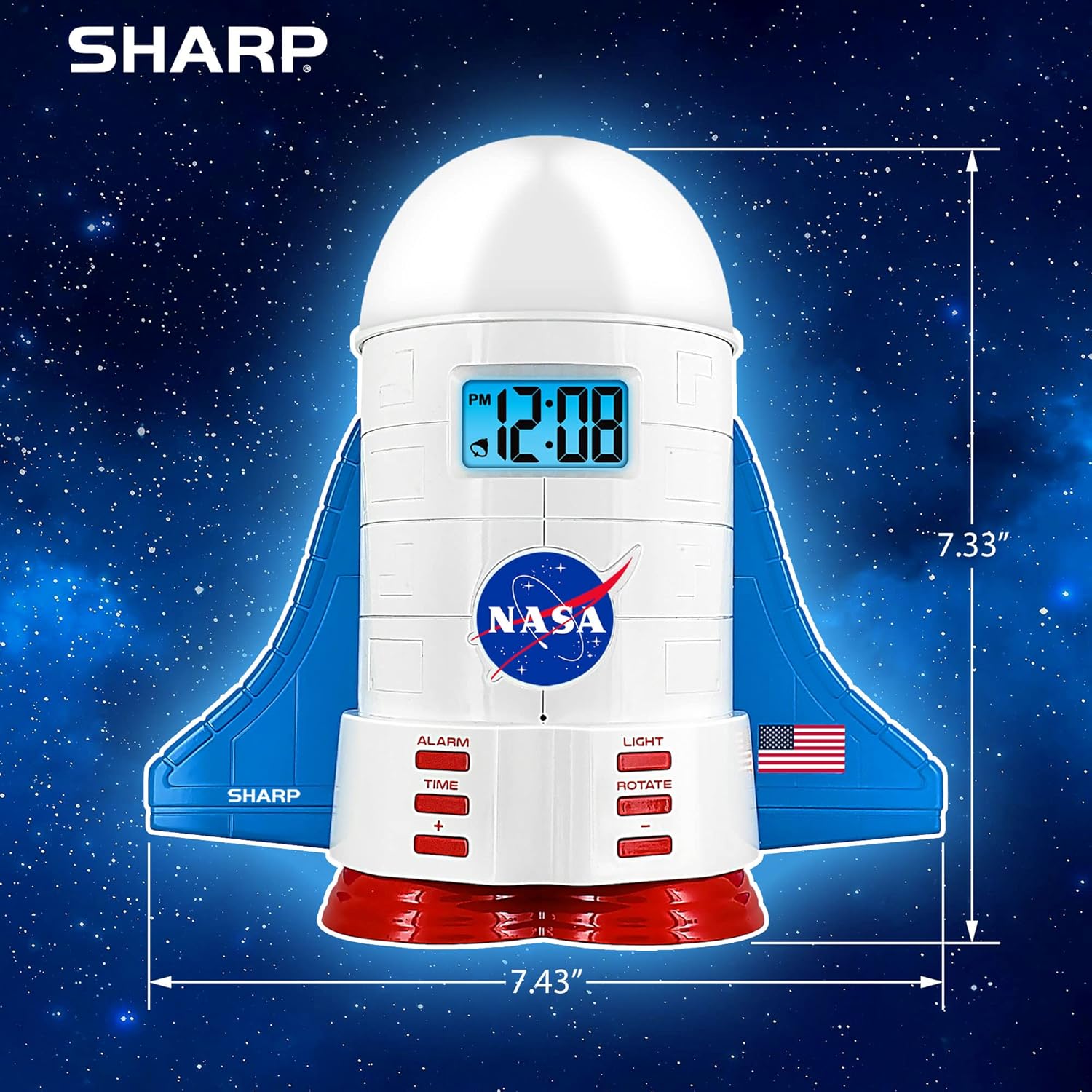
This manual provides instructions for the Sharp NASA Space Shuttle Night Light Alarm Clock. This device combines an alarm clock with a space-themed nightlight and projection feature, designed to enhance a child's bedroom environment.

Opstelling
Uitpak
- Verwyder alle komponente versigtig uit die verpakking.
- Verifieer dat al die items wat in die afdeling "Wat is in die boks" gelys word, teenwoordig is.
Kragverbinding
The alarm clock can be powered via the included electric adapter. For continuous operation of all features, including the nightlight and projection, direct power is recommended.
For battery backup, insert appropriate batteries (not included) into the battery compartment located at the base of the unit. This ensures timekeeping and alarm function during power outages.

Bedryfsinstruksies
Stel die tyd in
- Druk die TYD knoppie.
- Gebruik die + en - knoppies om die uur en minuut aan te pas.
- Druk TYD weer om te bevestig.
Stel die alarm
- Druk die ALARM knoppie.
- Gebruik die + en - knoppies om die verlangde alarmtyd in te stel.
- Druk ALARM again to activate the alarm. An alarm icon will appear on the display.
Sluimer funksie
To temporarily silence the alarm, tap the top of the unit. The alarm will sound again after a short interval.
Nightlight and Projection Features
The unit features light-up wings and a rocket booster base, along with a rotating projection cap.

Aktiveer ligte
Druk die LIG button to cycle through the 4 color options for the wings and booster lights.
Projection Caps
The device includes two interchangeable space-themed projection caps and a frosted nightlight cap. Twist counter-clockwise to attach or remove caps.

Roterende projeksie
Druk die DRAAI button to activate or deactivate the rotation of the projected images.
Onderhoud
- Clean the unit with a soft, dry cloth. Avoid abrasive cleaners or solvents.
- Ensure the projection caps are free from dust or smudges for clear image projection.
- Replace batteries in the backup compartment as needed to maintain time settings during power interruptions.
Probleemoplossing
| Probleem | Moontlike oorsaak | Oplossing |
|---|---|---|
| Clock not displaying time | Geen krag nie | Ensure the electric adapter is securely plugged in. Check battery backup. |
| Alarm klink nie | Alarm not set or deactivated | Verify alarm time is set and activated (alarm icon visible). |
| Projection unclear or dim | Dust on cap or insufficient darkness | Clean the projection cap. Ensure the room is sufficiently dark for optimal projection. |
| Projeksie draai nie | Rotate function off | Druk die DRAAI button to activate the rotation feature. |
Spesifikasies
- Handelsmerk: Skerp
- Modelnommer: Sharp NASA e Shuttle Alarm Clock
- Kragbron: Electric Adapter (Battery backup for timekeeping)
- Ligbrontipe: LED
- Nightlight Colors: 4 opsies
- Projection Themes: 2 interchangeable space scenes
- Vertoon: LCD met blou agtergrond
- Afmetings: 7.43 x 1.5 x 7.43 duim
- Gewig: 1.33 pond
- Materiaal: Plastiek
- Spesiale kenmerke: Color Changing, Snooze Function, Rotating Projection
Waarborg en Ondersteuning
Vir waarborginligting of tegniese ondersteuning, verwys asseblief na die vervaardiger se amptelike webwebwerf of kontak hul kliëntediens.
Vervaardiger: Skerp
UPC: 049353005447
ASIN: B08PL6K2C5