
Inleiding
This manual provides essential instructions for the safe and efficient operation, installation, and maintenance of your Candy Smart Inverter CBDO485TWME/1-S integrated front-load washer dryer. Please read all instructions carefully before using the appliance and retain this manual for future reference.

Figuur 1: Voorkant view of the Candy Smart Inverter CBDO485TWME/1-S integrated washer dryer. This image displays the appliance's overall design, including the control panel, detergent drawer, and main door.
Veiligheidsinligting
Volg altyd basiese veiligheidsmaatreëls wanneer elektriese toestelle gebruik word om die risiko van brand, elektriese skok en beserings aan persone te verminder.
- Maak seker dat die toestel behoorlik geaard is.
- Moenie die toestel gebruik as dit beskadig is nie.
- Hou kinders en troeteldiere weg van die toestel tydens gebruik.
- Moenie die toestel met nat hande raak nie.
- Ontkoppel die toestel voordat enige onderhoud of skoonmaak uitgevoer word.
- Gebruik slegs skoonmaakmiddels en bymiddels wat geskik is vir outomatiese wasmasjiene.
Opstelling en installasie
1. Uitpak
Carefully remove all packaging materials. The appliance weighs approximately 66 kilograms, so it is recommended to have assistance during unpacking and positioning to prevent injury. Inspect the appliance for any damage incurred during transit.
2. plasing
This is an integrated front-load washer dryer designed to fit into cabinetry. Ensure the installation area is level, stable, and has adequate ventilation. Do not install the appliance in areas where the temperature may fall below freezing.

Figuur 2: The washer dryer shown integrated within a kitchen or utility room cabinet. This illustrates the appliance's intended installation as a built-in unit.
3. Water- en Dreinverbindings
- Koppel die watertoevoerslang aan 'n koue waterkraan. Maak seker dat die verbindings styf is om lekkasies te voorkom.
- Position the drain hose into a standpipe or secure it over a sink, ensuring it is not kinked.
4. Elektriese aansluiting
Connect the power cord to a properly grounded 220 Volt electrical outlet. Do not use extension cords or adapters.
5. Initial Check-up
Before the first wash, it is recommended to run a short cycle without laundry and detergent to clean the drum and check for proper operation.
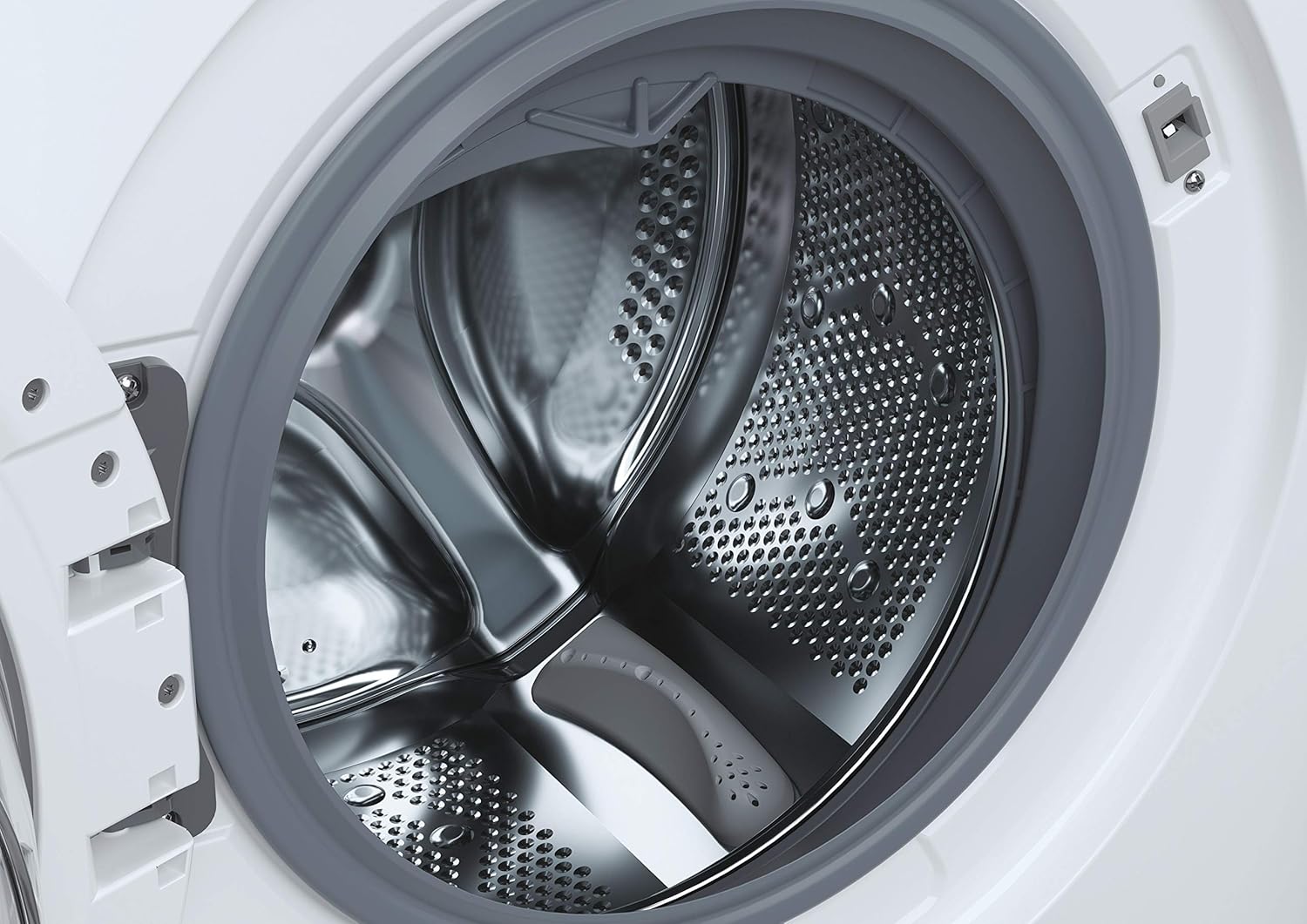
Figuur 3: 'n Gedetailleerde view of the stainless steel drum inside the washer dryer. This shows the internal structure where laundry is placed for washing and drying.
6. Smart Fi+ Connectivity
The Candy Smart Inverter CBDO485TWME/1-S features Smart Fi+ for remote control and monitoring via the Simply-Fi app. Download the app from your device's app store.
- Vir Android-toestelle: Follow the in-app instructions for pairing.
- For iOS (iPhone) devices: During the setup process, if the washing machine's Wi-Fi network does not appear, ensure that AirDrop is enabled in your iPhone's Control Center. This is crucial for the app to detect and connect to the appliance's network. Once connected, you can complete the registration and use the Smart Fi features.
Bedryfsinstruksies
1. Beheerpaneel verbyview

Figuur 4: 'n Gedetailleerde view of the control panel, showing the program selection dial, digital display, and various option buttons. This panel allows users to select wash and dry cycles and customize settings.
The control panel consists of a program selection dial, a digital display, and several push buttons for additional options.
- Programskakelaar: Used to select the desired wash or dry program.
- Digitale skerm: Toon programduur, foutkodes en gekose opsies.
- Opsieknoppies: Allow customization of temperature, spin speed, delay start, and other functions.
2. Laai Wasgoed
Open the door and load laundry into the drum. Do not overload the machine; the maximum capacity for washing is 8 kilograms. For drying, refer to the specific program guidelines as drying capacity may differ.

Figuur 5: The integrated washer dryer with its door open, revealing laundry inside the drum. This image demonstrates the loading process for the appliance.
3. Voeg skoonmaakmiddel by
Pull out the detergent drawer located on the top left of the control panel. Add appropriate amounts of detergent and fabric softener to the designated compartments.
4. Kies 'n program
Turn the program dial to select your desired wash or dry cycle. Available options include:
- Eko 40-60: Energy-efficient program for normally soiled cotton or mixed items.
- Quick Programs: Options like 14', 30', 44', 59' for lightly soiled items requiring a fast wash.
- Spesiale siklusse: Specific programs for different fabric types (e.g., cotton, synthetics, delicates).
- Droogprogramme: Includes Sensor Dry for automatic drying based on moisture levels, and Active Steam for refreshing clothes.
5. Instellings aanpas
After selecting a program, use the option buttons to adjust settings such as wash temperature, spin speed (up to 1200 RPM), and delay start, if available for the chosen program.
6. Begin die siklus
Press the Start/Pause button to begin the cycle. The display will show the remaining time.
Onderhoud
1. Skoonmaak van die wasmiddellaai
Regularly remove and clean the detergent drawer to prevent residue buildup. Rinse it under running water and ensure all compartments are clear before reinserting.
2. Skoonmaak van die drom
Run a maintenance wash cycle (e.g., a hot wash without laundry) periodically to clean the drum and remove any odors or residue.
3. Maak die filter skoon
The appliance has a filter located at the bottom front (visible in Figure 1). Regularly clean this filter to ensure proper drainage and prevent blockages. Refer to the detailed instructions in the full manual for safe removal and cleaning.
4. Buite Skoonmaak
Vee die buite-oppervlaktes af met 'n sagte, damp lap. Moenie skuur skoonmaakmiddels of oplosmiddels gebruik nie.
Probleemoplossing
If you encounter issues with your washer dryer, consult the following common problems and solutions before contacting service.
| Probleem | Moontlike oorsaak | Oplossing |
|---|---|---|
| Toestel begin nie | No power supply; door not closed properly; program not selected. | Kontroleer die kragaansluiting; maak seker dat die deur stewig gesluit is; kies 'n program en druk Start. |
| Water vul nie | Waterkraan toe; toevoerslang geknik; waterdruk te laag. | Maak die waterkraan oop; maak die slang reg; kontroleer die huishoudelike waterdruk. |
| Water dreineer nie | Dreinslang geknik of verstop; filter verstop. | Straighten/clear drain hose; clean the drain filter. |
| Foutkode E13 | Indicates an electrical issue, potentially with the control board. | Unplug the appliance for a few minutes, then plug it back in. If the error persists, contact authorized service. |
| Oormatige vibrasie/geraas | Appliance not level; transport bolts not removed; unbalanced load. | Adjust leveling feet; ensure transport bolts are removed (if applicable); redistribute laundry inside the drum. |
Spesifikasies
- Model: CBDO485TWME/1-S
- Handelsmerk: Lekkergoed
- Tipe: Integrated Front-Load Washer Dryer
- Was kapasiteit: 8 kilogram
- Kleur: Wit
- Spesiale kenmerk: Omskakelaar motor
- Siklus Opsies: Eco, Sensor Dry, Active Steam, various quick wash programs
- Voltage: 220 Volt
- Beheer tipe: Push button and Rotary Dial
- Item gewig: 66 kilogram
- Komponente ingesluit: 1 package (appliance)
Waarborg en Ondersteuning
Your Candy Smart Inverter CBDO485TWME/1-S washer dryer is covered by a manufacturer's warranty. The terms and duration of the warranty may vary by region. Please retain your proof of purchase for warranty claims.
For technical assistance, warranty service, or to locate an authorized service center, please contact Candy customer support. It is advisable to verify the availability of local service centers in your area before purchase or if you require assistance.
You can typically find contact information for Candy support on their official webwebwerf: www.candy-group.com