
Zeegma Robo Next
ZEEGMA Zonder Robo Next Robot Vacuum Cleaner User Manual
Model: Robo Next | Brand: Zeegma
1. Inleiding
Thank you for choosing the ZEEGMA Zonder Robo Next Robot Vacuum Cleaner. This manual provides essential information for the safe and efficient operation, maintenance, and troubleshooting of your device. Please read this manual thoroughly before using the product and retain it for future reference.
The Zonder Robo Next is an advanced robotic cleaning device designed for various floor types, offering multiple cleaning modes and powerful suction. Its intelligent features ensure thorough cleaning while navigating your home safely.
2. Veiligheidsinligting
Om die risiko van besering of skade te verminder, neem die volgende veiligheidsmaatreëls in ag:
- Maak seker die kragadapter se volumetage is versoenbaar met jou plaaslike kragtoevoer.
- Moenie die robot in nat omgewings of naby water gebruik nie.
- Hou die robot weg van oop vlamme, hittebronne en vlambare materiale.
- Moenie toelaat dat kinders of troeteldiere met die robot speel nie.
- Before operation, remove loose cables, small objects, and fragile items from the cleaning area.
- Moenie die robot gebruik om groot puin, skerp voorwerpe of vloeistowwe op te tel nie.
- Only use manufacturer-approved accessories and replacement parts.
- If the robot is damaged, do not attempt to repair it yourself. Contact customer support.
3. Pakketinhoud
Verifieer dat alle items in die pakket teenwoordig is:
- Robot stofsuier
- Docking Station with Power Supply
- Hoofborsel
- 4 x syborsels
- Microfiber Mop
- Afstandbeheer
- HEPA-filter
- Gebruikershandleiding (hierdie dokument)
4. Opstelling
4.1 Laaistasieplasing
Place the docking station against a wall in an open area, ensuring there are no obstacles within 1 meter (3 feet) to the sides and 2 meters (6 feet) in front of it. Connect the power supply to the docking station and plug it into a wall outlet. Ensure the station is always powered on.

Image: The robot vacuum automatically returns to its charging station. This image also highlights its smart device capabilities.
4.2 Aanvanklike laai
Place the robot vacuum onto the charging station. Ensure the charging contacts on the robot align with those on the station. For first-time use, charge the robot for at least 6 hours to ensure the battery is fully conditioned. The battery indicator light will show charging status.

Image: The robot vacuum on a patterned rug, illustrating its 2600 mAh battery and strong suction power up to 2150 Pa.
4.3 Installering van syborsels
Turn the robot over. Align the side brushes with the corresponding slots on the bottom of the robot and press them down until they click into place. Ensure they are securely attached.
4.4 Connecting to the Smartphone App
Download the dedicated ZEEGMA app from your smartphone's app store. Follow the in-app instructions to connect your robot vacuum to your home Wi-Fi network. This will enable advanced control, scheduling, and monitoring features.

Image: The robot vacuum operating on a tiled floor, highlighting its low noise mode and dedicated app control.
5. Operasie
5.1 Aan-/afskakel
Press and hold the power button on the robot or use the remote control/app to turn the robot on or off.
5.2 Skoonmaakmodusse
The Zonder Robo Next offers 6 distinct operating modes to suit various cleaning needs:
- Outomatiese skoonmaak: Die robot navigeer en maak intelligent die hele toeganklike area skoon.
- Skoonmaak: Fokus op 'n spesifieke vuil area en maak skoon in 'n spiraalpatroon.
- Rand skoonmaak: Maak skoon langs mure en meubelrande.
- Natmop: Attaches the microfiber mop for wet cleaning.
- Dry Sweeping: Uses brushes to sweep debris.
- Stofsuig: Engages the vacuum motor for dust and debris collection.

Image: The robot vacuum on a tiled floor, indicating its mop function capability.
5.3 Suigkrag-aanpassing
Choose from 3 suction power levels (1500 Pa, 1800 Pa, 2150 Pa) via the app or remote control to match the cleaning intensity required for different surfaces and dirt levels.
5.4 Skedulering
Use the smartphone app to set cleaning schedules for specific times and days. The robot will automatically start cleaning according to your programmed schedule.

Image: The robot vacuum operating near a virtual wall strip, illustrating its scheduling function.
5.5 Slimhuis-integrasie
The Zonder Robo Next is compatible with Amazon Alexa and Google Home. Follow the instructions in the respective smart home apps to connect your robot for voice control.
5.6 Navigasie en Obstakelvermyding
Equipped with 15 anti-collision sensors, the robot navigates freely and safely, avoiding obstacles and drops. Its low profile (7.6 cm height) allows it to clean under most furniture.

Image: The robot vacuum cleaning under a sofa, demonstrating its compact height of 7.6 cm and its 15 anti-collision sensors.
6. Onderhoud
Gereelde onderhoud verseker optimale werkverrigting en verleng die lewensduur van jou robotstofsuier.
6.1 Leegmaak van die stofhouer
The robot features an 800 ml dust container. Empty it after each cleaning cycle or when the indicator light signals it is full. Open the top cover, remove the dust container, and dispose of the collected debris.
6.2 Maak die HEPA-filter skoon
The washable HEPA filter captures up to 99.97% of allergens and fine particles. Remove the filter from the dust container and rinse it under running water. Allow it to air dry completely before reinserting. Replace the HEPA filter every 3-6 months, depending on usage.
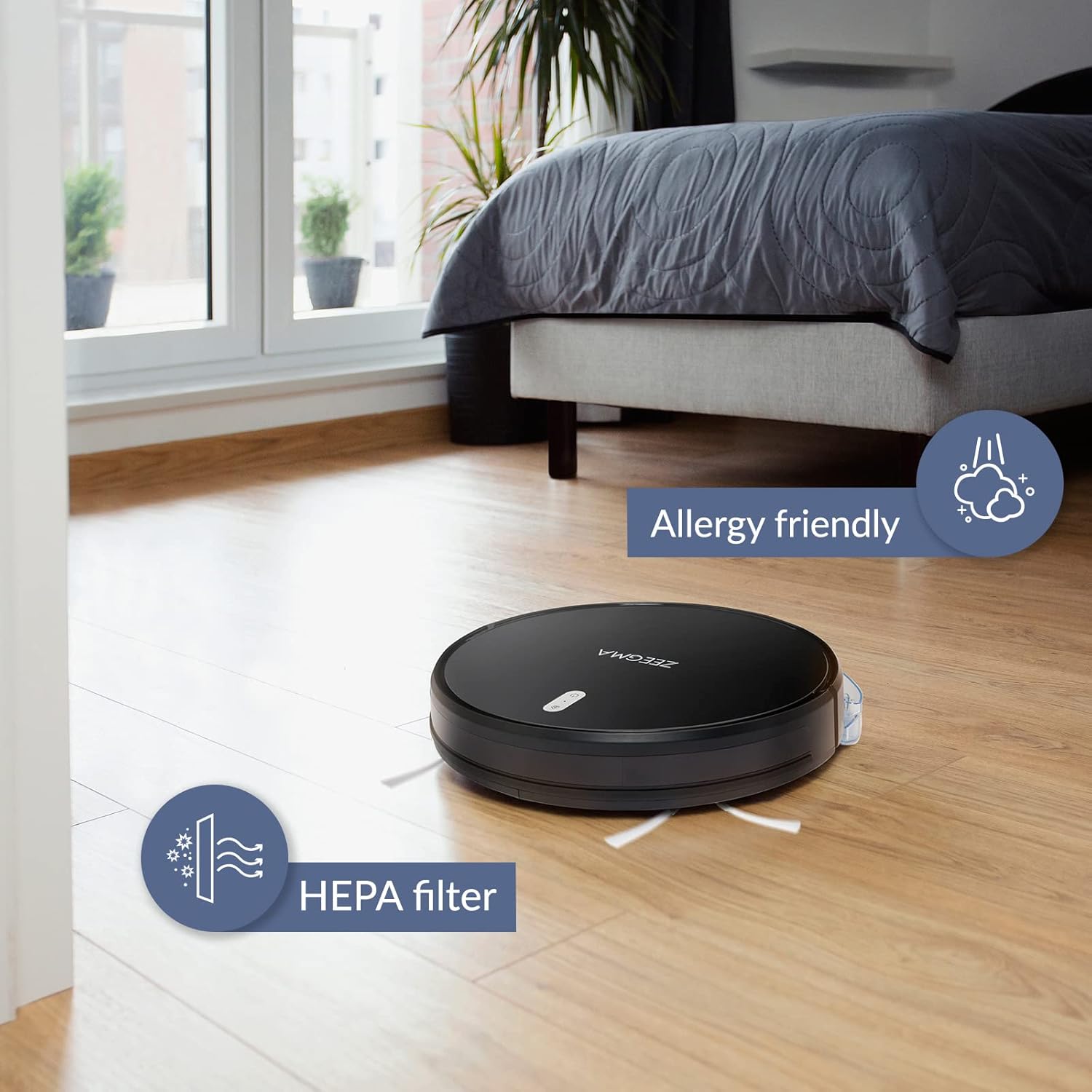
Image: The robot vacuum on a wooden floor, emphasizing its allergy-friendly design and HEPA filter system.
6.3 Skoonmaakborsels
- Syborsels: Regularly check side brushes for tangled hair or debris. Remove and clean them. Replace if worn or damaged.
- Hoofborsel: Remove the main brush cover and lift out the brush. Use the cleaning tool (if provided) to remove hair and debris.
6.4 Skoonmaak van sensors en laaikontakte
Wipe the anti-collision sensors and charging contacts on both the robot and the docking station with a dry, soft cloth to ensure proper function.
6.5 Mop Pad Maintenance
After wet mopping, remove the microfiber mop pad and wash it. Allow it to air dry completely before storing or reusing.
7. Probleemoplossing
If you encounter issues with your ZEEGMA Zonder Robo Next, refer to the following common problems and solutions:
| Probleem | Moontlike oorsaak | Oplossing |
|---|---|---|
| Robot skakel nie aan nie. | Lae battery; aan/af-knoppie nie korrek gedruk nie. | Charge the robot; press and hold the power button. |
| Robot laai nie. | Charging contacts are dirty; docking station not powered. | Clean charging contacts; ensure docking station is plugged in. |
| Die robot sit gereeld vas. | Too many obstacles; sensors are dirty. | Clear the cleaning area; clean the sensors. |
| Swak skoonmaakprestasie. | Dust container full; brushes tangled; filter clogged. | Empty dust container; clean brushes; clean/replace filter. |
| Probleme met programverbinding. | Incorrect Wi-Fi password; robot out of Wi-Fi range. | Verify Wi-Fi credentials; move robot closer to router; restart robot and router. |
If the problem persists, please contact Zeegma customer support.
8. Spesifikasies
| Kenmerk | Detail |
|---|---|
| Handelsmerk | Zeegma |
| Model Naam | Robo Next |
| Produkafmetings (L x B x H) | 32L x 32W x 7.6H cm |
| Item gewig | 2.5 kg |
| Battery kapasiteit | 2600 mAh |
| Batterylewe | Tot 120 minute |
| Skoonmaakarea per lading | Tot 180 m² |
| Suigkrag | 1500 to 2150 Pa (3 modes) |
| Geraasvlak | 50 dB (quiet operation) / 55 dB (general) |
| Stofhouer kapasiteit | 800 ml |
| Filter tipe | Wasbare HEPA-filter |
| Navigasie | 15 anti-collision sensors |
| Tipe beheer | Wi-Fi, App (iOS), Voice (Amazon Alexa, Google Home), Remote Control |
| Spesiale kenmerke | 6 operating modes (wet/dry wiping, sweeping, vacuuming), Automatic return to base, Scheduling function, Virtual wall compatibility (implied by image) |
9. Kliëntediens
For further assistance, technical support, or warranty information, please contact Zeegma customer service through their official webwebwerf of die kontakbesonderhede wat saam met u aankoopdokumentasie verskaf is.
Ask a question about this manual
Ask about setup, troubleshooting, compatibility, parts, safety, or missing instructions. Manuals+ will review the question and use this page’s manual context to help answer it.