
SUNMI TF700
SUNMI M2 MAX Industriële Tablet Gebruikershandleiding
Model: TF700
Inleiding
This manual provides comprehensive instructions for the safe and efficient use of your SUNMI M2 MAX Industrial Tablet, model TF700. Please read this manual thoroughly before operating the device and retain it for future reference.

Figuur 1: Voorkant view of the SUNMI M2 MAX Industrial Tablet, showing its display with various application icons.
Opstelling
1. Uitpak en aanvanklike inspeksie
Verwyder alle komponente versigtig uit die verpakking. Verifieer dat alle items wat hieronder gelys word, teenwoordig en onbeskadig is:
- SUNMI M2 MAX Industrial Tablet (TF700)
- Kragadapter
- USB Type-C kabel
- Hand Strap (optional, if included with your model)
2. Laai die toestel
Before first use, fully charge the tablet. Connect the USB Type-C cable to the tablet's charging port and the other end to the power adapter. Plug the power adapter into a wall outlet. The charging indicator will illuminate.
The tablet is equipped with an 8360mAh non-removable lithium polymer battery. A full charge can provide over 12 hours of continuous operation.
3. Installing SIM Card and MicroSD Card (Optional)
The device supports MicroSIM or NanoSIM cards (Config 1) and an eSIM (Config 2). It also supports MicroSD cards up to 128GB for expanded storage.
- Vind die SIM-/MicroSD-kaartgleuf aan die kant van die tablet.
- Use the provided SIM ejector tool (if applicable) or a small paperclip to open the tray.
- Carefully place the SIM card(s) and/or MicroSD card into the tray according to the diagram on the tray.
- Druk die skinkbord versigtig terug in die gleuf totdat dit in plek klik.

Figuur 2: Agter view of the SUNMI M2 MAX, highlighting the camera, pogo pin charging interface, and the location of the SIM/MicroSD card slot.
4. Attaching the Hand Strap (Optional)
If your model includes a hand strap, attach it to the designated points on the back of the tablet for secure handling during mobile operations.
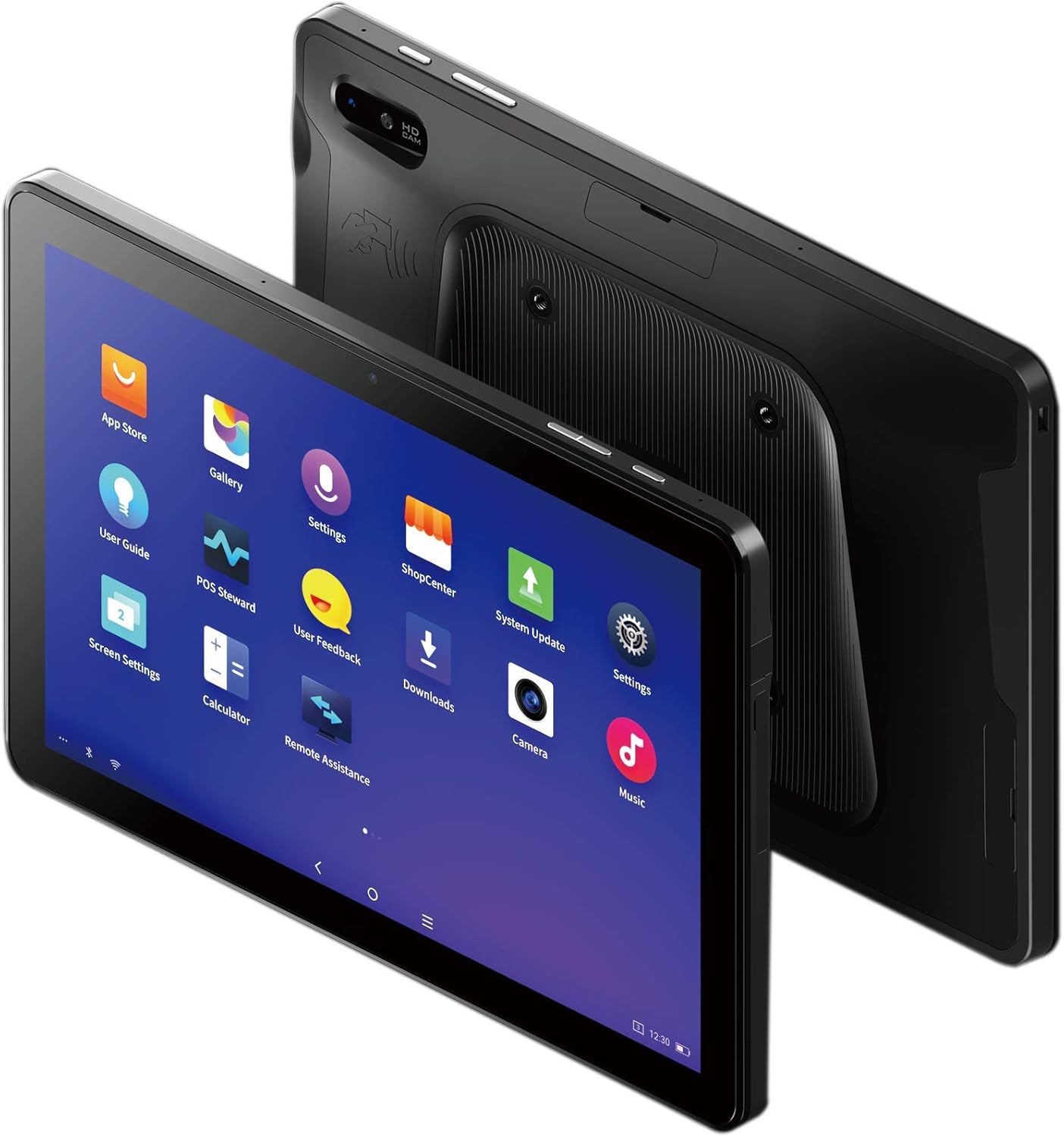
Figure 3: The SUNMI M2 MAX Industrial Tablet being held with an optional hand strap, demonstrating enhanced portability and secure grip.
Bedien die toestel
1. Skakel aan/af
- Krag aan: Press and hold the Power button (located on the side) until the SUNMI logo appears on the screen.
- Skakel af: Druk en hou die aan/af-knoppie in totdat 'n afskakelkieslys verskyn. Kies "Skakel af" en bevestig.
- Herbegin: Kies "Herbegin" in die afskakelkieslys om die toestel te herbegin.
2. Basiese navigasie
The SUNMI M2 MAX runs on the Android operating system. Navigation is primarily touch-based:
- Tik: Om 'n item te kies of 'n toepassing oop te maak.
- Swiep: Om deur lyste te blaai of tussen skerms te wissel.
- Knyp-om-te-zoem: Om in of uit te zoem op beelde of web bladsye.
- Tuisknoppie: Keer terug na die tuisskerm.
- Terug-knoppie: Keer terug na die vorige skerm.
- Onlangse programme-knoppie: Vertoon onlangs gebruikte toepassings.
3. Koppel aan netwerke
The tablet supports Wi-Fi (2.4GHz/5GHz, 802.11 a/b/g/n/ac) and cellular networks (2G, 3G, 4G).
- Wi-Fi: Gaan na Instellings > Netwerk en internet > Wi-FiSkakel Wi-Fi aan, kies jou verlangde netwerk en voer die wagwoord in indien nodig.
- Sellulêre data: Maak seker dat 'n geldige SIM-kaart ingesit is. Gaan na Instellings > Netwerk en internet > Mobiele netwerk to enable mobile data and configure APN settings if necessary.
- Bluetooth: Gaan na Instellings > Verbonde toestelle > Bluetooth to pair with Bluetooth devices (supports Bluetooth 5.0).
4. Using NFC
The SUNMI M2 MAX is equipped with NFC (Near Field Communication) for contactless transactions and data exchange. To use NFC, ensure it is enabled in settings and hold the tablet near a compatible NFC reader or device.
5. Kamerawerking
The tablet features a 13 MP rear camera with flash and autofocus, and a 5 MP front camera. Open the "Camera" application to capture photos or record videos.
Onderhoud
1. Maak die toestel skoon
Gebruik 'n sagte, pluisvrye lap effens dampened with water or a screen cleaner to wipe the display and exterior. Avoid using harsh chemicals, abrasive cleaners, or excessive moisture.
2. Batteryversorging
- Avoid exposing the tablet to extreme temperatures (below -20°C or above 70°C).
- Moenie toelaat dat die battery gereeld heeltemal ontlaai nie.
- Use only the original or certified compatible power adapter and cable.
3. Sagteware-opdaterings
Kontroleer gereeld vir stelselopdaterings en installeer dit om optimale werkverrigting en sekuriteit te verseker. Gaan na Instellings > Stelsel > Stelselopdatering.
4. Omgewingsbeskerming
The SUNMI M2 MAX is designed with IP68 protection and a 1m drop specification, making it suitable for demanding environments. However, avoid intentional drops or prolonged submersion in water.
Probleemoplossing
| Probleem | Moontlike oorsaak | Oplossing |
|---|---|---|
| Toestel skakel nie aan nie. | Lae battery; sagteware-ineenstorting. | Laai die toestel vir ten minste 30 minute. Druk en hou die aan/af-knoppie vir 10-15 sekondes in om herbegin te forseer. |
| Kan nie aan Wi-Fi koppel nie. | Incorrect password; Wi-Fi disabled; router issue. | Verify password. Ensure Wi-Fi is enabled in settings. Restart router. Forget and reconnect to the network. |
| Raakskerm reageer nie. | Tydelike sagtewarefout. | Forceer die toestel om weer te begin deur die aan/af-knoppie in te hou. |
| Applications crashing. | Insufficient RAM; app bug. | Close background apps. Clear app cache/data (Settings > Apps). Update the app. |
Spesifikasies
The following table outlines the key technical specifications of the SUNMI M2 MAX Industrial Tablet (Model: TF700).

Figure 4: Comprehensive technical specifications for the SUNMI M2 MAX Industrial Tablet.
- Model: TF700
- Bedryfstelsel: Android 9.0 (SUNMI OS)
- Verwerker: Kryo-260, Octa-core 2.2GHz (Qualcomm)
- Geheue: 3GB RAM + 32GB ROM (eMMC)
- Vertoon: 10.1-inch FHD, 1920x1200, Capacitive multitouch, Corning Gorilla Glass 3
- Kameras: Front: 5MP FF; Rear: 13MP AF + Flashlight, supports 1D/2D barcode recognition
- NFC: Type-A&B card, Mifare card, Felica card, ISO/IEC 14443 and ISO/IEC 15693 compliant
- Speaker/MIC: 1W Speaker, 2x MIC
- PSAM-kaartgleuf: 1x PSAM
- SIM-kaartgleuf: 1x MicroSD (TF), 1x MicroSIM or 1x NanoSIM (TF700 Config 1), eSIM (TF700 Config 2)
- Netwerk: 2G & 3G & 4G
- Wi-Fi: 2.4GHz/5GHz, 802.11 a/b/g/n/ac
- Bluetooth: Supports Bluetooth 2.1/3.0/4.2/5.0 (BLE)
- GPS: Supports AGPS, GPS, GLONASS, Beidou (Config 2)
- Sensor: Gravity sensor, light sensor, compass, Hall
- Knoppies: 1x Power (lock screen), 2x Volume (+/-)
- Poorte: 1x Type-C (supports OTG), 1x Audio Jack, 1x MicroSD (up to 128GB expansion)
- Battery: Non-removable Lithium Polymer battery, 8360mAh
- Kragadapter: Input: AC 100-240V, Output: DC 5V/2A
- Afmetings (LxBxH): 249.8 x 160 x 9.9 mm (0.39 x 6.3 x 9.84 duim)
- Totale gewig: 673 g (1.48 pond)
- Beskerming: IP68, 1m drop spec
- Bedryfstemperatuur: -20°C tot 55°C
- Bergingstemperatuur: -40°C tot 70°C
Waarborg en Ondersteuning
For warranty information and technical support, please refer to the documentation provided with your purchase or visit the official SUNMI webwebwerf. Bewaar u bewys van aankoop vir waarborgeise.
SUNMI Official Webwebwerf: www.sunmi.com
Ask a question about this manual
Ask about setup, troubleshooting, compatibility, parts, safety, or missing instructions. Manuals+ will review the question and use this page’s manual context to help answer it.