
1. Inleiding
This manual provides detailed instructions for the installation, operation, and maintenance of your Overmax Camspot 3.7 Full HD Wireless Indoor Camera. Please read this manual thoroughly before using the product to ensure proper function and safety. Keep this manual for future reference.
2. Pakketinhoud
Verifieer dat alle komponente in die pakket teenwoordig is:
- Overmax Camspot 3.7 Wireless Indoor Camera
- Power Cable with Adapter
- Mounting Kit (screws, wall plugs, bracket)
- Gebruikershandleiding (hierdie dokument)
3. Produk verbyview
Familiarize yourself with the camera's components and interfaces.
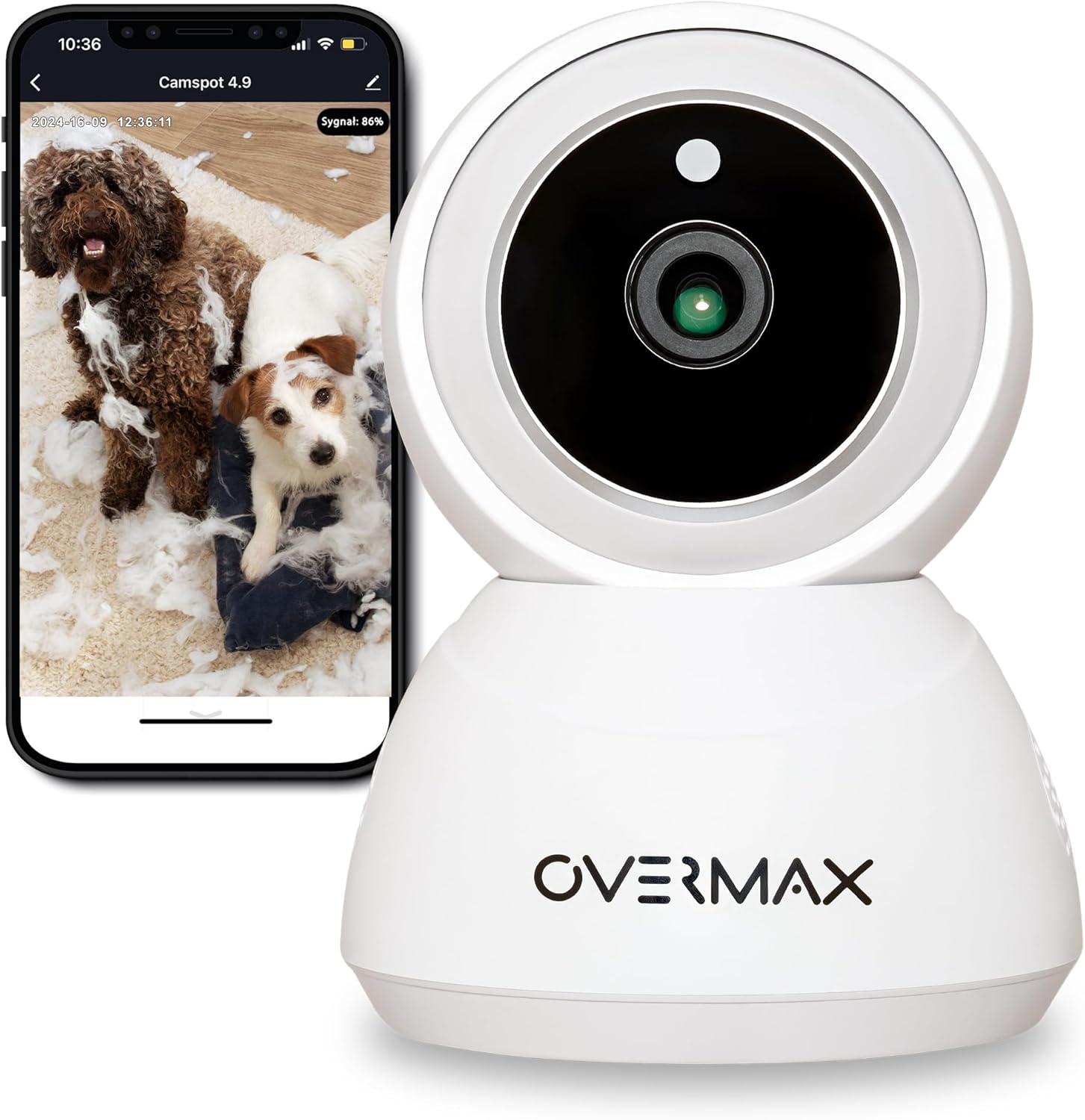
Figuur 3.1: Voorkant view of the Overmax Camspot 3.7 camera with a smartphone showing the live video feed.

Figuur 3.2: Kant view of the Overmax Camspot 3.7 camera, showing its dome shape and speaker grille.

Figuur 3.3: Agter view of the camera, highlighting the LAN port, Reset button, and DC 5V power input.

Figuur 3.4: View of the camera with the microSD card slot visible, located beneath the lens assembly.
4. Opstelling
4.1 Fisiese installasie
The Camspot 3.7 can be placed on a flat surface or mounted to a wall or ceiling.
- Kies 'n ligging: Kies 'n ligging wat die verlangde viewing angle and is within range of your Wi-Fi network or an Ethernet connection.
- Montering (Opsioneel):
- Attach the mounting bracket to the desired surface using the provided screws and wall plugs.
- Secure the camera to the mounting bracket. Ensure it is firmly attached.

Figure 4.1: The Overmax Camspot 3.7 camera shown mounted on a wall bracket, illustrating a typical installation.
4.2 App-installasie en rekeningskepping
The Overmax Control app is required to operate the camera.
- Laai die toepassing af: Soek vir "Overmax Control" in your smartphone's app store (iOS or Android) and download it.
- Skep rekening: Maak die toepassing oop en volg die instruksies op die skerm om 'n nuwe gebruikersrekening te skep.

Figure 4.2: The Overmax Camspot 3.7 camera alongside a smartphone displaying the 'CONTROL' app logo, indicating the required application for setup and operation.
4.3 Power On and Network Connection
- Krag aan: Connect the power cable to the camera's DC 5V port and plug the adapter into a power outlet. The camera will power on and initiate its startup sequence.
- Netwerk konneksie:
- Wi-Fi: Follow the in-app instructions to connect the camera to your 2.4GHz Wi-Fi network.
- Ethernet (Opsioneel): Connect an Ethernet cable from your router to the camera's LAN port for a wired connection.
4.4 Koppel die kamera
Once the camera is powered on and the app is installed, proceed with pairing:
- Voeg toestel by: In the Overmax Control app, tap the "Add Device" or "+" icon.
- Kies Kameratipe: Choose the appropriate camera model (Camspot 3.7).
- Skandeer QR -kode: The app will prompt you to scan a QR code. Position your smartphone's screen with the QR code approximately 15-20 cm in front of the camera lens. The camera will emit a sound upon successful scanning.
- Voltooi opstelling: Follow any remaining on-screen prompts in the app to finalize the pairing process.

Figure 4.3: The Overmax Camspot 3.7 camera positioned to scan a QR code displayed on a smartphone, a common method for device pairing.
5. Bedryfsinstruksies
5.1 Lewendig View
Access the live video feed from your camera through the Overmax Control app. This allows real-time monitoring of the camera's surroundings.
5.2 Pan/Tilt-beheer
The Camspot 3.7 features motorized pan and tilt capabilities.
- Horisontale rotasie: 355 grade
- Vertikale rotasie: 120 grade
Use the directional controls within the Overmax Control app to adjust the camera's viewhoek op afstand.

Figure 5.1: Diagram illustrating the camera's extensive pan (355°) and tilt (120°) rotation range.
5.3 Tweerigting-klank
The camera is equipped with a microphone and speaker, enabling two-way communication. You can listen to the camera's environment and speak through the camera using the app.
5.4 Bewegingsopsporing en outomatiese opsporing
The camera can detect moving objects and automatically track their movement within its field of view. Configure motion detection sensitivity and alerts in the app settings.
5.5 Nagvisie
The Camspot 3.7 features infrared technology for clear viewing in low-light or complete darkness, with a night vision range of up to 10 meters. The camera automatically switches to night mode when ambient light is insufficient.
5.6 Opname en berging
The camera supports two primary storage methods for video recordings:
- MicroSD kaart: Insert a microSD card (up to 128GB, not included) into the designated slot for local storage. This allows for continuous recording for up to 3 weeks.
- Wolkberging: The camera supports real-time cloud storage for recordings. Refer to the app for subscription details and options.
5.7 Slimhuis-integrasie
The Camspot 3.7 is compatible with Google Home and Amazon Alexa. Follow the instructions within the respective smart home apps to integrate your camera for voice control and automation.
5.8 Baby Monitor Function
Utilize the camera's features, including two-way audio and night vision, to monitor an infant. The app provides a comprehensive interface for this purpose.

Figure 5.2: The Overmax Camspot 3.7 camera shown with a smartphone displaying the app's control interface, including options for screenshot, speaking, recording, cloud storage, and direction control.
6. Onderhoud
- Skoonmaak: Gebruik 'n sagte, droë lap om die kameralens en -behuizing skoon te maak. Moenie harde chemikalieë of skuurmiddels gebruik nie.
- Firmware -opdaterings: Regularly check the Overmax Control app for available firmware updates to ensure optimal performance and security.
- Bergingbestuur: Periodiek herview and manage recordings on your microSD card or cloud storage to free up space if needed.
7. Probleemoplossing
- Kamera koppel nie aan Wi-Fi nie:
- Maak seker dat jou Wi-Fi-netwerk 2.4GHz is. Die kamera ondersteun nie 5GHz-netwerke nie.
- Check Wi-Fi password for correctness.
- Beweeg die kamera nader aan die router.
- Herbegin die kamera en jou router.
- Geen Live View:
- Verify internet connection on your smartphone and the camera.
- Check if the camera is powered on and connected to the network.
- Herbegin die toepassing.
- Bewegingsopsporing werk nie:
- Maak seker dat bewegingsopsporing in die toepassinginstellings geaktiveer is.
- Pas sensitiwiteitsinstellings aan.
- Check for obstructions in the camera's view.
- MicroSD-kaart neem nie op nie:
- Maak seker dat die microSD-kaart korrek geplaas is.
- Format the microSD card through the app.
- Check if the card is full or corrupted.
- Kamera reageer nie:
- Press and hold the Reset button (located at the back) for approximately 5-10 seconds to factory reset the camera. You will need to re-pair it after a reset.
8. Spesifikasies
| Kenmerk | Spesifikasie |
|---|---|
| Model Naam | Overmax Camspot 3.7 |
| Video-resolusie | Volle HD (1080p) |
| Lens | 3.6 mm |
| Rame per sekonde (FPS) | 25-30 |
| Video kompressie | H.264 |
| Horisontale rotasie | 355° |
| Vertikale rotasie | 120° |
| Nagsigreeks | Up to 10 meters (Infrared) |
| MicroSD-kaartondersteuning | Tot 128 GB |
| Konnektiwiteit | Wi-Fi (2.4GHz), Ethernet |
| Ondersteunde stelsels | Windows XP/7/8/10, Android, iOS, Mac |
| Tweerigting-klank | Yes (Microphone, 1W Speaker) |
| Bewegingsopsporing | Yes (Automatic Detector) |
| Kragtoevoer | 12 Volts, 1 Watt |
| Afmetings (L x B x H) | 8.5 x 8.2 x 10.5 cm |
| Gewig | 180 gram |
| Materiaal | Metaal |
| Kleur | Wit |
9. Waarborg en Ondersteuning
Overmax products are covered by a manufacturer's warranty. For specific warranty terms and conditions, please refer to the warranty card included in your package or visit the official Overmax webwebwerf.
For technical support, troubleshooting assistance, or any product-related inquiries, please contact Overmax customer service through the contact information provided on the official website or within the Overmax Control application.