
1. Inleiding
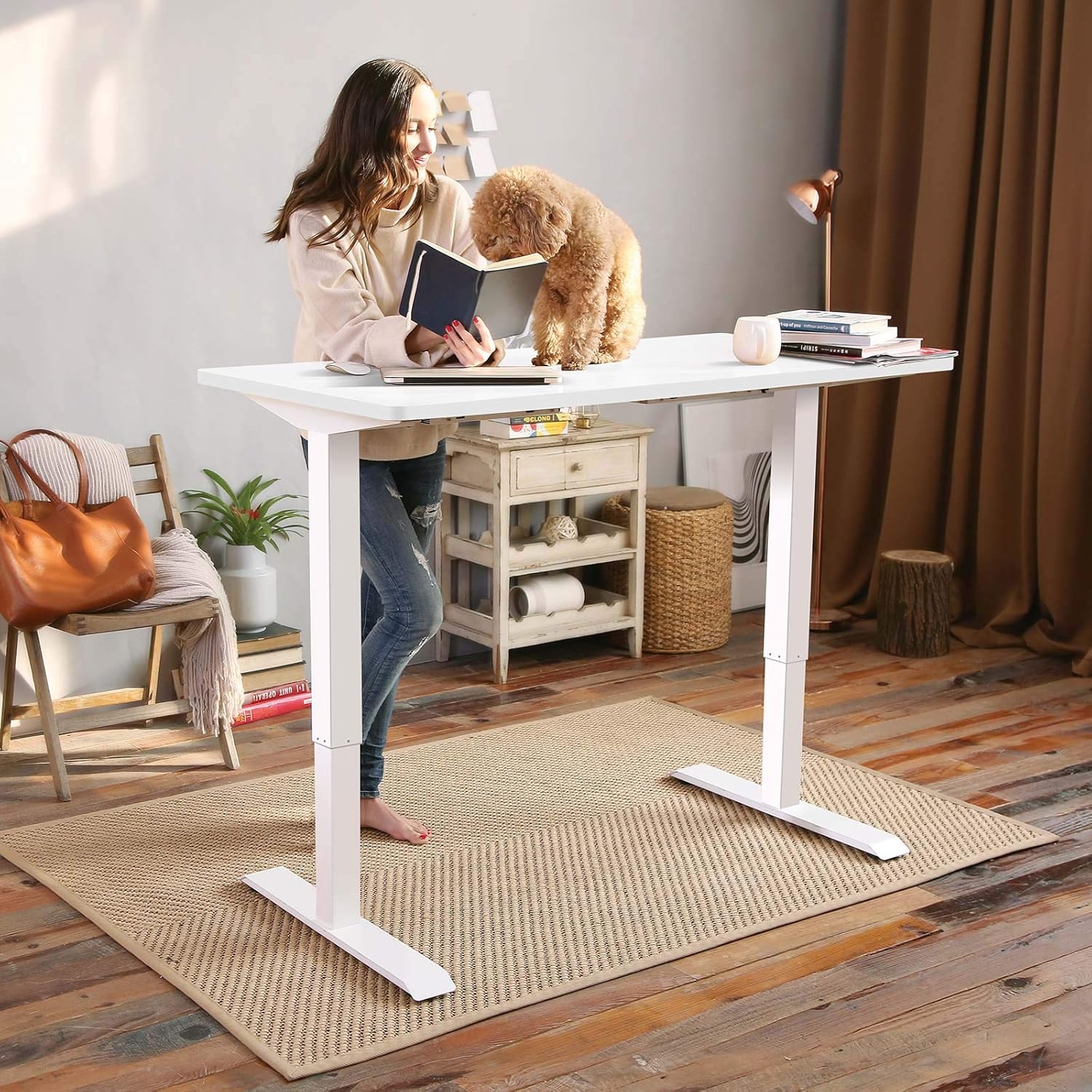
This manual provides detailed instructions for the assembly, operation, and maintenance of your FLEXISPOT EN1 Electric Height Adjustable Standing Desk. This desk features a 48x30 inch one-piece desktop, an electric lift system for smooth height adjustments, and a smart keypad with four memory presets. Please read this manual thoroughly before use to ensure proper function and safety.

2. Veiligheidsinligting
Om beserings of skade aan die produk te voorkom, volg die volgende veiligheidsriglyne:
- This desk has a maximum weight capacity of 176 lbs (80 kg). Do not exceed this limit.
- Maak seker dat alle komponente stewig vasgemaak is tydens montering.
- Hou kinders en troeteldiere weg van die lessenaar tydens werking.
- Moenie hande of ander voorwerpe naby bewegende dele plaas tydens hoogteverstelling nie.
- Only use the desk on a level surface.
- Ontkoppel die kragtoevoer voordat u skoonmaak of onderhoud uitvoer.
3. Pakketinhoud
Verifieer dat alle komponente teenwoordig is voordat u met die montering begin. Die pakket sluit in:
- Lessenaarraam (pote en dwarsbalk)
- Desktop (one-piece, 48x30 inch, white)
- Beheerpaneel met LED-skerm
- Kragadapter en kabels
- Monteer gereedskap
- Gedetailleerde handleiding
Note: The desk frame and desktop may ship and arrive in separate packages.

4. Monteer-instruksies
Assembly typically requires two people. Follow the step-by-step instructions provided in the included manual. A detailed sit-stand desk installation video is also available for reference.
- Pak al die komponente uit en verifieer dit teen die lys van die pakketinhoud.
- Attach the lifting columns to the feet using the provided screws and tools.
- Connect the crossbar between the two lifting columns.
- Carefully place the desktop upside down on a soft, clean surface.
- Align the assembled frame with the pre-drilled holes on the desktop and secure it with screws.
- Monteer die beheerpaneel aan die onderkant van die lessenaar op 'n gerieflike plek.
- Connect all cables (motor to control box, control panel to control box, power adapter to control box).
- Flip the desk upright and connect it to a power outlet.
The desk features a 1-inch thick one-piece desktop, which provides enhanced stability compared to multi-piece designs.

5. Bedryfsinstruksies
5.1. Hoogte aanpassing
The desk is equipped with an electric lift system for smooth height adjustments. Use the 'Up' and 'Down' arrows on the control panel to move the desk to your desired height. The height range is from 28.1 inches to 45.7 inches (excluding the 1-inch desktop thickness). The motor operates quietly, with noise levels below 50 dB.
5.2. Geheuevoorinstellings
The control panel features four programmable memory presets, allowing you to save and recall your preferred sitting and standing heights.
- Adjust the desk to your desired height using the 'Up' or 'Down' arrows.
- Press the 'M' button (or similar memory set button, indicated by 'i' on the image) followed by a number button (1, 2, 3, or 4) to save the current height.
- To recall a saved height, simply press the corresponding number button (1, 2, 3, or 4). The desk will automatically move to the saved position.

6. Onderhoud
Gereelde onderhoud verseker die lang lewensduur en optimale prestasie van u lessenaar.
- Skoonmaak: Vee die lessenaar en raam af met 'n sagte, damp lap. Vermy skuurmiddels of harde chemikalieë.
- Inspeksie: Kontroleer gereeld alle skroewe en boute om seker te maak dat hulle styf vas is. Draai weer vas indien nodig.
- Kabelbestuur: Maak seker dat kabels nie vasgeknyp of verstrengel is nie, veral tydens hoogteverstellings.
7. Probleemoplossing
If you encounter any issues with your FLEXISPOT EN1 desk, please refer to the following general troubleshooting tips:
- Lessenaar beweeg nie: Check if the power cable is securely connected to both the desk and the wall outlet. Try unplugging and re-plugging the desk.
- Foutboodskap op vertoon: Disconnect the power for 10 seconds, then reconnect. If the error persists, contact customer support.
- Unstable desk: Ensure all assembly screws are tightened. Verify the desk is on a level surface.
For further assistance, please contact FLEXISPOT customer support.
8. Spesifikasies
| Kenmerk | Spesifikasie |
|---|---|
| Handelsmerk | FLEXISPOT |
| Modelnommer | MAH0002307 |
| Desktop Dimensions (D x W) | 30" x 48" (76.2 cm x 121.9 cm) |
| Desktop Dikte | 1 duim (2.54 cm) |
| Verstelbare hoogtereeks | 28.1" - 45.7" (71.4 cm - 116.1 cm) |
| Maksimum gewig kapasiteit | 176 lbs (80 kg) |
| Motorgeraasvlak | Onder 50 dB |
| Lessenaarmateriaal | FSC-Certified Wood |
| Raammateriaal | Allooi staal |
| Kleur | White Frame + White Top |
| Item gewig | 80 pond (36.3 kg) |
| Vereiste samestelling | Ja |


9. Waarborg en Ondersteuning
The FLEXISPOT EN1 desk comes with a manufacturer's warranty. Please refer to the product packaging or the official FLEXISPOT website for specific warranty terms and conditions (e.g., 'Limited' or 'Full' warranty type). For technical support, assembly questions, or warranty claims, please contact FLEXISPOT customer service directly.
Contact information can typically be found on the FLEXISPOT official webwebwerf of binne jou produkverpakking.