
CyberpowerPC GMA2130CC
CyberpowerPC Gamer Master Gaming PC
Model: GMA2130CC
Inleiding
This instruction manual provides essential information for setting up, operating, maintaining, and troubleshooting your new CyberpowerPC Gamer Master Gaming PC, model GMA2130CC. Please read this manual thoroughly before using your computer to ensure proper function and longevity. The Gamer Master series is designed for high-performance computing, featuring an AMD Ryzen 5 3600 processor and NVIDIA GeForce RTX 2060 graphics for an optimal gaming experience.
Wat is in die boks
Verifieer dat al die items wat hieronder gelys word, in jou pakket ingesluit is:
- Desktop PC (CyberpowerPC Gamer Master GMA2130CC)
- Sleutelbord
- Muis
- Kragkoord

Image: The CyberpowerPC Gamer Master Gaming PC tower, accompanied by the included keyboard and mouse, ready for setup.
Opstelgids
Uitpak en plasing
Carefully remove the PC and all accessories from the packaging. Place the PC on a stable, flat surface with adequate ventilation. Ensure there is enough space around the PC for airflow, especially at the rear and top vents.
Verbind randapparatuur
- Monitor: Connect your monitor to the graphics card (NVIDIA GeForce RTX 2060) ports located at the lower rear of the PC. Use either the HDMI or DisplayPort connection.
- Sleutelbord en muis: Connect the included keyboard and mouse to any available USB ports on the rear or top of the PC.
- Krag: Connect the power cord to the power supply unit (PSU) at the rear of the PC, then plug the other end into a wall outlet or surge protector.
- Netwerk (Opsioneel): For a wired internet connection, connect an Ethernet cable to the RJ-45 network port on the rear of the PC.

Beeld: 'n Nabyskoot view of the top panel ports, including USB and audio jacks, for convenient peripheral connection.
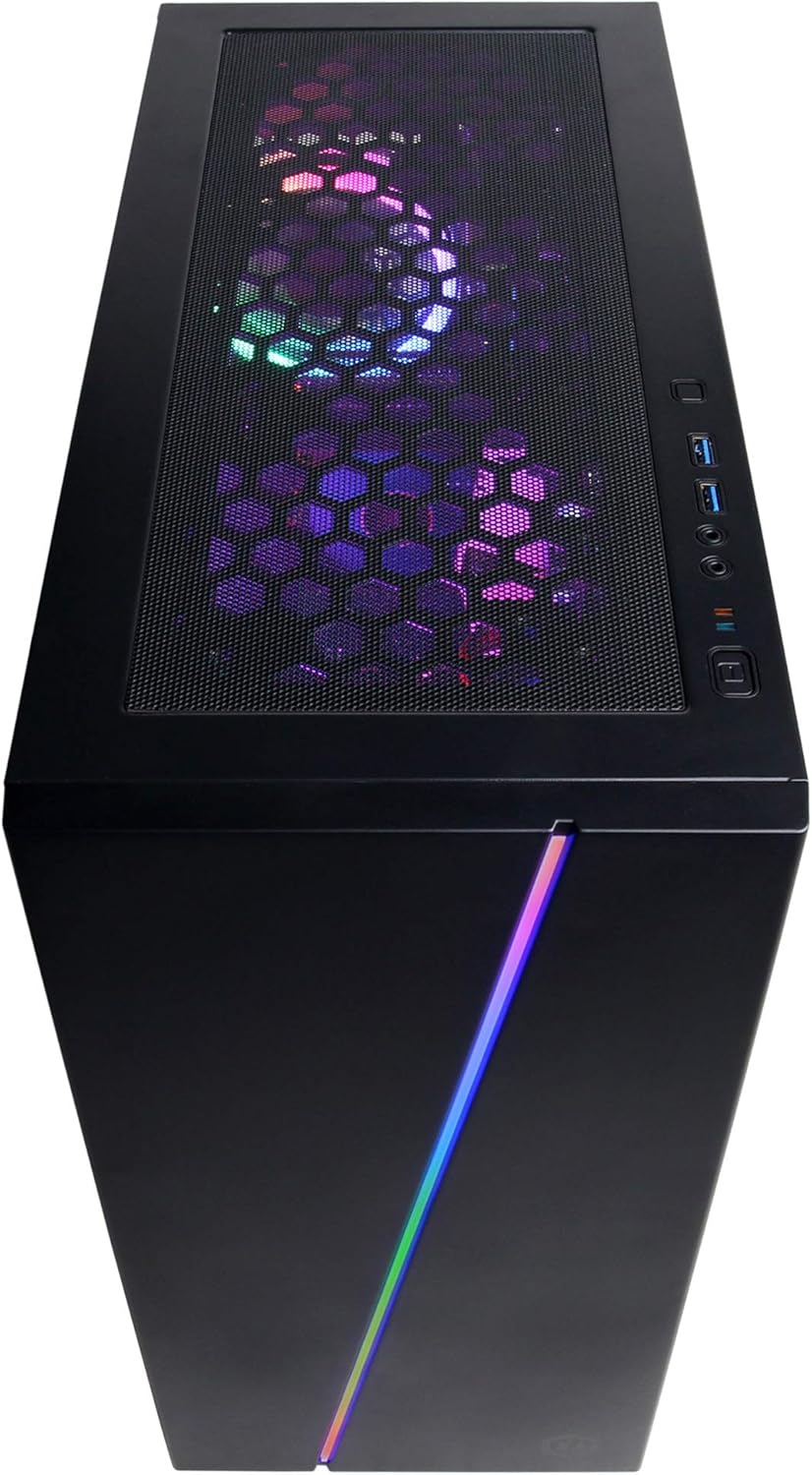
Beeld: 'n Oorhoofse view of the PC case, showing the top mesh panel for ventilation and accessible front I/O ports.
Aanvanklike krag aan
Press the power button located on the top front of the PC. The system will boot up, and you should see the CyberpowerPC logo on your monitor.
Bedryfstelselopstelling
Follow the on-screen instructions to complete the Windows 10 Home setup process. This typically involves selecting your region, language, creating a user account, and accepting the license agreement.
Bedryf jou rekenaar
Windows 10 Tuis
Your CyberpowerPC comes pre-installed with genuine Windows 10 Home 64-bit. Familiarize yourself with the Windows interface, Start Menu, and taskbar for efficient navigation.
Connecting to the Internet (Wi-Fi)
Om aan 'n draadlose netwerk te koppel:
- Klik die Wi-Fi-ikoon in die stelselbalk (regs onder op die skerm).
- Kies jou verlangde netwerk uit die lys.
- Click "Connect" and enter the network security key (password) if prompted.
Klankopstelling
Connect your speakers or headphones to the appropriate audio jacks on the rear or top of the PC. Windows 10 will typically detect and configure the audio device automatically. You can adjust volume and sound settings via the sound icon in the system tray.
RGB -beligtingskontrole
Your PC features custom RGB case lighting and RGB fans. Control software for these features may be pre-installed or available for download from the CyberpowerPC website. Refer to the software's documentation for specific instructions on customizing lighting effects.

Image: The sleek front panel of the PC case, featuring a vibrant RGB light strip that can be customized.

Beeld: 'n Interne view of the PC, showcasing the illuminated RGB cooling fans and the neatly arranged internal components.
Onderhoud
Algemene skoonmaak
- Buitekant: Gebruik 'n sagte, damp lap om die buitekant van die kas af te vee. Vermy skuurmiddels.
- Stoffilters: Periodically clean the dust filters (if present) on the case to maintain optimal airflow. These are typically located on the top, front, or bottom of the case and can be removed for cleaning.
- Interne komponente: For internal cleaning, power off and unplug the PC. Use compressed air to gently remove dust from fans, heatsinks, and other components. Exercise caution to avoid damaging sensitive parts.
Sagteware-opdaterings
Regularly update your Windows operating system, graphics drivers (NVIDIA GeForce), and other software to ensure system stability, security, and optimal performance. Windows Update can be accessed via Settings > Update & Security.
Probleemoplossing
This section addresses common issues you might encounter. For more complex problems, refer to the CyberpowerPC support webwebwerf.
- Geen krag:
- Maak seker dat die kragkabel stewig aan beide die rekenaar en die muurprop gekoppel is.
- Check if the power switch on the back of the PSU is in the 'ON' position.
- Verifieer dat die muuraansluiting funksioneel is deur 'n ander toestel in te prop.
- Geen vertoning op monitor nie:
- Bevestig dat die monitor se kragkabel gekoppel is en dat die monitor aangeskakel is.
- Ensure the video cable (HDMI/DisplayPort) is securely connected to the graphics card ports on the PC and the monitor.
- Verify the monitor input source is correctly selected (e.g., HDMI 1, DisplayPort).
- Stelsel is stadig of reageer nie:
- Maak onnodige programme wat in die agtergrond loop toe.
- Kontroleer vir wanware of virusse met behulp van antivirusprogrammatuur.
- Maak seker dat Windows en drywers op datum is.
- Monitor stelseltemperature om oorverhitting te voorkom.
- Peripherals (Keyboard/Mouse) Not Working:
- Probeer om die randapparatuur aan 'n ander USB-poort te koppel.
- Herbegin die rekenaar.
- Check device drivers in Windows Device Manager.
Tegniese spesifikasies
| Komponent | Spesifikasie |
|---|---|
| Verwerker | AMD Ryzen 5 3600 3.6GHz (6-core) |
| Grafiese kaart | NVIDIA GeForce RTX 2060 6GB |
| RAM | 8GB DDR4 |
| Berging | 240GB SSD, 1TB HDD |
| Bedryfstelsel | Windows 10 Home 64-bis |
| Chipset | AMD B450 |
| Konnektiwiteit | 802.11ac Wi-Fi, 10/100/1000 Ethernet |
| USB-poorte | 6 x USB 3.1, 2 x USB 2.0 |
| Oudio | 7.1 kanaals klank |
| Afmetings (LxBxH) | 17.91 x 8.5 x 19.29 duim |
| Gewig | 36 pond |

Beeld: 'n Kant view of the PC case, highlighting the mesh panel design for enhanced airflow and cooling.
Waarborg en Ondersteuning
Your CyberpowerPC Gamer Master Gaming PC (GMA2130CC) includes a 1 jaar waarborg op onderdele en arbeid. Additionally, CyberpowerPC provides gratis lewenslange tegniese ondersteuning vir hierdie produk.
For technical assistance, warranty claims, or further inquiries, please visit the official CyberpowerPC support website or contact their customer service. Keep your purchase receipt and product serial number readily available when contacting support.
Note: Opening the PC case may void the warranty if not performed by authorized personnel or according to specific instructions. Consult CyberpowerPC support before attempting internal modifications.
Ask a question about this manual
Ask about setup, troubleshooting, compatibility, parts, safety, or missing instructions. Manuals+ will review the question and use this page’s manual context to help answer it.