
Inleiding
This manual provides detailed instructions for the setup, operation, maintenance, and troubleshooting of your VTECH VS112-2 DECT 6.0 Bluetooth 2 Handset Cordless Phone. Please read this manual thoroughly to ensure proper use and to take full advantage van alle kenmerke.

Image: The VTECH VS112-2 cordless phone system, showing two handsets and the base unit with an integrated answering machine.
Opstelling
1. Uitpak en Aanvanklike Plasing
- Verwyder alle komponente versigtig uit die verpakking.
- Place the base unit near a standard electrical outlet and a telephone wall jack.
- Ensure the location is away from heat sources, direct sunlight, and other electrical devices that may cause interference.
2. Die basiseenheid koppel
- Steek die klein punt van die kragadapter in die kragaansluiting aan die agterkant van die basiseenheid.
- Steek die groot punt van die kragadapter in 'n muursok.
- Steek die een kant van die telefoonlynkoord in die TEL LINE-aansluiting aan die agterkant van die basiseenheid.
- Steek die ander kant van die telefoonlynkoord in 'n telefoonmuuraansluiting.
3. Battery installasie en laai
- Each handset requires 2 product-specific batteries (included).
- Maak die batteryklep aan die agterkant van elke handset oop.
- Insert the batteries, observing the correct polarity (+ and - markings).
- Plaas die deksel van die batterykompartement terug.
- Place each handset in its respective charger cradle. The CHARGE light on the handset will illuminate, indicating proper charging.
- Laat die handtoestelle vir ten minste 16 uur laai voor die eerste gebruik.
4. Connect to Cell Pairing
The Connect to Cell feature allows you to make and receive cellular calls using your cordless handsets. You can pair up to two cell phones or one cell phone and one Bluetooth headset.
- Ensure your cell phone's Bluetooth is enabled and discoverable.
- On the VTECH handset, navigate to the Bluetooth menu.
- Select 'Pair New Device' and follow the on-screen prompts to search for and connect to your cell phone.
- Bevestig die paringskode op beide toestelle indien gevra.

Image: This image demonstrates the 'Connect to Cell' functionality, showing how the cordless phone integrates with mobile devices for call management.
5. Digital Answering System Setup
The system includes a digital answering machine with a voice guide to assist with setup.
- Access the Answering System menu on the handset or base unit.
- Follow the voice guide prompts to set the outgoing announcement, number of rings, and message alert tone.
- The system can record up to 22 minutes of messages, announcements, and memos.
Bedryfsinstruksies
1. Maak en Ontvang Oproepe
- Om 'n oproep te maak: Druk TUIS / FLITS for a landline call or SEL for a cellular call, then dial the number.
- Om 'n oproep te beantwoord: Druk enige skakeltoets (0-9, #, *) of TUIS / FLITS or SEL wanneer die telefoon lui.
- Om 'n oproep te beëindig: Druk AF/KANSELLEER of plaas die selfoon in die laaier.
2. Luidsprekerfoonfunksie
The handset features a full-duplex speakerphone, allowing both parties to speak and be heard simultaneously for natural conversations.
- Druk tydens 'n oproep op die SPREKER knoppie om die luidsprekerfoon te aktiveer.
- Druk SPREKER again to switch back to the earpiece.
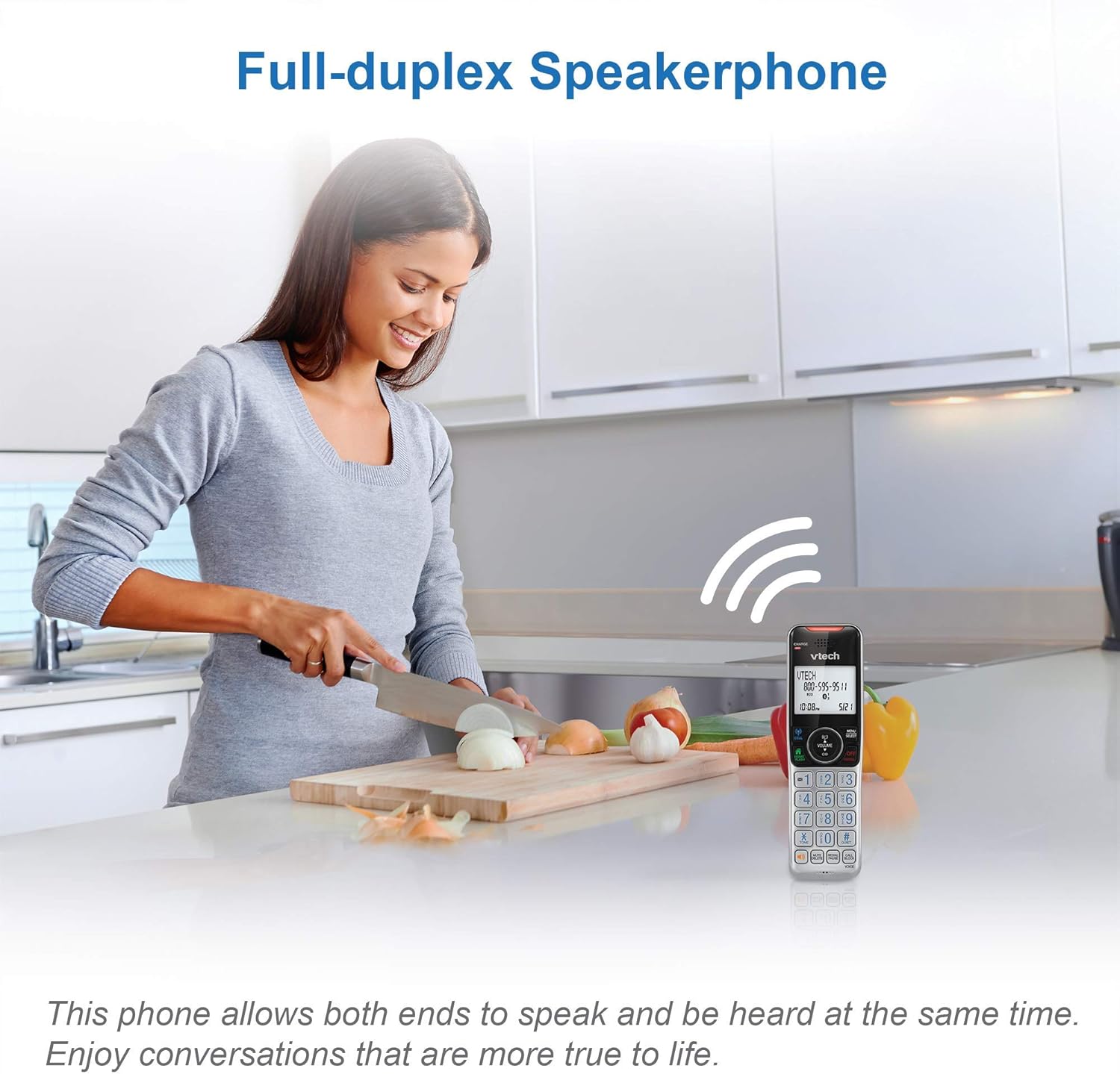
Image: This image illustrates the full-duplex speakerphone in use, showing a user engaged in a hands-free conversation.
3. Smart Call Blocker
This feature helps filter unwanted calls, including robocalls. It can block up to 1,000 numbers.
- To block a number during a call: Druk SKAKELBLOK.
- To block a number from Caller ID history: Navigate to the Caller ID log, select the number, and press SKAKELBLOK.
- Robocall screening: Stel die stelsel om bellers te vra om die pond-sleutel te druk.
- Unknown caller screening: Set the system to ask callers to record their names and press the pound key. The phone will announce the caller's name, allowing you to choose to answer, block, or send to voicemail.

Image: This graphic represents the Smart Call Blocker feature, designed to prevent unwanted calls from ringing through.

Image: This image illustrates the capacity of the smart call block directory, capable of storing up to 1,000 names and numbers.
4. Digital Answering System Operation
The answering system records incoming messages when you are unavailable.
- Playing messages: Druk SPEEL/STOP op die basiseenheid of kry toegang tot die Antwoordstelsel-kieslys op die handset.
- Recording a memo: Access the Answering System menu and select 'Record Memo'.
- The LED message counter on the base unit displays the number of new messages.

Image: This image highlights the digital answering system, showing the message counter and a visual representation of a recorded message.
5. Oproeper-ID en Oproepwagtende
The phone stores up to 50 name and number caller ID records.
- When a call comes in, the caller's name and number will display on the handset screen (requires subscription to caller ID service).
- If you have call waiting service, a tone will indicate an incoming second call. Press FLITS om tussen oproepe te wissel.

Image: This close-up shows the phone's screen displaying caller ID details, indicating an incoming call.
6. Interkom funksie
Gebruik die interkomfunksie om tussen handtoestelle te kommunikeer.
- Druk INT on one handset.
- The other handset will ring. Press any key to answer the intercom call.
7. Siri or Google Now Access
When connected to a cell phone via Bluetooth, you can access your smartphone's voice assistant.
- Druk en hou die SEL button on the handset to activate Siri or Google Now.
- Speak your command into the handset.
8. Visual Ringer and Display
The handset features a visual ringer and a large, backlit display for enhanced usability.
- A light on top of the handset flashes during an incoming call, providing a visual alert, especially useful in noisy environments or for those with hearing impairments.
- The 2-inch high-contrast, white backlit display and enlarged, lighted keypad ensure easy readability and dialing in various lighting conditions.
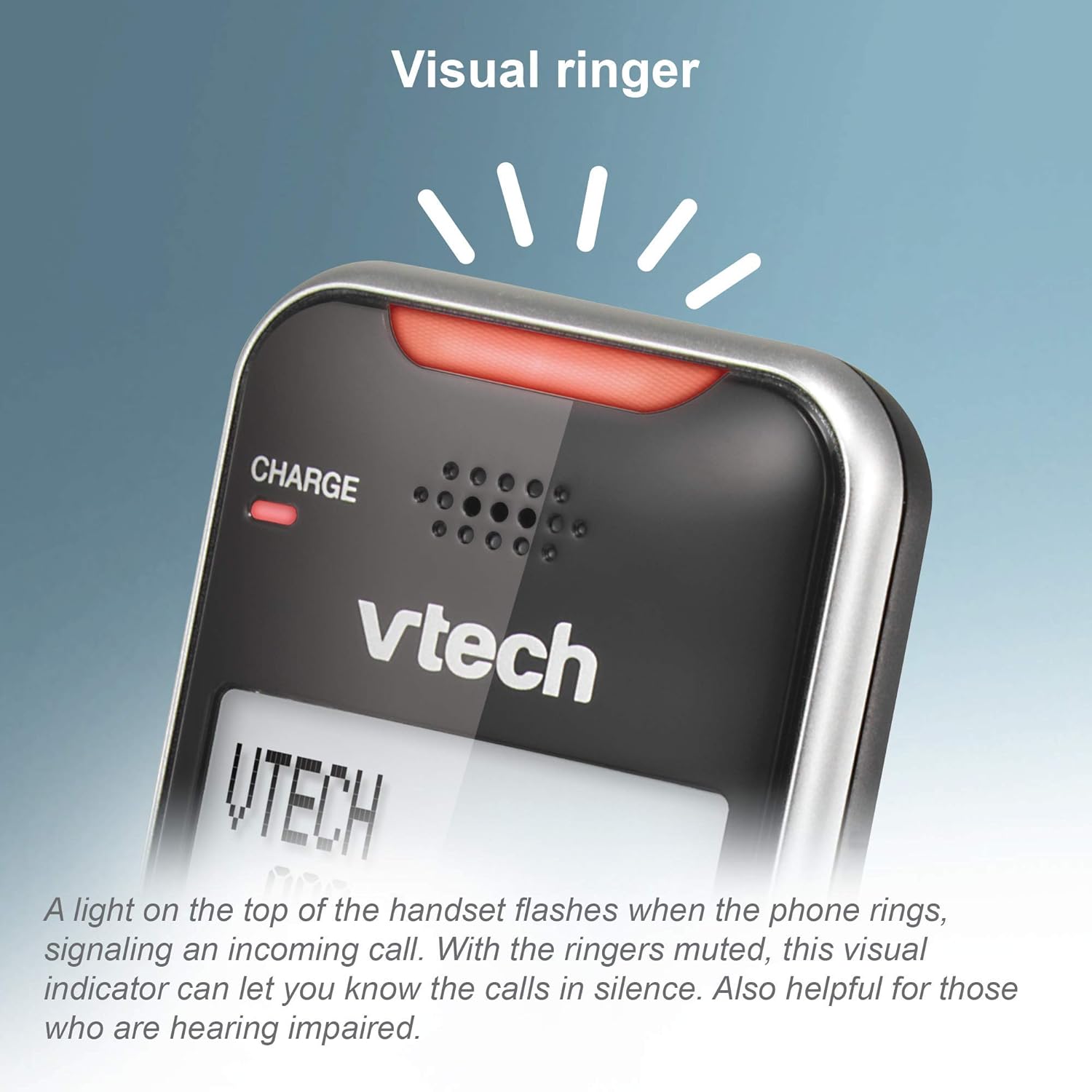
Image: This close-up shows the visual ringer, a light on the handset that flashes to signal an incoming call.

Image: This image highlights the large buttons and the 2-inch white backlit display of the handset, designed for improved visibility and ease of use.
Onderhoud
1. Skoonmaak van die foon
- Wipe the phone and base unit with a soft, slightly damp lap.
- Do not use cleaning sprays or liquid cleaners, as they may damage the finish or electrical components.
- Ensure the phone is unplugged from the power source before cleaning.
2. Batteryversorging
- To maintain optimal battery performance, keep the handsets in their chargers when not in use.
- If the phone will be unused for an extended period, remove the batteries to prevent leakage.
- Replace batteries when they no longer hold a charge effectively.
Probleemoplossing
If you experience issues with your phone, try the following troubleshooting steps:
Geen kiestoon nie
- Ensure the base unit's power adapter is securely plugged into a working electrical outlet.
- Verifieer dat die telefoonlynkoord behoorlik aan beide die basiseenheid en die muuraansluiting gekoppel is.
- Check if other phones on the same line have a dial tone. If not, the issue may be with your telephone service.
Handset Not Charging
- Ensure the handset is correctly seated in the charger cradle. The CHARGE light should illuminate.
- Clean the charging contacts on both the handset and the charger with a dry cloth.
- Verify the charger's power adapter is plugged into a working outlet.
Poor Call Quality or Static
- Beweeg die toestel nader aan die basiseenheid.
- Avoid placing the base unit near large metal objects, other cordless phones, Wi-Fi routers, or microwave ovens.
- If using Connect to Cell, ensure your cell phone is within range of the base unit.
Call Blocking Not Working
- Ensure you have correctly added the numbers to the call block list.
- Verifieer dat die Slim Oproepblokkering-funksie in die foon se instellings geaktiveer is.
- Note that some call blocking features may require a subscription to caller ID service from your telephone provider.
Answering System Issues
- Maak seker dat die antwoordstelsel AAN is.
- Check the memory capacity; if full, delete old messages.
- Verify the number of rings setting.
Spesifikasies
| Handelsmerk | VTech |
| Model | VS112-2 |
| Telefoon tipe | Koordloos |
| Tegnologie | DECT 6.0, Bluetooth |
| Aantal selfone | 2 |
| Tipe antwoordstelsel | Digitaal |
| Antwoordstelsel Opnametyd | Tot 22 minute |
| Oproeperidentifikasie | Ja |
| Smart Call Blocker Capacity | Tot 1,000 nommers |
| Vertoon | 2-inch, high-contrast, white backlit |
| Kragbron | Elektries met koord |
| Batterye | 2 Produkspesifieke batterye benodig (ingesluit) |
| Produk afmetings | 5.95 x 3.33 x 7.36 duim |
| Item gewig | 1.82 pond |
Waarborg en Ondersteuning
Amazon Hernude Waarborg
This product is offered as an Amazon Renewed item. Amazon Renewed products are professionally inspected and tested to work and look like new. If you are not satisfied with your purchase, renewed products are eligible for replacement or refund under the Amazon Renewed Guarantee.
Vervaardiger Ondersteuning
For further assistance, technical support, or detailed warranty information beyond the Amazon Renewed Guarantee, please refer to the official VTech website or contact VTech customer service directly. Contact information can typically be found on the manufacturer's webwebwerf of in die oorspronklike produkverpakking.