
1. Produk verbyview
The Nutale Ultra Slim Key Finder (Model F6X) is a compact Bluetooth device designed to help you locate misplaced items quickly. It connects to your smartphone via the Findthing App and features an 80dB sound alarm.
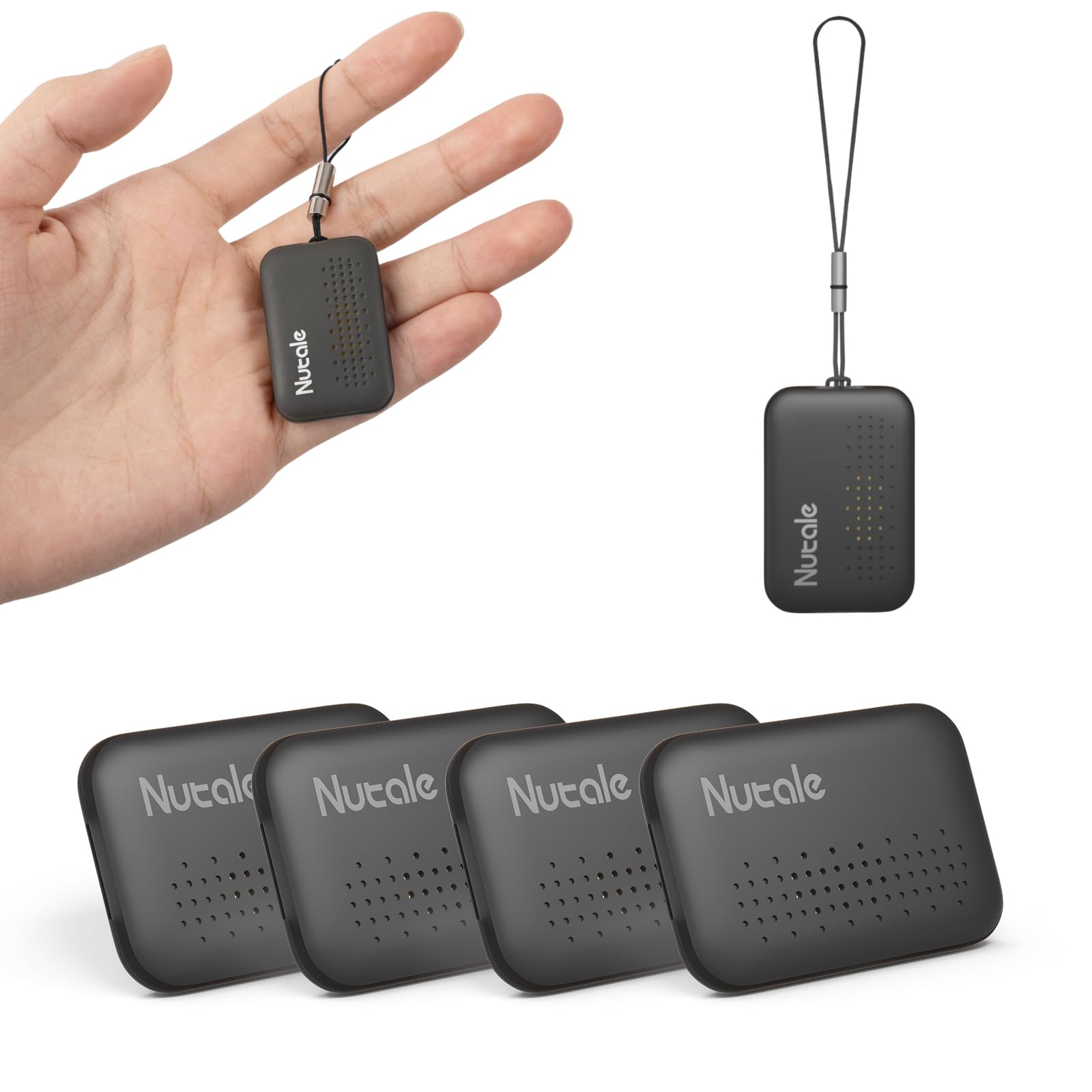
Image: The Nutale Ultra Slim Key Finder, a small, black, oval-shaped device with a subtle speaker grille pattern.

Image: A diagram showing the dimensions of the Nutale Key Finder: Length 36mm, Width 24mm, Thickness 5mm.
2. Opstelgids
Follow these steps to set up your Nutale Key Finder:
- Krag aan: Long press the device's button for 5 seconds until you hear a sound, indicating it's powered on.
- Laai die app af: Download and open the "Findthing" App from your device's app store. This version is compatible with both iOS and Android devices.
- Voeg toestel by: Tap the "+" icon within the Findthing App to add a new device.
- Select Category: Choose a category for your item (e.g., keys, wallet, remote).
- Voltooi opstelling: Tap "Done" to complete the pairing process. You can then tap "Call" in the app to test the device's ring function.

Image: A smartphone screen displaying the Findthing App interface with options for location history, sharing, firmware update, and device information. App Store and Google Play icons are visible for download.
3. Bedryfsinstruksies
Vind met een aanraking
To quickly locate a misplaced item, open the Findthing App on your smartphone and click the "CALL" button. Your Nutale Key Finder will emit an 80dB sound, guiding you to its location.

Image: A Nutale Key Finder icon with sound waves emanating from it, superimposed on a living room setting, indicating the device is ringing. A smartphone screen shows the 'Call' button in the app.
Attaching the Key Finder
The Nutale Key Finder is designed to be attached to various items:
- Sleutels: Use the integrated loop to attach it to your keychain.
- Beursie: Its ultra-slim design allows it to fit easily into wallet compartments.
- Afstandsbedienings: Attach it to your TV remote or other frequently misplaced remotes.
- Bags/Backpacks: Secure it to zippers or internal loops of bags.

Image: A Nutale Key Finder attached to a set of house keys on a keyring, resting on a grey tray.

Image: A hand sliding the slim Nutale Key Finder into a compartment of a blue wallet.

Image: A Nutale Key Finder attached to a white TV remote control, resting on a textured fabric surface.
Amptelike Produkvideo's
Video: An official Nutale video demonstrating the features and usage of the Nutale Key Finder Mini Bluetooth Tracker. It shows how to connect the device to items and use the app to locate them.
Video: An official Nutale video showcasing the Nutale Findthing key Finder. It highlights its compact design and ease of use for tracking various personal belongings.
4. Onderhoud
Battery vervanging
The Nutale Key Finder uses CR2032 coin cell batteries. When the battery is low, the device's performance may be affected. To replace the battery:
- Carefully open the device casing.
- Verwyder die ou CR2032-battery.
- Plaas 'n nuwe CR2032-battery met die positiewe (+) kant na bo.
- Close the device casing veilig.
Note: 4 CR2032 batteries are required for operation. Batteries are not included with the product.
5. Probleemoplossing
- Toestel koppel nie aan toepassing nie: Ensure Bluetooth is enabled on your smartphone and the Nutale Key Finder is powered on and within range. Try restarting both the device and the app.
- Device not beeping: Check the battery level in the app. If the battery is low, replace it. Ensure the volume on your smartphone is not muted.
- Kort afstand: Bluetooth range can be affected by obstacles and interference. Ensure there are no major obstructions between your phone and the key finder.
6. Spesifikasies
| Kenmerk | Detail |
|---|---|
| Modelnommer | F6X |
| Konnektiwiteit | Bluetooth |
| Afmetings | 1.4 x 0.96 x 0.2 duim (36 x 24 x 5 mm) |
| Item gewig | 1.76 onse |
| Batterye benodig | 4 x CR2032 (nie ingesluit nie) |
| Versoenbare toestelle | iOS and Android Smartphones |
| Materiaal | Plastiek |
7. Waarborg en ondersteuning
Nutale is dedicated to providing premium products and impeccable customer care. For any questions, concerns, or support needs, please contact our customer service team.
Kontakinligting:
- Webwebwerf: www.nutale.com
- E-pos: support@nutale.com (example)