
1. Inleiding
Thank you for choosing the Aduro PowerUp Ultra Boost 20,000mAh Portable Charger. This device is designed to provide reliable power for your mobile devices on the go. Please read this manual carefully to ensure proper use and optimal performance.
2. Pakketinhoud
- Aduro PowerUp Ultra Boost 20,000mAh Portable Charger
- USB-laaikabel (vir die herlaai van die kragbank)
- Gebruikershandleiding

Image: The Aduro PowerUp Ultra Boost portable charger shown alongside its retail packaging and included USB cable.
3. Produkkenmerke
- 20 000 mAh hoë kapasiteit: Provides multiple charges for smartphones and tablets.
- Dual USB Output Ports: Charge two devices simultaneously.
- Slimlaaitegnologie: Automatically detects and delivers optimal charging current for connected devices.
- LED -kragaanwyser: Displays remaining battery capacity.
- Kompakte en draagbare ontwerp: Maklik om te dra vir reis en daaglikse gebruik.
- Built-in Safety Protections: Guards against over-heating, over-current, over-charging, over-circuit, and anti-fire.
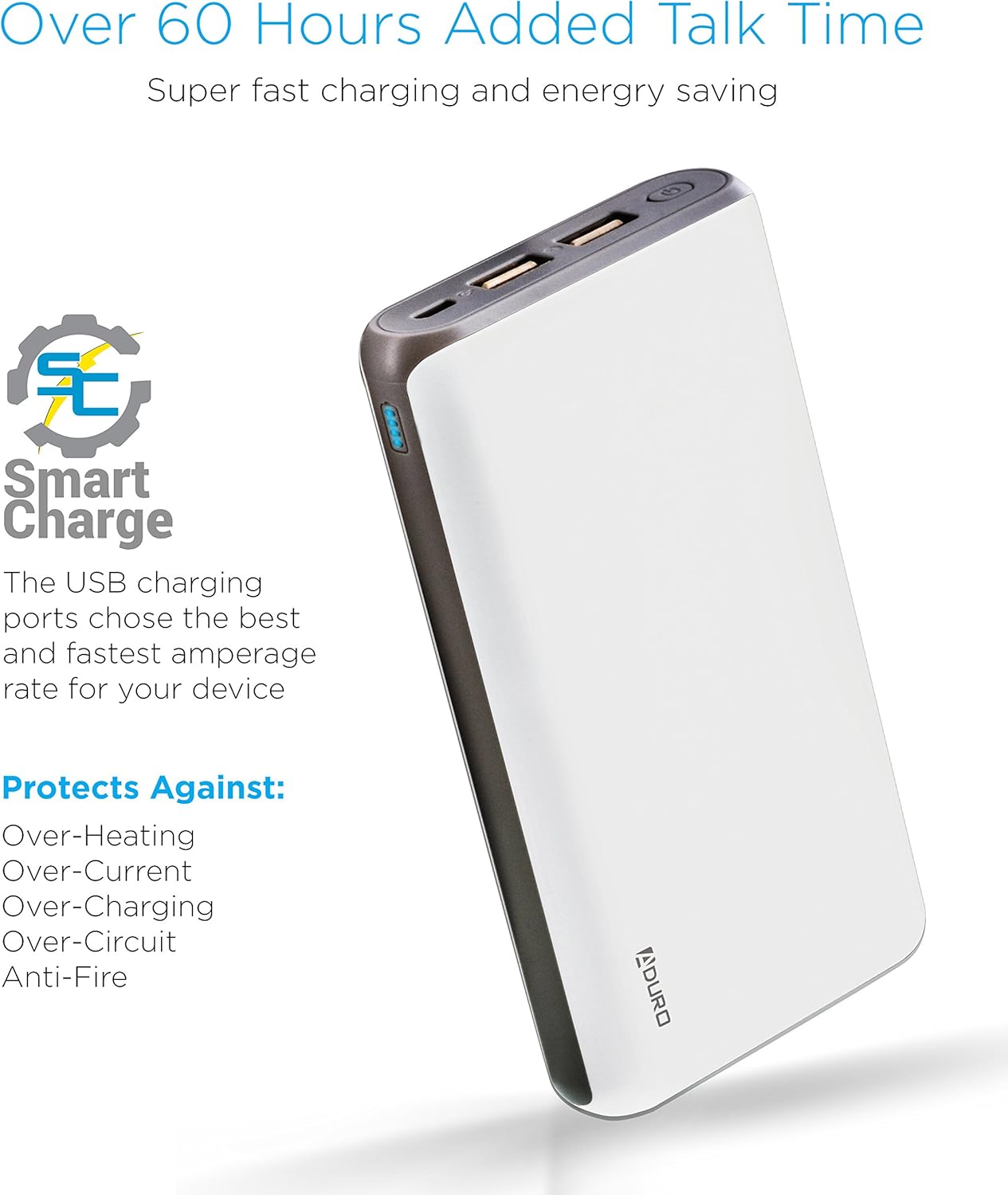
Image: The Aduro power bank highlighting its Smart Charge technology and various safety features like protection against over-heating and over-charging.

Beeld: 'n Gedetailleerde view of the Aduro power bank's dual USB output ports, micro USB input port, and the LED power indicator lights.
4. Aan die gang
4.1 Laai die kragbank
- Connect the included USB charging cable to the power bank's Micro USB input port.
- Plug the other end of the USB cable into a USB wall adapter (not included) or a computer's USB port.
- The LED indicators will illuminate and blink to show the charging progress. All four LEDs will be solid when the power bank is fully charged.
Dit word aanbeveel om die kragbank volledig te laai voor die eerste gebruik.
4.2 Laai jou toestelle
- Connect your device's charging cable to one of the power bank's USB output ports.
- Verbind die ander punt van die kabel met u toestel.
- Die kragbank sal outomaties jou toestel begin laai. Die LED-aanwysers sal die oorblywende krag wys.
- To charge a second device, connect it to the other USB output port.
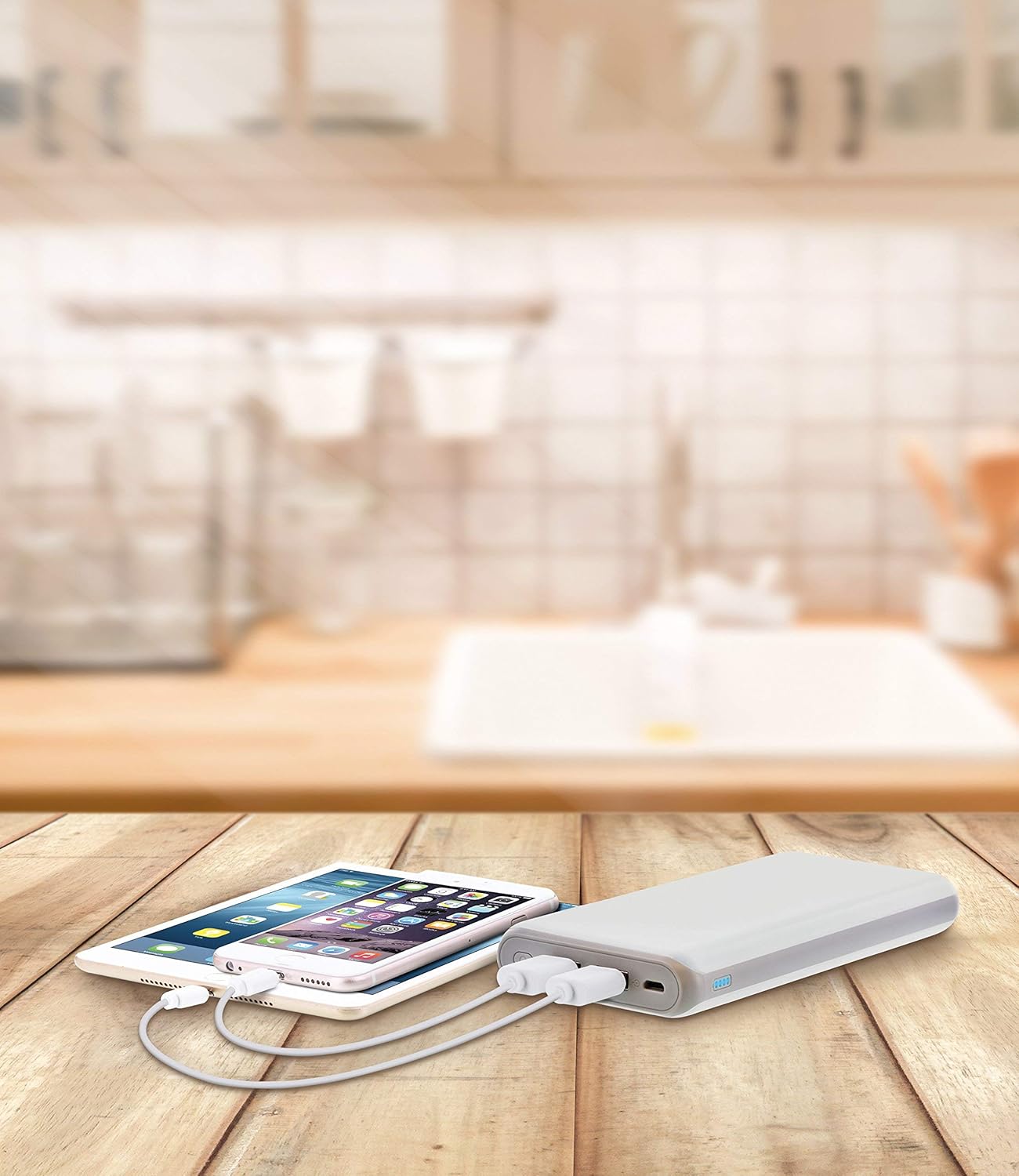
Image: The Aduro power bank connected via USB cables to two smartphones, demonstrating its dual-device charging capability.
5. LED-aanwysergids
The LED lights on the power bank indicate the remaining battery capacity:
- 4 LED's konstant: 75% - 100% gelaai
- 3 LED's konstant: 50% - 75% gelaai
- 2 LED's konstant: 25% - 50% gelaai
- 1 LED-lig solied: 0% - 25% gelaai (herlaai binnekort)
- LEDs Blinking: Power bank is currently charging
6. Veiligheidsmaatreëls
- Do not expose the power bank to extreme temperatures (above 104°F / 40°C or below 14°F / -10°C).
- Moenie die toestel uitmekaar haal, verander of probeer herstel nie.
- Vermy om die kragbank te laat val of aan sterk impakte te onderwerp.
- Hou weg van water, vog en vlambare materiale.
- Moenie gebruik as die kragbank beskadig of geswel is nie.
- Hou buite bereik van kinders.
- Gooi die kragbank verantwoordelik weg volgens plaaslike regulasies.
7. Sorg en Onderhoud
- Clean the power bank with a soft, dry cloth. Do not use harsh chemicals or abrasive cleaners.
- Berg die kragbank op 'n koel, droë plek wanneer dit nie gebruik word nie.
- If storing for extended periods, charge the power bank to approximately 50% every 3 months to maintain battery health.
8. Probleemoplossing
- Kragbank laai nie: Ensure the charging cable is securely connected to both the power bank and the power source. Try a different USB cable or wall adapter.
- Toestel laai nie vanaf kragbank nie: Ensure the power bank has sufficient charge. Check that the cable connecting your device to the power bank is functional and properly connected. Try a different USB port on the power bank.
- Stadige laai: Ensure you are using a compatible charging cable. Some devices may charge slower due to their input requirements or the cable used.
9. Spesifikasies
| Kenmerk | Detail |
|---|---|
| Modelnommer | F-208C |
| Battery kapasiteit | 20,000 mAh |
| Invoer | 5V / 2A (Micro USB) |
| Uitset 1 | 5V / 1A (USB Type A) |
| Uitset 2 | 5V / 2.1A (USB Type A) |
| Produk afmetings | 6.4 x 3 x 0.8 duim |
| Item gewig | 13.6 onse |
| Kleur | Wit |

Image: The Aduro power bank displaying its physical dimensions for reference.
10. Waarborginligting
Aduro provides a Lifetime Limited Warranty for this product. This warranty covers manufacturing defects and ensures the product functions as intended under normal use. Please retain your proof of purchase for warranty claims.
11. Kliëntediens
For any questions, technical assistance, or warranty claims, please contact Aduro customer service. Refer to the product packaging or the official Aduro webwebwerf vir die mees onlangse kontakinligting.