
GOKOO B08FMBHSWD
GOKOO Smart Watch B08FMBHSWD User Manual
Inleiding
This manual provides essential information for the proper setup, operation, and maintenance of your GOKOO Smart Watch B08FMBHSWD. Please read it thoroughly before using the device to ensure optimal performance and longevity.
The GOKOO Smart Watch is a versatile fitness tracker and smartwatch designed to monitor various health metrics and assist with daily activities. It features a full touch screen, heart rate and blood oxygen monitoring, sleep tracking, multiple sports modes, and notification capabilities.
Produk verbyview
The GOKOO Smart Watch B08FMBHSWD is equipped with advanced features to support your active lifestyle and health monitoring needs.
- All-day Activity Tracking: Records steps, calories, and mileage. Supports 10 sports modes including walking, running, yoga, and swimming.
- Omvattende Gesondheidsmonitering: Continuously monitors heart rate and blood oxygen levels. Features automatic sleep tracking, breathing training, and sedentary reminders.
- Durable and Waterproof Design: IP68 waterproof rating suitable for daily use and swimming.
- Aanpasbare skerm: 1.3-inch round high-definition screen with personalized UI interfaces.
- Slim kennisgewings: Synchronizes messages and allows management of incoming calls.
- Lang batterylewe: Up to 10 days of usage on a single charge (200MA battery).
- Wye verenigbaarheid: Works with Android 5.0+ and iOS 9.0+ devices.

Figure 1: GOKOO Smart Watch highlighting its design and core functionalities.
Opstelling
1. Laai die toestel
Before initial use, fully charge your GOKOO Smart Watch. Connect the magnetic charging cable to the charging contacts on the back of the watch and plug the USB end into a power adapter (not included) or a computer's USB port. The watch display will indicate charging status.
A full charge typically takes approximately 2 hours and provides up to 10 days of usage, depending on individual use patterns.

Figure 2: Illustration of the watch's IP68 waterproof capability and its extended battery life.
2. App-installasie en -paring
- Laai die toepassing af: Soek vir the official GOKOO companion app in your smartphone's app store (Apple App Store for iOS, Google Play Store for Android).
- Installeer en Registreer: Install the app and follow the on-screen instructions to create an account or log in.
- Aktiveer Bluetooth: Maak seker dat Bluetooth op jou slimfoon geaktiveer is.
- Koppel die horlosie: Open the GOKOO app, navigate to the device pairing section, and select your GOKOO Smart Watch from the list of available devices. Confirm the pairing request on both your phone and the watch if prompted.
- Toestemmings verleen: Laat die nodige toestemmings toe (bv. kennisgewings, ligging, gesondheidsdata) sodat die toepassing korrek kan funksioneer.
The watch will synchronize its language with your phone upon successful connection.
Bedryfsinstruksies
1. Basiese navigasie
- Raakskerm: The watch features a full touch screen for interaction.
- Swiep op/af: Blaai deur spyskaarte en kennisgewings.
- Swiep links/regs: Access different widgets or quick functions.
- Tik: Kies 'n item of bevestig 'n aksie.
- Syknoppie: Typically used to return to the home screen or activate/deactivate the display.

Figure 3: The watch interface displaying multiple functions and touch screen interaction methods.
2. Aktiwiteitsopsporing
The watch automatically tracks your daily steps, calories burned, and distance traveled. For specific activities, you can select from 10 sports modes:
- Stap
- Hardloop
- Joga
- Swem
- Fietsry
- Klim
- Basketbal
- Sokker
- Pluimbal
- Slaan oor
To start a workout, navigate to the 'Sports' menu on your watch, select the desired activity, and tap to begin. The watch will record your exercise data, which can be reviewin die metgesel-app.

Figure 4: The watch interface showing available sports monitoring modes.

Figure 5: The watch tracking an outdoor run, displaying distance, calories, and a trajectory map.
3. Gesondheidsmonitering
- Hartklop: Die horlosie monitor jou hartklop voortdurend. View real-time data on the watch or detailed historical data in the app.
- Bloedsuurstof (SpO2): Monitor your blood oxygen levels throughout the day.
- Slaap dop: The watch automatically records your sleep quality, including deep sleep, light sleep, and wake times. Review sleep patterns in the app to help adjust your habits.
- Asemhalingsoefening: Access guided breathing exercises on the watch to help reduce stress and improve relaxation.
- Sittende herinneringe: Set reminders in the app to prompt you to move after periods of inactivity.

Figure 6: The watch displaying real-time heart rate and blood oxygen data during exercise.
4. Notifications and Smart Features
Once paired with your smartphone, the GOKOO Smart Watch can display notifications for incoming calls, messages, and various app alerts. You can read messages directly on your wrist and manage incoming calls (answer/reject) without reaching for your phone.
- Oproepbestuur: Swipe on the watch screen to accept or reject incoming calls.
- Boodskapvertoning: View text messages and app notifications.
- Weervoorspelling: Access current weather information.
- Musiekbeheer: Beheer musiekweergawe op jou slimfoon.
- Kamera afstandsbediening: Gebruik die horlosie as 'n afstandbeheerder vir jou foon se kamera.
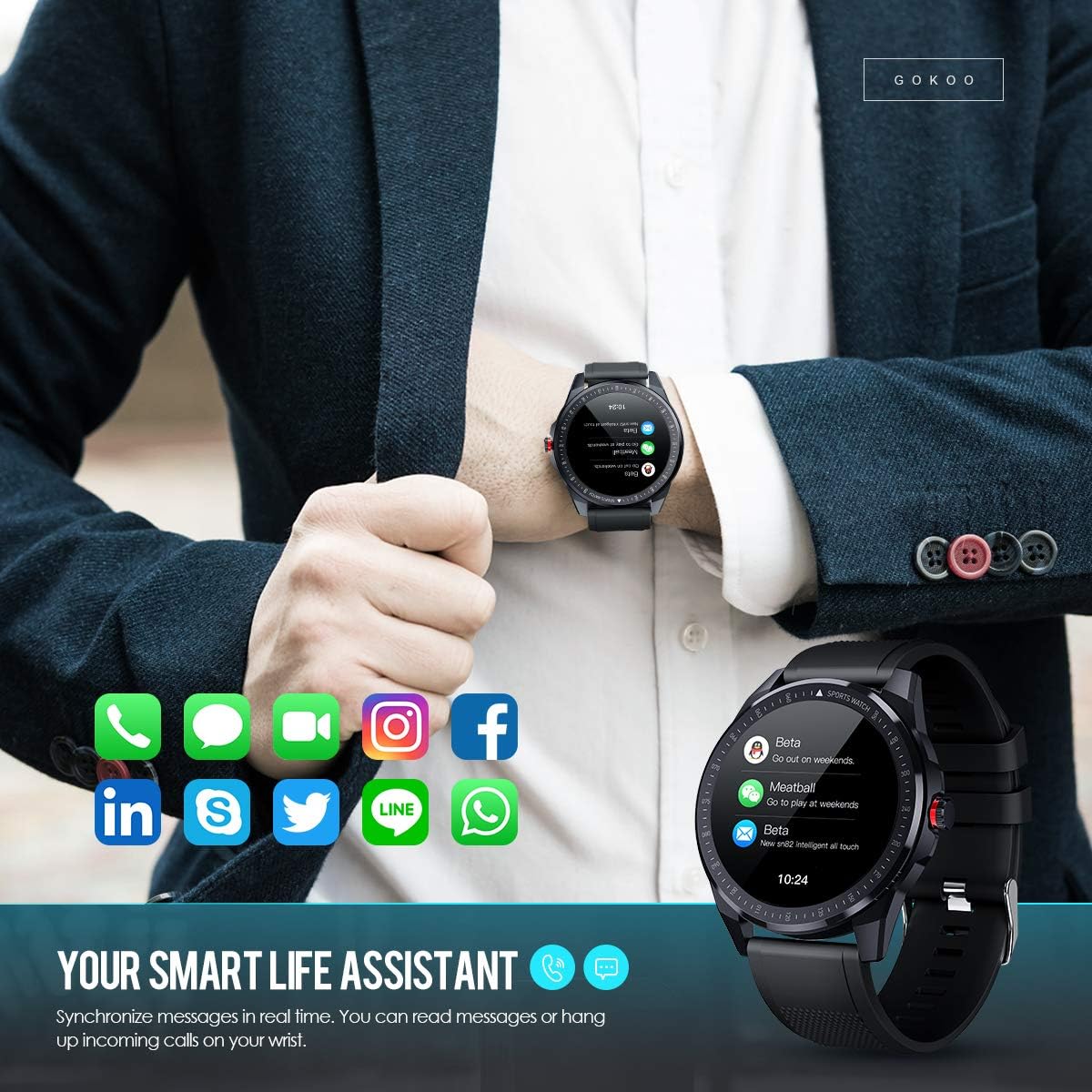
Figure 7: The watch showing synchronized notifications from a smartphone.
5. Aanpassing
The GOKOO Smart Watch allows for personalization of its interface. You can select from various pre-installed watch faces or download additional styles through the companion app to match your preference.
Onderhoud
1. Skoonmaak
Maak jou horlosie en bandjie gereeld skoon om velirritasie te voorkom en toestelhigiëne te handhaaf. Gebruik 'n sagte, pluisvrye lap. Indien nodig, liggies dampMaak die lap met water skoon. Vermy die gebruik van harde chemikalieë, skuurmiddels of aërosolspuitmiddels.
2. Riglyne vir waterbestandheid
The GOKOO Smart Watch has an IP68 waterproof rating, meaning it is resistant to dust and can withstand immersion in water up to 1.5 meters for 30 minutes. It is suitable for daily use, hand washing, rain, and swimming.
Belangrik: Do not use the watch in hot water baths, saunas, or during diving. High temperatures and high pressure can compromise the waterproof seals and cause damage.
3. Batteryversorging
- Vermy om die battery gereeld heeltemal te ontlaai.
- Laai die horlosie met die meegeleverde magnetiese laaikabel.
- Bêre die horlosie op 'n koel, droë plek wanneer dit nie vir lang tye gebruik word nie.
Probleemoplossing
- Horlosie skakel nie aan nie: Maak seker dat die horlosie volledig gelaai is. Koppel dit vir ten minste 30 minute aan die laaier.
- Kan nie met foon koppel nie:
- Maak seker dat Bluetooth op jou foon geaktiveer is.
- Maak seker dat die horlosie binne Bluetooth-bereik van jou foon is.
- Herbegin beide jou foon en die horlosie.
- Check if the app has necessary permissions.
- Onakkurate gesondheidsdata: Maak seker dat die horlosie styf om jou pols gedra word, ongeveer een vingerbreedte bokant die polsbeen. Maak die sensor aan die agterkant van die horlosie skoon.
- Kennisgewings verskyn nie:
- Verify that notification permissions are granted in the app and your phone's settings.
- Maak seker dat die horlosie via Bluetooth gekoppel is.
- Check if 'Do Not Disturb' mode is active on either the watch or phone.
- Kort batterylewe: Reduce screen brightness, disable continuous heart rate monitoring if not needed, and limit the number of active notifications.
Spesifikasies
| Kenmerk | Detail |
|---|---|
| Handelsmerk | GOKOO |
| Model | B08FMBHSWD |
| Skerm grootte | 1.3 duim |
| Bedryfstelsel | Android 5.0 of hoër, iOS 9.0 of hoër |
| Versoenbare toestelle | Slimfoon |
| Batterylewe | Up to 10 days (depending on usage) |
| Battery Tipe | Litium polimeer |
| Waterweerstand | IP68 |
| Draadlose konneksie | Bluetooth |
| Menslike koppelvlak-invoer | Raakskerm |
| Produk afmetings | 27 x 5 x 1.08 cm; 168 g |

Figure 8: Detailed product dimensions of the GOKOO Smart Watch.
Waarborg en Ondersteuning
For warranty information or technical support, please refer to the contact details provided with your purchase or visit the official GOKOO website. If you require a copy of this manual or have any questions regarding your GOKOO Smart Watch B08FMBHSWD, please contact customer service.
Ask a question about this manual
Ask about setup, troubleshooting, compatibility, parts, safety, or missing instructions. Manuals+ will review the question and use this page’s manual context to help answer it.