
1. Inleiding
This manual provides detailed instructions for the setup, operation, and maintenance of your LOWELL Juventus FC Quartz Analog Alarm Clock. Please read this manual thoroughly before using the product to ensure proper function and longevity.
2. Veiligheidsinligting
- Keep the alarm clock away from water and high humidity.
- Vermy die blootstelling van die toestel aan uiterste temperature of direkte sonlig.
- Do not attempt to disassemble or repair the alarm clock yourself. Refer to qualified personnel for service.
- Gooi gebruikte batterye verantwoordelik volgens plaaslike regulasies weg.
- Hou batterye buite bereik van kinders.
3. Pakketinhoud
- LOWELL Juventus FC Quartz Analog Alarm Clock (Model: JA7082JU1)
- Instruksie Handleiding
4. Produk verbyview
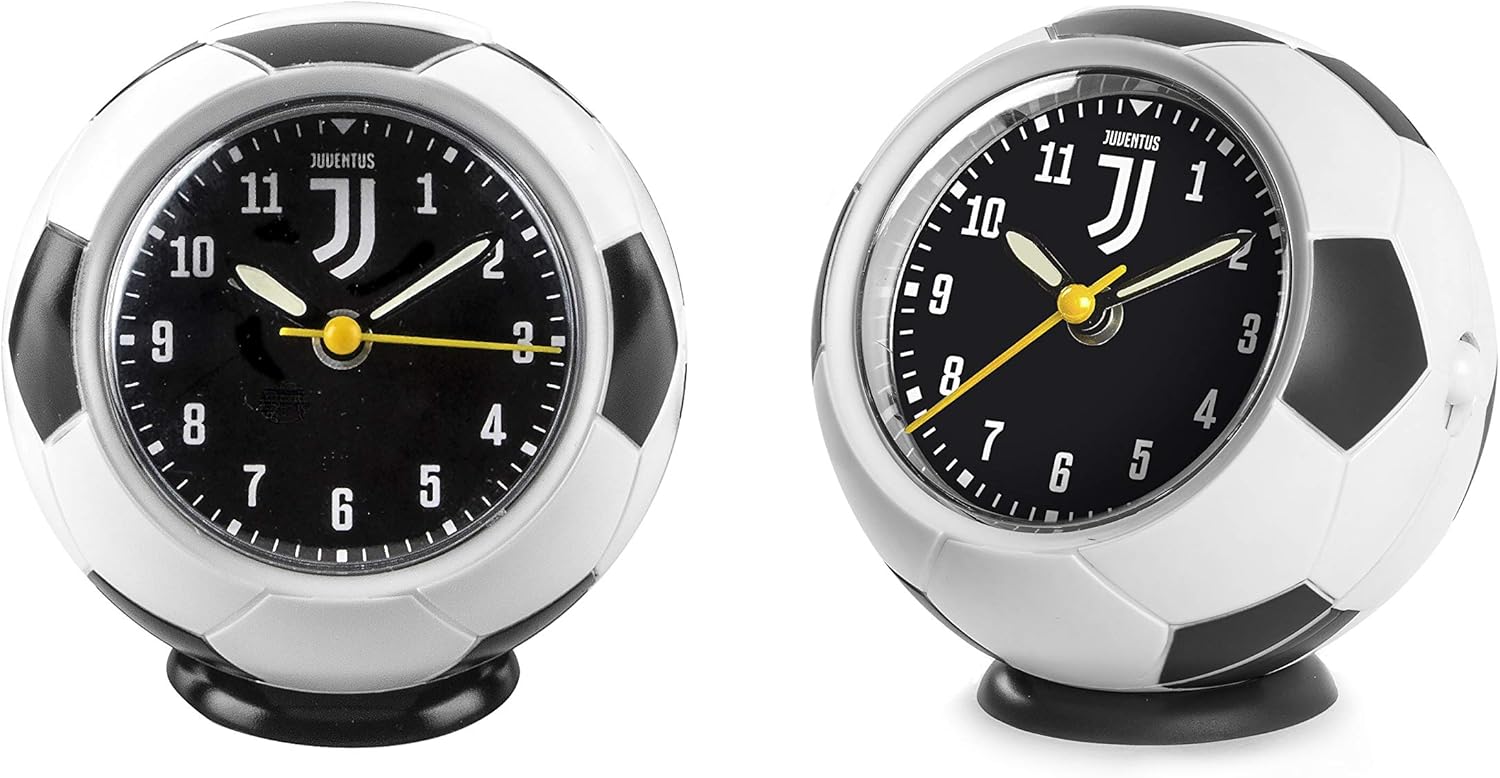
Figuur 1: Voor- en sykant view of the LOWELL Juventus FC Quartz Analog Alarm Clock. The clock is designed in the shape of a soccer ball, featuring the Juventus logo prominently on its black face. The analog display has white numbers and luminous hands for visibility in low light. A small knob for setting time and alarm is visible on the back/side.
The LOWELL Juventus FC Quartz Analog Alarm Clock is a battery-operated device designed for timekeeping and alarm functions. It features a quartz movement for accurate time and luminous hands for easy reading in the dark.
Sleutelkomponente:
- Tydinstellingsknop: Geleë op die agterkant, word gebruik om die huidige tyd aan te pas.
- Alarm-instellingsknop: Geleë op die agterkant, word gebruik om die verlangde alarmtyd in te stel.
- Alarm AAN/UIT-skakelaar: Located on the back, used to activate or deactivate the alarm.
- Battery kompartement: Located on the back, for battery installation.
5. Opstelling
5.1. Battery Installasie
- Open the battery compartment cover located on the back of the alarm clock.
- Insert one AA battery (not included) into the compartment, ensuring the correct polarity (+ and -).
- Maak die batterykompartement se deksel stewig toe.
5.2. Aanvanklike tydinstelling
- Locate the Time Setting Knob on the back of the clock.
- Rotate the knob in either direction until the hour and minute hands display the current time.
6. Bedryfsinstruksies
6.1. Stel die alarm in
- Locate the Alarm Setting Knob on the back of the clock.
- Draai hierdie knop totdat die klein alarmwyser na die verlangde alarmtyd wys.
6.2. Aktivering/Deaktivering van die alarm
- To activate the alarm, slide the Alarm ON/OFF Switch to the 'ON' position.
- To deactivate the alarm, slide the Alarm ON/OFF Switch to the 'OFF' position.
6.3. Luminous Feature
The hour and minute hands are designed with a luminous coating. After exposure to light, they will glow in the dark for a period, allowing for easy time reading at night.
7. Onderhoud
- Skoonmaak: Vee die horlosie se oppervlak af met 'n sagte, droë lap. Moenie skuurmiddels of oplosmiddels gebruik nie.
- Battery vervanging: Replace the battery when the clock starts losing time or the alarm weakens. Always use a fresh AA battery.
- Berging: Indien die horlosie vir 'n lang tydperk gestoor word, verwyder die battery om lekkasie te voorkom.
8. Probleemoplossing
| Probleem | Moontlike oorsaak | Oplossing |
|---|---|---|
| Clock not working / losing time | Dooie of swak battery | Vervang met 'n nuwe AA-battery. |
| Alarm klink nie | Alarm switch is OFF | Slide the Alarm ON/OFF Switch to 'ON'. |
| Alarm time not set correctly | Adjust the Alarm Setting Knob to the desired time. |
9. Spesifikasies
- Handelsmerk: LOWELL
- Model: JA7082JU1
- Kleur: White (with black accents)
- Afmetings: Ongeveer 12.2 x 10.9 x 10.1 cm
- Gewig: Ongeveer 160 gram
- Materiaal: Rubber
- Spesiale kenmerke: Alarm, Luminous hands
- Vertoon tipe: Analoog
- Kragbron: 1 x AA-battery (nie ingesluit nie)
- Beweging: Kwarts
10. Waarborg en Ondersteuning
For warranty information or technical support, please refer to the retailer where the product was purchased or contact LOWELL customer service directly. Please retain your proof of purchase for any warranty claims.