
1. Inleiding
This manual provides essential information for the installation, operation, and maintenance of your Segotep GM850 850W Power Supply. Please read this manual thoroughly before installation and retain it for future reference. The Segotep GM850 is a high-performance, fully modular power supply designed to meet the demands of modern computing systems, including those with NVIDIA RTX 20/30/40/50 Series and AMD Graphics Cards.

Image 1.1: Segotep GM850 850W Power Supply and Retail Box
2. Veiligheidsinligting
Observe the following safety precautions to prevent injury or damage to your equipment:
- Ontkoppel altyd die kragkabel van die muursok voordat u die kragtoevoer installeer, verwyder of skoonmaak.
- Moenie die kragtoevoereenheid oopmaak nie. Hoë volumetages are present inside, and there are no user-serviceable parts. Opening the unit will void the warranty.
- Maak seker dat die kragtoevoer in 'n goed geventileerde area geïnstalleer is, vry van oormatige hitte, humiditeit of stof.
- Gebruik slegs die modulêre kabels wat saam met hierdie kragtoevoer voorsien word. Die gebruik van onversoenbare kabels kan skade aan die PSU of gekoppelde komponente veroorsaak.
- Koppel die kragtoevoer aan 'n geaarde elektriese aansluiting.
- Avoid placing objects into the fan grille or ventilation openings of the power supply.

Image 2.1: Safety Protection Features (OVP, OCP, OPP, SPD, OTP, UVP, SCP)
3. Pakketinhoud
Verify that all items are present in your Segotep GM850 850W Power Supply package:
- Segotep GM850 850W Power Supply Unit
- AC kragkabel
- Modular Cable Set (see Image 3.1 for details)
- Monteer skroewe
- 24-Pin Bridge Tool (for testing, if included)
- Gebruikershandleiding (hierdie dokument)

Image 3.1: Included Modular Cables and 24-Pin Bridge Tool
4. Produkkenmerke
- ATX 3.1 en PCIe 5.1 gereed: This power supply is compliant with the latest ATX 3.1 and PCIe 5.1 standards, ensuring compatibility with next-generation hardware. It is designed to handle power excursions up to 200% of total power and 300% of GPU power, providing stable power delivery for high-performance graphics cards.
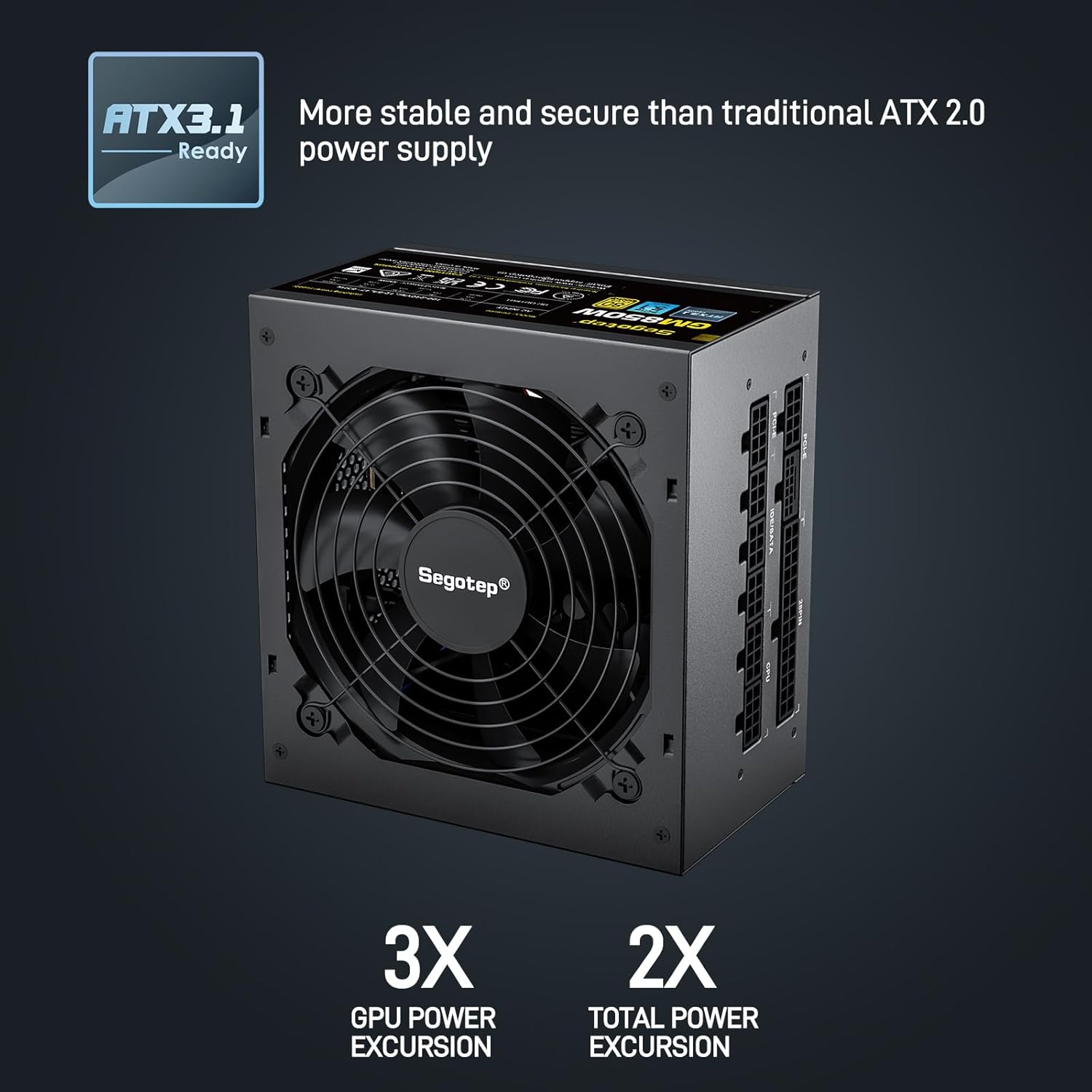
Image 4.1: ATX 3.1 Compliance and Power Excursion Handling
- 80 Plus Goud Gesertifiseerd: The 80 PLUS Gold certification guarantees high power efficiency, reducing energy waste and operating costs. This results in less heat generation and a quieter system.
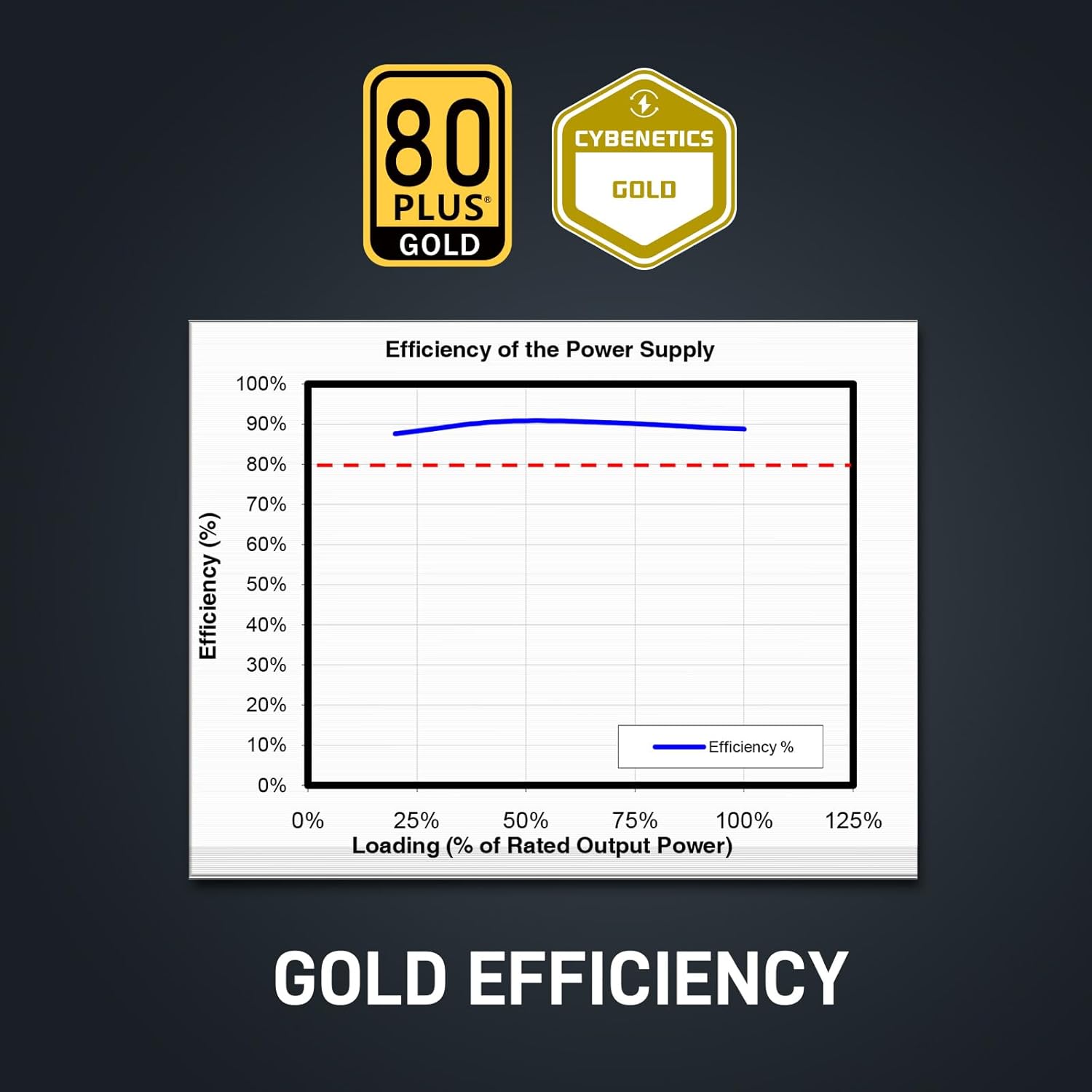
Image 4.2: 80 Plus Gold Efficiency Certification
- Volledig modulêre ontwerp: The fully modular cable system allows you to connect only the cables your system requires, improving airflow within your PC case and simplifying cable management. The flat black cables enhance the aesthetic appeal of your build.
- Native 12VHPWR Cable: Equipped with a native 12VHPWR cable, this PSU can deliver up to 600W of power directly to PCIe 5.1 graphics cards, eliminating the need for adapters and ensuring stable power delivery.
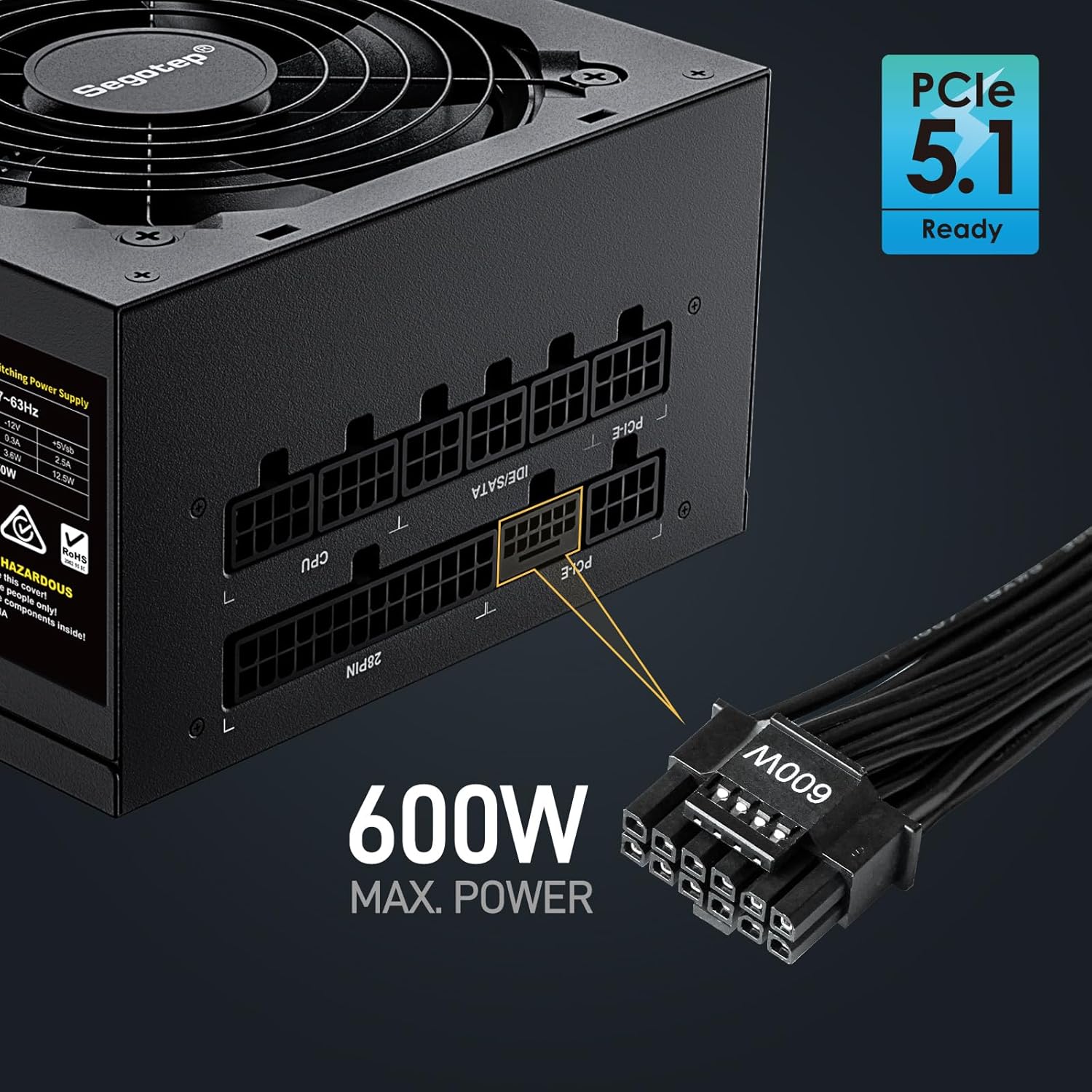
Image 4.3: Native 12VHPWR Cable for PCIe 5.1 Graphics Cards
- Stable +12V Output: Featuring a DC-DC structure, Full Bridge LLC resonance assist, and 12V synchronous rectification, the GM850 provides a highly stable and safe +12V output, crucial for sensitive components like the CPU and GPU.
- Omvattende veiligheidsbeskerming: The power supply incorporates multiple protection circuits to safeguard your components: OVP (Over Voltage Protection), OCP (Over Current Protection), OPP (Over Power Protection), SPD (Surge Protection Device), OTP (Over Temperature Protection), UVP (Under Voltage Protection), and SCP (Short Circuit Protection).
- 120mm FDB Fan: A 120mm Fluid Dynamic Bearing (FDB) fan provides efficient cooling with minimal noise, contributing to a quieter computing experience.

Image 4.4: Graphics Card Compatibility and Connector Types
5. Installasiehandleiding
Follow these steps to install your Segotep GM850 850W Power Supply:
- Voorbereiding: Ensure your computer is powered off and unplugged from the wall outlet. Open your computer case.
- Verwyder ou PSU (indien van toepassing): Disconnect all cables from your old power supply. Unscrew and remove the old PSU from the case.
- Monteer die nuwe PSU: Carefully slide the Segotep GM850 into the power supply bay of your computer case. Secure it with the provided mounting screws.
- Verbind noodsaaklike kabels:
- 20+4 Pin ATX Motherboard Cable: Connect the main motherboard power cable to the corresponding port on your motherboard.
- 4+4 Pin CPU Cable(s): Connect the CPU power cable(s) to the CPU power port(s) on your motherboard.
- Connect Graphics Card Cables:
- For PCIe 5.1 compatible graphics cards, use the native 12VHPWR (16-pin) cable.
- For older graphics cards, use the 6+2 pin PCIe cables as required by your GPU.
- Verbind randapparatuurkabels: Connect SATA power cables to your SSDs, HDDs, and optical drives. Connect IDE/Molex cables for any other peripherals that require them.
- Kabelbestuur: Utilize the fully modular design and flat cables to route and manage cables neatly within your case for optimal airflow and aesthetics.
- Finale kontrole: Double-check all connections to ensure they are secure. Close your computer case.
- Krag aan: Plug the AC power cord into the power supply and then into a grounded wall outlet. Flip the power switch on the PSU to the 'ON' position. Power on your computer.

Image 5.1: Segotep GM850 Power Supply Installed in a PC Case
6. Operasie
Once installed, the Segotep GM850 850W Power Supply operates automatically, providing stable power to your system. The 120mm FDB fan adjusts its speed based on the power supply's temperature and load, ensuring efficient cooling while maintaining low noise levels. No user intervention is typically required during normal operation.
7. Onderhoud
To ensure optimal performance and longevity of your power supply, consider the following maintenance tips:
- Stofverwydering: Periodically clean the exterior of the power supply and its fan grille to prevent dust buildup, which can impede airflow and cooling. Use compressed air to gently clear dust from the fan and vents. Ensure the system is powered off and unplugged before cleaning.
- Kabel inspeksie: Occasionally check all modular cable connections to ensure they are seated firmly.
- Omgewing: Maintain a clean, cool, and dry environment for your computer to prevent excessive strain on the power supply.
8. Probleemoplossing
Indien u probleme met u kragtoevoer ondervind, raadpleeg die volgende algemene probleme en oplossings:
| Probleem | Moontlike oorsaak | Oplossing |
|---|---|---|
| Rekenaar skakel nie aan nie. | Power cord not connected, PSU switch off, faulty component, insufficient power. | Ensure power cord is secure. Check PSU switch is ON. Verify all modular cables are correctly connected. Test with minimal components. |
| Stelsel stort ineen of herbegin lukraak. | Overload, overheating, unstable power delivery. | Verseker totale stelselwatertage does not exceed 850W. Check for proper ventilation. Verify all cables are securely connected. |
| Fan is excessively loud. | Dust buildup, high load, fan malfunction. | Clean dust from the fan and vents. Ensure adequate case airflow. If noise persists, contact support. |
| Brandende reuk of rook. | Serious component failure. | Immediately disconnect power from the wall outlet. Do not attempt to power on the system. Contact Segotep support. |
If these steps do not resolve your issue, please contact Segotep customer support.
9. Spesifikasies
| Kenmerk | Detail |
|---|---|
| Model Naam | GM850 |
| Uitset Wattage | 850 Watt |
| Doeltreffendheidsertifisering | 80 PLUS goud |
| Vormfaktor | ATX 3.0 (Compatible with ATX 3.1) |
| Connector Tipe | ATX 3.1, PCI Express 5.1 (Native 12VHPWR) |
| Verkoelingsmetode | Air (120mm FDB Fan) |
| Produkafmetings (L x B x H) | 5.91 x 5.51 x 3.35 duim |
| Item gewig | 5.29 pond |
| Versoenbare toestelle | Gaming Console (PC) |
| Beskermings | OVP, OCP, OPP, SPD, OTP, UVP, SCP |
10. Waarborg en Ondersteuning
The Segotep GM850 850W Power Supply comes with a 5 jaar waarborg from the date of purchase, covering defects in materials and workmanship under normal use. This warranty does not cover damage caused by improper installation, accidents, abuse, misuse, natural disaster, or unauthorized modification.
For technical support, warranty claims, or further assistance, please contact Segotep customer service through their official website or the retailer where the product was purchased. Please have your proof of purchase and product model information ready when contacting support.
Segotep Inc.
Webwebwerf: www.segotep.com
E-pos: support@segotep.us