
VMAI G700 & P700
VMAI Electric Mop Replacement Pads Instruction Manual
For VMAI G700 & P700 Cordless Electric Mops
1. Inleiding
These VMAI replacement pads are specifically designed for use with the VMAI G700 and P700 Cordless Electric Mops. They are essential for maintaining effective cleaning performance and ensuring the longevity of your mop system. Using genuine VMAI replacement pads helps ensure compatibility and optimal function.
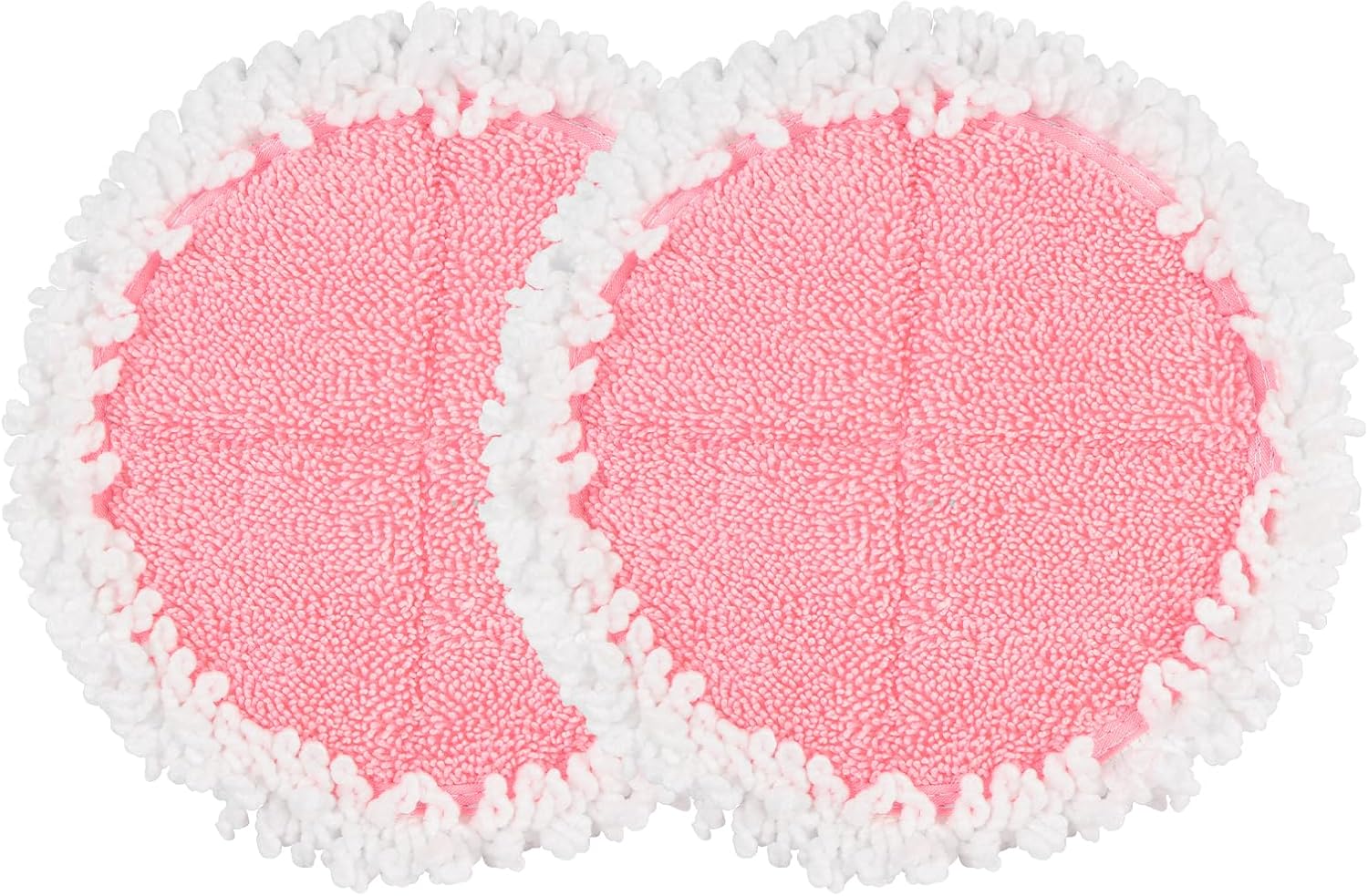
Image 1.1: Two VMAI Electric Mop Replacement Pads (Pink)
2. Opstelling en installering
Follow these steps to correctly attach the replacement pads to your VMAI electric mop:
- Ensure your VMAI electric mop is powered off and disconnected from any charging source before handling.
- Locate the circular pad attachment areas on the underside of the mop head.
- Align one replacement pad with an attachment area. The pads are designed to adhere securely via hook-and-loop fasteners.
- Press the pad firmly onto the mop head, ensuring the entire surface makes contact and is securely fastened.
- Repeat the process for the second pad.

Image 2.1: VMAI Electric Mop with Pads Attached
3. Bedryfsriglyne
To achieve optimal cleaning results with your VMAI replacement pads:
- It is recommended to wash new pads before their first use to remove any manufacturing residues.
- Always ensure both pads are securely attached to the mop head before operating the electric mop.
- For best cleaning performance, use the pads with cleaning solutions specifically recommended for your VMAI electric mop and suitable for your floor type.
- Regularly inspect the pads for wear and tear. Replace pads when they show signs of reduced cleaning effectiveness or significant damage.

Image 3.1: VMAI Mop Pad Compatibility with Various Floor Surfaces
4. Onderhoud en versorging
Proper care of your VMAI replacement pads will extend their lifespan and maintain cleaning efficiency:
- Na elke gebruik: Remove the pads from the mop head.
- Was: Was die kussings met soortgelyke kleure in koue water in die masjien.
- Skoonmaakmiddels: Do not use bleach or fabric softeners. These chemicals can degrade the pad material and reduce its cleaning and absorption capabilities.
- Droog: Tumble dry on low heat or air dry. Ensure pads are completely dry before reattaching them to the mop or storing them to prevent mildew.

Image 4.1: Clean VMAI Mop Pad
5. Probleemoplossing
If you encounter issues with your replacement pads, consider the following:
- Pads not attaching securely:
Ensure both the mop head's attachment surface and the pads are clean and free of lint or debris that could hinder the hook-and-loop fasteners. Inspect for excessive wear on either the pad or the mop's attachment area. - Verminderde skoonmaakprestasie:
Pads may be excessively dirty and require thorough washing, or they may be worn out and need replacement. Ensure the mop itself is functioning correctly and dispensing cleaning solution as expected. - Pads shedding fibers:
Some shedding can occur with new pads during initial uses. Washing the pads before first use can help minimize this. If shedding persists or is excessive, the pads may be defective or at the end of their useful life.
6. Spesifikasies
| Kenmerk | Detail |
|---|---|
| Produk Naam | VMAI Electric Mop Replacement Pads |
| Verenigbaarheid | VMAI G700 & P700 Cordless Electric Mops |
| Afmetings (ongeveer) | 7.0 inches (17.8 cm) in diameter |
| Materiaal | Mikrovesel |
| Batterye benodig | Nee |

Image 6.1: VMAI Mop Pad Dimensions
7. Ondersteuning
For further assistance, product inquiries, or information regarding your VMAI G700 or P700 Cordless Electric Mop, please refer to the original mop manual or visit the official VMAI webwebwerf vir kliëntediens kontakbesonderhede.
Ask a question about this manual
Ask about setup, troubleshooting, compatibility, parts, safety, or missing instructions. Manuals+ will review the question and use this page’s manual context to help answer it.