
1. Inleiding
Dankie vir die aankoopasing the KONKA 43U55A 43-inch U5 Series 4K UHD Android Smart TV. This manual provides essential information for setting up, operating, and maintaining your new television. Please read these instructions carefully before using the product and retain them for future reference.
The KONKA 43U55A features a 4K Ultra HD display, Android TV operating system, and an integrated Google Assistant with voice remote control, offering a comprehensive entertainment experience.
2. Veiligheidsinligting
Volg altyd basiese veiligheidsmaatreëls wanneer u hierdie televisie gebruik om die risiko van brand, elektriese skok en besering te verminder.
- Kragbron: Maak seker dat die TV aan 'n AC 100-240V, 50/60Hz-kragtoevoer gekoppel is.
- Ventilasie: Moenie ventilasie-openinge blokkeer nie. Laat voldoende spasie rondom die TV toe vir behoorlike lugvloei.
- Water en vog: Moenie die TV aan reën of vog blootstel nie. Moenie voorwerpe gevul met vloeistowwe, soos vase, op die TV plaas nie.
- Hitte: Keep the TV away from heat sources such as radiators, heat registers, stoves, or other apparatus that produce heat.
- Skoonmaak: Ontkoppel die TV van die muurprop voordat u dit skoonmaak. Gebruik 'n sagte, droë lap. Moenie vloeibare skoonmaakmiddels of aërosolskoonmakers gebruik nie.
- Kinders: Moenie toelaat dat kinders op die TV of staander klim nie.
- Muurmontering: If wall-mounting, ensure the mount is suitable for the TV's weight and installed by qualified personnel.
- Weerlig: Ontkoppel die TV tydens weerligstorms of wanneer dit vir lang tye nie gebruik word nie.
3. Pakketinhoud
Verifieer dat alle items in die pakket teenwoordig is:
- KONKA 43U55A 43-inch Smart TV
- Remote Control with Voice Function
- TV Stands (2 pcs)
- Skroewe vir TV -staanders
- Kragkoord
- Vinnige Begingids
- Gebruikershandleiding (hierdie dokument)
4. Opstelling
4.1 Staaninstallasie
To install the TV stands:
- Plaas die TV versigtig met die gesig na onder op 'n sagte, plat oppervlak om skermskade te voorkom.
- Rig elke staander met die ooreenstemmende skroefgate aan die onderkant van die TV.
- Maak elke staander vas met die meegeleverde skroewe. Maak seker dat hulle stewig vasgedraai is.
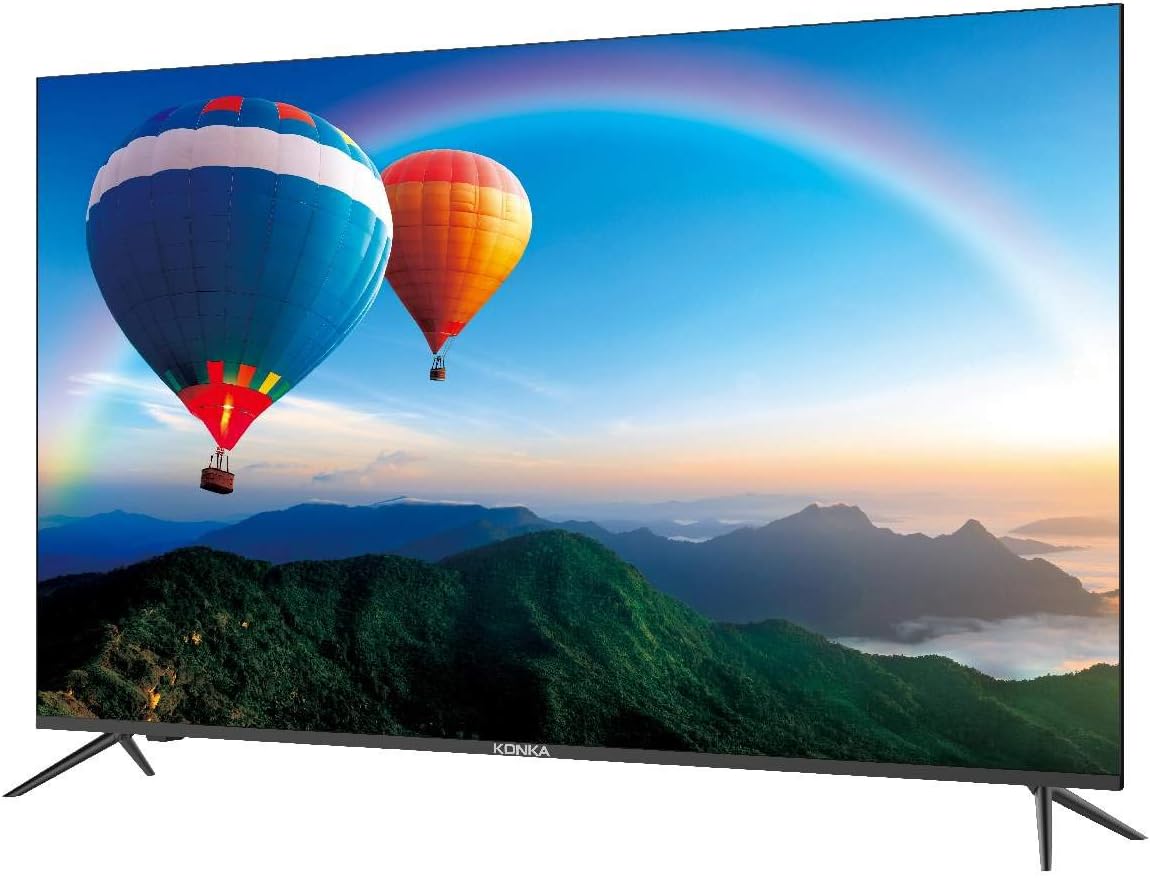
This image shows the front of the KONKA 43U55A Smart TV, highlighting its ZeroBezel design and the included stand. The screen displays a colorful landscape with hot air balloons.
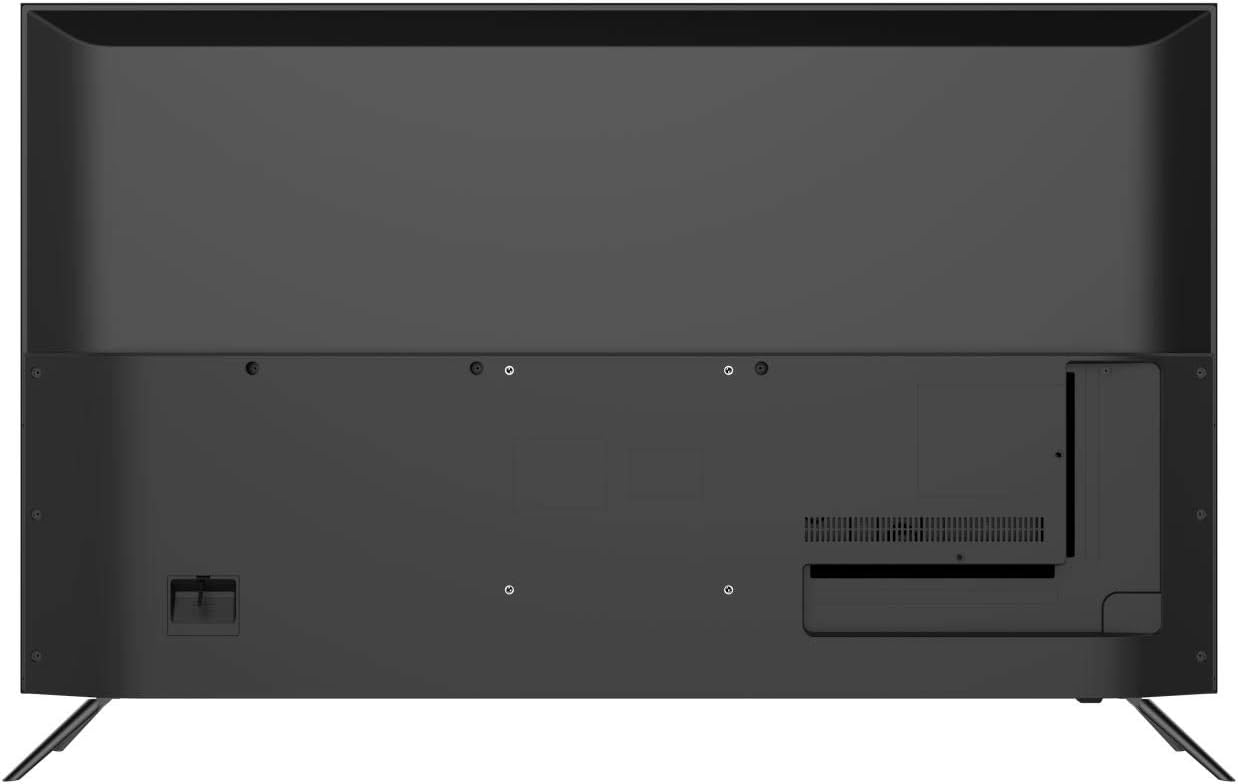
This image displays the back panel of the KONKA 43U55A Smart TV, indicating the VESA mounting holes and the general layout of the rear casing.
4.2 Muurbevestiging (Opsioneel)
If you choose to wall-mount your TV, you will need a VESA-compatible wall mount kit (sold separately). Refer to the wall mount kit's instructions for proper installation. Ensure the wall can support the weight of the TV and the mount.
4.3 Koppel toestelle
Your KONKA 43U55A TV offers various ports for connecting external devices.

This diagram illustrates the various connectivity ports available on the KONKA 43U55A Smart TV, detailing the locations for USB, HDMI (including ARC), Headphone, LAN, Optical, AV In, and RF connections.
- HDMI (hoëdefinisie multimedia-koppelvlak): Connect Blu-ray players, game consoles, cable/satellite boxes, and other HDMI-enabled devices. The TV has 4 HDMI inputs, with HDMI1 supporting ARC (Audio Return Channel).
- USB: Koppel USB-bergingstoestelle om media te speel files. Die TV het 2 USB-poorte.
- LAN (Ethernet): Koppel 'n Ethernet-kabel vir 'n bedrade internetverbinding.
- OPTICAL (Digital Audio Out): Koppel aan 'n klankbalk of oudio-ontvanger vir digitale oudio-uitvoer.
- AV IN (Composite Video/Audio): Koppel ouer toestelle met behulp van saamgestelde video- en stereo-klankkabels.
- RF (Antenna/Cable In): Connect an antenna or cable TV coaxial cable.
- OORFONE: Koppel koptelefoon vir privaat luister.
4.4 Initial Power On and Android TV Setup
After connecting all desired devices and the power cord:
- Druk die aan/uit-knoppie op die afstandbeheerder of die TV.
- Volg die instruksies op die skerm om die aanvanklike opstelling te voltooi, insluitend taalkeuse, netwerkverbinding (Wi-Fi of Ethernet) en aanmelding by Google-rekening.
- Pair the voice remote control as prompted to enable Google Assistant functionality.
5. Gebruik u TV
5.1 afstandbeheer
The included remote control allows you to navigate the TV's features. It includes dedicated buttons for common functions and a microphone button for voice commands.
- Krag: Skakel die TV aan of af.
- Invoer: Kies die invoerbron (HDMI, AV, ens.).
- Navigasie-knoppies: Up, Down, Left, Right to move through menus.
- OK/Enter: Bevestig keuses.
- Agter: Keer terug na die vorige skerm.
- Tuis: Kry toegang tot die Android TV-tuisskerm.
- Volume +/-: Pas die volume aan.
- Kanaal +/-: Verander TV-kanale.
- Mikrofoonknoppie: Aktiveer Google Assistent vir stemopdragte.
5.2 Android TV-kenmerke
Your KONKA Smart TV runs on Android TV, providing access to a wide range of content and smart features:
- Google Play Winkel: Download and install your favorite streaming apps, games, and utilities.
- Google Assistent: Use voice commands via the remote to search for content, get information, control smart home devices, and more. Press the microphone button on your remote and speak your command.
- Chromecast Ingeboude: Cast content from your compatible smartphone, tablet, or computer directly to the TV screen.
5.3 Beeld- en klankinstellings
Kry toegang tot die TV se instellingskieslys om beeld en klank volgens jou voorkeur aan te pas.
- Prentinstellings: Adjust brightness, contrast, color, sharpness, and picture modes. The TV features Konka's XC3 Quad Core+ Ultra HD engine, HiBright Pro LED backlight, and ColorWave Wide Color Gamut technology for enhanced visual quality.
- Klankinstellings: Adjust bass, treble, balance, and select sound modes. If the built-in speakers do not meet your audio preferences, consider connecting an external soundbar or home theater system via HDMI ARC or Optical output.
6. Onderhoud
6.1 Skoonmaak van die TV
To ensure the longevity and optimal performance of your TV, follow these cleaning guidelines:
- Skerm: Vee die skerm liggies af met 'n sagte, pluisvrye lap. Vir hardnekkige merke, vee dit effens af.ampMaak die lap skoon met water of 'n gespesialiseerde skermreiniger (moenie direk op die skerm spuit nie).
- Kabinet: Vee die TV-kas af met 'n sagte, droë lap.
- Moenie gebruik nie: Vermy die gebruik van skuurmiddels, wasse of oplosmiddels, aangesien dit die TV se afwerking kan beskadig.
6.2 Algemene sorg
- Vermy om swaar voorwerpe op die TV te plaas.
- Moenie die TV aan direkte sonlig of uiterste temperature blootstel nie.
- Unplug the TV from the power outlet during electrical storms or if it will be left unattended for an extended period.
7. Probleemoplossing
As jy probleme met jou TV ondervind, raadpleeg die volgende algemene oplossings:
| Probleem | Moontlike Oplossing |
|---|---|
| Geen krag / TV skakel nie aan nie | Check if the power cord is securely plugged into the TV and the wall outlet. Try a different outlet. Ensure the remote control batteries are not depleted. |
| Geen beeld / Swak beeldkwaliteit | Check input source selection. Ensure all cables (HDMI, AV, Antenna) are securely connected. Adjust picture settings in the TV menu. For external devices, check their output settings. |
| Geen klank / Swak klankgehalte | Check volume level and mute status. Ensure external audio devices are properly connected and powered on. Adjust sound settings in the TV menu. |
| Afstandbeheer werk nie | Replace batteries. Ensure there are no obstructions between the remote and the TV's IR sensor. Re-pair the voice remote if necessary (refer to Android TV setup). |
| Android TV apps crashing or freezing | Ensure the TV's software is up to date. Clear the cache for the problematic app (Settings > Apps > [App Name] > Clear Cache). Reinstall the app if the issue persists. Restart the TV. |
| TV turns on randomly | This can sometimes occur if connected devices (e.g., Roku) update or send signals. To fully power off the TV, press and hold the Power button on the remote for approximately 3 seconds until a power-off prompt appears, then confirm. This puts the TV into a deeper sleep state. |
| Wi-Fi-verbindingskwessies | Restart your router and modem. Check TV network settings. Ensure the TV is within range of your Wi-Fi router. Try a wired LAN connection if possible. |
8. Spesifikasies
| Kenmerk | Spesifikasie |
|---|---|
| Handelsmerk | KONKA |
| Model Naam | 43U55A |
| Skerm grootte | 43 duim |
| Vertoon tegnologie | LED |
| Resolusie | 4K (3840 x 2160 piksels) |
| Herlaaitempo | 120 Hertz |
| Bedryfstelsel | Android TV |
| Spesiale kenmerke | HDMI Input, Noise Reduction, Smart TV, Ultra High Definition |
| Verbindingstegnologie | HDMI |
| Aspekverhouding | 16:9 |
| Hardeware-koppelvlak | HDMI |
| Montage tipe | Tafelberg |
| Produk afmetings | 106.5 x 14 x 65 cm (met staander) |
| Produk Gewig | 9.98 kg |
| Modeljaar | 2020 |
9. Waarborg en Ondersteuning
For warranty information and technical support, please refer to the documentation included with your purchase or visit the official KONKA webwebwerf. Bewaar u bewys van aankoop vir waarborgeise.