
SMARTRO ST49
SMARTRO ST49 Digital Thermocouple Instant-Read Meat Thermometer
Instruksie Handleiding
Produk verbyview
The SMARTRO ST49 is a professional-grade digital thermocouple instant-read meat thermometer designed for accurate and rapid temperature measurements in various cooking applications, including grilling, BBQ, kitchen cooking, oil deep frying, and candy making. It features a highly accurate probe, a large backlit display, and a durable, waterproof design.

Image: The SMARTRO ST49 Digital Thermometer in red, with its probe extended, showing the digital display.
Opstelling
1. Battery Installasie
The SMARTRO ST49 thermometer requires 2 AAA batteries for operation. To install or replace batteries:
- Vind die battery kompartement op die agterkant van die termometer.
- Maak die batterydeksel oop.
- Plaas twee AAA-batterye in en maak seker dat die polariteit (+/-) korrek is.
- Maak die batterydeksel stewig toe.
2. Aanvanklike aanskakeling
The thermometer features a motion-activated wake-up mode. Simply pick up the device or unfold the probe to turn it on instantly. The display will illuminate.
Bedryfsinstruksies
1. Neem 'n temperatuurlesing
To obtain an accurate temperature reading:
- Unfold the stainless steel probe from the thermometer body. This action will automatically power on the device.
- Insert the tip of the probe into the thickest part of the food item, avoiding bones or gristle.
- Wait for 1-2 seconds for the temperature reading to stabilize on the large, backlit LCD display. The thermometer provides pinpoint accuracy of ±0.7°F.
- The temperature range for this device is -22°F to 572°F (-30°C to 300°C).

Image: A hand holding the SMARTRO ST49 thermometer, with its probe inserted into a piece of cooked meat on a grill, displaying a temperature reading.
2. Vertoonkenmerke
- Groot agtergrondskerm: The display features large digits and backlighting for easy viewin verskillende beligtingstoestande.
- Outo-roterende skerm: The display can detect if the device is upside down and will automatically rotate the temperature reading for convenient use with either hand or from any angle.
- Motion-Activated Wake-up/Sleep Mode: The thermometer turns on instantly when picked up or the probe is unfolded. It enters a battery-saving sleep mode when set down or the probe is folded back.

Image: A hand holding the SMARTRO ST49 thermometer over a grill, demonstrating the auto-rotating display feature.
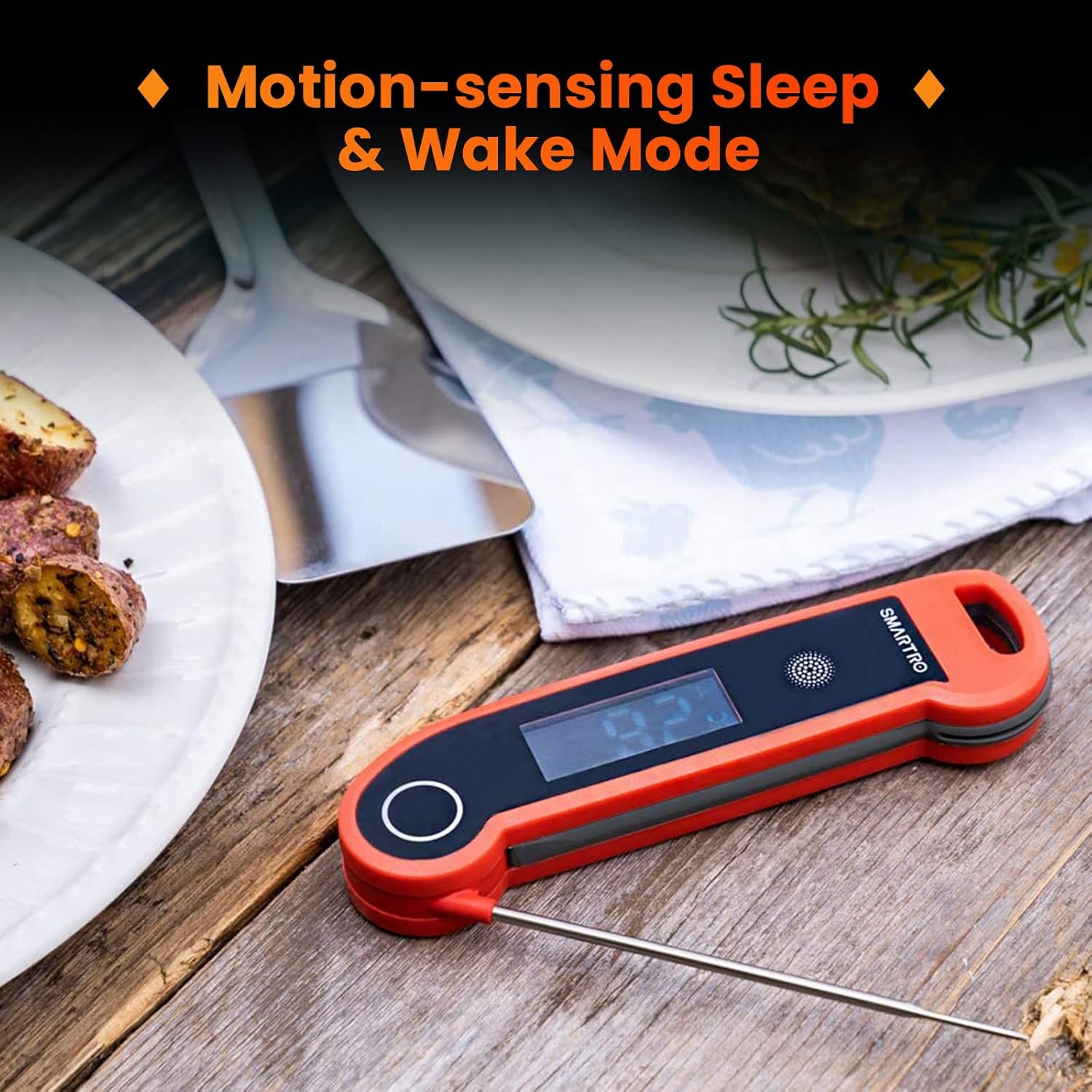
Image: The SMARTRO ST49 thermometer demonstrating its motion-sensing sleep and wake modes, showing the device in a folded (sleep) and unfolded (wake) state.
3. Kalibrasiefunksie
The ST49 includes a calibration function to ensure long-term accuracy. Refer to the detailed instructions in the full user manual (PDF link below) for the calibration procedure, typically involving an ice-water bath.

Image: The SMARTRO ST49 thermometer with its probe inserted into a glass of ice water, illustrating the calibration function.
4. NSF Certification
The ST49 meat thermometer is NSF certified, indicating it has been rigorously tested and meets high standards for public health protection and safety.

Image: A person using the SMARTRO ST49 thermometer to check the temperature of a roasted chicken, with an NSF certified logo overlay.
Onderhoud
1. Skoonmaak
The SMARTRO ST49 has a best-in-class IP67 waterproof rating, meaning it can withstand immersion in up to 1 meter of water for a limited time. This allows for easy cleaning:
- After each use, run the probe under water and rinse with mild soap.
- Vee die termometer se liggaam met advertensiemateriaal af.amp lap.
- Belangrik: Do not soak the entire thermometer for extended periods.

Image: A split image showing the SMARTRO ST49 thermometer submerged in water and being rinsed under a faucet, highlighting its IP67 waterproof rating.
2. Berging
The thermometer offers convenient storage options:
- Magnetiese agtergrond: The ST49 can be securely attached to any metal surface, such as a refrigerator or grill, using its built-in magnet.
- Hanggat: A dedicated hole allows the thermometer to be hung on a hook or rope for easy access.

Image: A split image demonstrating the SMARTRO ST49 thermometer's built-in magnet attached to a metal surface and its hanging hole being used to hang it on a hook.
Probleemoplossing
If you encounter issues with your SMARTRO ST49 thermometer, please refer to the following common troubleshooting steps:
- Toestel skakel nie aan nie:
- Maak seker dat die batterye korrek geïnstalleer is met die korrekte polariteit.
- Replace old or depleted batteries with fresh AAA batteries.
- Confirm the probe is fully unfolded to activate the motion-sensing wake-up mode.
- Onakkurate lesings:
- Ensure the probe tip is inserted deeply enough into the food, avoiding bones or fat pockets.
- Perform a calibration using an ice-water bath as described in the full user manual to verify and adjust accuracy.
- Allow sufficient time (1-2 seconds) for the reading to stabilize.
- Display Issues (e.g., flickering, no backlight):
- Kontroleer batteryvlak en vervang indien laag.
- Ensure the thermometer has not been subjected to extreme temperatures outside its operating range.
For further assistance, please contact SMARTRO customer support.
Spesifikasies
| Kenmerk | Detail |
|---|---|
| Modelnommer | ST49 |
| Temperatuurreeks | -22°F tot 572°F (-30°C tot 300°C) |
| Akkuraatheid | ±0.7°F |
| Uitleestyd | 1-2 sekondes |
| Waterdigte gradering | IP67 |
| Kragbron | 2 x AAA-batterye |
| Tipe vertoon | LCD met agterlig |
| Spesiale kenmerke | Auto Off, Fast Reading, High Accuracy, Ultra Clear Screen, Waterproof, Auto-Rotating Display, Motion-Sensing Wake/Sleep, Magnetic Backing, Hanging Hole |
| Materiaal | Plastiek, vlekvrye staal |
| Sertifiserings | CE, NSF, RoHS |
Waarborg en Ondersteuning
SMARTRO is committed to providing high-quality products and excellent customer service. While specific warranty details may vary, we offer comprehensive after-sales support for our products.
For any questions, technical assistance, or warranty claims, please contact SMARTRO customer support through our official webwebwerf of die kontakinligting verskaf met jou aankoop.
You can also refer to the official User Manual in PDF format for more detailed information: Laai gebruikershandleiding af (PDF)
Ask a question about this manual
Ask about setup, troubleshooting, compatibility, parts, safety, or missing instructions. Manuals+ will review the question and use this page’s manual context to help answer it.